
If you ask a backup engineer for the single rule a business should never violate, the answer has been the same for nearly two decades: the 3-2-1 backup rule. Three copies of your data, two different types of storage media, one copy kept offsite. It is the standard endorsed by CISA and NIST, recommended by every major data protection vendor, and the foundation of every credible disaster recovery plan. It is also, in its original form, no longer enough. The threats that the 3-2-1 backup rule was built to handle, hardware failure and physical disaster, are still real, but ransomware now goes after backups directly, attackers move faster, and a backup that has never been tested for recovery is not actually a backup at all. The modern guidance is to start with the 3-2-1 rule and extend it for the way real threats work today. This guide explains what the rule is, why it has lasted, how to apply it in a modern environment, and the practical extensions that turn it from a guideline into genuine resilience.
What the 3-2-1 Backup Rule Actually Says
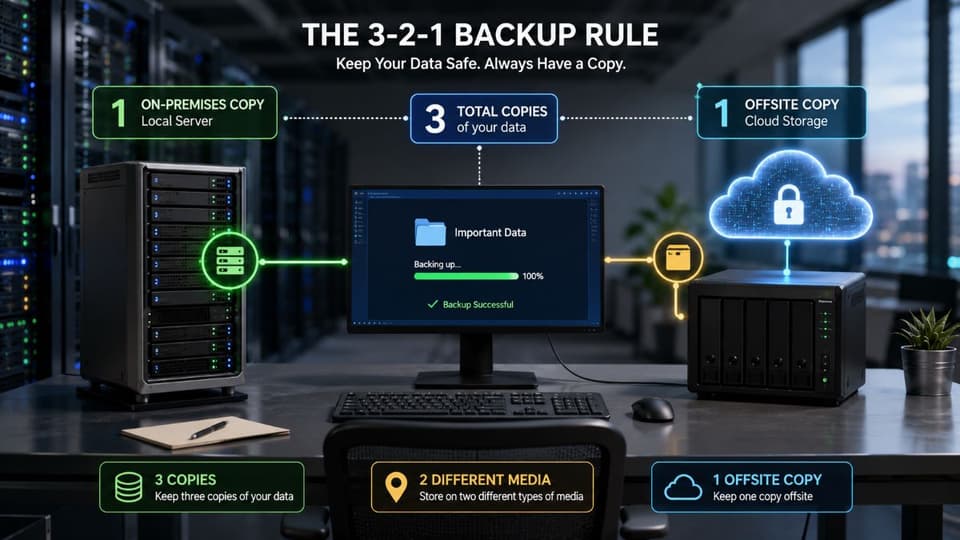
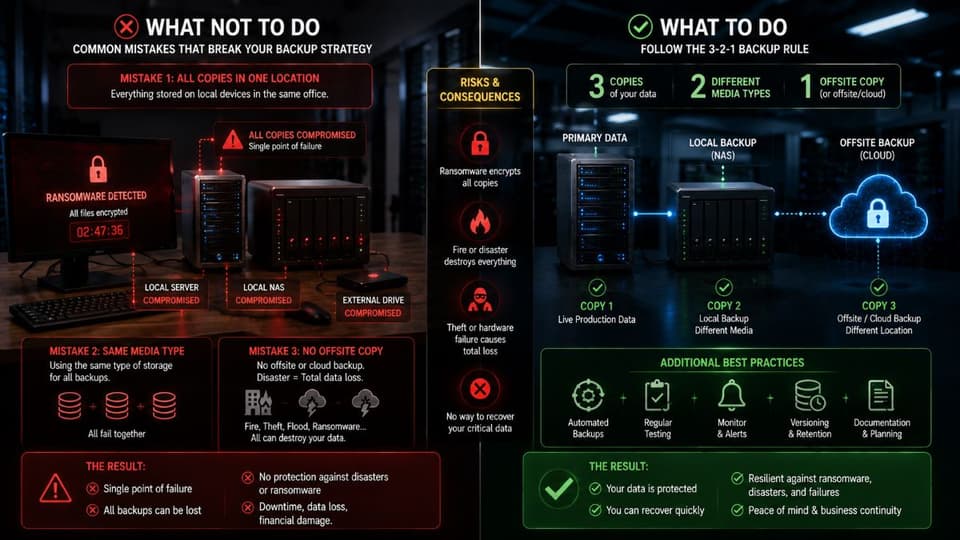
The rule itself is simple to state. To protect data against loss, a business should keep three total copies of its data, store those copies on at least two different types of storage media, and keep at least one copy offsite, physically separated from the primary location. That is the entire rule. Its power comes from how it eliminates single points of failure.
The 3-2-1 backup rule was first articulated in the mid-2000s by photographer Peter Krogh in his book on digital asset management. The original context was preventing photographers from losing irreplaceable images, but the logic translates directly to any data a business cannot afford to lose. The rule has endured because it is technology-agnostic. It does not specify particular vendors, products, or platforms; it specifies a structure that any combination of those can satisfy.
Breaking Down Each Number
The three numbers each serve a specific purpose, and skipping any of them creates a predictable failure mode.
The 3 (three copies). Your production data counts as one. You then need at least two additional backup copies. Why three rather than two? Because the probability of all copies failing simultaneously decreases sharply with each additional copy, and a single backup is one mistake or one failure away from leaving you with nothing.
The 2 (two different media types). Storing all copies on the same kind of storage exposes you to the failure mode of that medium. A bug in a particular drive model, a firmware flaw, or a media-specific corruption can destroy every copy at once if they are all the same. Mixing media, for example a local network-attached drive and a cloud storage service, protects against this.
The 1 (one offsite copy). A fire, flood, theft, or other physical disaster that affects your premises will destroy every copy stored there, regardless of how many copies you kept. At least one copy must live somewhere else entirely, far enough away that the same physical event cannot reach both.
Why the 3-2-1 Backup Rule Has Lasted
Twenty years is a long time in technology, and most specific advice from 2005 is now obsolete. The 3-2-1 rule has survived because it expresses an underlying principle rather than a specific implementation. The principle is risk diversification: do not let any single event, whether a hardware failure, a site disaster, or a software bug, eliminate your ability to recover.
The rule's resilience also comes from its government and industry backing. The U.S. Cybersecurity and Infrastructure Security Agency and the National Institute of Standards and Technology both reference 3-2-1 as a baseline data protection standard. Major backup vendors build their products around it. Insurance carriers increasingly expect to see something like it in place before extending cyber coverage. When a practice is endorsed across regulators, vendors, and insurers, ignoring it becomes the unusual position to defend, not following it.
Why 3-2-1 Alone Is Not Enough Anymore
This is where many older articles stop, and where modern backup guidance starts. The original 3-2-1 rule was built for a world where the main threats to data were physical: a hard drive failing, a fire in the office, a flood in the data center. Those threats still exist, but they are no longer the dominant ones for most businesses. Two changes have reshaped the landscape.
The first is ransomware. Modern ransomware operators specifically target backups before encrypting production data, because they know that an organization with working backups will not pay. If your backup copies live on systems the attacker can reach with the same credentials they used to compromise your production environment, they can be encrypted, deleted, or corrupted right alongside everything else. A backup that fails when an attacker tries hardest to destroy it is the worst possible failure mode for a disaster recovery plan.
The second is the rise of silent corruption and untested backups. A surprising number of businesses discover, during an actual recovery, that their backups had been failing or partially failing for months. Backup software reported success, but the recovered data was incomplete or corrupted. Without regular verification, a 3-2-1 setup can quietly degrade into something that does not actually deliver on its promise.
These two changes are why backup professionals now recommend extending the rule, not replacing it.

The Modern Extension: 3-2-1-1-0
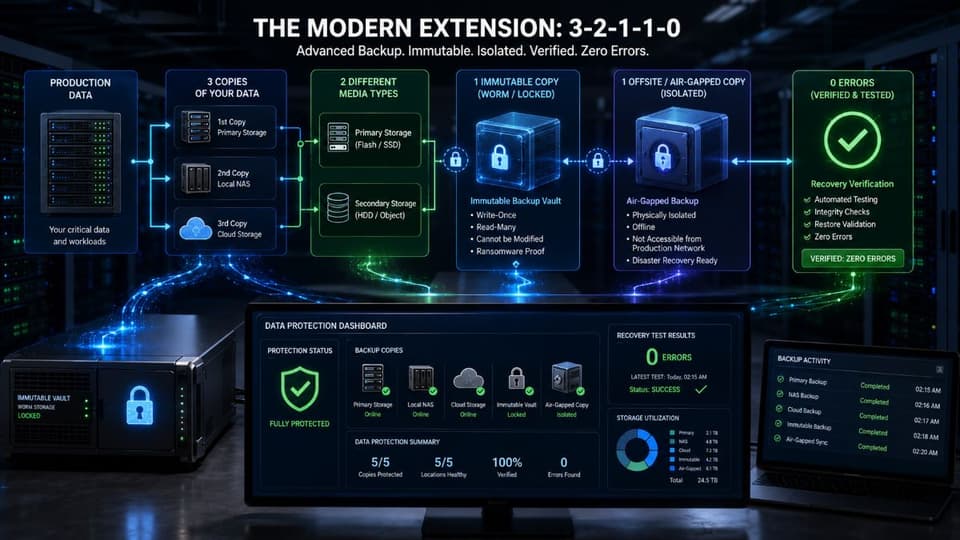
The most widely adopted modern version of the 3-2-1 backup rule is sometimes written as 3-2-1-1-0. The original numbers stay the same; two are added that address how threats actually work today.
The extra 1 stands for one immutable or air-gapped copy. Immutable means the backup cannot be modified or deleted for a defined retention period, typically through a write-once-read-many or object-lock mechanism. Air-gapped means the backup is physically or logically disconnected from the network, so an attacker who compromises the network cannot reach it. Either approach protects at least one copy from ransomware that targets backups, which is precisely the threat traditional 3-2-1 does not fully address.
The 0 stands for zero errors in recovery testing. A backup is only as good as your last successful restore from it. The 0 requires verifying recoverability on a defined schedule, ideally with full restore tests at least annually, so that a problem with the backup is found in a controlled test rather than during an actual disaster. Many organizations skip this step, which is why so many real recoveries fail.
The full 3-2-1-1-0 picture is therefore: three copies, on two different media types, with one offsite, plus one immutable or air-gapped copy, with zero verified recovery errors. It is the original rule plus the two reinforcements modern threats require.
How to Apply the Rule in a Modern Small Business Environment
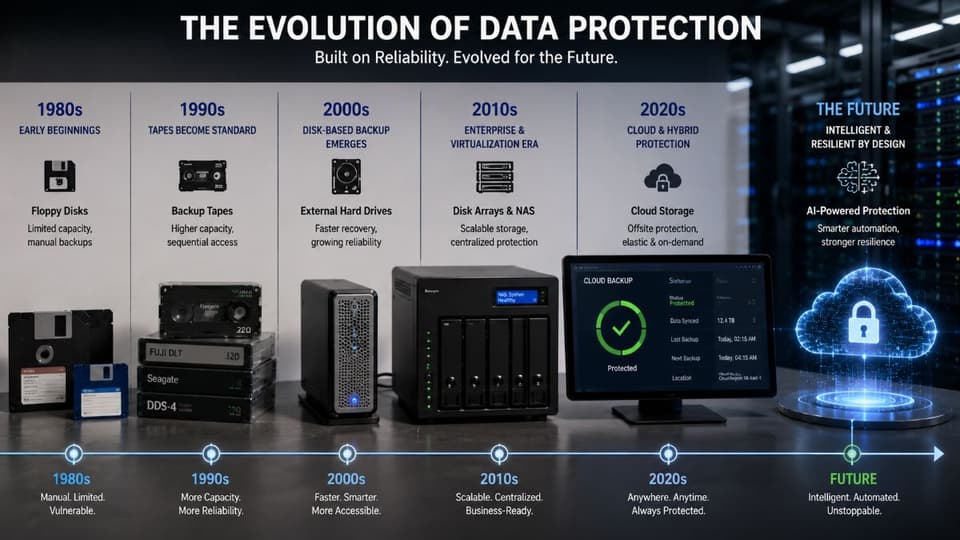
The classic example of 3-2-1 in 2005 involved an internal hard drive, an external drive, and a backup tape in a safety deposit box. In 2026, the same principles apply, but the implementations look different. For a typical small or mid-sized business, a workable modern setup looks something like this.
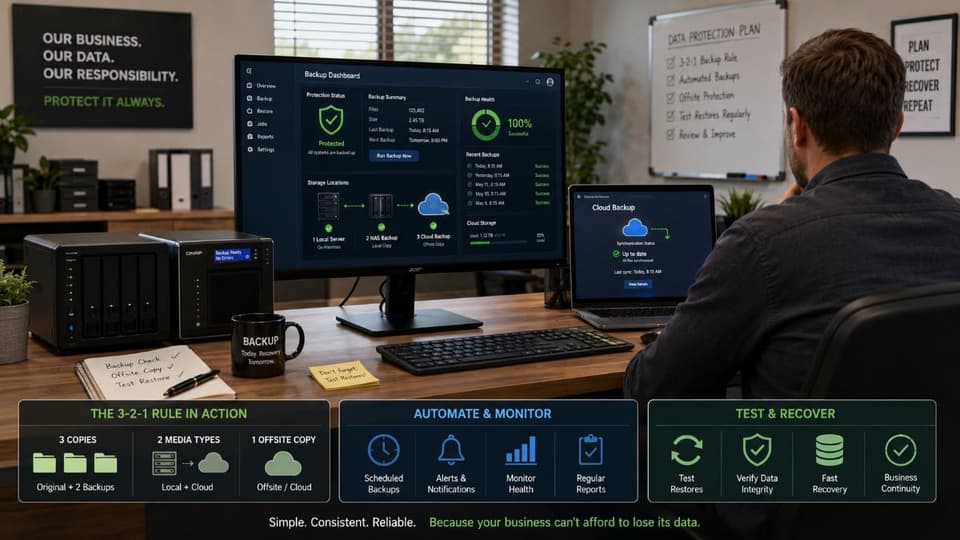
The production copy lives where the data is actually used, on workstations, servers, or cloud services your business runs on. The first backup copy is a local backup on different media, often a network-attached storage device or a separate backup appliance, kept onsite for fast recovery from common failures. The second backup copy is a cloud or remote backup, kept offsite to protect against physical disaster. At least one of the backup copies, ideally the offsite one, is configured to be immutable or air-gapped, so ransomware cannot destroy it through the network. And the entire setup is tested for recoverability on a defined schedule, not assumed to work.
This pattern is well within reach of a small business, particularly when supported by reliable data backup and disaster recovery services that handle the technical work of provisioning, configuring, and testing the setup. The shift from "I have a backup" to "I have a verified, immutable, multi-location backup" usually does not require dramatically more spending; it requires the right architecture and the discipline to test it.
Common Mistakes That Break the 3-2-1 Backup Rule
The patterns that turn a 3-2-1 setup into a paper one are predictable. Knowing them is the fastest way to find your own gaps.
The most common is having three copies that are not really three. A primary copy plus a single backup that is mirrored to two locations is not three copies; it is two. If the mirror is real-time, a corruption or ransomware encryption propagates instantly to both, and you have one effective copy. Real backup copies are point-in-time snapshots, not continuous mirrors.
The second is having two media types that are not really different. Two cloud backups with the same provider, or two external drives of the same model from the same batch, share failure modes. Genuine media diversity means different categories of storage, not different units of the same category.
The third is having an offsite copy that is not truly offsite. A backup drive that sits in a closet ten feet from the server is not protected against the fire or flood that destroys the server. Offsite means geographically separated, typically a different building or, more often today, a cloud or remote location.
The fourth is treating Microsoft 365 or Google Workspace retention as a backup. These platforms retain data for limited periods according to their own policies and are designed for recovery from user error, not from comprehensive ransomware events or extended legal holds. They are not a substitute for a real, controlled backup. Layered cybersecurity solutions help defend the backups against the threats they are most likely to face, but they do not eliminate the need for the backups themselves.
The fifth, and the most damaging when it surfaces, is never testing recovery. A backup you have not successfully restored from is a hypothesis. Plenty of organizations discover during an actual incident that their backups had silently failed for months. Scheduled recovery testing is what converts a backup from a checkbox into a capability.
How to Build and Maintain a 3-2-1 Backup Program
The work of setting up and sustaining a 3-2-1 backup program follows a clear order. Done in this sequence, it produces resilience that is real rather than assumed.
- Inventory the data that matters. Identify the systems, databases, files, and applications whose loss would seriously harm the business. Backing up everything indiscriminately is wasteful, and backing up only what comes to mind misses what really matters.
- Define recovery objectives for each category. How quickly does each system need to come back, and how much data loss is tolerable? These targets determine backup frequency and architecture.
- Design the 3-2-1 implementation. Pick the storage media, the offsite location, and the cadence of backups based on the objectives in step two. Different data categories may justify different setups.
- Add the immutability or air-gap layer. Configure at least one copy so that ransomware or a compromised administrator account cannot destroy it. This is the single most valuable upgrade to a classic 3-2-1 setup.
- Schedule and run recovery tests. Verify each tier of backup actually restores correctly, with full restore tests at least annually and partial tests more often. Document the results so you have evidence of the capability, not just claims.
- Review and adjust as the business changes. New systems, new data sources, and new threats all change what the backup program needs to cover. An annual review keeps the setup aligned with reality rather than with the business of three years ago.
For most small businesses, ongoing managed IT services are where the day-to-day work of running this program lives, configuring the backups, monitoring success and failure alerts, and conducting the verification tests that turn the 3-2-1 backup rule from a promise into an outcome.
If you are not confident your current backups would actually recover your business after a serious incident, a focused review with a knowledgeable local partner is the most direct way to find the gaps before you need to use the backups for real.