

A specialist calls asking for a patient's scans from six years ago. The practice has them, technically: they are on a server in the back room, in the database of an imaging program the office replaced in 2022, and the only person who knew how to open that program left in 2023. The images exist and nobody can produce them, which for practical and legal purposes is the same as not having them.
This is the part of dental imaging storage that never comes up when a practice buys a sensor or a 3D machine. The purchase decision is about image quality. The problem that arrives years later is about volume, retention, and whether the files are still readable.
Why Imaging Is a Different Data Problem
Clinical notes are small, text based, and easy to move. Images are none of those things, and four properties make them behave differently from everything else a practice stores.
They grow relentlessly, because every year of practice adds another year of studies and nothing gets deleted. They outlive the equipment that created them, so the retention clock keeps running long after the machine and its software are gone. They are frequently stored in formats controlled by the vendor rather than by the practice. And they must remain not merely stored but openable, since an archive nobody can read is a liability that also consumes storage.
The Practice Overview Versus the Lifecycle
Most guidance about imaging in a dental office covers the equipment, the network it needs, and keeping it running, which our guide to dental IT support addresses. This article is about what happens to the images afterward, across the years when no one is thinking about them and the decisions are being made by default.
The distinction matters because the failures are different. Equipment failures are loud and get fixed the same day. Lifecycle failures are silent until somebody needs a file from six years ago.
How Long Must You Keep Them?
Here a careful answer is more useful than a confident one. Radiographs and 3D scans are part of the clinical record and carry the same retention obligation as the chart, so the real question is what that obligation is, and the answer does not come from HIPAA.
HIPAA sets no retention period for clinical records at all. Its well known six year rule applies to required documentation such as policies, risk analyses, and training records, which is a different category entirely. Clinical retention is set by state law, by your professional board, and in practice by what your malpractice carrier advises, and published guidance for California disagrees with itself: some sources cite a seven year baseline, others note that no specific statutory period exists for private practices, and carriers commonly recommend ten years or longer.
What to Do With That Ambiguity
Get the number in writing from your counsel or your malpractice carrier rather than from an article, including this one. Then treat that number as an engineering requirement, because the practice's job after that is purely technical: make the systems hold images for the agreed period, in a readable form, with proof that they were not altered.
Two practical notes make the number bigger than people expect. Minors extend the clock well past the age of majority, so a pediatric practice may be holding images for two decades or more. And a practice that is sold hands the retention obligation to somebody, which the purchase agreement should name explicitly rather than leave to assumption.
Deleting Is a Decision, Not a Cleanup
The reverse question matters too. Keeping everything forever feels safe and quietly is not, since data you hold is data you must protect, produce on request, and account for after a breach. Once the retention period genuinely expires, deliberate destruction with a record of what was destroyed is the correct end of the lifecycle, which is exactly the discipline described in our guide to building a data retention policy.
Where the Images Are Stored
Ask most offices where their images are stored and the answer is the name of the software. That is not a location, and the difference shows up during a restore.
In a typical practice the images sit on a server or a designated computer in the office, inside a folder structure that only the imaging application understands, with a database that maps patients to files. Some studies also live in the practice management system, some in a separate cloud service sold by the equipment vendor, and some in a temporary folder created by the sensor software that no one has ever looked at.
Why the Backup Frequently Misses Them
Two failures recur, and neither shows up until a recovery is attempted. The first is scope: the backup was configured for the practice management data and the imaging folders were never added, or were added and later moved when the software was upgraded.
The second is the database problem. Copying the files of a live database while it is running often produces a set that will not open, because the copy is not internally consistent. A backup that understands the application, takes it to a consistent state, and is then tested by actually opening images is the only version that counts, and the test is the part that gets skipped, which our guide to testing restores properly covers in detail.
Storage Growth Is Not Linear
Practices plan storage as if next year looks like last year, and then someone buys a 3D machine. Cone beam studies are dramatically larger than routine intraoral images, so a single new device can change the growth curve overnight and fill a server that had years of headroom.
The planning question is not how much space the images take today but how much the current mix of equipment produces per month, multiplied by the retention period the practice has agreed to. Run that number once and the storage decision stops being a series of emergencies. Older studies can also move to cheaper archival storage while staying retrievable, which is a normal part of a well designed backup and disaster recovery arrangement rather than a special project.
The Sharing Habit Worth Retiring
Sending studies to a specialist on a burned disc or an unencrypted USB drive persists in dentistry long after it stopped being defensible. The receiving office often cannot read the proprietary viewer anyway, and the drive itself becomes an uncontrolled copy of patient data traveling in an envelope.
The alternative is a secure electronic transfer through the imaging platform or a portal, which is faster, produces a record of what was sent and to whom, and keeps the disclosure inside the practice's control. It also fits the wider record protection picture described in our guide to healthcare data security.
The Format Question and Vendor Lock-In
There is a standard for medical imaging, DICOM, and there is what many dental systems actually do, which is store images in a proprietary structure that only their own software reads properly. A practice that never changes software may never notice; a practice that switches finds out at the worst time.
The question to ask any imaging vendor before signing, and to ask your current one this week, is simple: if we leave, what exactly do we get, in what format, and does it include the images with their patient associations and dates intact? An export that produces thousands of files with meaningless names, detached from the patients they belong to, technically satisfies the promise and is useless in practice.
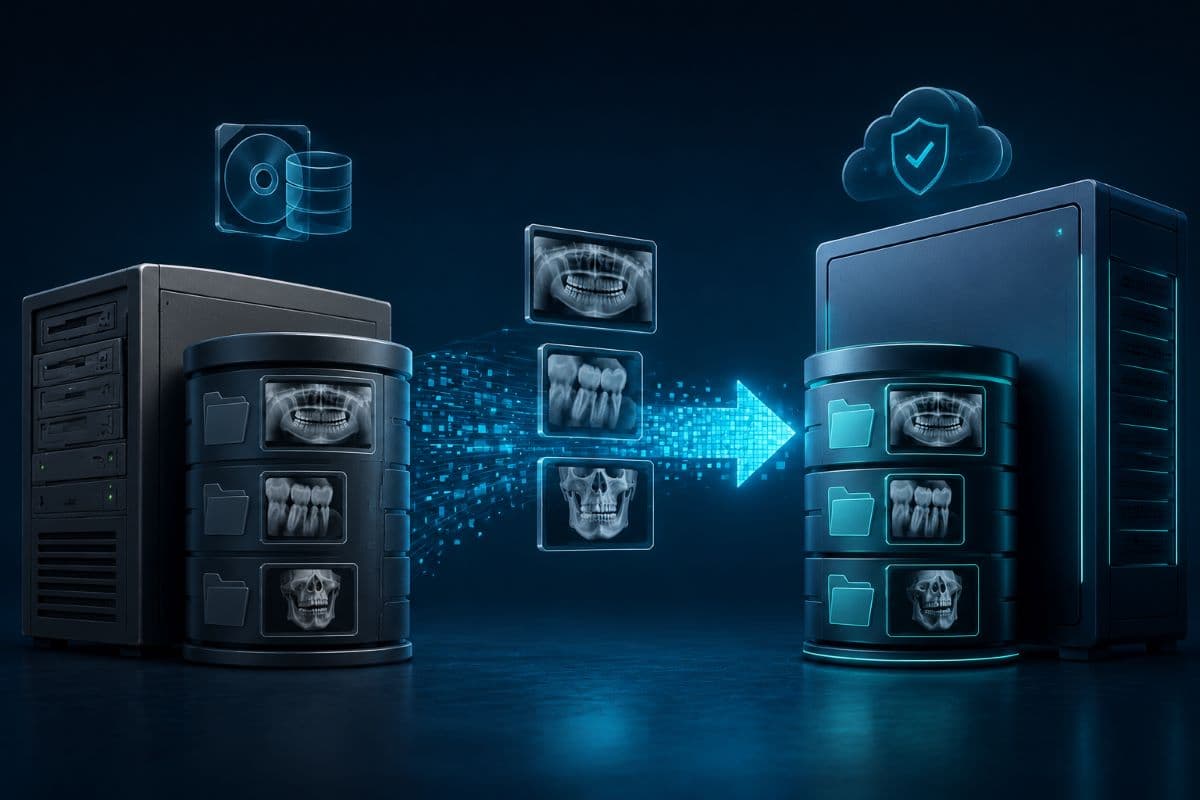
The Migration Moment
Switching practice management or imaging software is where archives are lost, usually through optimism rather than negligence. The old system is decommissioned once the new one appears to be working, and the gap in what transferred surfaces months later when somebody looks for an old study.
Two rules prevent nearly all of it. Verify by opening, not by counting, meaning someone checks real patient records from several different years and confirms the images appear correctly with the right dates. And keep the old system available, powered down but restorable, until at least one full retention cycle of spot checks has passed, since a server kept in a closet is far cheaper than a record you cannot produce.
The Short Version for a Practice Owner
If you do nothing else after reading this, answer these six questions with your provider and write the answers down. Each one takes minutes to check and years to regret.
- Where do our images physically live, including anything on a vendor's cloud, and who holds the credentials for each?
- Are they in the backup, and when did someone last restore one and open it?
- How long must we keep them, per counsel or our carrier, and how much longer for minors?
- How much do we generate per month, and does storage cover that for the whole retention period?
- What do we get if we leave the vendor, in what format, and has anyone tested that export?
- Who can access the archive, and is that access reviewed like every other system?
Six answers, one afternoon, and the six-year-old scan stops being a gamble. Practices across the Valley can have that audit run by a provider offering IT services in the San Fernando Valley, including the restore test that proves the archive is real.
Offices further north can book the audit through IT support in Simi Valley. One visit produces answers that hold for years, which is a rare ratio in this business.
It also fits naturally alongside the rest of your dental practice IT arrangements rather than sitting as a separate project. The goal is that a request for an old study becomes a two minute task rather than an archaeology project.
Frequently Asked Questions
Radiographs and scans are part of the clinical record and carry the same retention obligation as the chart, but that obligation does not come from HIPAA, which sets no retention period for clinical records. It comes from state law, your professional board, and your malpractice carrier's guidance, and published sources for California do not agree with each other. Get the number in writing from counsel or your carrier, remember that records for minors run well past the age of majority, and then make the systems hold images for that period in readable form.
Not for clinical records. The six year requirement applies to required documentation such as policies and procedures, risk analyses, and training records, which is a separate category from patient charts and images. Practices frequently conflate the two and end up with a retention policy that satisfies neither, because the documentation rule is federal and the clinical record rule is set at state level and by professional liability considerations.
They often are not, and the only way to know is to test. Two failures recur: the backup was scoped around practice management data and the imaging folders were never included, or were dropped when software was upgraded, and copying a live imaging database produces files that will not open because the copy is not internally consistent. A real test means restoring and opening actual images from several different years, not confirming that a backup job reported success.
Almost always because the equipment mix changed. Cone beam scans are dramatically larger than routine intraoral images, so a single new machine can consume in months what previous years consumed in total. Plan from what your current equipment generates per month multiplied by your retention period, rather than from last year's usage, and move older studies to cheaper archival storage that remains retrievable instead of buying ever larger primary disks.
That depends entirely on what your vendor will export, which is a question to ask before signing rather than during the switch. Many dental systems store images in proprietary structures rather than the DICOM standard, and an export that produces thousands of unnamed files detached from patient records satisfies the letter of the promise while being useless. Verify a migration by opening real records from several years, and keep the old system restorable until spot checks confirm nothing was lost.
It is a habit worth retiring. The receiving office often cannot open the proprietary viewer, and the drive becomes an uncontrolled copy of patient data traveling outside your control with no record of what was sent. Secure electronic transfer through the imaging platform or a portal is faster, keeps the disclosure documented, and avoids the awkward conversation that follows a lost envelope.
A practice that could not restore a six-year-old scan today should start with an audit, and GlobeVM will map where your dental imaging storage lives, prove the archive is recoverable, and size it for the years you are obliged to keep.
Comments
0 Comments