

Small business owners often assume nobody would bother attacking their website. That assumption misreads how website attacks in fact work, because almost none of them involve anyone deciding to target your business specifically.
The overwhelming majority are automated: software scanning enormous numbers of sites for a known weakness and exploiting whatever it finds. This guide covers website security for a small business in those terms, including who is responsible for what, and the gap that opens when a site was built by someone who is no longer involved.
Nobody Chose Your Site, a Scanner Found It
Automated tools continuously probe the internet for sites running outdated software with publicly documented vulnerabilities. They do not evaluate whether the business is worth attacking; they check whether the door is open.
This is why site size offers no protection, and why the practical defense is unglamorous: keep the software current so the known weakness the scanner is looking for is not present.
What Attackers Actually Do With a Small Business Site
Rarely anything dramatic. A compromised site is most often used quietly: to host phishing pages under a legitimate domain, to send spam, to inject hidden links for search manipulation, or to serve malicious content to visitors.
The business frequently does not notice for weeks, and finds out when a customer reports a warning, when email deliverability collapses, or when search rankings fall. The quiet uses are the common ones precisely because they last longer.
Updates Are the Whole Ballgame
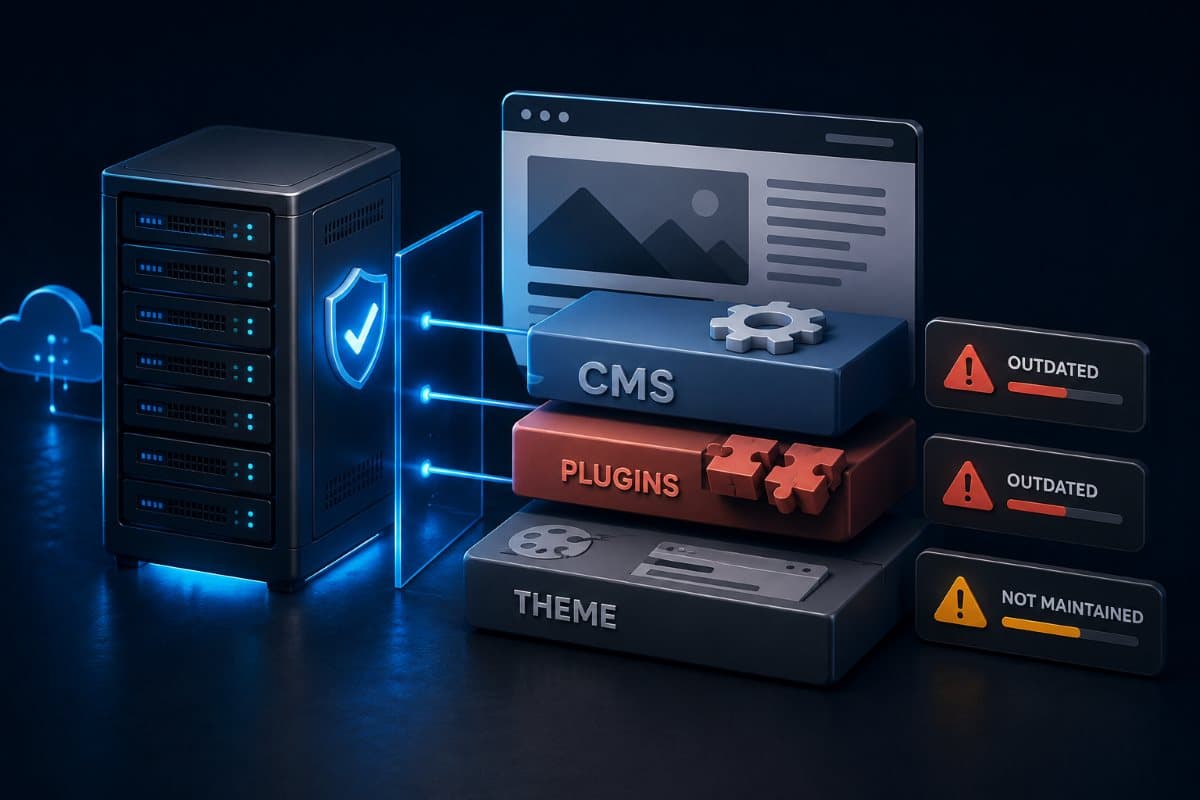
Most small business sites run on a content management system with plugins or extensions added over time, and most compromises trace to one of those components being out of date rather than to the platform itself.
The awkward part is that plugins accumulate. A site built three years ago may run a dozen extensions, several installed for a purpose that no longer exists, each one a component that needs updating and any one of which can be the way in.
Remove What You Do Not Use
Deactivating an unused plugin is not the same as removing it, and code left on the server can still be reachable in some configurations. Auditing what is installed, removing what serves no current purpose, and updating what remains is the single highest-value hour a business can spend on this.
Who Is Actually Responsible for What
This is where most small businesses have a genuine gap, because the answer involves at least three parties and often nobody has stated it plainly.
The hosting provider is generally responsible for the server, its operating system, and the infrastructure underneath. The business, or whoever manages the site on its behalf, is responsible for the site software, the plugins, the themes, and the accounts that can log in. And whoever built the site may or may not still be involved at all.
The Agency Gap
A common and consequential pattern: a marketing agency built the site two years ago, the engagement ended, and nobody took over the maintenance that was implicitly part of it. The site keeps working, so nothing prompts the question, while the software underneath quietly ages.
If your business cannot name who applies updates to your website this month, that is the gap, and it is worth closing before something else finds it. This is the same ownership discipline that applies to every other system covered by ongoing managed IT services, applied to an asset that often sits outside that arrangement.
HTTPS Is Now the Baseline, Not an Upgrade
Every business site should serve over HTTPS, which encrypts the connection between a visitor and the site. Browsers now flag sites that do not, and visitors see a warning before they see your content.
Certificates are available at no cost through most hosting providers and renew automatically once configured, so the usual obstacle is not price but that nobody set it up. Two things are worth confirming: that the certificate is actually renewing rather than approaching expiry unnoticed, and that visitors reaching the site over the old unencrypted address are redirected rather than served the insecure version.
Mixed Content Undermines It Quietly
A site served over HTTPS that still loads an image or a script over the old unencrypted connection produces a browser warning despite the certificate being fine. This usually traces to an old page or a plugin using a hardcoded address, and it is worth checking after any certificate change.
Accounts Are the Other Common Way In
Beyond outdated software, the second route is straightforward: a login with a weak or reused password and no additional verification. Administrative access to a website is administrative access, and it deserves the same treatment as any other privileged account.
That means unique credentials, multi-factor authentication where the platform supports it, and removing accounts belonging to people no longer involved, including the developer, the previous agency, and the employee who left last year. Website accounts are among the most commonly forgotten during offboarding, which is exactly why they belong in the same access control review as everything else.
Your Site Needs Its Own Backup
Many businesses assume their hosting provider backs up the site, and many providers do keep some form of copy, frequently on a short cycle and intended for their own recovery purposes rather than yours.
Ask specifically what your host retains, for how long, and whether you can restore a specific earlier version yourself. A compromise discovered three weeks after it happened needs a backup from before it happened, which a seven-day cycle cannot supply.
Test the Restore, Not Just the Backup
The same principle that applies everywhere applies here. A site backup nobody has restored is an assumption, and finding out it does not work while your site is serving malware to customers is the worst possible moment.
What a Compromise Actually Costs
The technical cleanup is usually the smaller part. The larger costs are the search visibility lost while the site was flagged, the email deliverability damage if the domain was used for spam, and the customer trust affected by a browser warning appearing on your site.
Recovering search position and sender reputation takes considerably longer than removing the malicious code, which is why prevention here has a better return than most security spending of comparable size.
A Short Practical Baseline
For a small business site, a defensible baseline is narrow: keep the platform, plugins, and themes updated on a real schedule; remove what is unused; secure and inventory the accounts that can log in; maintain a backup you have actually restored; and know who is responsible for each of those on an ongoing basis.
None of it is advanced, and the businesses that get compromised are almost never the ones that failed at something sophisticated. They are the ones where nobody had been assigned the ordinary maintenance, which is also why routine monitoring through a broader threat detection arrangement catches problems earlier than waiting for a customer to report one.
The Site Is a Business System, Not a Brochure
A website tends to be treated as marketing rather than as infrastructure, which is why it so often sits outside whatever discipline covers everything else a business runs. Website security mostly comes down to assigning ownership and keeping software current, and the businesses that get caught are rarely the ones that made a sophisticated mistake.
For businesses in the region, a partner providing IT support in Simi Valley can find out what your site is really running and who has been updating it.
Frequently Asked Questions
Almost nobody chooses to. The overwhelming majority of attacks are automated, with software scanning enormous numbers of sites for known weaknesses and exploiting whatever it finds. Site size offers no protection because nothing is evaluating whether your business is worth attacking, only whether a known vulnerability is present.
Usually something quiet: hosting phishing pages under a legitimate domain, sending spam, injecting hidden links for search manipulation, or serving malicious content to visitors. Businesses often find out weeks later through a customer report, collapsed email deliverability, or falling search rankings. The quiet uses are common precisely because they last longer.
Only partly. The host is generally responsible for the server, operating system, and infrastructure. The site software, plugins, themes, and login accounts are the business's responsibility, or whoever manages the site on its behalf. The gap opens when an agency built the site, the engagement ended, and nobody took over the maintenance that was implicitly part of it.
Ask specifically what is retained, for how long, and whether you can restore an earlier version yourself. Many hosts keep copies on a short cycle intended for their own recovery purposes. A compromise discovered three weeks after it happened needs a backup from before it happened, which a seven-day cycle cannot supply.
Find out who applies updates to your site this month and what is currently installed. Auditing the plugin list, removing what serves no current purpose, and updating what remains closes the most common route in, and the ownership question underneath it is what prevents the problem from reappearing.
If you cannot name who updates your website software this month, GlobeVM can find out what it is running and take website security ownership on.
Comments
0 Comments