When the warranty on your physical on-premises servers expires, or when your remote workforce starts experiencing chronic latency while accessing shared files, your business reaches a critical operational crossroad. You can either authorize a massive capital expenditure to purchase new physical hardware, or you can modernize your infrastructure by moving to the cloud. For small and mid-sized businesses across Southern California, shifting away from local servers is no longer a luxury; it is a strategic necessity for maintaining high availability, securing sensitive company data, and transitioning to a predictable operational expense model. However, moving terabytes of historical data, active applications, and intricate user permissions to a remote data center requires extreme precision. Executing a structured cloud migration process is fundamentally about risk management, ensuring that your business continues to operate without interruption while the underlying technology is completely transformed.
The Complete Cloud Migration Process: Moving Your Business IT with Zero Downtime


Transitioning your infrastructure offers profound advantages, including enterprise-grade disaster recovery, geographic data redundancy, and the ability to scale computing resources exactly to your daily operational needs. Yet, without a methodical engineering approach, businesses risk excessive downtime, misconfigured network security, and sudden billing surprises from cloud providers. The objective of this guide is to detail the exact technical, strategic, and operational steps required to transition your business safely, efficiently, and securely.
What is the cloud migration process?
The cloud migration process is the structured, methodical transfer of an organization's digital assets—including databases, line-of-business applications, IT resources, and active workflows from localized, on-premises hardware to a secure, remote cloud computing environment.
A professional migration is never a simple drag-and-drop operation. It follows five strict architectural phases: a comprehensive readiness assessment, architecture and strategy planning, data staging, live execution (cutover), and post-migration optimization. Following these steps sequentially ensures that active employee operations are not delayed, strict compliance standards (such as HIPAA or PCI-DSS) are maintained, and firewall policies are correctly mapped to protect the new perimeter.

Phase 1: Comprehensive Network Assessment and Inventory
The foundation of a successful IT transition begins weeks before any files are copied. The first crucial step of the cloud migration process requires a forensic audit of your existing network environment. Many practice managers and business owners underestimate the hidden complexities of their local networks. Over a decade of operations, organizations accumulate legacy applications, undocumented hardware dependencies, redundant storage arrays, and dormant user accounts.
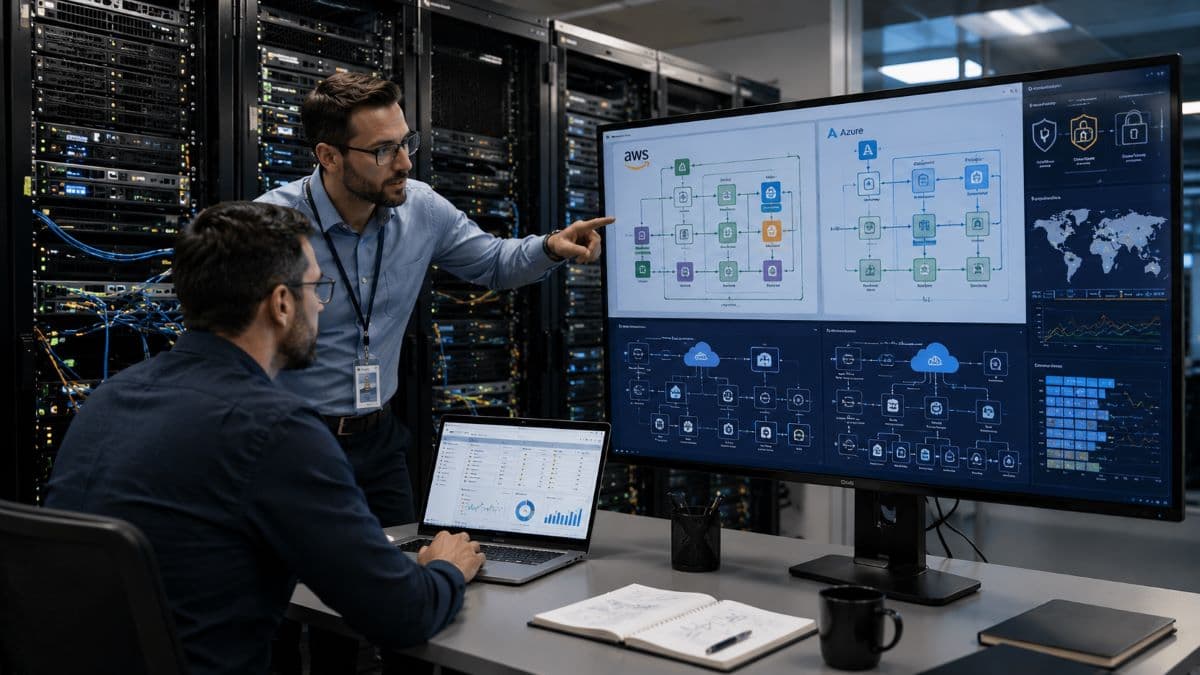
Auditing Hardware and Software Dependencies
During the assessment phase, our engineering team deploys network discovery tools to map your entire digital footprint. We monitor the exact metrics of your current physical servers, measuring daily CPU utilization, peak memory (RAM) consumption, and storage input/output operations per second (IOPS). This data is critical because guessing your required cloud resources leads to either poor performance or wasted money.
Simultaneously, we catalog every application running in your environment. Not every piece of software is immediately ready for modern remote servers. For example, older proprietary accounting systems, specialized legal practice management software, or legacy manufacturing databases may require specific operating system environments. We identify these application dependencies early to ensure they will function correctly once moved.
Compliance and Security Mapping
For organizations operating in regulated industries, this phase includes a strict compliance review. If you are a healthcare provider bound by HIPAA or a financial firm adhering to FINRA guidelines, the target environment must be engineered to meet specific regulatory standards from day one. We evaluate your current local encryption protocols, Active Directory access controls, and data retention policies, mapping exactly how those security measures will translate to the cloud. By identifying physical bottlenecks, such as inadequate local internet service provider (ISP) upload speeds, we eliminate the variables that cause migration failures.
Phase 2: Choosing Your Cloud Architecture and Strategy
Once your existing assets are precisely documented, the next phase involves designing the destination architecture. This involves selecting the appropriate provider and determining the exact migration path for each individual workload. Your operational goals, budget, and application requirements dictate this design.
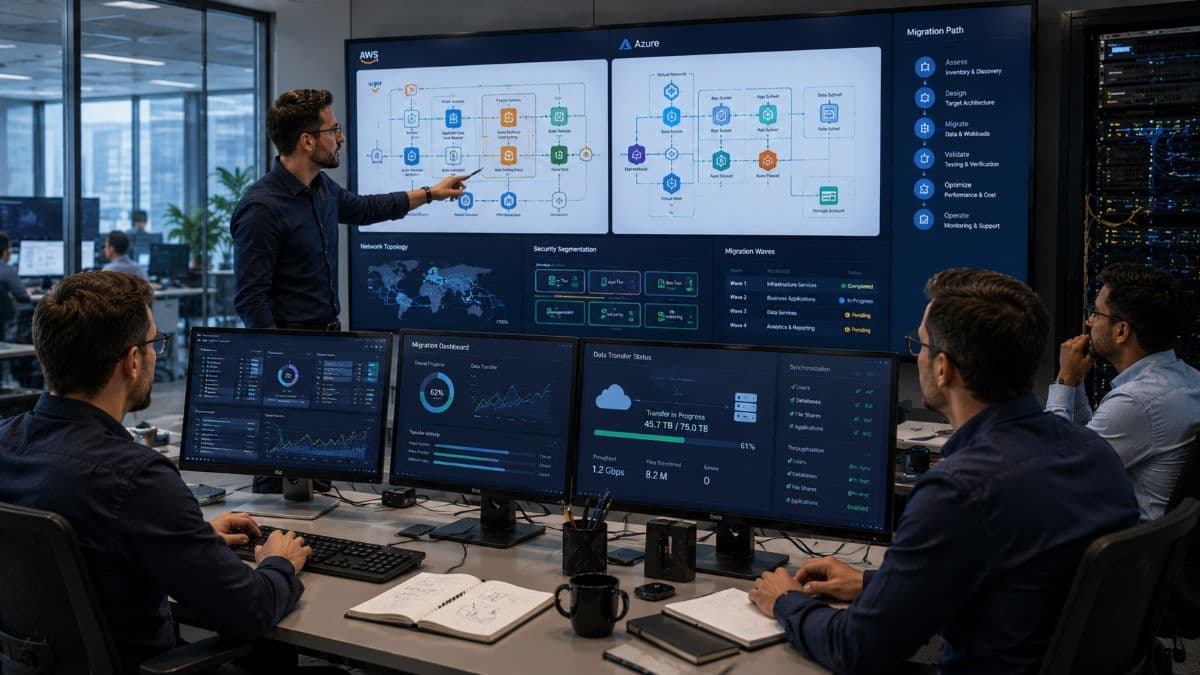
The Migration Strategies: The "Rs" of Cloud Computing
Systems engineers categorize migration methods into several distinct strategies. Depending on your business needs, we may apply different strategies to different parts of your network:
- Rehosting (Lift and Shift): This is the most efficient and common method for SMBs. We create an exact virtual replica of your current local server and migrate it directly into the cloud environment. The applications, operating systems, and file structures remain identical. Your staff interacts with the same interfaces they always have, but the processing occurs in a highly secure remote data center. This strategy accelerates the timeline and minimizes user friction.
- Replatforming: This involves making targeted modifications to certain workloads to gain specific operational efficiencies without changing the core application architecture. Instead of moving an entire database server, we might migrate the database directly into a managed database service. This reduces the time our engineers spend patching operating systems, lowering your ongoing maintenance overhead.
- Repurchasing (SaaS Replacement): Frequently, an infrastructure upgrade is the perfect time to abandon legacy localized software entirely. Transitioning a failing on-premises Microsoft Exchange server to Microsoft 365 is a prime example of repurchasing. It instantly eliminates the risk of hardware failure and introduces advanced email threat protection capabilities.
- Retiring and Retaining: Network audits inevitably uncover archived data and ghost applications that consume power but offer no business value. Retiring these assets saves significant data transfer time and reduces your future monthly storage costs. Conversely, we may determine that certain applications must be retained on-premises indefinitely, particularly if they directly control physical warehouse machinery that requires millisecond-latency local connections.
Provider Selection and Perimeter Security
During this architectural phase, we finalize the technical framework for your AWS and Azure migration. Both major platforms offer exceptional redundancy, but the choice depends heavily on your current Microsoft licensing agreements and specific integration requirements. We design the virtual private clouds (VPCs), establish strict network access control lists, and integrate centralized identity management protocols (such as Azure Active Directory) to ensure unauthorized users cannot breach your new environment.
Phase 3: Developing the Data Migration Strategy
Moving a dozen megabytes of spreadsheets is trivial; transferring multiple terabytes of historical corporate data across a Wide Area Network (WAN) requires calculated logistical planning. A resilient data migration strategy is required to prevent data corruption, maintain continuous user access, and eliminate extended business interruptions.
The core challenge in migrating business data is the "active" nature of the files. If your accounting department or clinical staff is modifying files on the local server while the transfer is happening, the cloud copy will immediately be out of date. To solve this synchronization problem, engineers use a staggered transfer methodology.
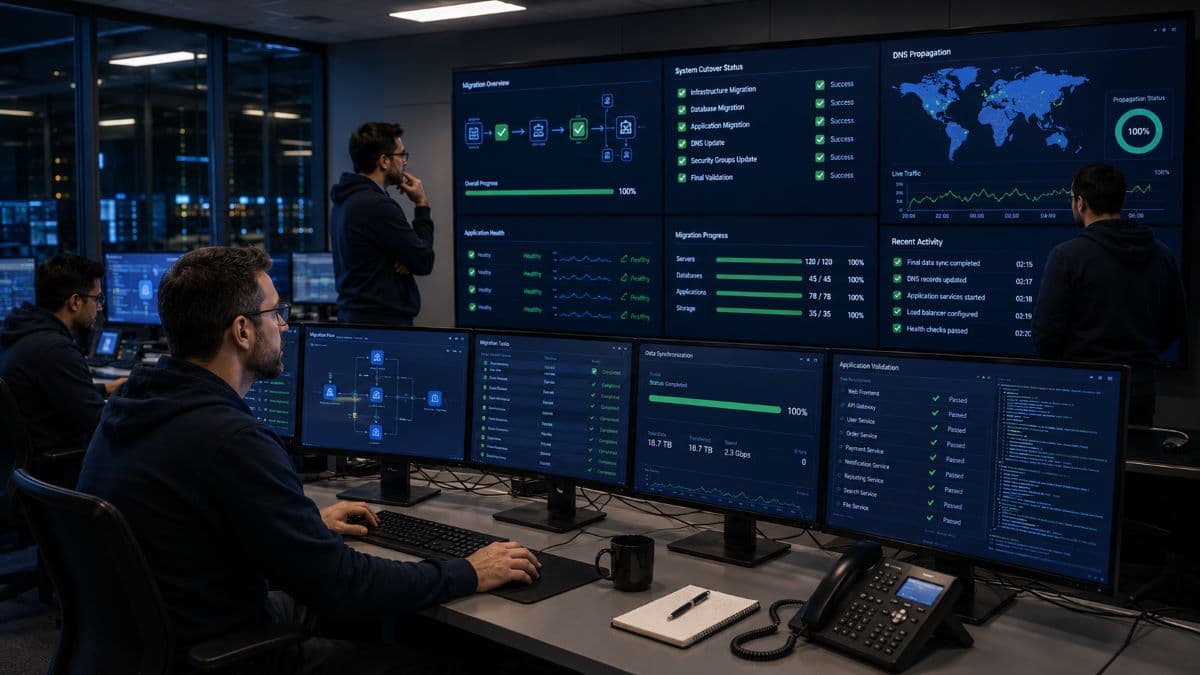
Executing Baseline and Delta Synchronizations
We begin by initiating a baseline synchronization. This process transfers the massive bulk of your static, historical data—such as archived project assets, closed client files, and past financial records. Because of bandwidth limitations at typical office buildings, this initial upload can take several days or even weeks. Importantly, this occurs entirely in the background. Your staff continues to work off the local physical servers without any noticeable network slowdown.
Once the baseline data is secured in the remote data center, we deploy a delta synchronization protocol. The delta sync continuously monitors your local servers for any file modifications, additions, or deletions that happen after the baseline was established. It synchronizes only the changed blocks of data (the "deltas") to the destination servers. This keeps the cloud environment functioning as a near real-time mirror of your local office hardware, perfectly positioning the system for the final transition.
Enforcing Security in Transit
Data is highly vulnerable to interception while moving across the public internet. Utilizing military-grade IPsec VPN tunnels for data transit is an absolute requirement. For legal and medical organizations, this guarantees that all file transfers maintain compliance with federal privacy mandates. Our engineers utilize advanced hashing algorithms to verify file integrity upon arrival, proving mathematically that no files were altered or corrupted during transit.
Phase 4: The Execution and Cutover
With the remote architecture completely built, the virtual firewalls locked down, and the active data continuously delta-syncing, we enter the execution phase. This is the precise moment when your business transitions from relying on local physical hardware to operating fully in the remote environment. For firms relying on professional cloud services and migration teams, the single defining goal of this phase is achieving zero operational downtime.
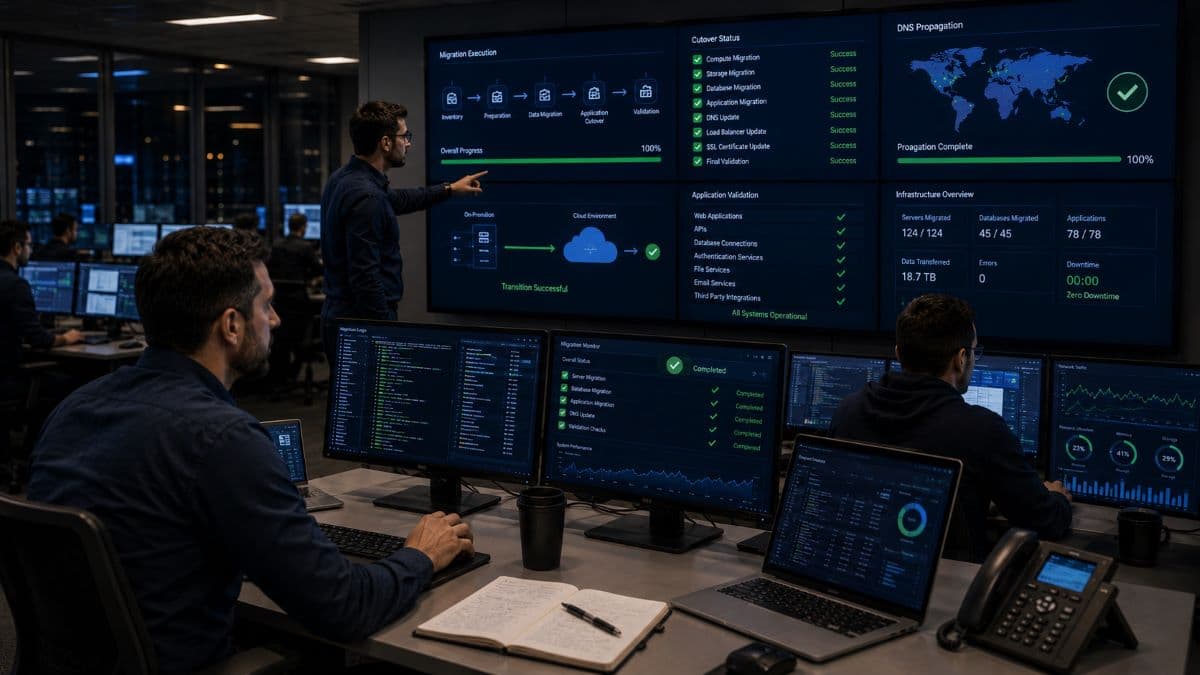
Validation in the Staging Environment
Before any live changes are made, we utilize an isolated staging environment. This is a secure, sandboxed segment of your new infrastructure where we test application functionality without impacting your active office. We simulate user logins, test database queries, and verify that complex network drive permissions are applying correctly. For example, we confirm that the marketing department cannot accidentally open human resources payroll folders. By resolving any Active Directory misconfigurations in a closed staging area, we prevent workflow emergencies on Monday morning.
The Weekend Cutover Protocol
To protect business continuity, the final cutover is scheduled strictly during off-hours, usually beginning late Friday evening. A poorly managed cloud migration process often results in employees arriving on Monday unable to access their systems, which is why the execution timeline is tightly controlled.
Once the office is empty, we sever the connection to the aging local servers so no further data can be modified. We force one final delta sync to capture the last remaining files edited on Friday afternoon. Our engineers then update your Domain Name System (DNS) records, adjust local network routing, and update DHCP scopes to point all office traffic to the newly secured remote servers.
When your workforce logs in at 8:00 AM on Monday, the user experience is highly familiar. They enter their standard passwords, open the exact same software applications, and access their traditional mapped network drives. The fundamental shift is invisible to them: their workstations are now communicating directly with high-performance, redundant infrastructure rather than a single, vulnerable physical server sitting in your office IT closet.
Phase 5: Post-Migration Optimization and Support
The successful completion of the weekend cutover is a critical milestone, but the engineering work is not finished. The immediate days following the transition require proactive network monitoring and responsive end-user support. Even with meticulous mapping, users may occasionally need assistance reconfiguring a remote printer or understanding a new multi-factor authentication (MFA) login prompt.

Right-Sizing and Performance Tuning
While the helpdesk resolves minor user friction, our infrastructure architects focus on optimization. On-premises servers trap you with fixed hardware limits. In a virtualized environment, resources are elastic. Over the first two weeks, we analyze actual production metrics. If a specific SQL database requires faster query times, we dynamically allocate additional RAM to that virtual machine. Conversely, if we over-provisioned CPU cores during the planning phase, we scale them down immediately to reduce your monthly computing consumption costs.
By integrating this newly modernized environment into our comprehensive managed IT infrastructure solutions, we assume full responsibility for continuous monitoring, automated security patching, and daily encrypted backups.
Decommissioning Legacy Hardware
The final operational step involves securely retiring your old localized equipment. Discarding old servers without proper sanitation is a massive security liability and a direct violation of data privacy laws. We perform secure, verified cryptographic wipes of all physical hard drives, completely destroying the residual data to Department of Defense standards before physically recycling the hardware. Whether you need ongoing Los Angeles managed IT services or specific compliance alignment, ensuring old equipment is legally sanitized protects your business long after the migration is complete.
Common Failures and How to Avoid Them
Businesses attempting to manage this transition internally often face severe operational consequences. Understanding these common architectural failures highlights the necessity of experienced IT partners.
- Ignoring Bandwidth Limitations: Moving your data center to the internet means your internet connection is now your most critical asset. If fifty employees try to access cloud-hosted CAD files over a legacy DSL connection, the business will grind to a halt. Upgrading local ISP circuits and installing redundant internet connections are mandatory prerequisites.
- Shattered Application Dependencies: Leaving a database on a local server while moving its application interface to the cloud introduces severe latency. The software will time out and crash. Comprehensive dependency mapping ensures linked applications move together.
- Cost Sprawl: Cloud environments bill based on active consumption. Without strict governance policies, businesses frequently leave redundant virtual machines running or utilize expensive high-speed storage tiers for old, archived data, resulting in massive, unexpected monthly invoices.
Ultimately, modernizing your infrastructure transitions your technology from a depreciating, vulnerable physical asset into a highly secure, flexible utility. It enables true business continuity, ensuring that your team can operate securely from anywhere, protected from local power outages, hardware failures, or natural disasters. By utilizing Woodland Hills IT services provided by GlobeVM, your transition is handled securely and predictably.
Frequently Asked Questions
Operating a secure, highly available business requires leaving aging physical servers behind. If you are ready to initiate your cloud migration process without risking downtime or compliance failures, contact the engineering team at GlobeVM to schedule a comprehensive IT infrastructure assessment today.
Comments
0 Comments