



Cloud services let your business use computing resources, such as servers, storage, email, and software, that are delivered over the internet instead of bought, installed, and maintained in your own office. Rather than owning a server in a closet and replacing it every few years, you use infrastructure run by a provider and pay for what you use. For most small and mid sized businesses, the appeal is practical: less hardware to buy and maintain, the ability to work from anywhere, and the option to scale up or down as the business changes.
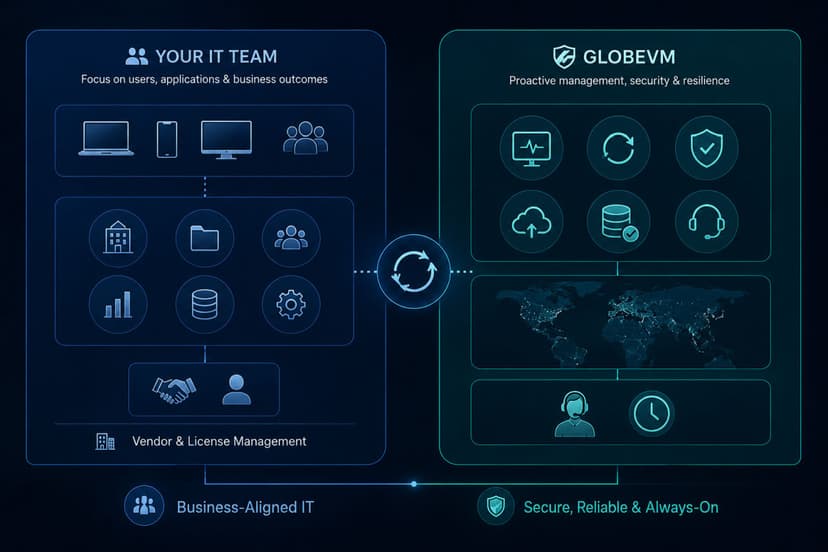
Managed cloud services mean a provider handles the setup, security, and day to day running of all this for you. That matters because the cloud is powerful but not self managing. Moved to badly, it can cost more than the servers it replaced and expose data that was previously safe. Managed well, it does the opposite. The value of a managed approach is having someone make sure the cloud is set up correctly, kept secure, and tuned so you are paying for what you actually need.
The Cloud Is Not Automatically Cheaper or Safer
It is worth being honest about two claims you will hear everywhere. The first is that the cloud is always cheaper. It often is, but not automatically. You trade a large upfront hardware purchase for a predictable monthly cost, which is easier to budget, but cloud bills can climb quietly when no one is managing them, through services left running, storage no one cleans up, and resources sized larger than they need to be. The savings are real, but they come from setting it up sensibly and watching it, not from the cloud itself.
The second claim is that the cloud is automatically secure. Major providers do invest heavily in security, and a well configured cloud can be safer than an aging server in a back room. But most cloud breaches do not happen because the provider failed. They happen because of misconfiguration on the customer side, an open setting, a weak password, or access given to the wrong people. The cloud gives you strong tools, but using them correctly is the part that protects you.
What Managed Cloud Services Include
Managed Microsoft 365
Microsoft 365 runs the email, Teams, and file sharing most businesses depend on. Managed Microsoft 365 means we set it up, secure it, handle licensing, and support your team, so the tools you already pay for are configured properly and protected rather than left at their defaults.
Cloud Migration
Cloud migration is the work of moving your systems, data, and applications from your own equipment to the cloud. Done with a plan, it happens in the background with little disruption. Done carelessly, it causes outages and surprises, which is why the planning matters as much as the move itself.
Cloud Security
Cloud security protects your data, accounts, and settings in the cloud. Because so much depends on how the cloud is configured, this covers access controls, encryption, and watching for the misconfigurations and threats that cause most cloud incidents.
Cloud Infrastructure (IaaS)
Infrastructure as a service lets you rent servers, storage, and networking instead of buying them. You get the computing power you need on demand, scale it as the business changes, and avoid the cost and lifespan limits of physical hardware.
VDI and DaaS
Virtual desktops let your team reach their full desktop, applications, and files from any device, while the data stays centrally protected rather than scattered across laptops. This suits remote and hybrid teams and keeps sensitive information off individual machines.
Hybrid and Multi-Cloud
Not everything belongs in one place. A hybrid setup keeps some systems on site and some in the cloud, while a multi-cloud approach uses more than one provider. Both give you flexibility and reduce reliance on a single vendor, matched to how your business actually works.
Moving to the Cloud Without Breaking Things
The difference between a smooth cloud move and a painful one is almost always planning. A good migration starts by looking at what you have and deciding what should move, what should stay, and in what order. Some systems gain a lot from the cloud; others run better, or cheaper, where they are. From there, the setup is designed around your needs, including cost and security, before anything is touched. The move itself is then done in stages, scheduled around your business, so your team keeps working while systems shift in the background. You do not have to move everything at once, and for most businesses a staged approach is both safer and easier to absorb.
Who Secures What in the Cloud
One idea is worth understanding clearly, because misunderstanding it is behind many cloud problems. Cloud security works on a shared responsibility model. The provider is responsible for securing the underlying infrastructure, the physical data centers, the hardware, and the core platform. You, or the partner managing your cloud, are responsible for what sits on top: your data, who has access, how things are configured, and how identities are protected. The provider gives you a secure foundation, but the settings and access decisions are yours, and that is exactly where most cloud incidents begin. A managed cloud service exists in large part to handle that side properly.
Local Cloud Support in Los Angeles
Cloud runs over the internet, but having a local partner who understands your business makes both the move and the ongoing management easier. As a managed IT and cloud provider based in the Los Angeles area, with CCSP certified expertise, GlobeVM helps businesses across Woodland Hills, Encino, Sherman Oaks, the San Fernando Valley, Santa Clarita, the Conejo Valley, and Ventura County plan their move to the cloud and run it well afterward. Local presence means we understand the businesses here, from medical and dental practices to law firms and financial services, and can sit down with you in person when it helps. The goal is a cloud setup that fits your business, stays secure, and does not cost more than it should.