

For decades, business phones were the one piece of technology nobody had to think about: lines came in on copper, a box in the closet routed calls, and the whole thing outlived several generations of computers. That era is ending on a schedule now, as carriers actively retire the old copper networks and push everything toward the internet. A cloud phone system is what most businesses land on next. This guide explains in plain English what that means and why companies are switching even before they are forced to. It also covers the honest trade-offs nobody's sales deck mentions, and how to choose a setup that fits a small business rather than a call center.
What a Cloud Phone System Is
A cloud phone system is business phone service delivered over your internet connection instead of dedicated phone lines, with the switching equipment that used to live in your closet now running in a provider's data center. The underlying technology is VoIP, voice over internet protocol, which means calls travel as data the way email and video do. You keep real business numbers, real desk phones if you want them, and callers notice nothing; what changes is everything behind the scenes. Because the brains of the system live in the cloud, your phones work anywhere there is internet, and the same number rings a desk phone, a computer, and a mobile app. Features that once required expensive hardware are included and managed from a web page.

How It Differs From the Box in the Closet
Traditional systems tied your phone service to a physical place: lines entered one building, the PBX box routed them, and adding a line or changing a greeting meant a technician visit. Cloud systems cut that tie. There is no box to buy, maintain, or outgrow; capacity is a subscription setting rather than a hardware limit; and the office, the home office, and the phone in someone's pocket are all just endpoints of the same system. For a small business, the practical difference shows up in ordinary moments. The receptionist works from home during a road closure and callers never know, a new hire gets an extension in minutes, and a snowstorm of missed-call complexity becomes a simple forwarding rule.
The table below sets the two side by side on the points that matter to a small office.
Why Businesses Are Switching Now
Three forces are driving the shift, and only one of them is optional.

The Copper Network Is Being Retired Underneath You
This is the part many owners have not heard: the traditional copper phone network is being actively decommissioned, not just deprecated. Federal regulators moved in early 2026 to clear away most of the rules that slowed carriers from retiring copper. The largest carriers have stopped taking new copper orders in many areas, filed to discontinue legacy service across large parts of their footprints, and set targets to finish the retirement within a few years.
Prices on remaining legacy lines have climbed sharply, and businesses in affected areas can receive shutoff notices with windows measured in months. California has held on to its copper rules longer than most states, and the fight over it is active, with the largest carrier suing state regulators in 2026 to end its copper obligations here. In June 2026 the FCC approved AT&T's request to discontinue copper voice service at roughly 184,000 California locations, and the court fight over the state's own rules was still open in late September. The direction is not in dispute anywhere; only the local timing is. Waiting for the notice means choosing your next phone system under a deadline.
POTS Line Replacement: Fax Machines and Alarm Lines
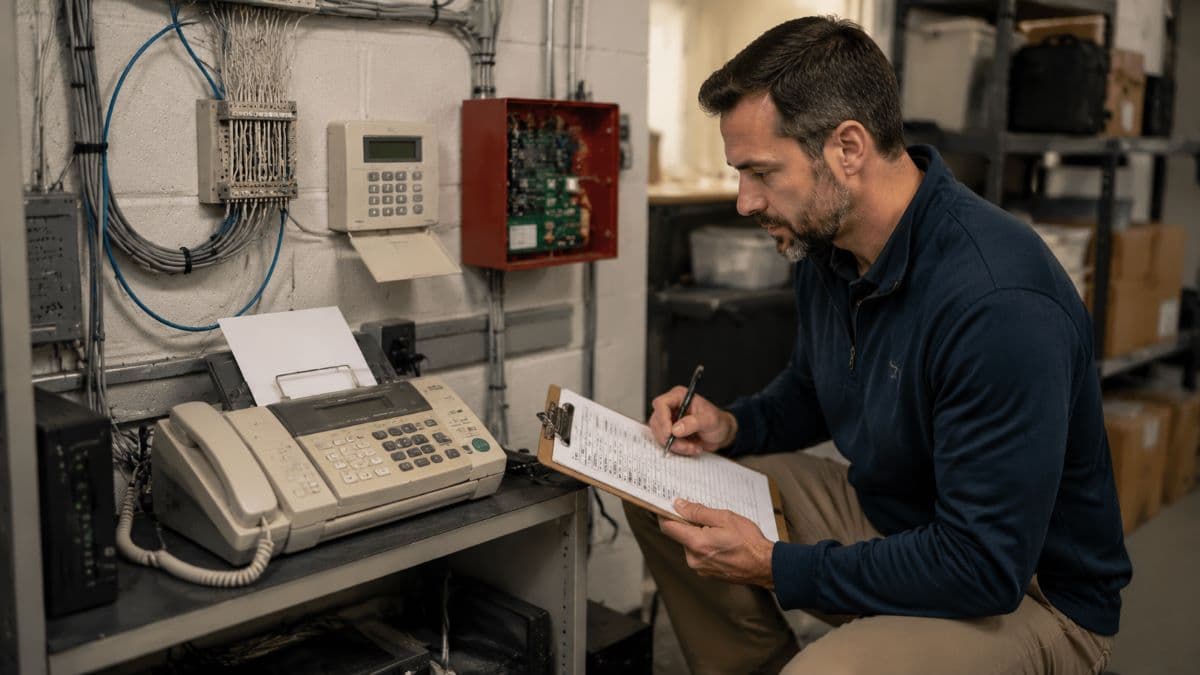
Copper lines, often called POTS lines for "plain old telephone service", do not only carry voice, which is where the retirement surprises businesses. Fax machines, fire and security alarm panels, elevator phones, and some payment terminals often sit on quiet analog lines nobody has thought about in years, and they do not automatically migrate when a cloud system arrives. Medical and dental offices in particular still fax daily. Each of these needs its own plan, whether that is an electronic fax service, a cellular-based replacement for alarm lines, or coordination with the alarm and elevator vendors, and finding them all is part of any competent migration. The businesses that get burned are the ones that ported their voice lines and discovered the alarm panel went silent.
Businesses in Simi Valley and the surrounding area can get that line inventory and the cutover handled locally through IT support in Simi Valley.
The Features Finally Fit Small Businesses
The pull side of the switch is that capabilities once reserved for large companies are now standard. A typical cloud phone system includes:
- Auto attendant: a menu that greets callers and routes them without a receptionist.
- Find-me routing: one number that rings desk, computer, and mobile in the order you choose.
- Voicemail to email: messages delivered as audio files and text transcriptions.
- Mobile and desktop apps: the business line on personal devices, without giving out personal numbers.
- Call handling by schedule: business hours, holidays, and after-hours behavior set once.
- Integrations: call logging and screen pops tied to the tools you already use.
The quiet winner in that list is the mobile app, because it solves a problem every small business has: staff answering work calls on personal phones. With the business line as an app, employees keep their personal numbers private, the company keeps its number when people leave, and after-hours boundaries become a setting instead of an argument.
The Cost Model Changes Shape
Cloud systems trade hardware ownership for per-user subscription pricing, which usually favors small businesses: no PBX to buy or maintain, no separate lines to lease per conversation, and predictable monthly costs that scale with headcount. The honest caveat is that subscriptions never end, so a business that would have run one phone box for fifteen years is trading a long, lumpy cost for a smooth perpetual one. For most, the math still works, especially once the rising price of legacy lines and the retirement deadline enter the comparison, but it is a shift in shape worth seeing clearly rather than a discount.
As a benchmark, published 2026 plan prices put most small businesses at roughly $15 to $35 per user per month on annual billing, with entry plans starting lower and month-to-month billing costing more. Taxes and regulatory fees typically add another 15 to 25 percent on top of the advertised rate, and leased desk phones are a separate monthly line, so compare the full quote rather than the headline number.
The Honest Considerations Before You Switch
Now the part the brochures skim, because a cloud phone system inherits the strengths and the weaknesses of the network it rides on.

Your Internet Becomes Your Phone Line
Every call now depends on your internet connection, which means call quality is a network question before it is a phone question. Voice traffic is small but impatient: it needs steady, low-delay delivery, and an office where video meetings, cloud backups, and thirty browsing sessions share a congested connection will hear it as choppy audio. The fixes are unglamorous and effective: adequate bandwidth, a router that prioritizes voice traffic, and wired connections for desk phones. Our guide to business internet speed covers how to size the connection before the phones move onto it.
This is a network engineering question, and it is why phone migrations go best when whoever manages your network is involved, with ongoing remote monitoring and management watching the connection the phones now live on.
Plan for the Day the Internet Is Down
Old copper phones famously worked during power outages; cloud phones do not, unless you plan for it. The good news is that the failover story is better than copper's ever was, because the system lives in the cloud rather than in your building. When the office loses internet or power, calls can automatically route to mobile apps, cell phones, or another site, and callers still reach a human. But automatic only means configured in advance. Deciding where calls go during an outage belongs in the same conversation as the rest of your continuity planning, alongside the measures covered by 24/7 business continuity services, not discovered during the first storm.
911 Works Differently and the Rules Know It
Emergency calling deserves plain words. On a system where a number can ring anywhere, 911 needs to be told where you are. Federal rules, Kari's Law and the RAY BAUM'S Act, now require modern phone systems to support direct 911 dialing with no prefix and to deliver a dispatchable location, meaning responders get an address and suite, not just a company name. In practice this means keeping emergency addresses current for each user and site, including remote workers, and testing that the setup behaves correctly. A related note for California businesses: call recording, a feature these systems make trivially easy, is regulated here and requires consent, so turn it on with policy, not just a toggle.

Porting and the Switchover Week
Your business numbers move with you, by law, through a process called porting, and it is the one step of the project that runs on carrier timelines rather than yours. Done right, the new system is built, tested, and answering in parallel before the numbers cut over, and the switch is an anticlimax; done casually, a paperwork mismatch strands your main line between providers for days. The boring advice is the good advice: never cancel the old service before the port completes, and verify every number including the forgotten fax and alarm lines. Schedule the cutover for a quiet day with support standing by, the kind of day-of care a responsive IT helpdesk exists to provide.
Choosing Well Without Overbuying
The market is crowded and the feature lists blur together, so anchor the decision in your own facts. Count real needs: how many users, how many simultaneous calls, which features you will use, and which oddball lines, fax, alarms, door phones, need their own answers. Check the network first, because the best provider cannot fix a congested connection. Favor month-to-month flexibility over long contracts sweetened with free phones. Ask how support works at 8 a.m. when the phones are down, not just at the sales demo. And treat the migration as a small project with an owner, an inventory, and a test plan. Businesses moving other systems to the cloud at the same time can fold the phones into that broader effort. That is the territory of cloud services and migration planning, where voice becomes one more workload done in the right order.
Finally, give call quality a fair trial before committing the whole office: most providers offer short pilots, and two weeks of real calls on your actual network will tell you more than any demo. Run the pilot on the connection and during the hours you work, include your heaviest phone users, and test the mobile app on the cell coverage inside your building, which is often where the surprise lives. A pilot that goes well removes doubt; one that stutters tells you to fix the network first, at the cheapest possible moment to learn it.

The Closet Is Emptying Either Way
The copper era of business phones is ending on the carriers' schedule, not yours, and the box in the closet has no successor. The choice that remains is whether your business moves to a cloud phone system deliberately or reactively. Deliberately means the network checked, the stray lines found, the outage plan set, and the numbers ported without drama; reactively means under a shutoff notice with a deadline. The deliberate version is not difficult, and most businesses come out the other side with better phones than they had, at a predictable cost, unbound from the building. The reactive version goes worse in every way. Choose the calendar over the countdown.
For businesses in the west Valley, a partner providing managed IT services in the San Fernando Valley can assess your network, plan the migration, and support the phones afterward as part of everyday service.
Frequently Asked Questions
A cloud phone system is business phone service delivered over your internet connection, with the call-routing equipment running in a provider's data center instead of a box in your office. Calls travel as data using VoIP technology, your business numbers stay the same, and the same line can ring a desk phone, a computer, and a mobile app. Features like auto attendants, voicemail transcription, and schedule-based routing are included and managed through a web portal rather than installed as hardware.
Yes, traditional copper business lines are going away. Carriers are retiring the copper networks that traditional lines run on. Regulators cleared most barriers to retirement in early 2026, and major carriers have stopped new copper orders in many areas and filed to discontinue legacy service across large portions of their networks. Remaining line prices have risen sharply. California has held on longer than most states, and its rules are being fought over in court in 2026, but the direction is settled. Businesses in affected areas can receive shutoff notices with only months to act.
Desk phones in the office stop working, but the system itself keeps running in the cloud, which is what makes good failover possible. Configured in advance, calls automatically route to mobile apps, cell numbers, or another location, so callers still reach your business during a local outage. The key phrase is configured in advance: outage behavior is a setting, not a default, and deciding where calls should go belongs in your continuity planning before the first storm tests it.
Yes, 911 works on a cloud phone system, and modern rules exist specifically to make it work well. Systems must support dialing 911 directly with no prefix, and they must deliver a dispatchable location so responders receive your actual address and suite rather than just a company name. The practical requirement for your business is keeping emergency addresses accurate for every user and site, including remote workers using the mobile or desktop apps, and verifying the configuration during setup instead of assuming it.
If your office is still running on lines the carriers plan to retire, talk to GlobeVM. We can check your network, plan the migration, and move you to a cloud phone system on your schedule instead of a shutoff notice's.
Comments
0 Comments