For many small businesses, the most likely way to lose sensitive data is not a hacker breaking through the firewall. It is the data quietly walking out the door during an ordinary workday: a spreadsheet of patient details emailed to the wrong person, a folder of client files saved to a personal cloud account so someone can finish at home, a payment record pasted into an online AI tool to save time. Almost none of this is malicious. It is normal people doing normal work, which is exactly what makes it so hard to stop. Data loss prevention is the set of tools and rules built to catch these moments before sensitive information leaves your control. This guide explains what data loss prevention is, how it works, the different forms it takes, and how to put it in place without grinding your team's daily work to a halt.
Understanding Data Loss Prevention (DLP) and How to Implement It


What Data Loss Prevention Actually Is
Data loss prevention, often shortened to DLP, is not a single product you switch on. It is a combination of tools and policies that work together to keep sensitive information from being leaked, lost, or sent to people who should not have it. The idea that sets it apart from older security thinking is simple but important: instead of guarding the walls of your network and assuming the data stays safely inside, DLP follows the data itself. It watches what happens to your sensitive files, the emails, the uploads, the copies to a USB stick, the shares to an outside account, and it steps in when an action breaks the rules you have set. Because so much data loss comes from honest mistakes rather than deliberate theft, a good DLP setup is as much about catching accidents as it is about stopping bad actors.

The Three States of Your Data
To understand how DLP protects information, it helps to know that data exists in three states, and sensitive information needs protection in each. Data in use is information being actively worked on, open on a laptop or inside an application. Data in motion is information traveling somewhere, an email being sent, a file being uploaded, a record moving between systems. Data at rest is information sitting in storage, on a server, on a device, or in a cloud account. A leak can happen in any of these states, which is why effective data loss prevention is designed to watch all three rather than just one.
How Data Loss Prevention Works
Whatever the specific tool, DLP follows the same basic cycle, and understanding it makes the whole subject far less mysterious. It moves from finding sensitive data, to writing rules about it, to watching how it is handled, to stepping in when those rules are broken.

Finding and Labeling Your Sensitive Data
The first step is discovery. Before anything can be protected, the system has to know what counts as sensitive and where it lives, so it scans your devices, network, and cloud services to locate things like Social Security numbers, credit card details, health records, and confidential documents. It then sorts what it finds by type and sensitivity. This matters more than it sounds, because a business often does not know how many copies of a sensitive file exist or where they have spread until something goes looking. The accuracy of everything that follows depends on this step being done well.
Setting and Enforcing the Rules
Once the sensitive data is known, you define policies that describe what is and is not allowed. A policy follows a straightforward shape: a place to watch, a condition that triggers it, and an action to take. For example, if a message contains a credit card number and is being sent to an outside address, the system can warn the sender, block the action, or allow it but record a justification. The warning approach is often the most useful at first, because a gentle pop-up explaining that an action looks risky teaches employees in the moment without bringing work to a stop. Over time, the policies are tuned to reduce false alarms and tightened where the risk is real.
The Three Types of DLP
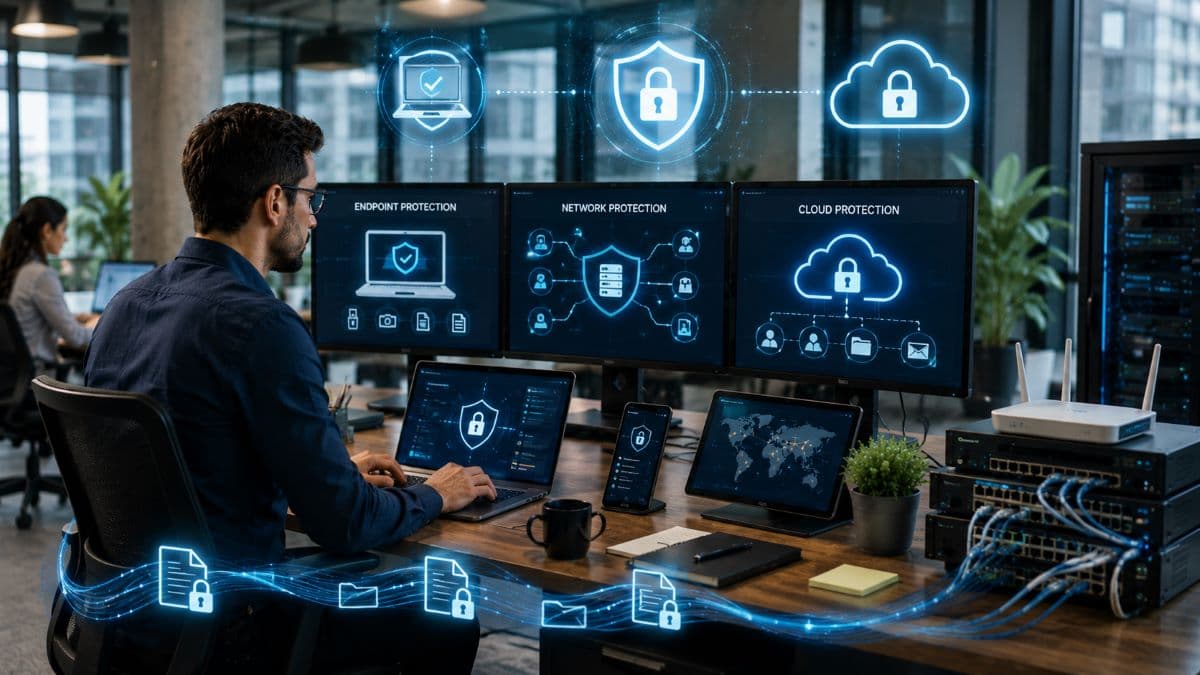
DLP is usually delivered in three forms, each watching a different point where data can escape. Most businesses end up using more than one, because data rarely stays in a single place.
Endpoint DLP
Endpoint DLP runs directly on user devices such as laptops and desktops. It watches actions taken on the device itself: copying a file to a USB drive, printing a sensitive document, taking a screenshot, or uploading something to a website. Because it lives on the device, it keeps working even when the laptop leaves the office and connects from a coffee shop or a home network, which makes it especially valuable for businesses with remote or hybrid staff.
Network DLP
Network DLP inspects information as it moves across your network and out to the wider world, watching channels like email and web traffic. Its strength is a broad view of data leaving the organization, which makes it good at spotting larger or unusual transfers that might slip past notice at the level of a single device. It works best in setups where data flows through controlled points it can monitor.
Cloud DLP
Cloud DLP protects information stored and shared in cloud services and online applications, the email, file storage, and collaboration tools most businesses now run on. It scans what is kept there, watches how files are shared, and flags risky situations such as a document being made public or shared too widely. As more of the average business moves into cloud applications, this form of DLP has become the one many small companies need first.
The New Frontier: Data Loss Through AI Tools
A risk that barely existed a few years ago now deserves its own mention. As staff turn to online AI assistants to draft, summarize, and rework content, sensitive information increasingly gets pasted straight into those tools, where the business no longer controls it. An employee dropping a client contract or a patient summary into a public chatbot to save time can expose data without any ill intent, and traditional defenses were never built to notice. Cloud DLP has grown to address this directly, governing what information is allowed to reach outside AI services. It is part of a broader set of AI security risks that small businesses are only beginning to account for, and it is a strong reason DLP has moved from a large-enterprise concern to a practical one for smaller firms.

How DLP Differs From Backup and From a SIEM
Two common mix-ups are worth clearing up, because they lead businesses to think they are covered when they are not. Data loss prevention is not the same as a backup. A backup makes copies so you can recover information that is destroyed or encrypted, which is why data backup and disaster recovery is its own essential service; DLP, by contrast, stops sensitive data from leaving in the first place. You need both, and one does not substitute for the other.
DLP is also distinct from a security monitoring system, sometimes called a SIEM, which gathers and correlates security events from across your whole environment to spot threats. A SIEM gives you the broad picture, while DLP produces specific events at the exact moment data is about to move. The two complement each other, and the strongest setups feed the signals from DLP into that wider monitoring, but neither replaces the other.

Why DLP Matters for Compliance
For medical, legal, and financial businesses, data loss prevention is closely tied to the rules you are already obligated to follow. HIPAA expects you to protect patient health information, the payment card standards require you to safeguard cardholder data, and privacy laws cover personal information about your clients and staff. DLP supports all of these by detecting that kind of regulated data and controlling how it is handled, and most tools include ready-made templates for common categories like financial, health, and identity information. When a leak does occur, the consequences are rarely limited to the incident itself; they extend to regulatory penalties and lasting damage to trust, which is why a sound approach to compliance and risk management treats data loss prevention as part of the foundation rather than an extra.
How to Put DLP in Place Without Overwhelming Your Team
The most common reason DLP projects struggle is that businesses try to do too much at once and end up either drowning in false alarms or blocking so much that staff revolt. A calmer path works better. Start by finding out what sensitive data you actually have and where it lives, because you cannot protect what you have not located, and an outside review such as network security audits can map that for you. Begin with the data that matters most rather than trying to cover everything on day one.
From there, it pays to start in a watching and warning mode before you start blocking. Letting the system observe and gently flag risky actions shows you where your real exposure is and lets you tune the rules before they interfere with legitimate work. For businesses built on Microsoft tools, much of this capability is already available within managed Microsoft 365, which can apply data protection across email, files, and devices from one place. Expand the coverage gradually, and expect to keep adjusting, since the honest challenges of DLP are false positives, some effect on performance, the effort of writing good policies, and the need to be thoughtful about monitoring employees.
None of this stands on its own. DLP works best as one layer alongside the controls that decide who can reach sensitive data in the first place, which is where strong access management and a broader zero trust architecture reinforce it, so that fewer people and devices can ever touch the data DLP is watching.

A Realistic Take for a Small Business
DLP is one of the more powerful protections available, but it is not something you switch on and forget. Set too loosely, it provides a false sense of security; set too aggressively, it frustrates people into finding workarounds, such as the employee who turns to a personal account precisely because the approved path keeps getting blocked. The goal is a balance that protects what genuinely needs protecting while letting ordinary work continue. For most small businesses that means starting modestly, focusing on the most sensitive data and the riskiest channels, pairing the technology with clear policies and a little staff education, and growing the program as the business does. Used that way, data loss prevention turns a constant, low-level risk into something you can actually manage, with managed cybersecurity support to keep it tuned as your needs change.
For a business in the Los Angeles area, having that work handled locally helps. A provider offering managed IT services in Los Angeles can find where your sensitive data lives, set up sensible protections, and adjust them as your tools and team change, so data loss prevention becomes a steady part of how the business runs rather than a project that stalls after launch.
Frequently Asked Questions
If you are not sure where your sensitive information lives or how to keep it from leaking, GlobeVM can assess your data and put a practical data loss prevention plan in place for your business.
Comments
0 Comments