An acceptable use policy (AUP) is a short, signed document that sets the rules for how people use company technology. It covers laptops and phones, email, internet access, software, accounts, and the data those systems hold. It turns security expectations into plain instructions and gives the business a consistent standard when a rule is broken. For businesses that take card payments or handle patient records, it is also a compliance requirement.
Storing Patient Files in the Cloud: Dropbox, Box, and the HIPAA Rules

By George
9 October 2026

Plenty of small businesses have no policy at all, or one copied from a university website that nobody has opened since onboarding. This guide covers what a working acceptable use policy for employees includes and what PCI DSS and HIPAA expect from it. It also explains how monitoring language should handle California and multi-state rules, and how to roll the policy out so it holds up.
What an Acceptable Use Policy Does for a Small Business
Many security incidents in small offices start with ordinary behavior. A shared password, a work file saved to a personal Dropbox, an unvetted browser extension, or an app a team adopted without asking can all open the door, and the last one has a name: shadow IT. An AUP names those behaviors in advance and tells people what to do instead. It also protects the business when discipline is needed, because the rule was written down, explained, and signed beforehand.
What an AUP cannot do is enforce itself. It works alongside technical controls such as multifactor authentication, device management, and email filtering. The best policies describe rules those controls already back up, because a policy that forbids something the systems still allow depends entirely on memory.
How the AUP Fits With Your Other Policies
The AUP is the employee-facing layer of a larger set of documents. Your information security policy sets the organization's commitments and assigns responsibility. Specific policies cover topics such as data retention, personal devices, AI tools, and incident response. The IT acceptable use policy should summarize the daily rules and point to those documents for detail, rather than repeating them.
When the Policy Is a Compliance Requirement
Many businesses treat the AUP as optional paperwork until an assessor or auditor asks to see it. For payment card and healthcare businesses, the requirement is already written into the rules they follow.
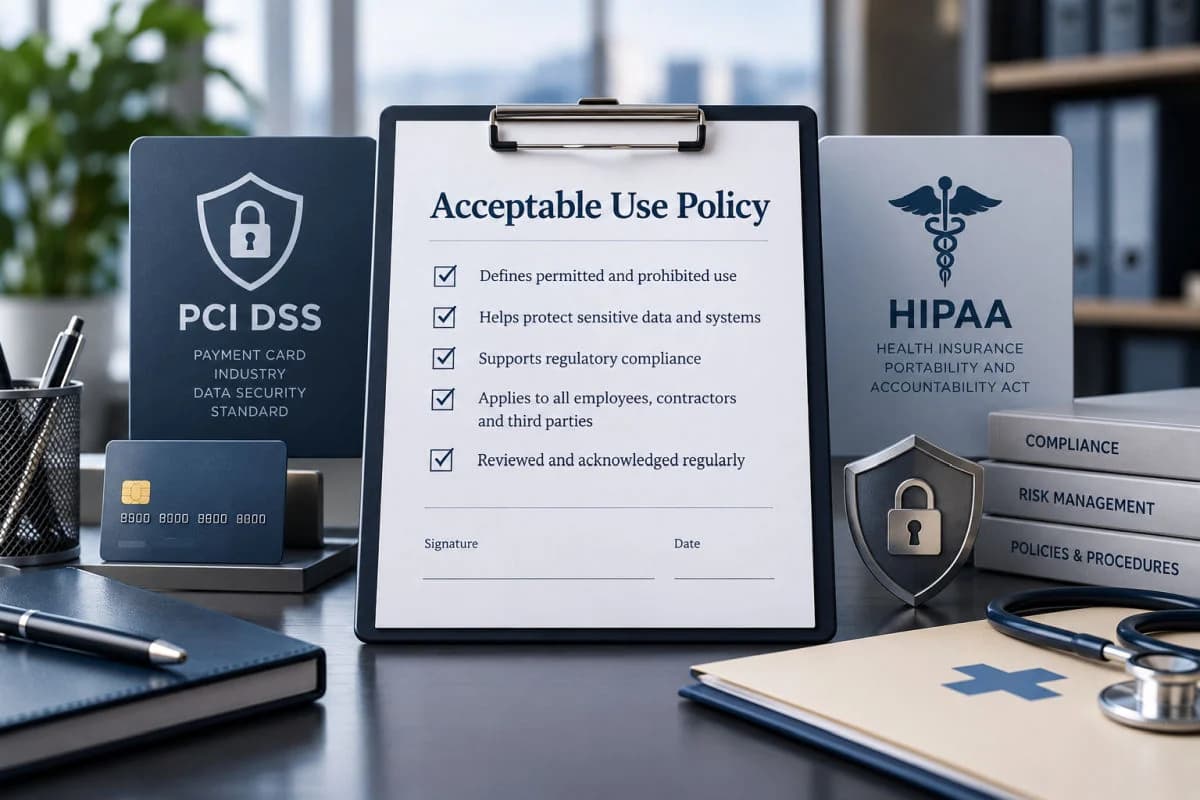
PCI DSS: Requirements 12.2.1 and 12.6.3
PCI DSS 4.0.1, the current version of the payment card standard, addresses the AUP directly in Requirement 12.2.1. Acceptable use policies for end-user technologies must be documented and implemented, with explicit approval by authorized parties. They must define the acceptable uses of each technology and list the hardware and software the company approves for employee use. The standard's guidance names remote access, wireless, laptops, tablets, mobile phones, removable media, email, and internet use as examples.
Requirement 12.6.3 adds the people side. Staff must receive security awareness training at hire and at least every 12 months, and that training must cover acceptable use. Personnel must also acknowledge at least every 12 months that they have read and understood the security policy and procedures, which is why a signed policy is standard evidence in PCI DSS compliance work.
HIPAA: Workstation Use and Sanctions
The HIPAA Security Rule requires workstation use policies that specify how workstations with access to electronic protected health information are used and where they sit. It also requires a sanction policy that applies appropriate sanctions against workforce members who do not follow security policies. An AUP is the natural home for both. HIPAA documentation must be kept for six years, so store every version and signed acknowledgment with your HIPAA compliance records.
Financial Firms and Everyone Else
The FTC Safeguards Rule covers financial businesses such as tax preparation firms, mortgage brokers, and investment advisers that are not required to register with the SEC. It requires them to train staff so they can carry out the information security program, and an AUP is where those expectations become concrete. Businesses outside these rules still meet the question in client security questionnaires, vendor contracts, and cyber insurance applications, which often ask whether written policies exist.
What to Include in an Acceptable Use Policy
A working policy is organized around what employees touch in a normal day, not around technology categories. These are the sections that matter, with the decisions each one forces you to make.
Scope, Ownership, and Monitoring Notice
Start with the people the policy covers: employees, contractors, interns, and temporary staff. Then define what it covers: company devices, accounts, networks, and any personal device used for work. State that company systems and their data belong to the business. Say plainly what you monitor and why, such as email filtering, web filtering, sign-in logs, or device management, because a vague line about monitoring anything at any time reads as a threat.
Monitoring language has legal edges worth reviewing with employment counsel. If your business meets the CCPA thresholds, the law has covered employee personal information since January 1, 2023, including a notice at collection. California also requires the consent of all parties before a confidential call is recorded. New York requires employers with a place of business there to give written notice of electronic monitoring and collect acknowledgments from new hires.
Accounts, Passwords, and Sign-In
Every person gets their own account, and accounts are never shared, including the front desk login everyone knows. Require a company password manager for work credentials and multifactor authentication on every system that supports it. Tell people never to approve a sign-in prompt they did not start. Administrator accounts should be separate from everyday accounts and used only for administrative work.
Email, Internet, and Messaging
Define business use and how much personal use is acceptable, because a rule nobody can follow becomes a rule nobody follows. Prohibit automatic forwarding of work email to personal accounts, a common route for data leaks and for attackers who control a mailbox. Tell people exactly how to report a suspicious message. Keep sensitive information out of personal messaging apps unless the business has approved a secure channel.
Devices, Personal Phones, and Remote Work
Company devices must stay locked when unattended, encrypted, and updated. Employees should never disable security software or install tools that need administrator rights. If personal phones are used for work email or files, explain the required enrollment or app protection and what the company can and cannot see. The security risks personal devices bring are easier to manage when those expectations are set up front.
For remote work, cover home Wi-Fi, public networks, shared family computers, and screen privacy. Set a short deadline for reporting a lost or stolen device, measured in hours rather than days. The response is far easier while the device can still be recovered or wiped.
Software, Cloud Apps, and AI Tools
Keep a list of approved software and cloud services, which PCI DSS expects anyway, and give people a simple way to request something new. Company data belongs in company systems, not in personal cloud storage, personal email, or free tools signed up for with a work address. The request process matters as much as the ban, because staff route around rules that make them wait weeks for a basic tool.
AI tools need their own line. Name the tools that are approved, and list the information that must never go into public AI services, such as client files, patient details, and credentials. Point to a separate AI policy if your business has one. This section goes out of date fastest, so review it whenever a new tool arrives.
Data Handling
Explain where each kind of information may be stored, how it may be shared, and how it is disposed of. The rules are easier to follow when they rest on data classification, with a few plain labels such as public, internal, and confidential. Include removable media, printing, and paper, since USB drives and forgotten printouts still cause real exposures.
Prohibited Uses
Keep this list short and specific, since long lists of forbidden activities get skimmed. A practical version for a small business looks like this:
- Sharing passwords or letting another person use your account.
- Installing software or browser extensions that are not on the approved list.
- Turning off, bypassing, or interfering with security tools.
- Storing or sending company data through personal accounts or devices that are not enrolled.
- Connecting unknown USB drives or other storage devices.
- Using company systems for illegal activity, harassment, or outside business ventures.
Reporting, Enforcement, and Acknowledgment
Tell people how to report a mistake, such as a clicked link or a misdirected email. Make clear that fast, honest reporting is treated very differently from hiding a problem. Handle violations under your HR process, and apply the rules the same way to everyone, including owners. End with a signature block that captures the version number and date, collected at hire and every year.
A Plain-Language Acceptable Use Policy Template
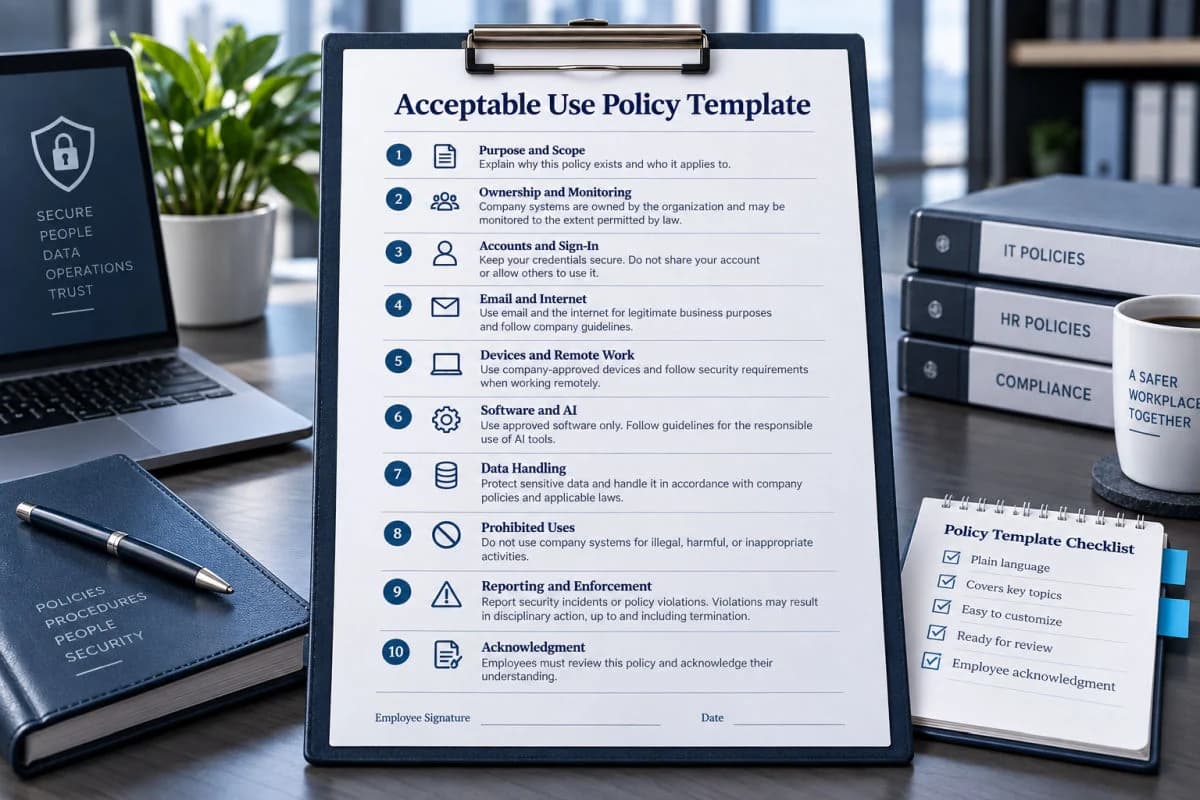
Use this outline as an acceptable use policy template, then fill each section with the decisions described above. A policy someone can read in about ten minutes is far more useful than a long one nobody finishes:
- Purpose and scope: who and what the policy covers.
- Ownership and monitoring: what the company owns, what it monitors, and why.
- Accounts and sign-in: no sharing, a password manager, and multifactor authentication.
- Email and internet: business use, limits on personal use, no auto-forwarding, and phishing reporting.
- Devices and remote work: lock, encrypt, update, and report loss within a set number of hours.
- Personal devices: what is allowed and what enrollment is required.
- Software, cloud, and AI: the approved list, the request process, and data that never goes into AI tools.
- Data handling: classification labels, storage and sharing rules, and disposal.
- Prohibited uses: the short list of things that are never allowed.
- Reporting and enforcement: how to report problems and how violations are handled.
- Acknowledgment: signature, date, and policy version, at hire and every year.
Sample Policy Language
Plain sentences work better than legal boilerplate. These sample clauses show the tone to aim for, and each one should be adjusted to your tools and reviewed by counsel:
- You may not share your password or let anyone else, including coworkers, use your account.
- Work email may not be forwarded automatically to a personal email account.
- Only software on the approved list may be installed on company devices, and IT handles requests for anything else.
- Do not enter client, patient, or financial information into AI tools the company has not approved.
- Report a lost or stolen device to IT within four hours, including outside business hours.
- The company monitors company email, devices, and sign-ins to protect its systems and data.
Write the full policy in the same voice you use with your staff. Have employment counsel review the monitoring and enforcement sections before it goes out, because template language is a starting point, not a finished policy.
How to Roll Out the Policy So It Sticks
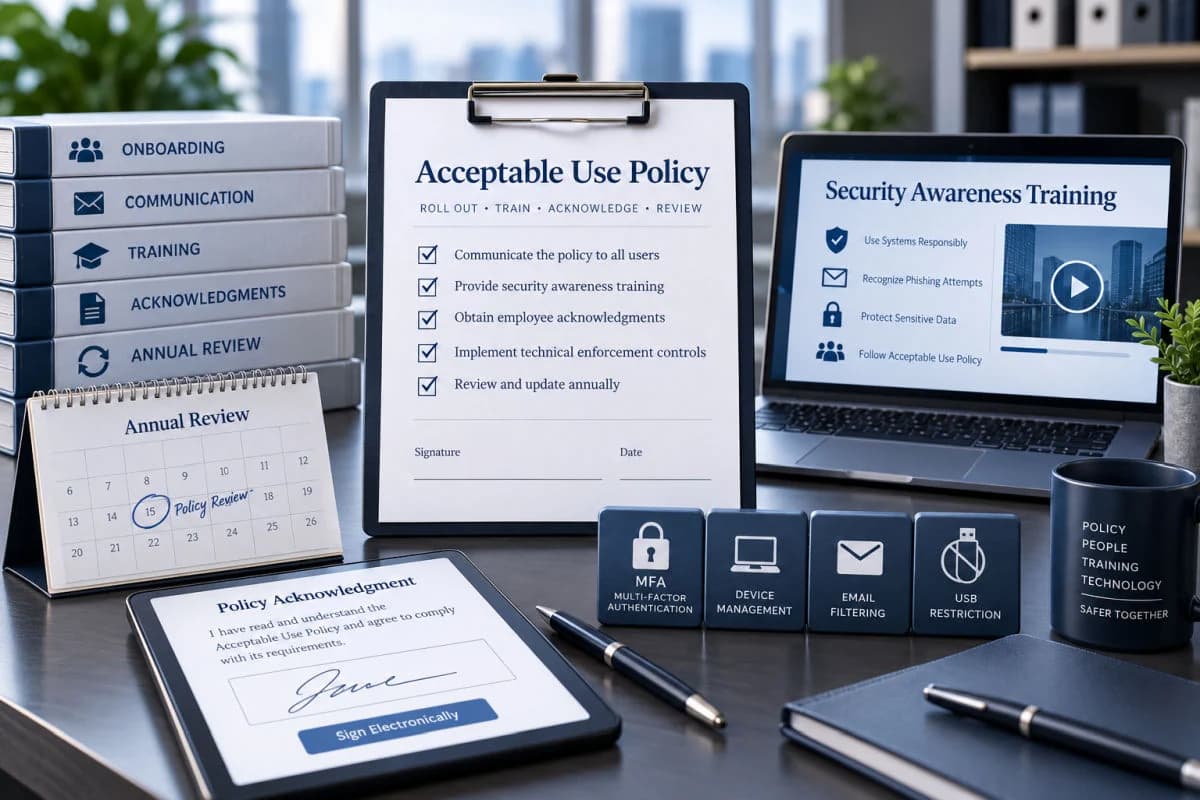
A policy emailed as an attachment and never mentioned again changes nothing. Walk through it in a short staff meeting and explain the reason behind the few rules that matter most. Then fold it into your security awareness training so the examples people see match the rules they signed. Collect electronic signatures through your HR system or document platform, and add the policy to the onboarding checklist so new hires sign before they get accounts.
Review the policy every year, and sooner when something significant changes, such as a new AI tool, a move to remote work, or a new compliance obligation. Each review should produce a new version number and a fresh round of acknowledgments.
Back Every Rule With a Control
The strongest policies describe controls that already exist. Microsoft 365 can enforce multifactor authentication for every account, and device management can block unapproved apps and require encryption. Automatic forwarding to outside addresses can be disabled at the mail system, and USB storage can be restricted on company laptops. When the technology enforces the rule, the policy explains it instead of hoping people remember it.
Mistakes That Make a Policy Useless
The same problems show up in policy reviews again and again. Watch for these before you publish yours:
- Copying a template from another organization without changing the tools, devices, and data it describes.
- Writing for lawyers instead of employees, so nobody understands what is expected.
- Banning so much that normal work breaks the rules every day.
- Collecting signatures once and never again, which leaves no current evidence.
- Never updating the policy, so it says nothing about AI tools or personal phones.
- Enforcing it for some people and not others.
Putting the Policy to Work
An acceptable use policy is one of the cheapest security controls a small business can adopt. It is also one of the few that auditors, insurers, and clients all ask about. The work is mostly decisions: which tools are approved, what gets monitored, and which rules matter most for your data. Once those decisions are made and backed by technical settings, the document almost writes itself.
Local support makes the rollout easier to sustain. For offices across Ventura County, the policy, the training, and the technical controls can come from one team, so they do not drift apart as tools and staff change.
Frequently Asked Questions
An acceptable use policy is a written set of rules for how employees and contractors use company technology. It covers devices, accounts, email, internet access, software, and data. Employees read and sign it, and it gives the business a consistent standard for training and enforcement.
Not for every business, but many need one in practice. PCI DSS 4.0.1 Requirement 12.2.1 requires acceptable use policies for businesses in scope for card data. The HIPAA Security Rule requires workstation use and sanction policies that an AUP usually covers, and clients, vendors, and insurers often ask for written policies.
At minimum, it should cover scope, ownership and monitoring, accounts and passwords, email and internet use, devices and remote work, and personal devices. It should also address approved software and AI tools, data handling, prohibited uses, reporting, enforcement, and a signed acknowledgment. Each section should reflect the tools and data your business uses.
Have employees sign at hire, again every year, and whenever the policy changes significantly. PCI DSS requires personnel to acknowledge the security policy at least every 12 months, and annual signatures give any business current evidence that staff know the rules.
An AUP can notify employees that company systems are monitored, but monitoring rules vary by state and by activity. California requires all-party consent to record confidential calls, and CCPA-covered businesses owe employees a notice at collection. New York requires written notice of electronic monitoring, so have counsel review your monitoring language.
Yes. The policy should name the approved AI tools and list the information that must never go into public AI services, such as client files, patient data, and passwords. Businesses that use AI heavily often add a separate AI policy and reference it from the AUP.
If you want an acceptable use policy that matches the controls already running in your environment, GlobeVM can draft it with you and configure the settings that enforce it.
Comments
0 Comments