
For any business that handles patient health information, the HIPAA Security Rule is not optional reading. It is the federal standard that defines how electronic protected health information, known as ePHI, must be protected. Yet for most practice managers and small healthcare business owners, the rule feels like a wall of legal language with no clear instruction on what to actually do. This guide focuses on the HIPAA technical safeguards, the part of the rule that touches your day-to-day technology most directly. We will explain what each safeguard requires, clear up the single most misunderstood concept in the rule, and look honestly at the major regulatory update that is still proposed and how it could change what compliance means. Reviewed September 2026; the proposed Security Rule update remains unfinalized, with final action now listed for July 2027.
GlobeVM provides healthcare IT support for medical practices in Los Angeles: HIPAA security, EHR uptime and tested backups.
What the HIPAA Security Rule covers, and where technical safeguards fit
The HIPAA Security Rule sets national standards for protecting health information that is created, received, used, or stored in electronic form. It applies to covered entities, such as healthcare providers and health plans, and to their business associates, which includes vendors and service providers that handle ePHI on their behalf. The rule lives in the Code of Federal Regulations at 45 CFR Part 160 and parts of Part 164.
The rule does not name specific products you must buy. Instead, it sets goals, the confidentiality, integrity, and availability of ePHI, and organizes the requirements into three categories of safeguards that work together.
The three categories of safeguards
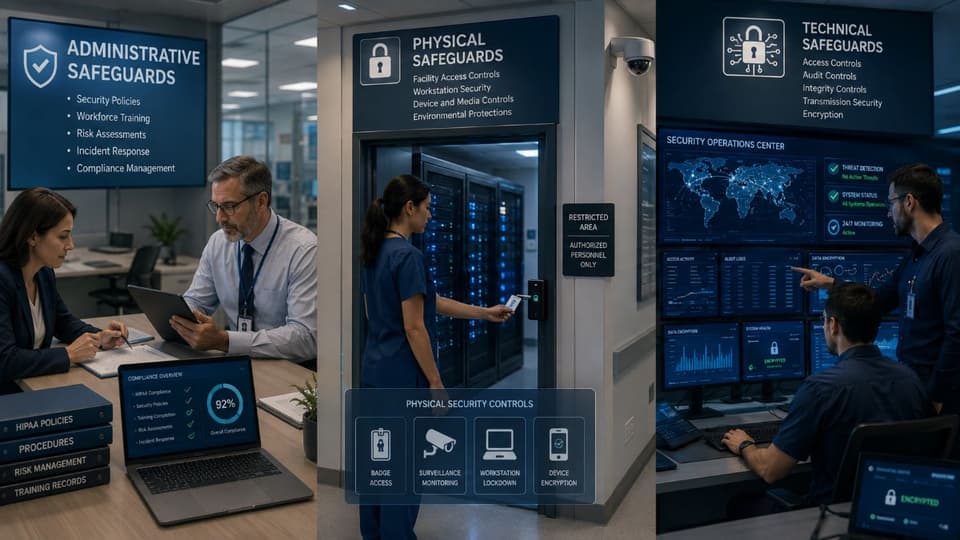
- Administrative safeguards. The policies, procedures, training, and oversight that govern how an organization manages security, including the mandatory risk analysis.
- Physical safeguards. The controls that protect physical access to facilities, servers, workstations, and devices.
- Technical safeguards. The technology, and the policies for using it, that protect ePHI and control who can reach it.
This article concentrates on the third category, because that is where the rule meets your IT systems. But the categories are not independent. A technical control is only as good as the administrative policy that governs it and the physical security around the hardware it runs on. If you want the full picture across all three categories, our HIPAA compliance checklist lays out every safeguard in the order the rule does.
"Required" versus "addressable": the most misunderstood part of the rule
Before looking at the individual safeguards, you need to understand one distinction, because almost every misconception about the HIPAA Security Rule starts here. Each safeguard standard contains implementation specifications, and each specification is labeled either required or addressable.
Required means exactly what it sounds like. You must implement it. Addressable causes the confusion. Many people read addressable as optional. It is not. Addressable means you must assess whether the specification is reasonable and appropriate for your specific environment. If it is, you implement it. If it is not, you must implement an equivalent alternative measure that achieves the same protection, or document a clear, defensible reason why no measure is needed. Skipping an addressable specification without that assessment and documentation is a compliance failure. Addressable gives you flexibility in method, never permission to do nothing.
The table below shows how the five technical safeguard standards break down under the current rule. Two of the standards have no separate implementation specifications at all, which means the standard itself is the requirement.
| Technical safeguard standard (45 CFR 164.312) | Implementation specification | Required or addressable |
|---|---|---|
| Access control | Unique user identification | Required |
| Access control | Emergency access procedure | Required |
| Access control | Automatic logoff | Addressable |
| Access control | Encryption and decryption | Addressable |
| Audit controls | None; the standard itself applies | Required |
| Integrity | Mechanism to authenticate ePHI | Addressable |
| Person or entity authentication | None; the standard itself applies | Required |
| Transmission security | Integrity controls | Addressable |
| Transmission security | Encryption | Addressable |
The five HIPAA technical safeguards explained
The technical safeguards section of the rule, found at 45 CFR 164.312, contains five standards. Here is what each one asks of your organization in plain language.
1. Access control
Access control requires that only authorized people and software can reach ePHI, and that they can reach only what their role needs. The principle behind it is minimum necessary access. A front desk employee and a billing specialist should not see the same data, and neither should see more than their job requires.
This standard includes four implementation specifications. Unique user identification, which is required, means every user has their own login so activity can be traced to a person. Emergency access procedure, also required, ensures someone can reach critical ePHI during a crisis such as a system failure. Automatic logoff and encryption and decryption are addressable, meaning you assess and either implement them or justify an alternative. In practice, well-run systems implement all four, because shared logins and unattended, still-logged-in workstations are among the most common findings in breach investigations.
2. Audit controls
Audit controls require mechanisms that record and examine activity in systems containing ePHI. In plain terms, your systems must keep logs of who accessed what, and when. This standard has no separate implementation specifications, but that does not make it minor. Without audit logs, you cannot detect inappropriate access, you cannot investigate an incident, and you cannot prove to anyone that your other controls are working. Logging is also useless if no one reviews it, which is why a named person, or an outside team on your behalf, should be looking at access reports on a fixed schedule rather than only after something goes wrong.

3. Integrity controls
Integrity controls protect ePHI from being improperly altered or destroyed. The concern here is not only malicious tampering. Data can be corrupted by a failed hard drive, a software error, or a mistaken edit. For a healthcare organization, altered patient data is not just a compliance problem, it is a patient safety problem. The standard includes one addressable specification, a mechanism to confirm that ePHI has not been changed. Reliable data backup and disaster recovery directly supports this safeguard, because a tested backup is what lets you restore accurate data when integrity is lost.
4. Person or entity authentication
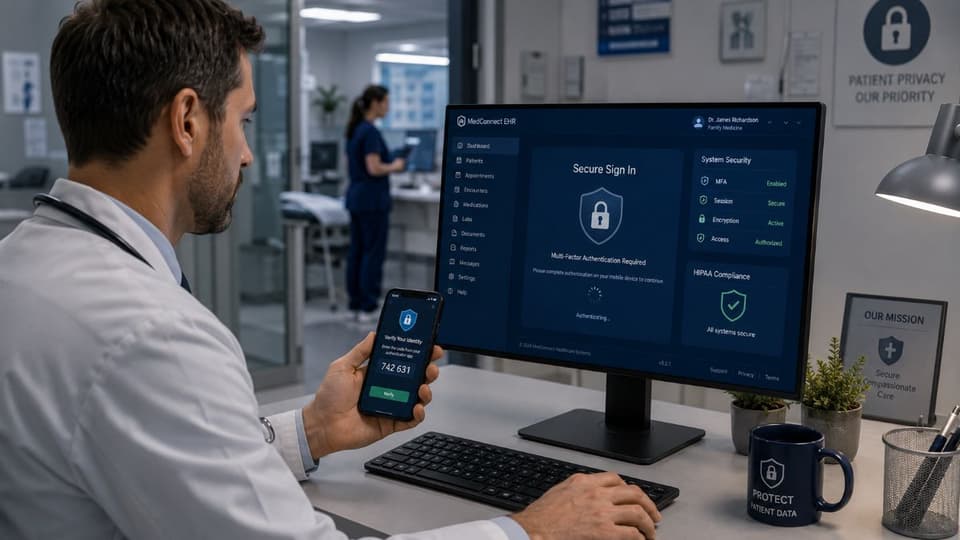
Authentication requires verifying that a person or system seeking access to ePHI is actually who they claim to be. A password alone is a weak form of this, because passwords are guessed, reused, and stolen constantly. Stronger authentication, particularly multi-factor authentication, which pairs a password with a second proof such as a code or a hardware key, reduces the risk of an account takeover. The current rule treats the method as flexible, but as the proposed update discussed below shows, the regulatory direction is firmly toward making strong authentication mandatory.
5. Transmission security
Transmission security protects ePHI while it moves across a network, for example an email to a specialist, a file sent to a billing service, or data syncing to a cloud platform. The standard includes two addressable specifications, integrity controls during transmission and encryption. Encryption is the practical core of this safeguard. Encrypted data that is intercepted is unreadable and, in most cases, does not trigger breach notification obligations. This is why organizations that rely on cloud email and document tools should confirm encryption is properly configured, something managed Microsoft 365 services from a provider that knows the healthcare settings can verify and maintain.
How technical safeguards connect to the mandatory risk analysis
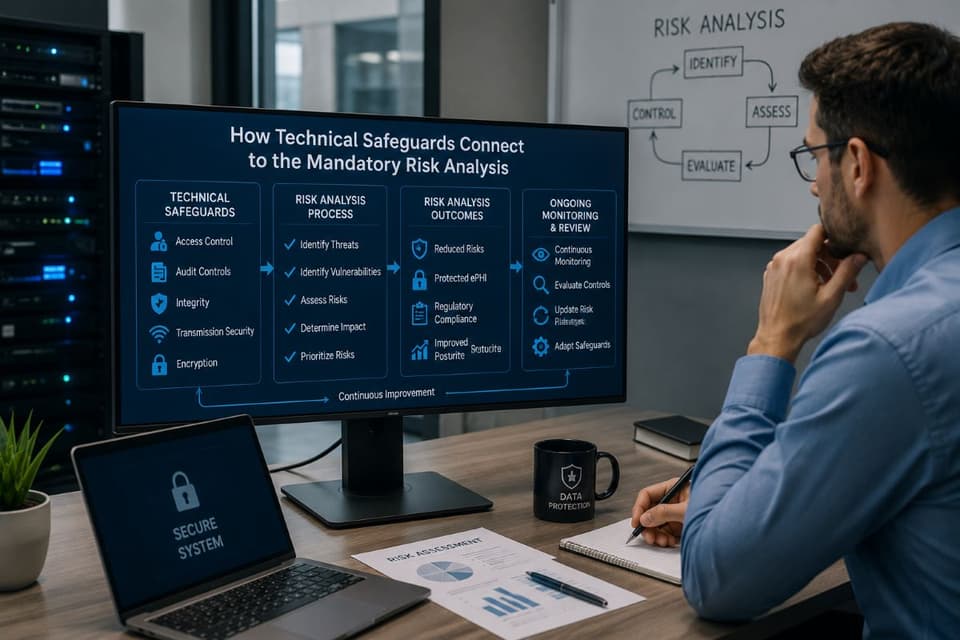
A common mistake is to treat the five technical safeguards as a shopping list to check off once. The rule does not work that way. The HIPAA Security Rule requires every covered entity and business associate to conduct a risk analysis, an honest assessment of the threats and vulnerabilities specific to your environment. The technical safeguards you implement, and the choices you make on every addressable specification, must flow from that analysis. If you have never run one, or the last one is a template someone filled in years ago, our guide to the healthcare security risk assessment explains what a defensible one contains.
This is also the requirement regulators examine most closely. OCR's Risk Analysis Initiative, launched in late 2024, has produced more than a dozen settlements whose common thread was a missing or inadequate risk analysis. A risk analysis is not a one-time document. It should be reviewed and updated whenever your systems, vendors, or operations change. Pairing it with ongoing HIPAA compliance services keeps the assessment current rather than letting it become a stale file that no longer reflects how your practice actually operates.
Where technical safeguards fall short on their own
It is fair to say what these controls do not do, because a practice that expects too much from them ends up with a false sense of security. Multi-factor authentication stops most password-based account takeovers, but attackers now target the second factor too, through prompt-bombing and lookalike login pages, so MFA needs phishing-resistant methods and staff who know what a fake prompt looks like. Encryption protects data that is stolen, which is why the HIPAA Breach Notification Rule treats properly encrypted data as secured, but it does nothing about a logged-in receptionist reading a neighbor's chart.
Audit logs only help if someone reviews them, and in a small practice that review is the first task dropped during a busy week. And a cloud-hosted EHR shifts some technical work to the vendor but none of the accountability: the business associate agreement defines who handles what, and gaps between the two sides are where incidents tend to happen. Treat the technical safeguards as necessary, not sufficient, and pair them with training and a written policy that says who does what.
The proposed Security Rule update and why it changes the picture
Any honest guide to the HIPAA Security Rule written today has to address a major development. In January 2025, the Department of Health and Human Services Office for Civil Rights published a Notice of Proposed Rulemaking to substantially overhaul the Security Rule. The public comment period closed on March 7, 2025. This would be the first significant update to the rule since 2013.
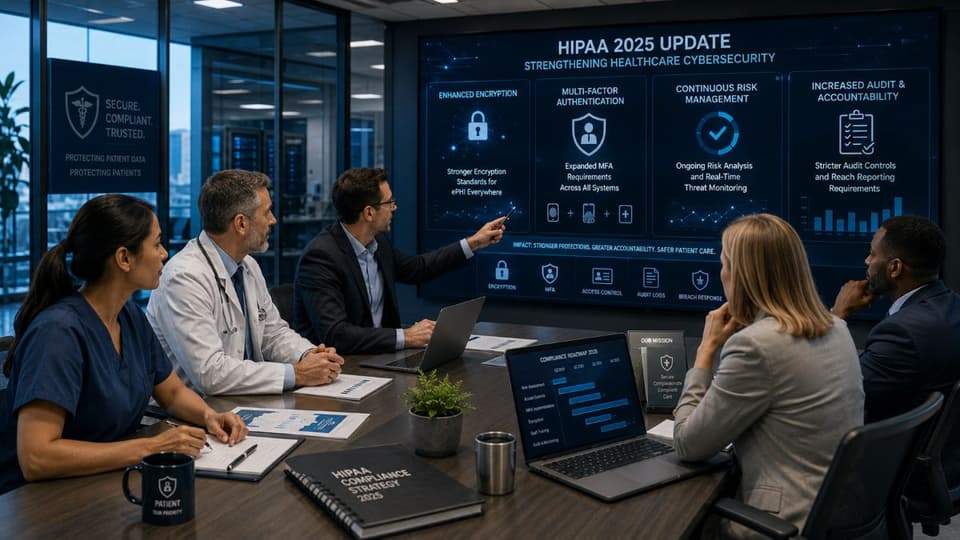
It is important to be precise about status. This is a proposed rule, not law. A final rule has not been published. OCR's earlier target of May 2026 has passed, and the Office of Management and Budget's regulatory agenda now lists final action for July 2027, with the rule moved to its long-term actions list. Hospital and provider groups have asked HHS to withdraw or narrow the proposal, so the final version may differ. The current Security Rule, the one described above, is what applies today. But the proposal signals where the requirements are heading, and the direction is clear. Among the most significant proposed changes:
- Removing the addressable category. The proposal would make implementation specifications required, eliminating the flexibility that addressable currently provides.
- Mandatory encryption. Encryption of ePHI at rest and in transit would become a firm requirement rather than an addressable specification.
- Mandatory multi-factor authentication. MFA for access to ePHI would be explicitly required.
- Network segmentation. Systems would need to be segmented to limit how far an intruder can move after a breach.
- Regular technical testing. The proposal calls for vulnerability scanning at least every six months and penetration testing at least once a year.
- Faster recovery and vendor notice. Written procedures to restore critical systems and data within 72 hours, and a duty for business associates to notify you within 24 hours of activating their contingency plans.
For a small healthcare business, the practical takeaway is not alarm, it is preparation. The proposed changes describe security practices that a well-run organization should arguably already be moving toward. Treating measures like encryption, MFA, and periodic penetration testing as expected practice now, rather than waiting for a final rule, is both good security and a sensible head start on compliance.
Practical first steps for a small healthcare practice
Reading the rule is one thing. Knowing where to begin is another. For a smaller organization without a dedicated security team, these steps put the technical safeguards into a sensible order.
- Complete an honest risk analysis. Every other decision depends on it. Identify where ePHI lives, how it moves, and what threatens it.
- Fix identity and access first. Give every user a unique login, remove shared accounts, apply minimum necessary access, and enable multi-factor authentication.
- Confirm encryption is on. Verify that ePHI is encrypted both on your devices and when it is transmitted, including email and cloud storage.
- Turn on and review audit logs. Logging that no one looks at is not a control. Make sure activity is recorded and monitored.
- Test your backups. A backup you have never restored is an assumption, not a safeguard.
- Document everything. Your decisions, especially on addressable specifications, need a written, defensible rationale.
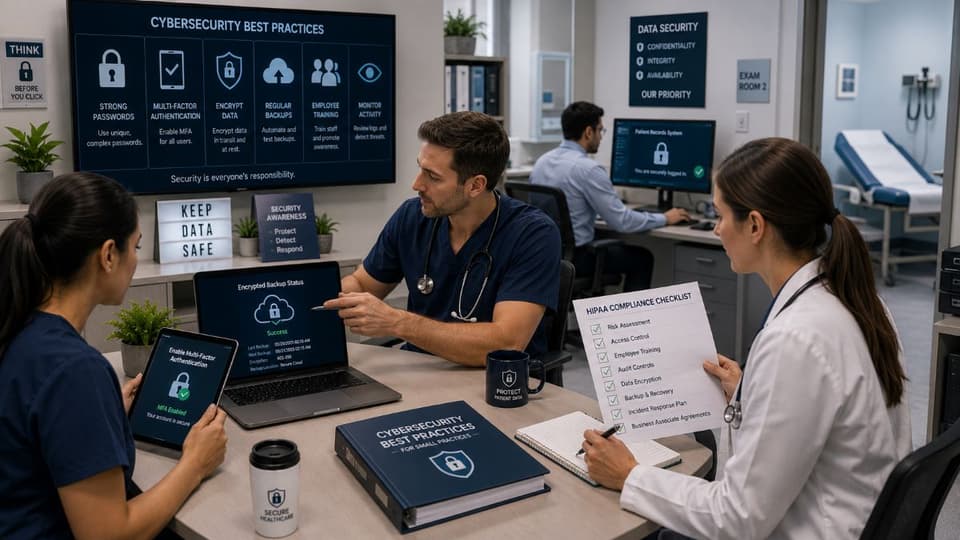
What the safeguards look like in a three-provider office
Abstract rules are easier to act on with a concrete picture. Take a typical three-provider office with a cloud-hosted EHR, a local imaging server, Microsoft 365 for email, and a mix of desktop workstations and two laptops that go home with the doctors. Access control means the EHR has role-based accounts so the front desk sees scheduling and demographics but not clinical notes, and every workstation locks after a few minutes. Authentication means MFA is enforced on email and on remote access to the EHR, with no exceptions for the owner.
Encryption means the two laptops use full-disk encryption, the imaging server's backups are encrypted, and email to outside specialists goes through an encrypted channel rather than a plain attachment. Audit controls mean the EHR's access report is pulled monthly and someone actually reads it. Integrity means the imaging server has tested, versioned backups so a corrupted study can be restored. None of that requires expensive hardware; most of it is configuration and discipline.
The same logic scales down to a solo practice and up to a multi-site group. For practices that rely on managed IT and cybersecurity for San Fernando Valley businesses, and anywhere else in the Los Angeles area, the extra consideration is California's Confidentiality of Medical Information Act, which lets patients sue directly for a negligent release of their records, so a technical gap carries state-level exposure on top of the federal rule.
Much of this work overlaps with general security hygiene, which is why mature security programs and HIPAA technical compliance tend to reinforce each other. A practice that is secure is most of the way to being compliant, and a practice that treats compliance as paperwork alone is usually neither.
If your practice handles patient data and you want a clear, honest assessment of where your HIPAA technical safeguards stand against the Security Rule, the team at GlobeVM can review your environment and identify exactly what needs attention before it becomes a problem.