
When ransomware hits a business, the attackers are counting on one thing: that your backups are within their reach. Modern ransomware groups deliberately hunt down and destroy backups before they encrypt anything, because they know a business that can simply restore will never pay. This is why two specific technologies have become central to serious ransomware defense: immutable backups and air-gapping. Both exist to put your backup data somewhere an attacker cannot alter or delete it, but they work in fundamentally different ways, and understanding the difference is the key to building a backup that survives an attack. This guide explains what each one really is, how they differ, where their limits are, and how a smaller business can put them in place without an enterprise budget.
Why attackers go after your backups first
A working backup is the single thing that defeats a ransomware demand. If you can restore your data, the attacker has no use. The criminals understand this better than most businesses do, so a typical attack now includes a deliberate hunt for backup systems, which are then encrypted or deleted before the main attack is triggered. A backup that is connected to the network it is meant to protect, reachable with the same credentials an attacker has stolen, is exactly the kind of backup that does not survive. The entire purpose of immutability and air-gapping is to break that reachability, so that when everything else is compromised, one clean copy remains beyond the attacker's grasp. Backups are the last layer of a business's cybersecurity solutions, and attackers treat them as the first target.

What immutable backups actually are
An immutable backup is one that cannot be changed or deleted for a defined period of time, by anyone, including an administrator. The word immutable simply means unchangeable. This is achieved at the storage level through technologies such as object lock, available on many cloud and S3-compatible storage platforms, which enforce a rule that the data cannot be overwritten or removed until a set retention period expires.
The critical detail is that this protection holds even against someone with full administrative access. In a ransomware attack, the attacker often gains exactly that level of control, and on ordinary systems, admin access means the power to delete backups. With true immutability, that power is removed at the storage layer itself. The attacker can hold the highest privileges in your environment and still be unable to alter or destroy the immutable copy. That is what makes it such an effective last line of defense, and why immutable backups have moved from a large-company luxury to a baseline expectation. Immutability does not rely on hiding or disconnecting the data, it relies on the storage refusing to obey a delete or overwrite command.

What air-gapping actually means
Air-gapping takes a different approach to the same goal. Instead of making data unchangeable, it makes the data unreachable by separating it from the network. The term comes from the idea of a literal gap of air between the backup and everything else, with no connection an attacker could travel across. Air-gapping comes in two forms, and the distinction matters.
A physical air gap means the backup is disconnected: data written to a tape that is then removed and stored offline, or an external drive that is unplugged after the backup completes. There is no network path to it at all, so reaching it would require physical access. A logical air gap, sometimes called a virtual air gap, uses software and network controls to isolate the backup so that it is disconnected in practice even though it lives in the cloud or on connected infrastructure. The connection exists only briefly during the backup itself and is otherwise closed. A physical air gap offers the strongest isolation but is less convenient and harder to automate. A logical air gap is more practical for most businesses and, when properly configured, provides strong protection, though it depends on the controls being correctly set up rather than on physics.
Immutable versus air-gapped: not the same thing
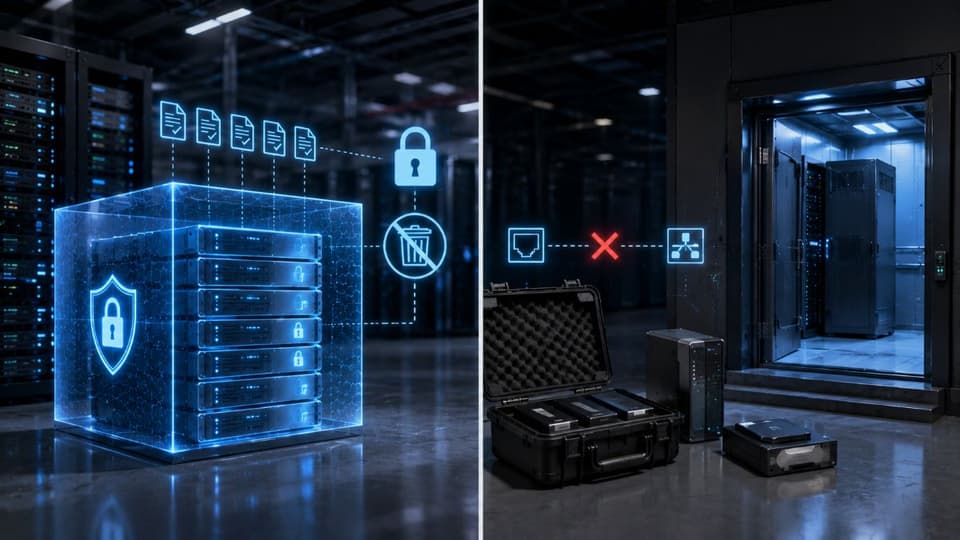
These two terms are often used as if they mean the same thing, but they protect data through different mechanisms, and the difference is worth being clear about. Immutability is about the data being unchangeable: even if an attacker can reach the backup, they cannot alter or delete it. Air-gapping is about the data being unreachable: the attacker cannot get to the backup in the first place. One locks the door from the inside, the other removes the door entirely.
| Immutable backup | Air-gapped backup | |
|---|---|---|
| What it protects against | Deletion, encryption, or alteration of the backup copy for a set retention period | Any network-borne attack reaching the copy at all |
| How it works | The storage refuses changes until the lock expires (object lock, retention lock, WORM) | The copy has no live connection: offline media, or a logically isolated vault |
| Attacker with your admin credentials | Still cannot shorten the lock or delete, if the lock is set correctly | Cannot reach it unless they also reach the offline media or vault credentials |
| Speed of restore | Fast; the copy is online | Slower; media must be connected or the vault re-attached |
| Typical failure | Lock set too short, or the same credentials control storage and backup | Gap never closed after a restore; media not rotated; nobody tests it |
| Best use | The everyday backup chain | The last-resort copy behind it |
Because they defend in different ways, the strongest approach usually combines them. An air-gapped copy that is also immutable is protected on two fronts: an attacker who somehow bridges the isolation still cannot change the data, and an attacker who somehow gains delete rights still cannot reach it. Many modern backup approaches layer both, along with strong access controls, so that no single failure exposes the last clean copy. This layered thinking is part of any serious data backup and disaster recovery strategy, and it is what separates a backup that merely exists from one that survives an attack.
The honest limitations you should understand
Immutable and air-gapped backups are powerful, but they are not a complete answer on their own, and a business deserves the full picture rather than a sales pitch. These limits are exactly what we check when we review backups as part of managed IT and cybersecurity for San Fernando Valley businesses.
- They protect against loss, not theft. This is the most important caveat. Immutability and air-gapping keep your data available and unaltered, but they do nothing to protect its confidentiality. In a modern double extortion attack, criminals steal a copy of your data before encrypting it, and an immutable backup does not undo that theft. Protecting confidentiality requires encryption, which makes stolen data unreadable. The two work together; neither replaces the other.
- The protection is only as good as its configuration. An immutability setting with too short a retention period, or a logical air gap that is not properly isolated, can leave a gap. These technologies depend on being set up correctly, and a misconfiguration can quietly undermine them.
- They do not remove the need for testing. A backup being immutable or air-gapped says nothing about whether it will actually restore. An untested protected backup is still an assumption. Recoverability has to be verified, which is a discipline in its own right.
- Recovery still takes time. Having a clean copy is what makes recovery possible, but restoring from it, especially from a physically air-gapped source, still takes time that should be planned for against what your business can tolerate.
None of these are reasons to skip immutability or air-gapping. They are reasons to treat them as one essential layer within a complete approach, alongside encryption, testing, and sound cybersecurity solutions, rather than as a single switch that solves everything. Getting that full combination right is usually what stands between a contained incident and a lost business.
How a small business gets this without a big budget
There is a common belief that immutable and air-gapped backups are only for large companies with big budgets. That is no longer true. Immutability in particular has become widely accessible, because object lock is a standard feature on many affordable cloud and S3-compatible storage services, which means a small business can have backups that ransomware cannot delete without buying specialized hardware. Logical air-gapping is similarly available through modern backup tools and managed cloud storage. The capability is within reach for almost any business. Practices and firms that rely on managed IT services in Los Angeles usually already have the storage this needs; what is missing is the configuration.
The harder part is configuring it correctly, confirming it works, and maintaining it as your systems change, which is where many small businesses fall short on their own. This is a natural fit for a managed approach, where managed IT services set up immutability and isolation properly, verify recoverability, and keep the protection current. That combination of accessible technology and expert configuration makes ransomware-resistant backups a realistic goal rather than an aspiration.
How to check that your backups really are immutable
Most businesses that believe they have immutable backups have a checkbox somebody ticked once. Four checks separate a real setup from an assumed one. First, the retention lock has to be set at the storage layer and the retention period has to be longer than the time an attacker typically waits inside a network before striking, which is weeks rather than days. Second, the account that manages backups must not be able to shorten or remove the lock; if one administrator credential controls both the backup software and the storage, ransomware operators who capture that credential control both. Third, try to delete a backup on purpose, as an administrator, and confirm that the system refuses. Fourth, restore something from a locked copy on a schedule, because a copy that cannot be deleted but also cannot be restored is worthless.
The same review should cover the copy behind the copy. If the isolated backup is a drive that a staff member rotates, check the log of when it was last swapped; if it is a cloud vault, confirm it uses separate credentials and a separate account from the primary backup. In practice the weak point is rarely the technology and almost always a procedure that quietly stopped being followed. This is the part a data retention policy pins down: how long each copy is kept, who can touch it, and when it is tested.
The 3-2-1-1-0 rule in plain terms
The traditional advice was three copies of your data, on two kinds of media, with one copy off-site. Ransomware added two more requirements that are now standard: one copy that is immutable or offline, and zero errors on the last restore test. Read that way, the rule is a checklist rather than a slogan. Three copies means production plus two backups. Two media means not all on the same storage system. One off-site means a different building or a cloud region. One immutable or air-gapped copy means the one ransomware cannot touch. Zero errors means someone restored recently and it worked. Cloud applications need the same treatment: mailboxes and shared files in Microsoft 365 are not covered by any of this unless a separate SaaS backup makes its own copy.
If you want to be certain your immutable backups would survive a ransomware attack rather than being deleted along with everything else, the team at GlobeVM can review your setup. We implement immutable and isolated backups correctly and confirm they will recover when it counts.