Every business continuity conversation eventually produces a document: a plan, with phone trees and recovery steps and someone's initials on the cover. What the document quietly assumes is that the machinery underneath it, the servers, the internet line, the power, the credentials, the one person who knows how everything connects, will cooperate on the bad day. Infrastructure management is the discipline that makes that assumption true, and it is the least discussed half of business continuity: not the plan for what to do when things fail, but the daily practice that decides how often things fail, how gracefully, and how fast they come back. This guide explains what infrastructure management actually involves, the continuity layers small businesses most often skip, and how to find the single points of failure hiding in an ordinary office.
Infrastructure Management: The Layer Under Your Continuity Plan


What Infrastructure Management Actually Means
Infrastructure management is the ongoing practice of knowing, maintaining, monitoring, and documenting the systems your business runs on: the servers and network equipment, the internet and power feeding them, the cloud services replacing some of them, and the records of how it all fits together. The definition sounds bureaucratic until you translate it into the questions it answers on a bad morning. What exactly do we have, and where? Is it healthy right now, and would we know if it were not? When did it last receive maintenance, and when does it reach the end of its life? If the person who set it up were unreachable, could someone else operate it from what is written down? Businesses with real answers to those four questions recover from incidents in hours; businesses without them turn every outage into an archaeology project, digging for passwords, diagrams, and the name of whoever configured the firewall in 2019.

The Plan Is Not the Practice
It helps to draw the line between the two halves of continuity cleanly, because they get confused constantly. Continuity planning is the decision layer: which functions matter most, how long the business can tolerate losing them, who does what during a disruption, and how you communicate. Infrastructure management is the substrate those decisions stand on: the plan can say "we restore the server within four hours" only if somebody has been managing a server that is capable of that, with current firmware, monitored health, documented configuration, and a tested path back. A beautiful plan on top of unmanaged infrastructure is a script for actors who never built the set. The two halves also fail differently: planning gaps show up as confusion during an incident, while management gaps show up as the incident itself, the switch that died of old age, the certificate that silently expired, the disk that filled up on a holiday weekend. Continuity work that only produces documents has done half the job, and usually the cheaper half.
The Continuity Layers Nobody Sees Until They Fail
Four categories of infrastructure carry most small-business continuity risk, and each has an unglamorous management routine that removes most of it.
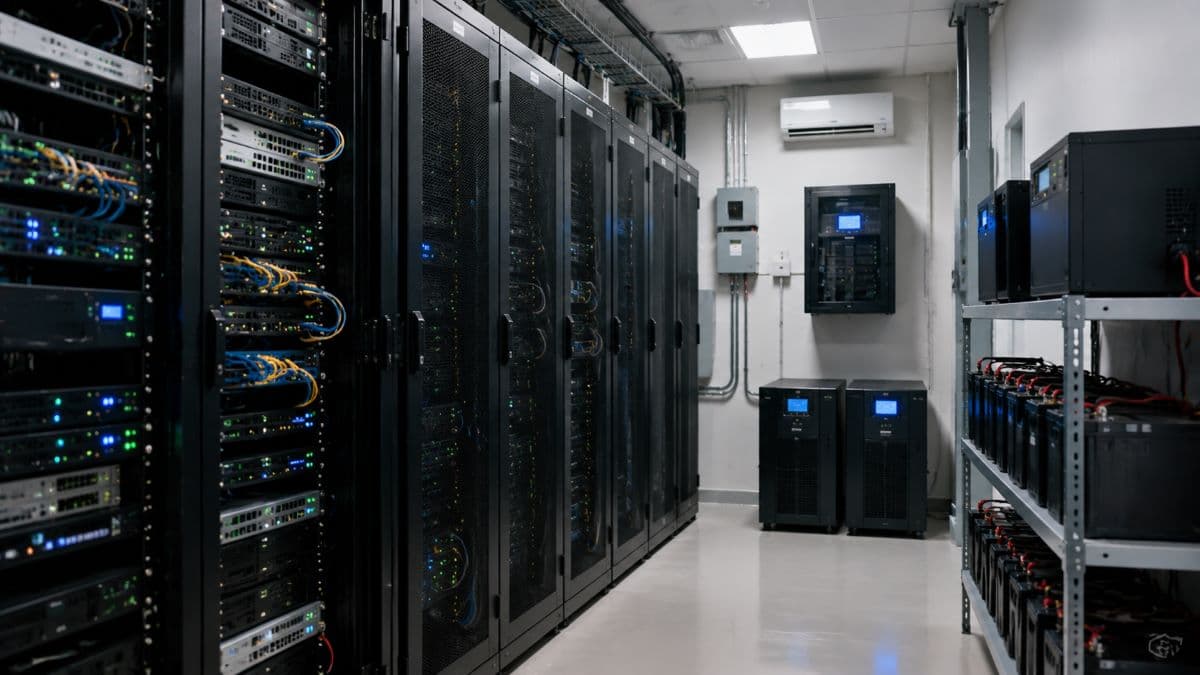
Power: The First Domino
Every device in your office assumes clean, continuous electricity, and most offices protect that assumption with nothing at all. The workhorse fix is the uninterruptible power supply, a battery that carries critical equipment through the flickers and brief cuts that make up most power events, and here honesty matters: a typical UPS buys minutes, not hours, and its real job is bridging short gaps and giving servers time to shut down gracefully instead of dying mid-write, which is how databases corrupt and mornings are ruined. The management part is what businesses skip: UPS batteries age and fail silently, so they need periodic testing and replacement on a schedule; the shutdown handshake between UPS and server needs to be configured and tried once, on purpose; and the honest sizing question, what exactly is plugged into protected power, and what merely looks like it is, deserves an actual walk to the closet. Offices where power loss is a recurring or extended risk can layer on generators or extended-runtime batteries, but for most, a maintained UPS on the right equipment plus graceful shutdown converts the most common outage type from a data-loss event into an anecdote.
Internet: One Line Is a Wish
Modern operations have quietly become internet operations: phones, files, applications, payments, and the cloud services holding your data all ride the same line into the building, which means the humble circuit from your provider is now a company-wide single point of failure. The continuity answer is redundancy with realism. A second internet connection from a different carrier, ideally arriving over a different technology, cable alongside fiber, or a cellular failover appliance as the budget version, keeps a stripped-down business alive when the primary fails: slower, prioritized for critical traffic, but alive. The management details decide whether the redundancy is real: failover must be automatic and actually tested, because a backup line that requires someone to unplug cables is a backup for weekdays only; and the two circuits should not secretly share a path into the building, a surprisingly common discovery. For businesses where connectivity is revenue, the arithmetic in our breakdown of the true cost of IT downtime usually settles the second-circuit question in one reading.
Hardware Lifecycle: Machines Fail on Schedule
Servers, switches, firewalls, and drives are consumables with long fuses: they run for years, then fail with statistics on the manufacturer's side, and the failures cluster exactly where businesses let equipment quietly pass its expected service life. Lifecycle management is the antidote, and it is mostly a spreadsheet discipline: every significant device gets an install date, a warranty and support status, and a planned replacement window, so hardware exits on your calendar rather than its own. Two additions raise it from bookkeeping to continuity. First, end-of-support awareness, because a device that no longer receives security updates is a risk even while it still powers on. Second, the spare question for true single points: for the one switch or firewall the whole office breathes through, a cold spare on the shelf, or a support contract with committed replacement time, converts a multi-day outage into an hour. None of this requires predicting failures; it requires refusing to be surprised by the predictable ones.

Monitoring and Maintenance: Knowing Before It Hurts
The difference between a managed environment and an unmanaged one is who reports the problem first: the monitoring system at 2 a.m., or the staff at 9. Continuous monitoring watches the vital signs, disk space filling, backups completing or not, batteries degrading, certificates approaching expiry, devices dropping offline, temperatures climbing in the closet nobody visits, and turns each into a quiet ticket weeks before it becomes a loud outage. Maintenance is the same idea applied on schedule: updates installed, firmware current, logs reviewed, the small corrections that keep failure rates low. This is the layer most economically handled as a service, since the tooling and the overnight attention are exactly what remote monitoring and management exists to provide, and it is also the layer with the clearest continuity payoff: most outages that hit unmonitored businesses announced themselves for weeks first, in metrics nobody was watching.
Documentation and Access: The Bus Factor Is Infrastructure Too
The least technical continuity risk is the most common: the environment nobody but one person understands. Configurations that live in someone's head, passwords in someone's personal manager, the internet account under an ex-contractor's email, a firewall whose admin credential is a shrug. Documentation converts that person-shaped single point of failure into a business asset: a current network diagram, an inventory of systems and what depends on what, credentials held in a company-controlled vault with break-glass access for emergencies, and vendor account ownership in the business's name. The test is brutal and simple: if your key technical person were unreachable for two weeks, could a competent outsider operate and recover your systems from what is written down? For most small businesses the honest answer is no, and fixing it costs a few focused days, which makes it the highest-return continuity project on this page.
Find Your Single Points of Failure in One Meeting
A useful exercise for leadership takes thirty minutes and a whiteboard: hunt the singulars. Ask, and write down the honest answers:
- One internet line? What still works when it is cut, and for how long?
- One server or system that, down for two days, stops the business?
- One person who alone understands or can access something critical?
- One power strip between the wall and everything important?
- One vendor whose outage becomes your outage, with no fallback?
- One building, if working from it became impossible for a week?
Every yes on the list is a continuity decision waiting to be made deliberately instead of during an incident, and not every yes must become a project: some singulars are accepted knowingly because the fix costs more than the risk, which is a legitimate business decision when it is actually made rather than defaulted into. The exercise's product is that distinction, a short list of singulars you fixed and a short list you consciously accepted, and it doubles as the technical foundation any continuity plan should be written on top of, since the always-on operational side of that plan is exactly what a provider's around-the-clock business continuity services exist to hold up when your own staff is asleep.

Recovery Promises Your Infrastructure Can Keep
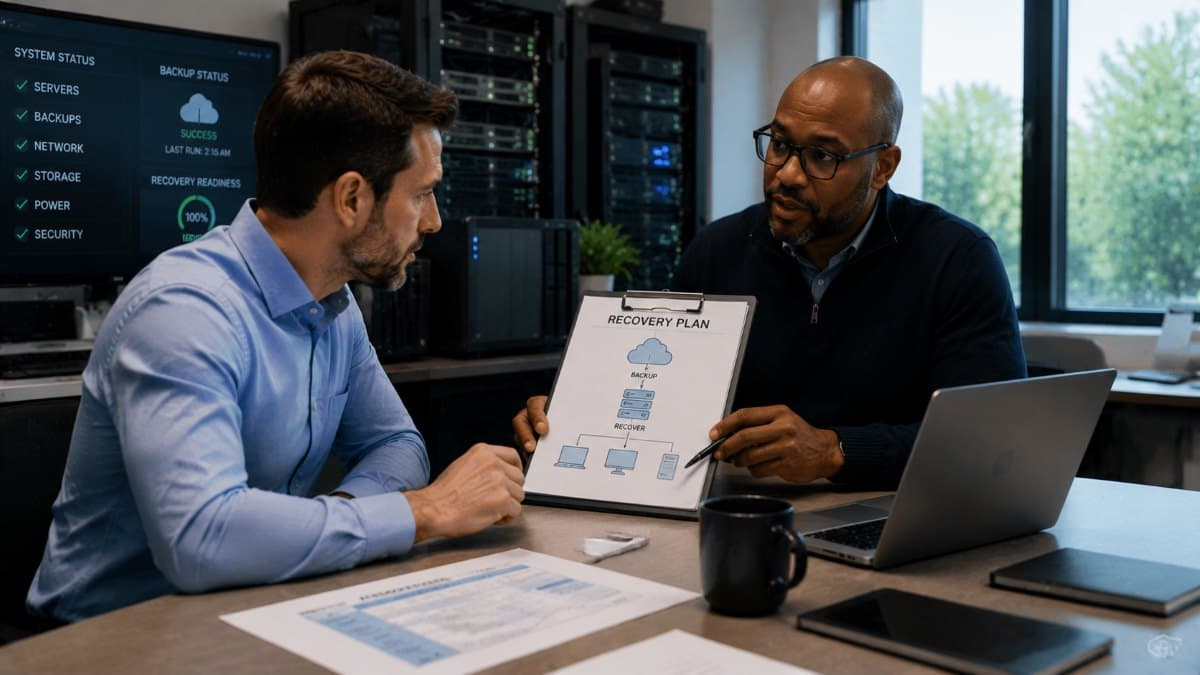
Continuity plans traffic in recovery-time promises, we will be back in four hours, and infrastructure management is what makes those numbers honest. A four-hour promise implies specific physical facts: backups recent enough, restore paths tested recently enough, hardware or cloud capacity available to restore onto, credentials and documentation reachable during the incident, and someone with the access and knowledge on call. Walk each promise in your plan backward into those facts and adjust one side or the other, either invest until the infrastructure supports the promise, or rewrite the promise to match the infrastructure, because the worst outcome is the confident number that meets reality mid-crisis. This backward walk is also where the backup and recovery layer gets its honest examination, since data protection is the deepest of the continuity layers and deserves its own scrutiny under a real data backup and disaster recovery program rather than a line item in a plan.
A Note for Regulated and Client-Facing Businesses
Medical, legal, and financial practices carry an extra reason to treat infrastructure management formally: regulators and clients increasingly ask not just whether a continuity plan exists but whether the environment under it is maintained, monitored, and documented, and audit findings routinely land on exactly the gaps above, unsupported hardware, missing documentation, untested failover. For these businesses the discipline is not only resilience; it is evidence, and the same inventory, monitoring records, and documentation that keep you running are what you hand the auditor.
Continuity Is a Habit Wearing a Plan
The plan matters, and this article has not argued otherwise; it has argued about foundations. Infrastructure management, the maintained power protection, the tested second line, the lifecycle spreadsheet, the monitoring that never sleeps, the documentation that survives any one person, is what continuity looks like on the three hundred days a year when nothing goes wrong, and it is why some businesses experience a failed disk as a ticket while others experience it as a crisis. Walk the whiteboard exercise, fix or consciously accept each singular, and put the boring routines on a schedule with an owner. When the bad day eventually arrives, it will find a business that has been quietly ready for it every day since.
For businesses in the Conejo Valley, a partner providing IT support in Westlake Village can run the single-point-of-failure review and put the monitoring, lifecycle, and documentation routines in place.
Companies to the northeast can get the same locally through IT services in Santa Clarita, from the power audit to the documentation a bad morning can actually use.
Frequently Asked Questions
If your continuity plan has never been checked against the infrastructure underneath it, GlobeVM can run the review and build the infrastructure management routine, monitoring, lifecycle, redundancy, and documentation, that lets the plan keep its promises.
Comments
0 Comments