
Every accounting firm runs two businesses: the one from May through December, and the one from January through April, when the same people, systems, and internet connection carry several times the load with none of the tolerance for failure. Most technology advice ignores that split, which is why generic support so often fails firms at exactly the wrong moment: the server that limps in July gets diagnosed in February, mid-deadline, with a partner standing behind the chair. Real IT support for accounting firms is built around the calendar, the data, and the fraud season that follows the filing season, and this guide lays out what that actually looks like: the risks specific to firms, the systems that must not blink between January and April, and the rhythm that gets the disruptive work done in the quiet months. It reflects the way we deliver IT and cybersecurity for financial services firms across the Los Angeles area.
Why Accounting Firms Sit High on the Target List
Attackers rank targets by payoff per effort, and an accounting practice scores unusually well on both sides of that ratio. The payoff: a mid-sized firm holds the complete financial identities of hundreds or thousands of people and businesses, income, account numbers, government identifiers, dependents, in one place, plus a client base trained to open attachments and act on emails that appear to come from their accountant. The effort: many firms run lean on technology, with security that grew by accretion rather than design, seasonal staff onboarded quickly, and a cultural instinct that technology is a cost to minimize rather than the vault the practice sits on. The seasonal twist makes it worse: filing season concentrates both the data flow and the stress, and the weeks after it open fraud season, when criminals impersonate firms to redirect refunds and impersonate clients to change payment instructions, knowing exactly how busy and email-driven everyone still is. None of this argues for fear; it argues for treating the firm's technology like what it is, the custodian of other people's financial lives, with the protections sized to that reality.
What IT Support for Accounting Firms Must Actually Cover
Strip away the generic managed-services brochure and the accounting-specific requirements sort into six areas.
Busy-Season Uptime, Engineered in the Off-Season
From late January to the April deadline, an hour of downtime is not an inconvenience; it is billable work not happening at the moment of maximum demand, with extensions and penalties waiting behind it. Uptime for that window is engineered months earlier: hardware with known age and warranty status, capacity checked against last season's peak plus this year's growth, backup and restore paths actually exercised through tested data backup and disaster recovery, and a support arrangement whose response times and staffed hours match the firm's season, because a helpdesk that closes at five is a poor fit for an office working until eleven in March. The mature version of this is a written seasonal readiness check every fall, systems, capacity, backups, support coverage, signed off before the organizers go out, so January begins with confidence rather than hope.
The Safeguards Duty Is Not Optional
Accounting and tax practices are not just morally responsible for client data; they carry a legal duty. Firms that prepare returns and handle client financial information fall under the federal Safeguards Rule, which requires a real information security program, a named responsible person, risk assessment, specific technical controls, and vendor oversight, obligations we walk through in detail in our guide to FTC Safeguards Rule compliance, and enforcement interest in small practices has grown precisely because so many assumed the rule was aimed at someone bigger. The practical translation for a firm: encryption on the machines and the data, multi-factor authentication on email and tax software, access limited to who needs what, an incident response plan, and documentation that proves all of it, which is also, not coincidentally, the same list a firm's professional liability carrier increasingly asks about at renewal. Two recent additions raise the stakes. Since May 13, 2024, the rule requires a covered firm to notify the FTC within 30 days when a security event involves the unencrypted information of 500 or more consumers, and the notice is published. And the IRS PTIN renewal form now asks every preparer to confirm that a written information security plan is in place, so the plan is no longer a good idea a firm can defer.
Client Documents: Close the Attachment Era
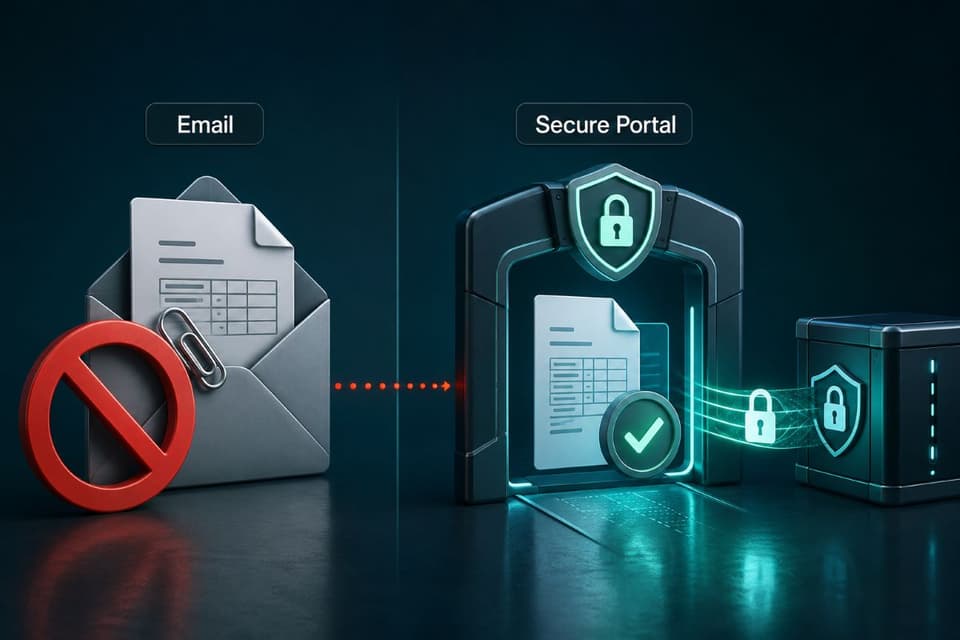
The single riskiest habit in small-firm life is financial documents traveling as email attachments: returns, organizers, statements, and identity documents sitting unencrypted in inboxes on both ends, forwarded, misaddressed, and retained forever in places nobody controls. The fix is a secure client portal, upload and download behind authentication, with the firm's retention rules applied, and the change is as much client training as technology: the firm that tells every client, once, that documents move only through the portal has also handed them the sentence that defeats impersonation attempts, because a request arriving any other way is now visibly wrong. Choosing and structuring that document layer well, portals, shared drives, retention, is its own subject, and our guide to cloud document storage covers the decisions that make it stick.
Fraud Season: The Weeks After the Deadline
Accounting firms live inside the exact fraud pattern that costs small businesses the most: trusted-party impersonation around money in motion. In season, criminals impersonate clients to the firm, the emailed change of bank details for a refund or payment, and impersonate the firm to clients, urgent requests that arrive from a lookalike address during the days everyone expects urgent requests. The defenses are procedural and cheap: any change to payment or refund destinations gets verified by a phone call to a known number, no exceptions, ever; staff learn the season's specific cons before the season, not after; and the firm's email security carries the technical protections that make impersonation harder. The full playbook, including the verification scripts and the psychology these schemes exploit, is in our guide to business email compromise prevention, and for a firm, reading it in November is worth more than reading it in April. It also belongs in the seasonal-staff onboarding packet, because temporary preparers arrive mid-pressure, get broad access fast, and have never heard the firm's verification rules unless someone put them in writing on day one.
The Tax Software Stack Has Its Own Rules
Firms run a specialized stack, tax preparation suites, practice management, document management, research tools, that behaves differently from generic office software: annual versions land in December with real installation and data-conversion work, mid-season updates arrive on the vendor's schedule and sometimes break things, integrations between the pieces are fragile, and performance is hostage to how and where the applications are hosted. Support that knows this stack plans the annual rollout as a project with a date and a rollback, tests updates before they reach every workstation in February, and can talk to the software vendors in their own vocabulary instead of leaving a partner on hold between client meetings. The hosting question, on-premises server, hosted desktop, or the vendor's cloud edition, deserves a deliberate decision too, made on performance during peak load and recoverability, not on whichever arrangement the firm inherited. The table below compares the three on the points that matter in February.
| On-premises server | Hosted desktop | Vendor cloud edition | |
|---|---|---|---|
| Performance at peak load | Depends on the server you bought; upgrades are yours to plan | Consistent if sized right; shared platform can slow in March | Vendor-managed; performance is theirs to guarantee |
| Recoverability | Only as good as your tested backup and spare hardware | Provider snapshots; ask for the restore time in writing | Vendor backups; you still own exported copies |
| Who patches and updates | Your provider, inside the freeze window rules | The hosting provider, on their schedule | The software vendor, on their schedule |
| Freeze-window risk | Low, if you control the calendar | Medium; confirm no forced updates in season | Medium; mid-season updates arrive whether you want them or not |
| Best fit | Firms with a reliable provider and stable head count | Multi-office or remote-heavy firms | Small firms that want to own nothing |
The Firm-Readiness Checklist
The whole vertical, compressed for a partners' meeting:
- A fall readiness review: capacity, hardware age, backups restored in a test, support hours matched to season.
- A written security program meeting the Safeguards Rule, with a named responsible person and current documentation.
- Multi-factor authentication everywhere that matters: email, tax software, portal, remote access.
- A client portal as the only sanctioned path for documents, announced to every client.
- A payment-change verification rule: known-number callback, no exceptions, trained before January.
- A freeze window: no elective upgrades or changes from mid-January to the deadline.
- An incident plan with season awareness: who is called, what clients are told, tested once a year.
Nothing on that list is exotic, and that is the point: firms lose data and days not to advanced attacks but to skipped fundamentals meeting seasonal pressure, and a checklist owned by someone, reviewed every fall, removes most of the story, and hands the partners a dated document to show both the liability carrier and the next client security questionnaire.
The Seasonal Rhythm: When the Real IT Work Happens
| Period | What happens | The rule |
|---|---|---|
| May to August | Server replacement, OS upgrades, portal improvements, staff training, experiments | Disruption is allowed; book the server work for the week after the deadline |
| September to December | Fall readiness review, tax-software rollout planned as a dated project with a rollback path, seasonal-staff accounts prepared with least-privilege access | Sign off before the organizers go out |
| Mid-January to the deadline | Urgent fixes only; fast response, quiet monitoring | Freeze window: no elective changes |
The defining discipline of IT support for accounting firms is calendar inversion: the visible support happens in season, but the important work happens out of it. May through August is when servers get replaced, operating systems get upgraded, the portal gets improved, staff get trained, and experiments are allowed to be briefly disruptive; September through December is readiness, the fall review, the software rollout planned as a project, seasonal staff accounts prepared with least-privilege access ready to activate; and mid-January through the deadline is the freeze, when the only changes made are urgent fixes and the provider's job is fast response, quiet monitoring, and staying out of the way. Firms whose technology partner does not think in this rhythm feel it every year as the update that broke printing in February; firms whose partner does barely think about technology at all between January and April, which is precisely the goal. The rhythm also settles the perennial argument about timing: the answer to when should we finally deal with the server is always the same, the week after the deadline, booked before anyone is too tired to remember why.
Choosing Support That Knows What February Feels Like
When a firm evaluates providers, the differentiating questions are seasonal and specific. How many accounting or tax practices do you support today, and can we speak to one? What are your written, contract-backed response times during our season, and are your staffed hours longer than ours? Walk us through how you would roll out this year's tax software, and what your freeze-window policy looks like. What happens, hour by hour, if our server fails on April 10? A generalist provider can be excellent and still be wrong for a firm, because the vertical's whole difficulty is timing; the answers you want are boring, dated, and procedural, and the answer you do not want is any variation of "we treat all clients the same." Everything else, pricing model, contract terms, the chemistry of the first meeting, follows the standard playbook for picking a partner, but the seasonal questions come first because they are the ones a firm cannot compromise on.
The Vault Deserves Vault-Grade Care
An accounting firm's technology is not overhead attached to the practice; it is the vault the practice keeps other people's financial lives in, and the calendar it lives by is unforgiving in a way most industries never experience. IT support for accounting firms done well is mostly invisible: the fall review nobody remembers because nothing failed in March, the fraud attempt that died against a callback rule, the software rollout that was just another December project. Put the checklist in front of the partners, put the readiness review on this fall's calendar, and let the firm's two businesses, the quiet one and the loud one, both run on technology that was prepared for them.
For firms across the metro, a partner providing managed IT services in Los Angeles can run the fall readiness review and carry the firm through season with response times that match the deadline.
Practices in the Valley can get the same locally through IT services in the San Fernando Valley, from the Safeguards program to the freeze-window discipline.
If your firm's technology has never been reviewed against the season it actually lives in, talk to GlobeVM about IT support for accounting firms built around the deadline calendar, from the fall readiness check to the freeze-window discipline that keeps February boring.