
Most businesses assume that because they have a firewall, their network is protected. It is a reasonable assumption and a dangerous one. A network firewall is an important part of any defense, but the box sitting in your server closet or built into your internet connection only helps if it is the right kind, set up correctly, and kept current. Plenty of businesses run firewalls that are misconfigured, outdated, or the wrong tool for the job, and they have no idea until something gets through.
The trouble is that a firewall fails quietly. There is no alarm when a rule is left too loose or a firmware update is missed, so the gap can sit open for months. This guide explains what a network firewall does, the types you might have, and the common ways a firewall leaves businesses exposed. It then covers the business firewall best practices that close those gaps and how to tell whether yours is doing its job.
What a network firewall does
A firewall is a security system that sits between your internal network and the outside world, usually the internet, and decides which traffic is allowed through based on a set of rules. Think of it as a gatekeeper checking everything coming in and going out against a list of what is permitted. When it works, it blocks unwanted connections and known threats before they reach your computers and servers, while letting legitimate traffic flow. That gatekeeping role is valuable, which is why a firewall is one of the first things any sound set of cybersecurity solutions includes.
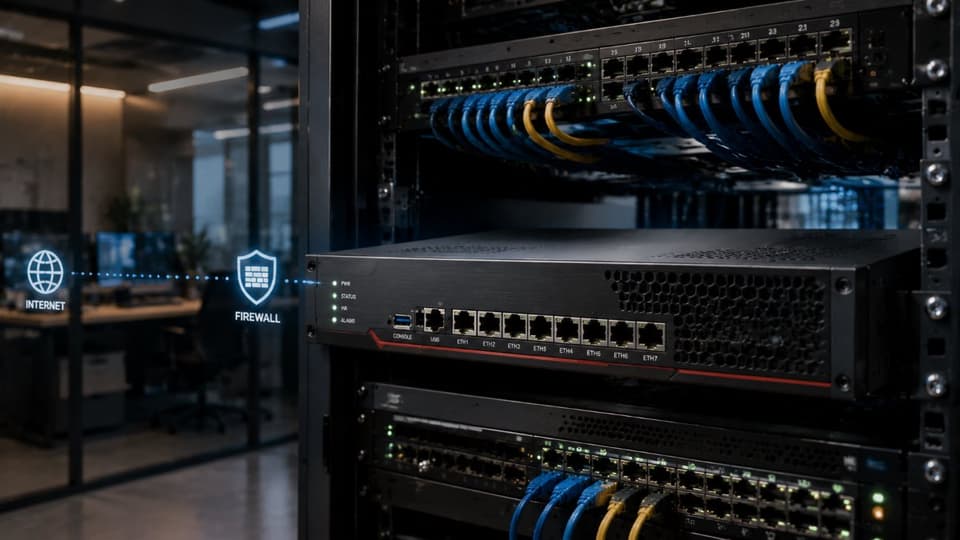
How a firewall decides what to allow
Every firewall works from rules that say which traffic to permit and which to block, based on details such as where the traffic is coming from, where it is headed, and the specific port it uses. Ports are like numbered doors on your network, each tied to a kind of service, and part of a firewall’s job is keeping the doors you do not use closed. A basic firewall checks each packet of data against its rules in isolation, while a stateful firewall, which is what most businesses use, also tracks the context of a connection. That lets it tell the difference between traffic that is part of a conversation your network started and traffic that arrived unsolicited, which is a much smarter way to decide than judging every packet on its own.
Where a firewall’s protection ends
A firewall controls traffic at the edge of your network, but it cannot see or stop everything. It does little against a threat that arrives through a channel it is not inspecting. A malicious email attachment that an employee opens, a stolen password used to log in normally, or a device that is already infected before it connects can all get past it. Once an attacker is inside, a firewall facing outward offers little resistance to movement within the network. Understanding that boundary matters, because treating the firewall as a complete solution is exactly how businesses end up exposed in the areas it was never designed to cover.
The main types of firewall a business might have
Not all firewalls are the same, and knowing roughly what kind you have tells you a great deal about how much protection you are getting. The differences come down to how deeply the firewall can inspect traffic and how much it understands about what is passing through.
Packet-filtering and stateful firewalls
The oldest and simplest firewalls filter packets based on basic information like addresses and ports, with no awareness of the wider connection. Stateful firewalls improved on this by tracking the state of active connections, which made them far better at telling legitimate return traffic from unwanted intrusions. Most business-grade firewalls today are at least stateful, and on its own that is a reasonable baseline, but it stops short of inspecting what is inside the traffic rather than just its labels.
Next-generation firewalls
A next-generation firewall, often shortened to NGFW, goes further by looking into the content of traffic rather than just its envelope. It can recognize specific applications, inspect encrypted traffic, and include built in intrusion prevention that spots known attack patterns, along with the ability to draw on current threat intelligence. For a business that handles sensitive data, this deeper inspection is the difference between a firewall that directs traffic and one that examines it. The added capability only pays off when it is configured and maintained properly. Most next-generation firewalls also rely on a paid security subscription for their threat intelligence and intrusion prevention updates; if that subscription lapses, the device keeps passing traffic but stops learning about new threats.
Where the firewall lives
Firewalls also differ in where they sit. A hardware firewall is a physical device that protects everything on your network behind it, which is the typical setup for an office. Software firewalls run on individual computers and add a layer of protection on each device, which is useful for laptops that leave the building. As businesses move systems into the cloud, cloud-based firewalls protect those environments too. Most businesses end up with a combination, and the goal is to make sure each part of your environment, on site and in the cloud, sits behind something appropriate rather than leaving gaps between them.
The table below compares the firewall types a small business is most likely to be running, from the most basic to the most capable.
| Type | What it inspects | Typical use | Main limit |
|---|---|---|---|
| Consumer router firewall | Basic filtering of incoming connections | Homes and very small home offices | Little logging, no intrusion prevention, limited control |
| Packet-filtering firewall | Addresses and ports of each packet, one at a time | Simple rules on older or basic equipment | No awareness of connections or content |
| Stateful firewall | Addresses, ports, and the state of each connection | Most entry-level business firewalls | Does not look inside the traffic |
| Next-generation firewall (NGFW) | Applications, content, and known attack patterns, including encrypted traffic when set up to | Businesses protecting client, patient, or financial data | Needs careful setup and an active security subscription |
Why having a firewall is not the same as being protected
The phrase that gets businesses into trouble is we have a firewall. A firewall is not a single fixed thing that is either on or off. Its protection depends entirely on how it is configured, how current it is kept, and whether anyone is watching what it reports. A firewall with sloppy rules, old firmware, and no monitoring can give a false sense of security while leaving the door open. The question is never whether you have a firewall, but whether the one you have is closing the gaps it is supposed to close, and that is a question about upkeep as much as equipment.
Common ways a network firewall leaves a business exposed
Most firewall failures are not dramatic. They come from ordinary gaps that build up over time and go unnoticed until they are exploited. The same patterns show up again and again across businesses of every size.
Default settings and overly permissive rules
Many firewalls are installed with default settings and broad rules that allow far more traffic than a business needs. Over time, as new applications are added, people create rules to make something work and never remove them, leaving open ports and permissions that no longer serve any purpose. Each unnecessary opening is a potential way in, and a rule set that has grown for years without being cleaned up is one of the most common weaknesses we find. Default administrator passwords that were never changed belong in the same category, since a firewall an attacker can log into is no protection at all.
Outdated firmware and forgotten rules
A firewall runs on software that needs updating just like anything else. When its firmware falls behind, known vulnerabilities stay unpatched and attackers can take advantage of weaknesses the manufacturer has already fixed and published. Attackers have noticed: Verizon's 2025 Data Breach Investigations Report found that edge devices and VPNs, the category firewalls belong to, made up 22 percent of exploited vulnerabilities, up from 3 percent the year before. The same neglect applies to the rules themselves, which are often set once and never revisited even as the business and its risks change. A firewall that has not been looked at in two years is rarely protecting a business the way it did the day it was installed, because both the threats outside and the systems inside have moved on.
Consumer-grade hardware doing a business job
The firewall built into a basic internet router is fine for a home, but it lacks the control, visibility, and protection a business needs. Relying on consumer-grade equipment to defend company data usually means missing features such as detailed logging, intrusion prevention, and the ability to inspect traffic in depth. Many small businesses do not realize they are protecting customer records and financial information with a tool that was never built for the job, and they only discover the gap after an incident has already happened.
Nobody watching the logs
A firewall quietly records what it allows and blocks, but a log that no one reads cannot warn anyone. Without monitoring, the early signs of an attack, such as repeated failed connection attempts or traffic heading somewhere it should not, pass by unseen. Plenty of breaches are visible in firewall logs well before the real damage is done, yet go unnoticed because no one is responsible for watching. A firewall without monitoring is only doing half its job.
Risky remote access
Remote work has pushed many businesses to open their firewalls for staff connecting from home, and that access is often set up in a hurry and then left as it was. Exposed remote access services and weak or missing protection on a company VPN are a favorite target for attackers, because they offer a direct path inside the network. Remote access can be done safely, as our guide to secure remote access explains, but a firewall opening that was meant as a quick fix and never tightened afterward is a serious and surprisingly common exposure.
Business firewall best practices that hold up
A firewall that protects a business is not just present; it is the right equipment, configured deliberately, and looked after over time. For organizations in Encino and across the San Fernando Valley, a periodic firewall review is a direct way to confirm the pieces below are in place rather than assumed.
The right hardware, configured properly
A business-grade firewall, often a next-generation firewall that can inspect traffic more deeply and recognize applications and threats, gives you the control a basic device cannot. Just as important is how it is set up, with rules built on the principle of allowing only what is needed and closing everything else, rather than starting open and trying to block problems afterward. Changing default credentials, turning off services you do not use, and documenting why each rule exists are all part of a configuration that holds up over time instead of decaying into a mess. That ongoing upkeep is a core part of network management, not a one-time install job.
Least-privilege rules and segmentation
Two ideas separate a firewall that merely works from one that limits damage. The first is least privilege, meaning every rule grants the narrowest access required and nothing more. The second is segmentation, which uses the firewall to divide your network into zones so that a problem in one area cannot spread freely to the rest. If a single infected device cannot reach your servers or your most sensitive data because the network is segmented, a contained incident does not have to become a business-wide one. Segmentation takes planning, but it is one of the most effective ways to limit how far an attack can travel.
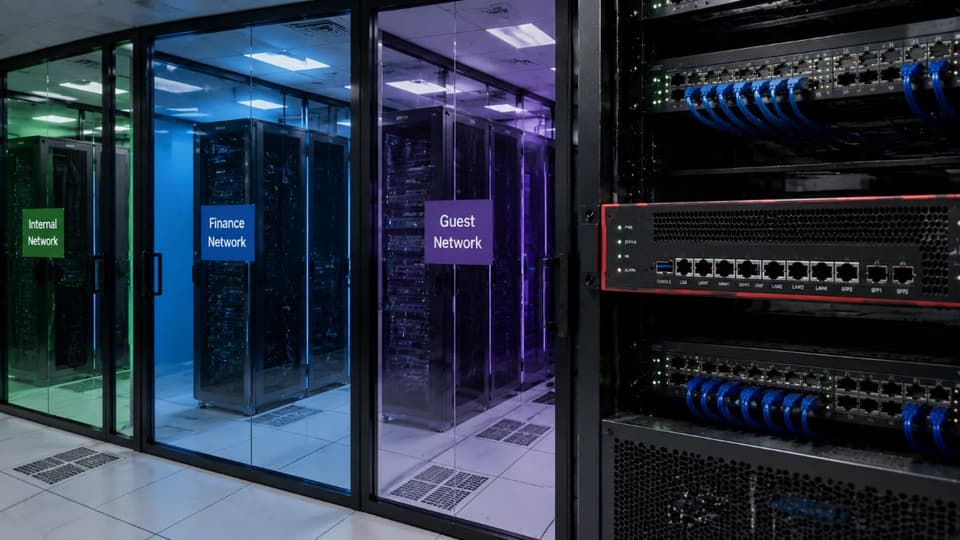
Logged, monitored, and reviewed
A firewall produces a record of what it allows and blocks, but that record only helps if someone is watching it. Continuous monitoring turns the firewall from a silent barrier into an early warning system, surfacing unusual activity before it becomes a breach. This is where remote monitoring and management earns its place, and where the rules should be reviewed on a regular schedule and updated as the business changes rather than left to drift for years.
Kept current and tested
Finally, a firewall has to be maintained. That means applying firmware updates as they are released, since these frequently close security holes, and it means testing that the firewall does what you think it does. A penetration test that probes your defenses the way an attacker would is the most reliable way to confirm that the rules block what they should and that no forgotten opening is sitting exposed. Configuration and testing together are what turn a firewall from a hopeful assumption into a control you have verified.
A network firewall is one layer, not your whole defense
Even a perfectly configured firewall is only part of the picture. Sound security relies on several layers, so that if one fails, others still stand between an attacker and your data. The firewall guards the network edge, but it works alongside the defenses that cover everything it cannot see, which our guide to network security best practices walks through layer by layer.
The other layers that matter
Endpoint protection defends individual computers against malware that slips past the perimeter. Email security filters out the phishing messages a firewall is not built to catch. Strong access control and multifactor authentication make a stolen password far less useful to an attacker. Reliable backups mean that even a successful attack does not have to be permanent. The firewall is one piece of this set, and it is at its strongest when the other pieces are in place around it.
Why the perimeter has changed
The old idea of a hard outer wall protecting a trusted inside has weakened as work has moved to the cloud and onto devices outside the office, so threats no longer have to cross the firewall to reach your data. Modern security responds by assuming that any user or device could be compromised and verifying accordingly, an approach known as zero trust. This does not make the firewall obsolete, but it does mean treating it as one control among many rather than the single wall that keeps everything out.
How to tell if your network firewall is doing its job
You do not need to be technical to ask the right questions, and the answers reveal a great deal. Do you know whether your firewall is business-grade or the one built into a router? When was its firmware last updated, and when were its rules last reviewed? Is anyone monitoring what it reports, and would you know if it were quietly failing? Is remote access locked down, and is your network segmented so a single breach cannot reach everything at once? If those questions are hard to answer, that uncertainty is itself the finding.
When to bring in a professional review
Some things are worth checking yourself, but a thorough review of firewall configuration, rules, and logs is detailed work that benefits from an expert eye. An assessment is a sensible step if your firewall has not been professionally reviewed in over a year, if you have changed offices or added remote work, or if you do not know the answers to the questions above. It replaces guesswork with a clear picture of where your network really stands and what, if anything, needs to change before it is tested by something less friendly than an audit.
If you want to know whether your business firewall is protecting you, GlobeVM can review your current setup through managed IT services in Los Angeles and show you where it stands.