

SSPR, or self service password reset, lets users reset or change their own Microsoft Entra password without waiting for an administrator or helpdesk technician. For a small or mid-sized business, that means a common access problem can often be resolved in minutes while the helpdesk stays available for issues that actually require technical investigation.
SSPR is most useful when it is treated as part of a managed identity and support process, not as a switch that eliminates support. Registration, authentication methods, licensing, hybrid identity, and fallback procedures all affect whether the experience is smooth or creates a new category of tickets.
What Is SSPR and Why Does It Matter?
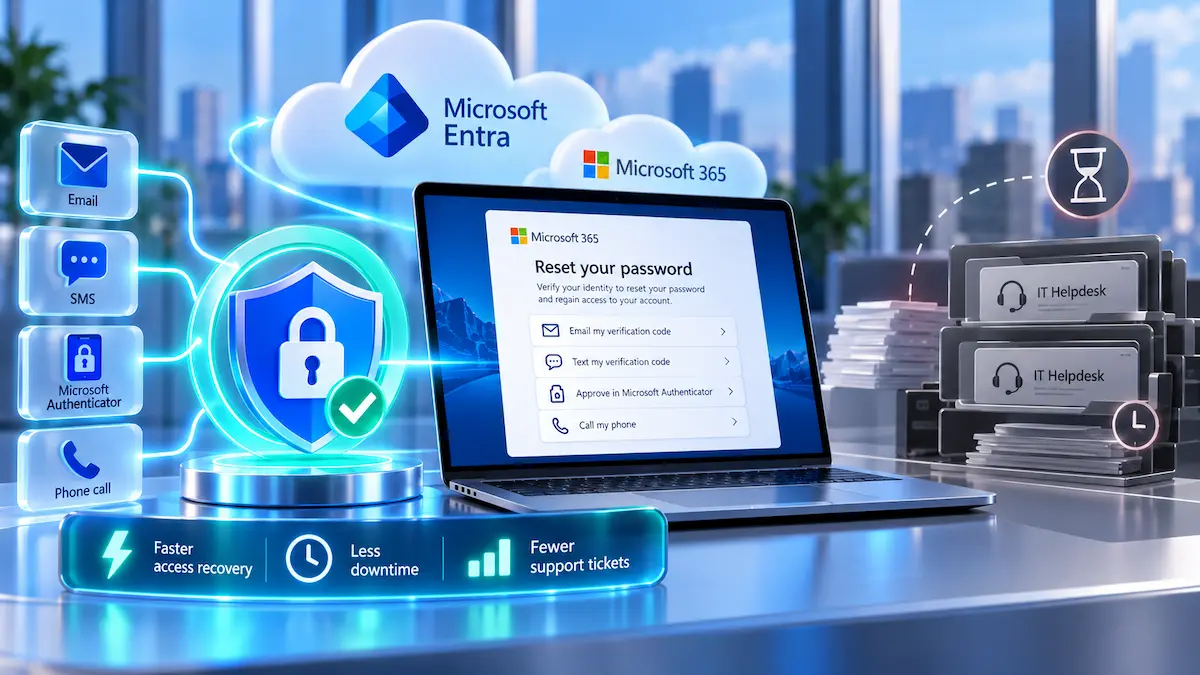
SSPR is a Microsoft Entra feature that allows an eligible user to prove their identity and reset a forgotten or expired password without having the helpdesk perform the reset. Microsoft positions the feature as a way to reduce password-related support calls and help users regain access faster.
The business value is straightforward. Password resets are repetitive, time-sensitive requests that interrupt both the employee and the technician, so moving suitable resets into a controlled self-service flow can shorten downtime without asking staff to solve broader IT problems on their own.
This is also why SSPR fits naturally beside helpdesk and IT support. A well-run desk should remove avoidable friction where automation is safe, while staying available when identity verification, account status, device problems, or security concerns make self-service inappropriate.
Self-Service Reset Versus a Helpdesk Reset
In a traditional helpdesk reset, the user contacts support, the technician verifies the request, and an administrator changes the password or unlocks the account. That process can work well, but it depends on technician availability and on a strong identity-verification procedure that prevents an impostor from convincing support to reset someone else's account.
With SSPR, Microsoft Entra performs the recovery workflow using authentication information that was registered in advance. The user still has to prove control of an approved method, and the new password must meet the applicable password policy before the reset succeeds.
What SSPR Does Not Replace
SSPR does not replace a helpdesk, multifactor authentication, a password manager, or privileged access controls. It solves a specific account-recovery problem: allowing an eligible user to reset or change a password through a controlled process.
A user may still need support when the registered verification method is unavailable, the account is disabled, the identity data is wrong, a hybrid directory cannot accept the password change, or the sign-in problem was never caused by the password. Good implementation makes that boundary clear before employees are locked out.
How Microsoft Entra SSPR Works
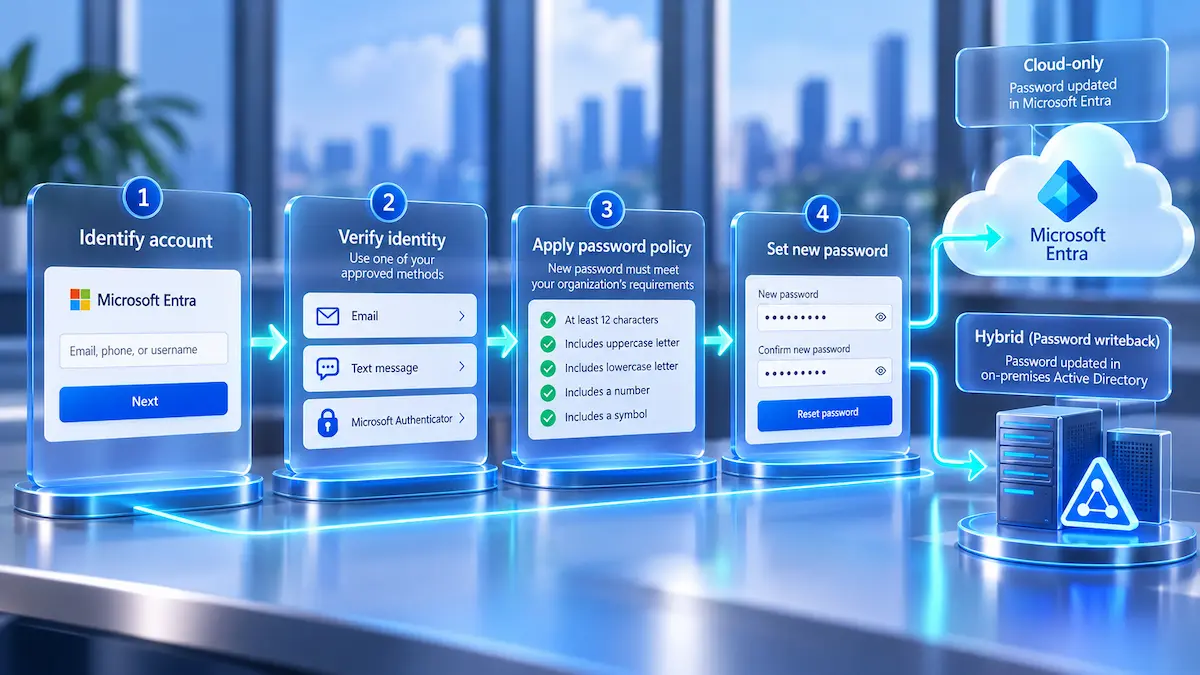
The Microsoft Entra SSPR flow starts by identifying the user, checking whether self-service reset is available for that account, and asking for the required verification. After successful verification, Microsoft Entra accepts a new password only if it satisfies the policies that apply to the account.
For cloud-only accounts, the new password is stored in Microsoft Entra ID. In a hybrid environment, password writeback can send an eligible password change to the on-premises Active Directory so the user does not end up with different cloud and local credentials.
Users Need Authentication Methods Before They Need a Reset
SSPR works best when registration happens before an emergency. Users need approved authentication information on their accounts, and the organization decides which methods are allowed and how many methods a user must satisfy during reset.
Microsoft recommends giving users more than one usable authentication option so one lost device or outdated phone number does not immediately force a helpdesk escalation. Registration quality is therefore part of the rollout, not a detail to leave until someone forgets a password.
Authentication Methods Are Managed Through the Current Policy
Microsoft changed how organizations manage methods for MFA and SSPR. Beginning September 30, 2025, authentication methods can no longer be managed through the legacy MFA and SSPR method policies, and Microsoft directs organizations to the Authentication methods policy in Microsoft Entra ID.
That matters for businesses that enabled password reset years ago and have not reviewed it since. A configuration that once worked is not evidence that the tenant is following Microsoft's current management model, so the authentication policy should be part of any SSPR review.
Password Policies Still Apply
A self-service reset does not bypass password requirements. Microsoft Entra evaluates the new password against the password policy that applies to the user, and an on-premises writeback scenario also has to respect the relevant Active Directory password rules.
This is useful operationally because SSPR does not create a separate set of weaker passwords simply for convenience. It gives the user another approved path to perform the change while preserving the policy that controls the result.
Hybrid Environments Need Password Writeback Planning
A company that still uses on-premises Active Directory needs to think beyond the cloud reset screen. Password writeback is the feature that can carry an eligible reset from Microsoft Entra back to the local directory, and licensing plus directory configuration determine whether that path is available.
Microsoft's current licensing guidance distinguishes cloud-only reset from hybrid reset with on-premises writeback. Microsoft 365 Business Premium and Microsoft Entra ID P1 or P2 support the hybrid writeback scenario, while Microsoft 365 Business Standard does not provide on-premises password writeback by itself.
Businesses that rely on both Microsoft 365 and local directory services should review the whole identity path rather than treating the cloud portal as an isolated feature. Ongoing tenant administration is one reason some organizations use managed Microsoft 365 services instead of leaving identity settings untouched after the original setup.
When Does SSPR Reduce Helpdesk Work?
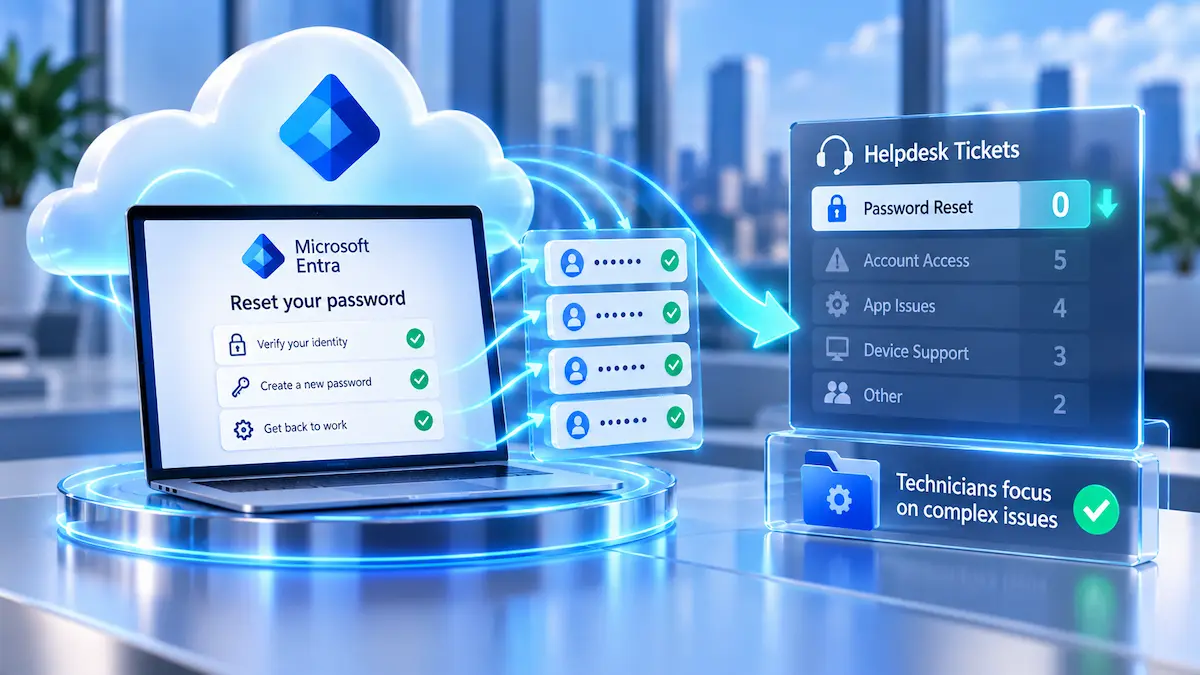
SSPR reduces helpdesk work when the user has a normal password problem, has already registered a usable verification method, and the account is eligible for self-service recovery. In that situation, there is little value in making the employee wait for a technician to perform a task the identity platform can safely handle.
The largest operational benefit is not that password issues disappear. It is that routine reset requests stop competing with printer failures, application errors, network problems, onboarding work, suspicious sign-ins, and other tickets that need human judgment.
Tickets SSPR Can Often Shift to Self-Service
- A user forgot a Microsoft Entra password and still controls an approved verification method.
- An eligible user needs to change an expired or known password.
- A user account can be unlocked through the configured self-service process.
- A hybrid user can complete an eligible reset when password writeback is correctly configured.
Those are predictable identity events, which makes them good candidates for automation. The helpdesk still owns the environment around the process, including enrollment problems, failed resets, policy questions, and cases that fall outside normal recovery.
Cases That Still Belong With the Helpdesk
Self-service should stop when the person cannot complete the approved identity checks or when the request looks unusual. A technician may need to investigate a lost phone, stale registration data, a disabled account, repeated reset failures, or a possible account takeover before changing anything.
The same is true when a user says, "My password does not work," but the real cause is a device, network, licensing, Conditional Access, synchronization, or application problem. SSPR is a recovery tool, not a diagnostic engine for every sign-in failure.
SSPR Security: Convenience Without Weak Recovery
The security of SSPR depends on how the organization verifies the person requesting the reset. A convenient recovery process becomes risky if it depends on weak, outdated, or poorly maintained identity information.
Microsoft allows organizations to decide which supported authentication methods are available and whether one or more methods are required. Requiring stronger methods and maintaining accurate registrations can reduce the chance that account recovery becomes the easiest route into an otherwise protected account.
Security Questions Are Reaching End of Life
Microsoft has announced that security questions will be retired for SSPR in March 2027. Microsoft cites security risk and low reliability, including the possibility that answers can be guessed or obtained through social engineering.
Organizations still relying on security questions should not wait for the retirement date to discover that users have no alternative recovery method. A planned move to supported methods gives staff time to register and gives the helpdesk time to identify accounts that would otherwise be stranded.
Administrative Accounts Need Extra Care
Administrative identities should not be treated exactly like ordinary employee accounts. Microsoft applies additional restrictions to administrator SSPR, and businesses should keep privileged-account recovery aligned with stricter identity controls because those accounts can change settings and affect other users.
This is where SSPR intersects with privileged access management. The recovery path for a powerful account deserves the same deliberate attention as the permissions and authentication protecting that account during normal use.
Notifications and Logs Matter
A reset process should leave evidence. Microsoft provides password-management activity information, and SSPR can notify users about reset activity so unexpected changes have a better chance of being noticed and investigated.
For the helpdesk, that creates a useful distinction between a successful routine event and a pattern that deserves escalation. Repeated failures, unusual user reports, or resets followed by suspicious sign-ins should not be treated as ordinary support noise.
SSPR Is Not the Same as MFA or Password Management
SSPR is easy to mix up with other identity tools because the same user may encounter all of them during sign-in. Each control solves a different problem, and treating them as interchangeable leaves gaps.
- SSPR provides an approved process for eligible users to reset or change a password.
- MFA requires additional proof during authentication so a password alone is not enough.
- Password managers help users create, store, and use credentials without memorizing each one.
- Privileged access controls apply stronger restrictions to administrative and other high-impact accounts.
A strong identity setup can use several of these controls together. SSPR reduces recovery friction, MFA strengthens authentication, password management reduces poor credential habits, and privileged controls limit what high-impact accounts can do.
Where SSPR Fits in a Small Business
A small business does not need a large identity team to benefit from SSPR. It needs enough Microsoft Entra administration to configure the feature correctly, enough user communication to make registration routine, and a helpdesk process for the cases that self-service cannot resolve.
This can be especially useful in offices where employees depend heavily on Microsoft 365 but there is no full-time internal IT administrator. A forgotten password at the start of a workday should not require an owner, office manager, or outside technician to stop unrelated work simply to restore a normal user account.
For Los Angeles businesses, this type of identity administration fits into the broader mix of remote support and local escalation provided through managed IT services in Los Angeles. Most password recovery can happen remotely, while the same support relationship can cover the device, network, or account problems that sit outside SSPR.
Cloud-Only Environments Are Usually Simpler
A cloud-only Microsoft Entra environment has fewer moving parts because the identity and password remain in the cloud. The organization still has to choose scope, authentication methods, registration expectations, notifications, and support procedures, but there is no local directory that must receive the new password.
Simplicity does not mean the feature should be enabled without testing. A pilot group can expose registration gaps, user confusion, and policy choices before the same experience is assigned to everyone.
Hybrid Environments Add Dependencies
Hybrid identity adds synchronization, on-premises policy, writeback, network reachability, and licensing considerations. A reset that succeeds in the cloud but does not produce the expected local sign-in result can create more confusion than the manual process it was meant to replace.
That is why SSPR should be tested against the actual devices and sign-in paths employees use. The goal is not to prove that the reset portal works in isolation, but to prove that a real employee can recover access and return to work.
How to Roll Out SSPR Without Creating More Tickets
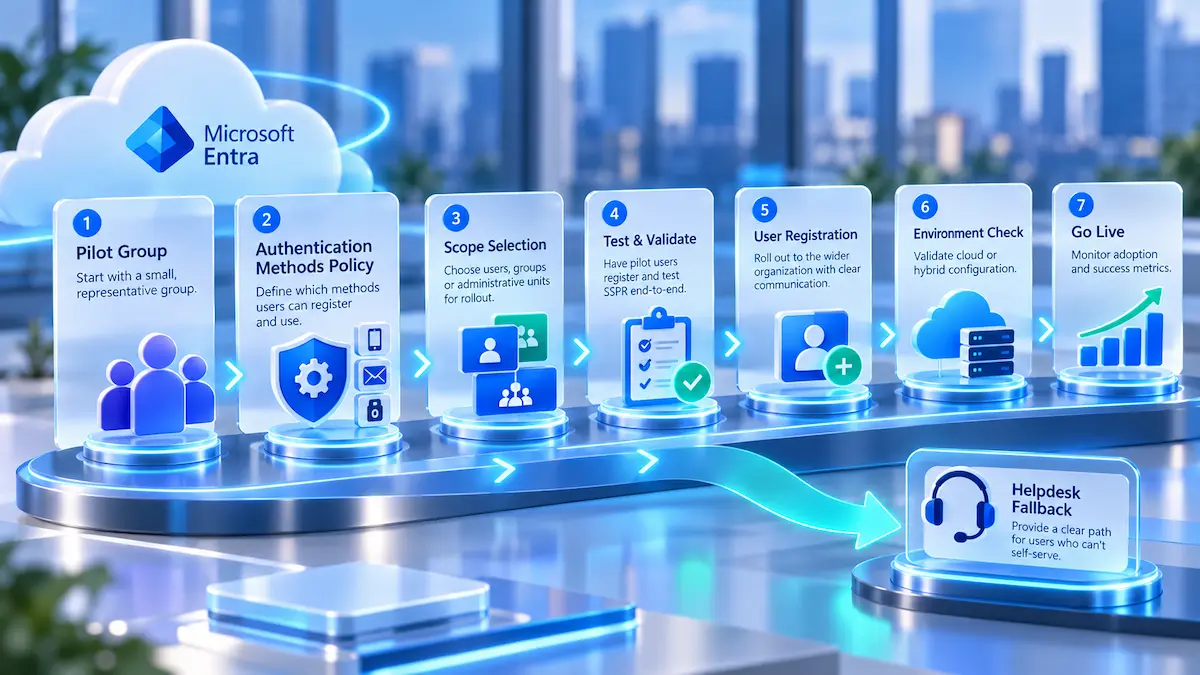
A reliable rollout starts with a small pilot, documented recovery choices, and a defined fallback path. Microsoft recommends testing with a selected group before broad production use, which gives the IT team a controlled way to find configuration and registration problems.
- Confirm which users are in scope and whether the environment is cloud-only or hybrid.
- Review licensing for the reset scenario, especially if on-premises password writeback is required.
- Configure supported authentication methods through the current Authentication methods policy.
- Register a pilot group before asking the whole company to rely on SSPR.
- Test forgotten-password, locked-account, and hybrid writeback scenarios that apply to the business.
- Document when users should stop self-service and contact the helpdesk.
- Review reset activity and registration quality after the rollout instead of treating deployment as finished.
The user instructions should also be short enough to follow when someone is already frustrated. Employees need to know where to start, which verification methods they are expected to have, and how to reach support when the normal recovery path fails.
Keep a Human Fallback
Self-service is valuable because it handles the normal case, not because every exception should be forced through automation. A user who changed phone numbers, lost a device, or has suspicious account activity needs a controlled human recovery path.
The helpdesk should know how to verify identity, when to escalate, and which account changes require additional review. Those procedures belong inside broader managed IT services, because identity recovery is one part of keeping users productive and systems controlled day to day.
What Should You Ask Before Enabling SSPR?
Before enabling SSPR broadly, a manager does not need to understand every Microsoft Entra setting. The useful questions are the ones that reveal whether the user experience, security controls, and support process have been planned together.
- Which users will be eligible for SSPR, and are administrator accounts handled differently?
- Which authentication methods are allowed, and how will employees register them?
- How many verification methods are required during a reset?
- Does the company need on-premises password writeback?
- Do current Microsoft 365 or Entra licenses support the required scenario?
- What happens when a user cannot access any registered verification method?
- Who reviews reset activity when something looks suspicious?
Clear answers to those questions matter more than enabling every available option. SSPR should shorten a predictable support process while preserving a reliable escalation route for cases where identity or security is uncertain.
SSPR Works Best as Part of Better IT Support
SSPR can remove routine password-reset work from the helpdesk without removing the helpdesk from account recovery. The best result is a division of labor: Microsoft Entra handles straightforward self service password reset requests, while technicians handle failed verification, unusual account behavior, hybrid identity problems, and the broader issues that only look like password failures.
For a small or mid-sized business, that makes SSPR less about adding another Microsoft feature and more about designing a cleaner support experience. When registration, authentication methods, policy, licensing, and escalation are maintained together, employees regain access faster and the IT team can spend more time on problems that actually require expertise.
Frequently Asked Questions
SSPR stands for self-service password reset. In Microsoft Entra ID, SSPR allows eligible users to change or reset their own password after completing the required identity verification, without asking an administrator or helpdesk technician to perform a routine reset.
SSPR reduces routine helpdesk password resets, but it does not eliminate the need for support. Users may still need a technician when they cannot access a registered verification method, when the account is disabled, when a hybrid identity process fails, or when the sign-in problem is not actually caused by the password.
SSPR availability depends on the Microsoft 365 or Microsoft Entra license and on the reset scenario. Microsoft's current licensing table shows cloud-only password reset in Microsoft 365 Business Standard and Business Premium, while on-premises password writeback requires Microsoft 365 Business Premium or Microsoft Entra ID P1 or P2.
SSPR can reset an eligible on-premises Active Directory password when password writeback is properly licensed and configured. The hybrid setup must connect Microsoft Entra ID with the local directory so the new password can be written back and evaluated against the applicable on-premises password policy.
SSPR requires the user to satisfy the authentication methods configured for password reset, but SSPR and MFA are not the same feature. Administrators decide which supported methods are available and how many methods are required, while MFA controls additional proof during authentication.
A user who loses the only usable SSPR verification method may need helpdesk assistance to recover access safely. Organizations can reduce that risk by maintaining more than one approved authentication option and by giving the helpdesk a documented identity-verification process for exceptions.
If your current password-reset process creates avoidable delays, GlobeVM can review how SSPR, Microsoft 365 administration, and helpdesk escalation should fit together for your team.
Comments
0 Comments