
Most small business owners think of their website as a marketing tool. Fewer realize it can also be a source of legal exposure. Over the past several years, lawsuits claiming that a business website is not usable by people with disabilities have become common, and they frequently target small and mid-sized companies, not just large corporations. For any business operating online, website accessibility compliance is no longer a technical nicety. It is a legal and ethical responsibility, and the rules are easier to follow than the legal noise around them suggests. This guide explains what the law actually requires, what the WCAG standard is, where the real risk comes from, and the practical steps to bring a website into line.
Why website accessibility became a legal issue
The Americans with Disabilities Act, or ADA, was signed in 1990 to prohibit discrimination against people with disabilities. It was written long before most businesses had websites, so it does not mention the internet directly. The legal question that followed was simple to ask and hard to answer: does a law about equal access apply to a website the way it applies to a physical storefront?
Over time, courts and the Department of Justice have largely answered yes. The prevailing position is that a business website is an extension of the business itself, and if the business is open to the public, its website should be usable by people with disabilities. That includes people who are blind and use screen readers, people who cannot use a mouse and navigate by keyboard, people with low vision, and people who are deaf or hard of hearing and rely on captions.
This matters because website accessibility compliance is now actively enforced, not through routine government inspections, but through private lawsuits and demand letters. A business often learns it has a problem only when a complaint arrives.
ADA Title II and Title III: which one applies to you
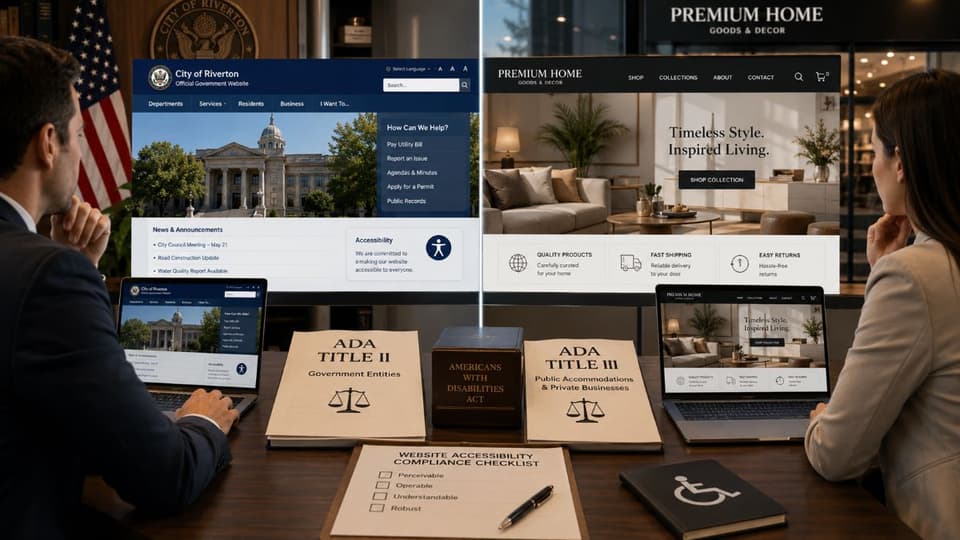
The ADA is divided into sections, and two of them matter for websites. Confusing the two is one of the most common mistakes business owners make, so it is worth being precise.
Title II: state and local government
Title II covers state and local government entities. For this group, the rules are now explicit. In April 2024, the Department of Justice published a final rule under Title II that names a specific technical standard for web and mobile accessibility. State and local governments, and the organizations that provide web content for them, must conform to that standard within set compliance deadlines. If you run a public sector entity or contract with one, this rule applies to you directly and clearly.
Title III: private businesses open to the public
Title III covers private businesses considered places of public accommodation, which includes most retailers, restaurants, medical and dental practices, professional service firms, and similar businesses. Here is the honest picture. There is currently no single regulation under Title III that spells out an exact technical standard for private business websites the way the Title II rule does for government. The obligation not to discriminate still applies, but the specific how is shaped by court decisions and enforcement rather than one published rulebook.
This legal gray area does not reduce your risk. It increases the uncertainty. Plaintiffs and their attorneys fill the gap by pointing to a widely accepted technical standard, and that standard is WCAG.
What WCAG is, and the level you should aim for
The Web Content Accessibility Guidelines, known as WCAG, are an international set of standards for making digital content accessible. They are published by the World Wide Web Consortium, the main standards body for the web. WCAG is not itself a law, but it has become the practical benchmark that courts, regulators, and the April 2024 Title II rule all reference. When someone asks whether a website is accessible, they are almost always asking whether it meets WCAG.

The four principles behind the standard
WCAG is built on four principles. A website should be:
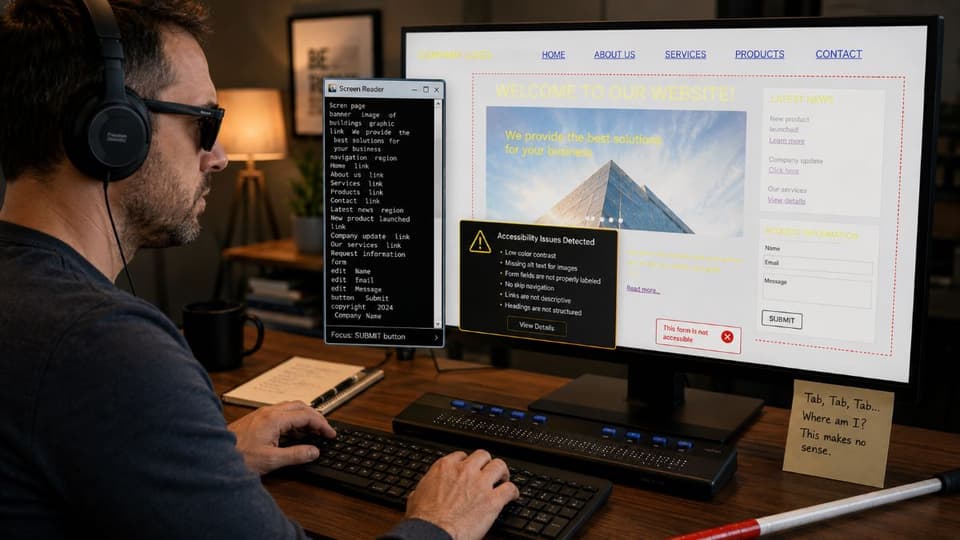
- Perceivable. Users must be able to perceive the content. A blind user cannot see an image, so the image needs a text description a screen reader can announce.
- Operable. Users must be able to operate the site. Someone who cannot use a mouse must be able to reach every link, button, and form using only a keyboard.
- Understandable. Content and navigation must be clear and predictable, with readable text and consistent layout.
- Robust. The site must work reliably with assistive technologies such as screen readers, now and as those tools evolve.
Conformance levels and the practical target
WCAG defines three conformance levels: A, AA, and AAA. Level A is the minimum and addresses the most basic barriers. Level AAA is the most demanding and is rarely required in full. The level that matters for almost every business is the middle one. Level AA is the accepted target. It is the standard named in the Title II rule, and it is the benchmark most often used in Title III litigation. When planning accessibility work, treat WCAG Level AA as the goal. The most recent versions of the guidelines are 2.1 and 2.2, and while 2.2 is the newest, conforming to 2.1 AA already covers the large majority of issues that lead to complaints.
The most common accessibility failures that trigger complaints
Accessibility lawsuits rarely hinge on obscure technical points. They tend to cite the same handful of failures over and over, because these are the barriers that genuinely stop people from using a site. If you check nothing else, check these.
- Missing image alternative text. Images without a text description are invisible to screen reader users. Product photos, logos, and informational graphics all need meaningful alt text.
- Poor color contrast. Light gray text on a white background is hard or impossible to read for people with low vision. WCAG sets specific contrast ratios for text.
- Keyboard traps and inaccessible navigation. If a user cannot reach a menu, complete a form, or close a popup using only the keyboard, the site fails.
- Unlabeled forms and buttons. A form field or button that has no clear label leaves a screen reader user guessing what it does.
- Videos without captions. Video content without captions excludes users who are deaf or hard of hearing.
- Non-descriptive links. Links that all say "click here" give no context to someone navigating by screen reader.
None of these are exotic. They are routine oversights, which is exactly why they appear so often in demand letters. They also tend to surface alongside other neglected areas of a website, which is why a business serious about accessibility usually finds value in pairing it with broader cybersecurity solutions rather than treating the site as a standalone project.
The honest truth about accessibility overlay widgets
Anyone researching this topic will quickly encounter accessibility overlays, also called accessibility widgets. These are tools you add to a site, often a small floating icon, that promise instant ADA compliance through automated adjustments. They are heavily marketed, and a business under pressure can find them very tempting.
Here is the part the marketing tends to leave out. Overlays do not reliably make a site compliant. They sit on top of an existing site and attempt automated fixes, but they cannot correct deep structural problems, and they sometimes interfere with the assistive technologies that disabled users already rely on. The accessibility community has been openly critical of them. More to the point, a significant number of accessibility lawsuits have been filed against websites that were using an overlay at the time. An overlay is not a legal shield, and treating it as one can create a false sense of safety.
This does not mean every tool is worthless, but it does mean a widget is not a substitute for genuine accessibility work. Real compliance comes from the underlying code, content, and design of the site itself.

A practical path to website accessibility compliance
Bringing a website into line is a process, not a single purchase. For a small business, this sequence is realistic and effective.
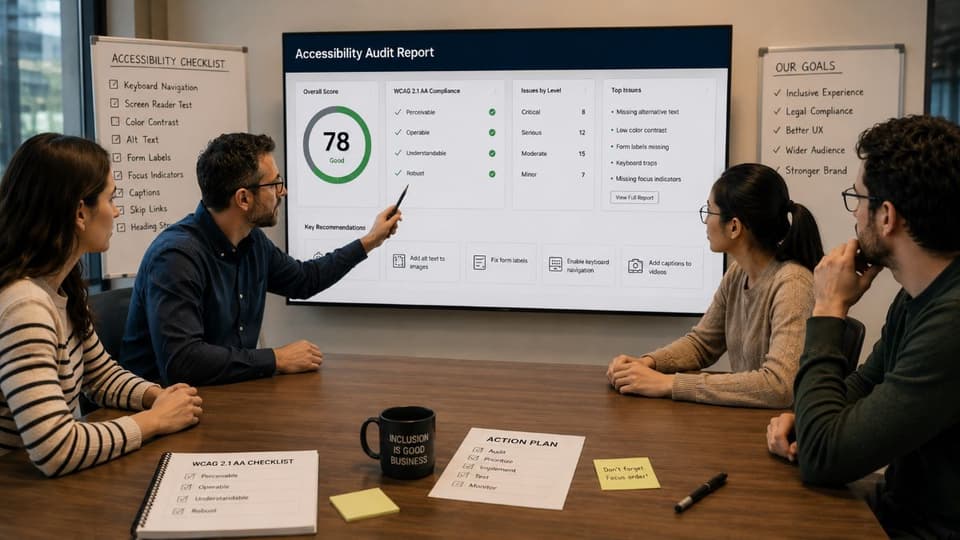
- Start with an honest audit. Combine an automated scan with manual testing. Automated tools catch issues like contrast and missing alt text quickly, but they typically detect only a portion of real problems. Manual testing, including navigating the site with only a keyboard and with a screen reader, finds what scanners miss.
- Prioritize by impact and risk. Fix the barriers that block core tasks first, such as completing a purchase, booking an appointment, or submitting a contact form. These are also the pages most likely to draw a complaint.
- Fix the code and content, not the symptoms. Address the actual HTML, structure, and media. This is where lasting compliance is built.
- Build accessibility into your process. A site is not static. New pages, images, and plugins can reintroduce barriers, so accessibility checks should become part of how you publish content, not a one-time cleanup.
- Document your efforts. Keep a record of audits, fixes, and your remediation plan. A documented, good-faith effort to comply is a meaningful position if your business is ever challenged, and it fits naturally into a wider program of compliance and risk management.
Accessibility also overlaps with sound technical practice generally. The same clean, well-structured code that helps assistive technology tends to improve site performance and search visibility, which is one reason this work pays back beyond compliance.
Accessibility, security, and the bigger compliance picture
For many businesses, web accessibility is one piece of a wider set of obligations. A medical or dental practice managing an accessible website is often the same practice that must protect patient data under health privacy rules. A professional firm meeting WCAG is often the same firm carrying security and data protection duties across the whole organization.
Treating accessibility, security, and data protection as separate scrambles is inefficient and tends to leave gaps. Treating them as connected parts of one risk picture is how well-run businesses handle it. A provider that understands all of these areas, and the local business environment, can align them rather than letting each become its own fire drill. This is where working with a knowledgeable managed IT services partner helps, because accessibility rarely stands alone.
If you are unsure where your website stands, a professional accessibility assessment from the team at GlobeVM will show you exactly which barriers exist and give you a clear, prioritized plan to resolve them.