

Most businesses that moved off Windows 10 did the hard part already. They bought the machines, moved the files, and got everyone logged in, and then the project quietly ended there, because the laptops were working and nobody had a reason to open Settings again. The problem is that a Windows 11 laptop out of the box is configured for a person, not for a business, and the gap between those two setups is where a stolen bag turns into a client notification letter. This guide walks through the Windows 11 security settings that decide how much damage a lost, stolen, or compromised machine can actually do, in the order a small business should handle them.
None of this requires enterprise software or a security team. Most of it is a setting, a decision about who holds a key, and a habit that repeats.
Why the Default Setup Is Not a Business Setup
Windows setup assumes the person clicking through it owns the computer. It nudges toward a personal Microsoft account, makes that account a full administrator, and stores the recovery material for the encrypted drive wherever that account lives. For a home user this is sensible and forgiving. For a business it transfers control of a company asset to an individual without anyone deciding to.
The consequences surface months later, always at a bad moment. An employee leaves and the recovery key for their laptop sits in a personal account nobody can reach. A machine gets encrypted by ransomware and the person who could have stopped the installer was running as administrator all day. A device is stolen from a car and the honest answer to "was the drive encrypted" is "probably, we think so."
The Real Question a Baseline Answers
Every setting below answers one of three questions. If this machine disappears tonight, can anyone read what is on it? If someone tricks the person using it, how far does that mistake travel? And if the machine breaks or the employee leaves, can the business get back in without asking a favor?
A business does not need a hundred controls to answer those well. It needs a short baseline applied consistently to every machine, which is a different discipline from securing one laptop very carefully and forgetting the other eleven.
Start With the Version Clock No One Set a Reminder For
Windows 11 does not have one end date. Each annual version carries its own support window, and when that window closes the machine keeps working perfectly while no longer receiving security updates. Home and Pro editions get 24 months of servicing per version, and Enterprise and Education editions get 36.
That matters right now for a specific reason. Version 24H2, the release most businesses landed on when they replaced Windows 10 machines, stops receiving updates on October 13, 2026 for Home and Pro. Companies that finished their migration feeling current are, in many cases, two months from being out of support again, which is the same problem they just spent a year solving during the Windows 10 end of support scramble.
The fix is small. Version 25H2 became generally available on September 30, 2025 and installs on a 24H2 machine as an enablement package, which behaves like a cumulative update and a restart rather than a full operating system upgrade. Its own servicing runs into October 2027 for Home and Pro, and a year longer for Enterprise and Education.
How to Check What Your Machines Are Running
On any single machine, open Settings, then System, then About, and read two lines under Windows specifications: Edition and Version. Edition tells you the licensing tier, for example Home or Pro. Version tells you the annual release, for example 24H2 or 25H2, and it is the one that carries the support clock.
- Edition: Home, Pro, Enterprise, or Education. Business machines should not be on Home.
- Version: the annual release, and the number that decides whether security updates still arrive.
- OS build: shows whether monthly updates are actually installing inside that version.
Checking one machine takes a minute, and checking thirty by hand takes an afternoon no one schedules. This is exactly the inventory question that monitoring every machine from one place answers automatically, because a managed environment can report edition, version, and patch status across every device without anyone walking desk to desk.
A Note on New Laptops Arriving in 2026
If a new machine shows a version you do not recognize, do not assume something went wrong. Microsoft published version 26H1 as a hardware-optimized release that ships preinstalled on selected new devices, and it is not offered as an in-place feature update for machines already running 24H2 or 25H2. The practical takeaway is only this: record the version each new device arrives on, and do not assume a fleet bought over two years is running the same thing.
Encryption Decides What a Lost Laptop Costs
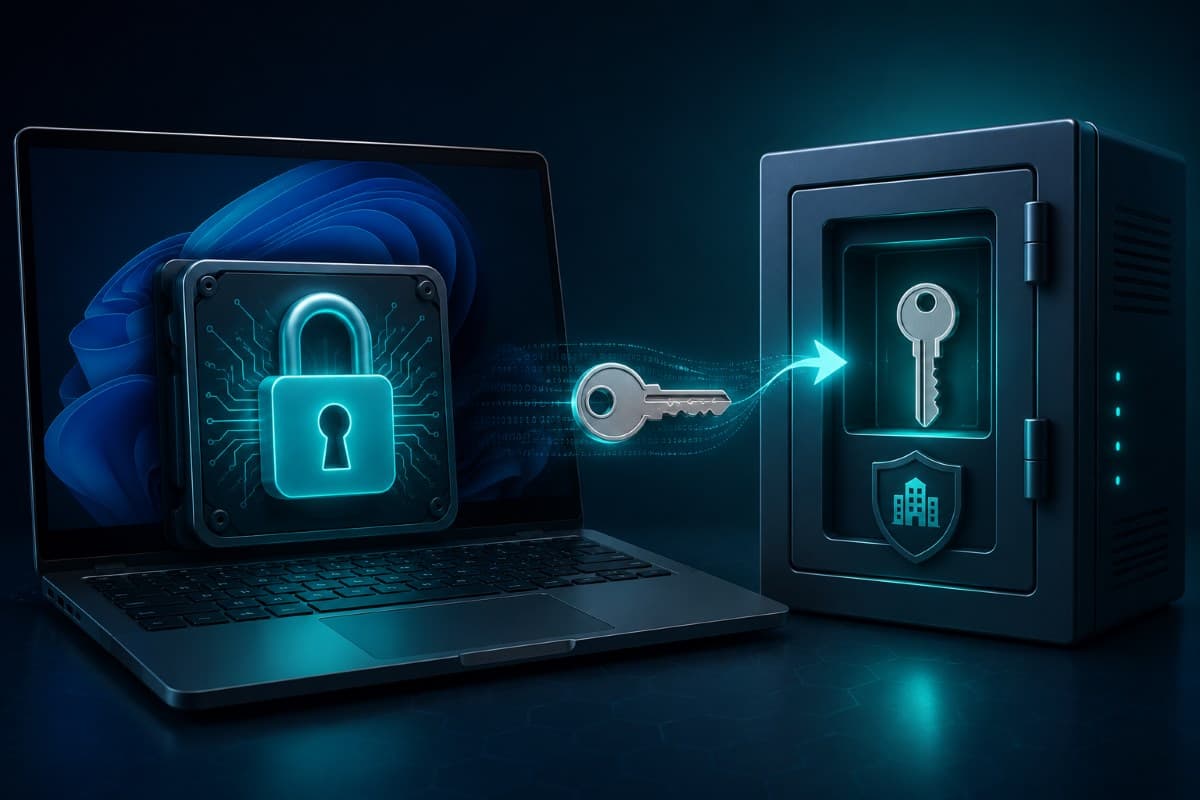
Full disk encryption is the single highest-value setting on a business laptop, because it changes the category of the event. An unencrypted stolen laptop is a data exposure. An encrypted one, with the key held somewhere the thief cannot reach, is a hardware loss and an insurance claim.
Modern Windows helps more than it used to. On a clean installation of Windows 11 version 24H2 or later, device encryption initializes automatically and the recovery key is backed up to the account signed in during setup. Machines that were upgraded in place rather than freshly installed do not get encrypted retroactively, which is why fleets contain a mix of encrypted and unencrypted drives and almost no one knows which is which.
The Recovery Key Belongs to the Business
One detail separates a real control from a comfortable assumption. If the device is joined to Microsoft Entra ID or to an Active Directory domain, the recovery key is escrowed to the company directory, where an administrator can retrieve it. If it is not, the key follows the personal Microsoft account used at setup, which means it belongs to the employee rather than to the company that bought the laptop.
That distinction has teeth on the day a machine asks for a 48 digit recovery key after a firmware update, or when a departing employee's device needs to be reissued. A business that cannot produce recovery keys on demand does not really have encryption as a control; it has encryption as a risk. Verify where your keys live before you need one.
Why Regulated Offices Care Even More
For medical, dental, legal, and financial offices, encryption is also the difference between two very different conversations with counsel. Rules treat readable data and properly encrypted data differently when a device goes missing, which is a large part of why encryption sits so early on every assessment checklist, and the specifics for healthcare are covered in our guide to the HIPAA breach notification rule. Document that encryption is on, and keep evidence you could show an auditor or an insurer.
Local Admin Rights Are the Quiet Multiplier
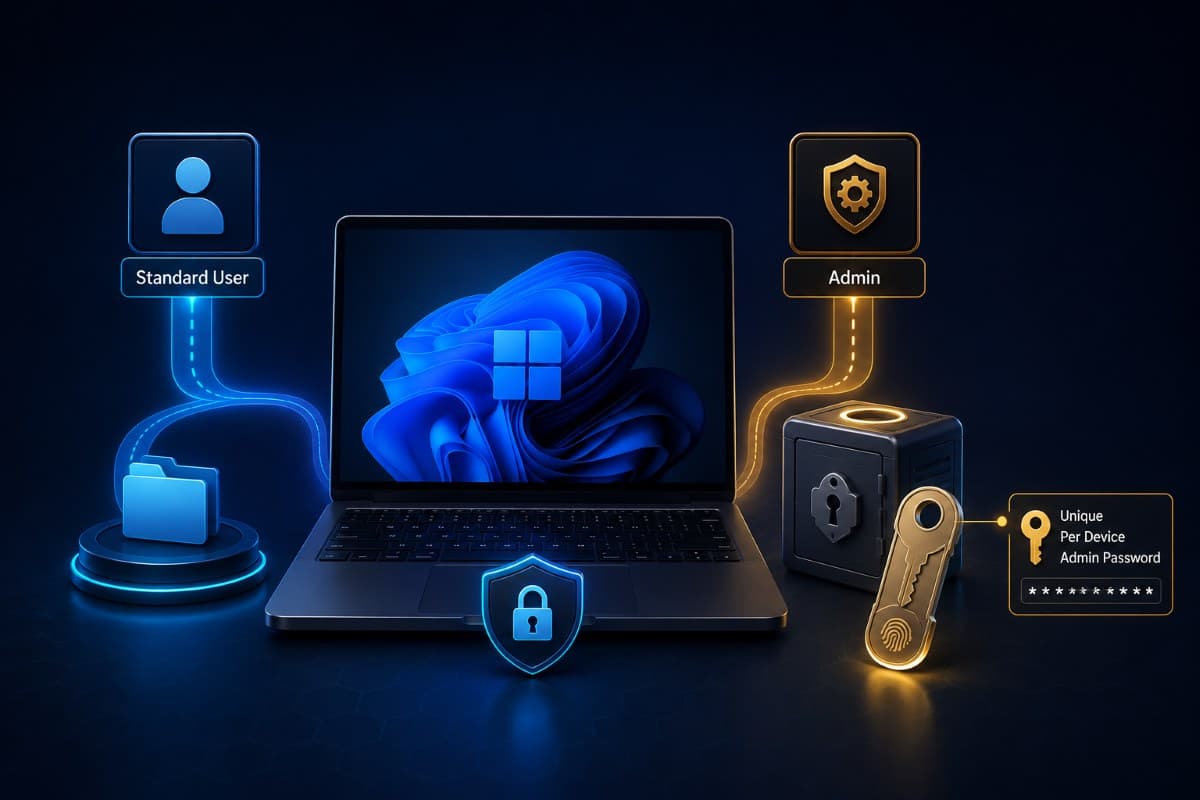
The second highest-value change costs nothing and annoys people for about two weeks. Daily work should happen in a standard user account, with administrator rights held separately and used deliberately. Most malware that lands on a Windows machine inherits whatever privileges the logged in user has, so a standard account turns a full compromise into a contained one more often than any product does.
Small businesses resist this for an understandable reason: the office manager installs things, the bookkeeper updates the tax software, and asking permission feels like friction. The workable compromise is a separate local administrator credential that the provider or the internal admin holds, used for installs and changes, while everyday accounts run standard. This is the same principle described in our article on privileged access management, applied at the smallest and most common scale.
Stop Reusing One Local Admin Password
The pattern that undoes all of this is a single local administrator password used on every machine in the office, usually chosen years ago and known to former employees. One compromised machine then hands an attacker a credential that works everywhere, which is precisely how a small incident becomes an office wide one.
Windows solves this natively. Windows LAPS, the Local Administrator Password Solution built into Windows, sets a unique random password on each device's local administrator account, rotates it on a schedule, and backs it up where authorized administrators can retrieve it. Support for Microsoft Entra ID and Intune reached general availability on October 23, 2023, it works on Entra joined and Entra hybrid joined devices, and it is available with Entra ID Free or higher, so cost is not the obstacle. Awareness is.
Administrator Protection Is Coming, and It Is Not Here Yet
You may read about Administrator Protection, Microsoft's replacement for the familiar consent prompt, which isolates the administrator token behind a hidden system managed account and asks for Windows Hello before a privileged change goes through. It is genuinely promising and it is also still a preview feature that Microsoft pulled after its first preview and has been reworking through 2026 in Insider builds. Treat it as something to adopt when it ships broadly, not as a control you can plan a security posture around today.
Identity: How the Laptop Knows Who It Belongs To
A business machine should be joined to the company's identity, not to a personal account. Joining Windows 11 to Microsoft Entra ID makes the device a company asset in a technical sense: policies apply, encryption keys escrow to the company, access can be cut centrally when someone leaves, and a lost device can be dealt with by an administrator rather than by asking a former employee to log in and help.
This is also where sign in quality improves. Windows Hello replaces a typed password on the device with a PIN or biometric bound to that specific machine, so the credential is useless to anyone who phishes it, and the whole arrangement pairs with the tenant side settings described in our guide to Microsoft 365 security settings. The device layer and the cloud layer are separate jobs, and both need doing.
Windows 11 Home Is Not a Business Edition
This one causes real pain because it is discovered late. Home edition cannot join Microsoft Entra ID or a domain, does not expose the management surface that policy and encryption controls need, and cannot be brought properly into central management. A machine bought at a consumer price and put on the front desk becomes the one device nobody can enforce anything on.
Pro is the practical minimum for business use, and the price difference is trivial compared to the cost of an unmanageable endpoint. When new machines arrive, verify the edition on day one rather than the day you try to enroll them, and record it alongside the rest of your asset details.
Updates That Finish Installing
Every business believes its machines are patched. The reality in most offices is a set of laptops with updates downloaded and waiting for a restart that never happens, because restarting closes twelve browser tabs and a spreadsheet somebody is not finished with.
Two things fix this. First, a stated restart expectation, for example that machines restart weekly and that pending updates cannot sit for more than a few days, which turns a personal preference into an office norm. Second, visibility, because a business cannot enforce what it cannot see, and a monthly report showing which machines are behind converts patching from a belief into a fact.
Do Not Forget Drivers and Firmware
Operating system updates get all the attention while the firmware layer underneath, the UEFI and the storage and network drivers, silently ages. Vendor update tools from the laptop manufacturer handle this, and they are worth turning on and checking quarterly, particularly because firmware changes occasionally trigger that recovery key prompt discussed earlier, which is a good day to already know where your keys are.
Defender Is Good, and It Is Not the Whole Job
The antivirus built into Windows is legitimately capable now, and businesses no longer need to buy a third-party product simply to have protection on the machine. What the built-in tool does not give a business by default is central visibility: one place showing that every device is protected, definitions are current, alerts were seen, and something was done about them.
That is the difference between antivirus on a machine and a monitored program across a fleet, and it is the gap that endpoint security as a managed service fills. Behavioral detection catches things signature scanning never will, but only if someone is watching the console it reports to.
The Baseline on One Page
Applied to every business machine, in this order, these Windows 11 security settings handle the large majority of realistic risk for a small office. Work down the list rather than across the fleet, because a control applied everywhere beats three controls applied to the two laptops someone happened to open.
- Supported version: confirm edition and version, and move 24H2 machines to 25H2 before October 13, 2026.
- Encryption on, key escrowed: confirm the drive is encrypted and the recovery key sits with the company, not a personal account.
- Standard user accounts: daily work without administrator rights, with a separate admin credential for changes.
- Unique local admin passwords: Windows LAPS instead of one shared password across the office.
- Company identity: Entra joined devices on Pro or better, with Windows Hello for sign in.
- Updates enforced: a restart norm, plus visibility into which machines are behind, drivers and firmware included.
- Protection monitored: antivirus on and reporting to somewhere a human looks.
- Documented: a short record of what is set, so an insurer, an auditor, or a client questionnaire gets an answer instead of a shrug.
None of it needs to happen in one week. Businesses across the Valley can have this baseline applied and verified across every machine by a provider offering IT services in the San Fernando Valley, rather than one laptop at a time as problems surface.
Companies in the Conejo Valley can apply the same standard through IT support in Thousand Oaks, from the first inventory through the monthly report that keeps it accurate. That report is not paperwork; it is how you know the baseline is still in place six months later.
Frequently Asked Questions
Possibly, and possibly not, which is why it needs checking rather than assuming. On a clean installation of Windows 11 version 24H2 or later, device encryption initializes automatically and the recovery key is saved to the account used during setup. Machines upgraded in place from an older version are not encrypted retroactively. Open Settings and look for Device encryption or BitLocker, confirm it is on, and then confirm the more important half: where the recovery key is stored and whether your business can retrieve it.
For Home and Pro editions, October 13, 2026. Enterprise and Education editions get 36 months instead of 24, which runs into October 2027. Moving to version 25H2, which became generally available on September 30, 2025, is delivered to eligible 24H2 machines as an enablement package, so it installs more like a cumulative update and a restart than a full upgrade. Check Settings, then System, then About to see which version each machine is running.
It is the highest value change most small offices can make, because malware generally inherits the privileges of whoever is signed in. Standard accounts for daily work, with a separate administrator credential used deliberately for installs and changes, contains a mistake that would otherwise become a full compromise. Pair it with unique local administrator passwords per device using Windows LAPS, so one compromised machine does not hand over a credential that works everywhere.
No, and the limits show up at the worst time. Home edition cannot join Microsoft Entra ID or a domain, does not expose the management and encryption controls a business needs, and cannot be brought properly into central management. Pro is the practical minimum for a work machine, and the price difference is small compared with owning a device nobody can enforce policy on or recover access to.
The protection itself is capable, and most small businesses no longer need a separate product just to have antivirus. What the built-in tool does not provide by default is central visibility across every machine, meaning one place that shows protection is on, definitions are current, and alerts were reviewed and acted on. That monitoring layer, not the scanning engine, is what turns antivirus into a security program.
Uncertainty about which machines are encrypted, which version they run, and where their recovery keys live is worth ending this month, and GlobeVM will inventory the fleet and apply one consistent set of Windows 11 security settings across every device.
Comments
0 Comments