
Walk into almost any small business and you will find a wireless network humming away, connecting laptops, phones, printers, payment terminals, and a growing collection of smart devices. Wi-Fi is so ordinary that it rarely gets a second thought, which is exactly the problem. Your wireless network is a doorway into everything connected to it, and an insecure one is an open invitation that an attacker does not even need to be inside your building to use. Wireless network security is the set of practices that keeps that doorway controlled, and for a small business handling any kind of sensitive information, it deserves far more attention than it usually gets. This guide explains why your Wi-Fi is a real security concern, the foundations of locking it down, and where to start.
Why Your Wi-Fi Is a Security Concern
A wired network is contained within physical cables, but a wireless one broadcasts through the air, extending beyond your walls in ways you cannot see. That convenience is also a risk, because anyone within range, in the parking lot, the next office, or the street outside, can attempt to interact with your network without ever setting foot inside. An insecure wireless network gives them a path to eavesdrop on traffic, connect without authorization, and reach the systems and data on the other side. The whole point of wireless network security is to make sure that the only devices and people using your network are the ones you have allowed. Wi-Fi is one part of the wider network security picture, and the part most exposed to people outside the building.
The stakes have risen as the number of connected devices has grown. A modern small business does not just connect a few computers to Wi-Fi; it connects phones, printers, cameras, smart thermostats, payment systems, and more, each of which is a potential entry point. When all of these share one flat, poorly secured wireless network, a weakness in any one of them can become a path to all the others. Securing the network properly is part of a sound overall cybersecurity posture, not a separate or optional concern, because the network ties everything else together.

The Foundations of Wireless Security
Securing a wireless network is not complicated, but it does require attention to a handful of fundamentals that are easy to overlook. The essentials come down to this:
- Strong encryption: use modern encryption standards such as WPA3, or at minimum a current version of WPA2.
- Change the defaults: replace default administrator passwords and network names that ship with equipment.
- Strong, unique passwords: protect the network and its management with passwords that are not easily guessed or reused.
- A separate guest network: keep visitors off the network your business systems use.
- Segmentation: isolate untrusted and smart devices from your sensitive systems.
- Keep firmware updated: patch your access points and routers as updates are released.
Each of these closes a door that attackers regularly walk through, and most are configuration choices rather than expensive purchases. The ones that matter most deserve a closer look.
Encryption and Changing Defaults
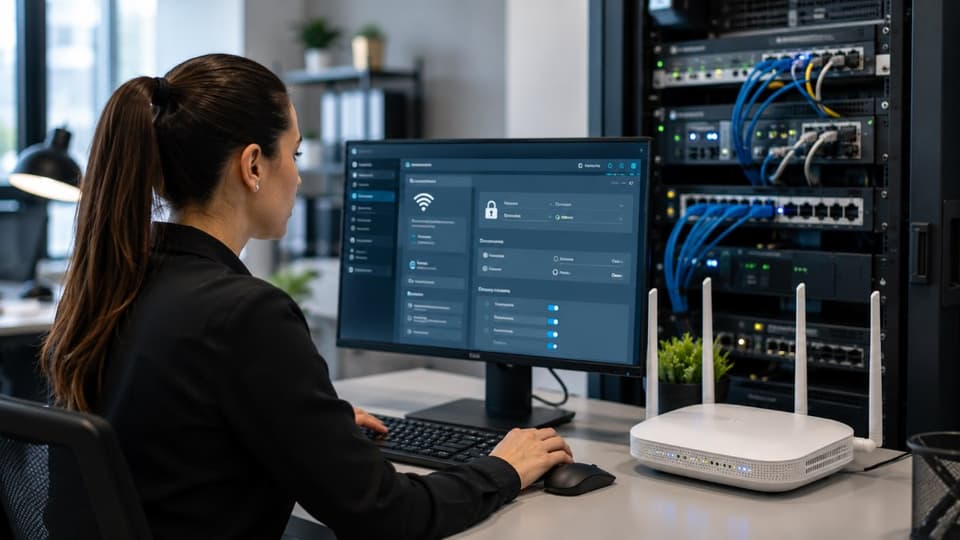
The single most important wireless setting is encryption, which scrambles the traffic moving across your network so it cannot be read by someone listening in. Modern standards, with WPA3 being the current generation and a recent version of WPA2 the acceptable minimum, provide this protection, while older or disabled encryption leaves your traffic exposed. Just as important, and frequently neglected, is changing the default settings that equipment ships with. Default administrator passwords and network names are publicly known and trivially exploited, so replacing them is one of the simplest and most valuable steps you can take. Equipment left on its factory defaults is among the easiest targets there is.
WPA2 vs WPA3: What Changed
WPA3 is not just a newer label on the same thing. The biggest practical change is how the Wi-Fi password is checked. With WPA2-Personal, an attacker who captures one connection handshake can take it away and guess passwords offline as fast as their hardware allows. WPA3-Personal replaces that handshake with one called SAE, which forces every guess to happen live against your network, so offline cracking stops working. WPA3 also makes protected management frames mandatory, which blocks the forged disconnect messages attackers use to knock devices off a network. Every Wi-Fi certified device sold since mid-2020 supports it, and the 6 GHz band used by Wi-Fi 6E and Wi-Fi 7 requires it.
| WPA2 | WPA3 | |
|---|---|---|
| How the password is checked | Four-way handshake that can be captured and guessed offline | SAE handshake that forces every guess to happen live against the network |
| Offline password cracking | Possible with a captured handshake and a weak password | Blocked by design |
| Protected management frames | Optional | Required |
| Open guest networks | Unencrypted | Can use Enhanced Open (OWE), a companion standard, to encrypt them without a password |
| 6 GHz band (Wi-Fi 6E and Wi-Fi 7) | Not allowed | Required |
| Device support | Everything, including older devices | Every Wi-Fi certified device since mid-2020 |
| What to set today | Only where older devices force it | WPA3, or WPA2/WPA3 transition mode while older devices remain |
For most offices the right setting today is WPA3, or the WPA2/WPA3 transition mode if a few older devices such as printers or card terminals cannot connect with WPA3 alone. Transition mode lets newer devices use WPA3 while older ones fall back, so it is a stepping stone, not a destination.
Strong Passwords and Updated Firmware
The password protecting your network, and especially the one protecting the device's administrative settings, should be strong and unique, since a weak or reused password undermines even good encryption. Beyond the network password, the firmware that runs your access points and routers needs to be kept current, because these devices have vulnerabilities discovered over time, and manufacturers release updates to fix them. A router running years-old firmware with known weaknesses is a quiet liability, and keeping it patched is part of the same ongoing maintenance that good managed IT services provide for the rest of your technology. Wireless equipment is not something to set up once and forget.
Guest Networks and the Problem of Untrusted Devices
One of the most effective wireless security measures is also one of the simplest: keeping devices you do not control off the network your business depends on. This is where guest networks and segmentation come in, and they solve a problem most businesses do not realize they have.

Give Visitors Their Own Network
A guest network is a separate wireless network for visitors and personal devices, isolated from the one your business systems use. When a customer, vendor, or employee connects a personal phone, they should land on the guest network, where they can reach the internet but not your internal systems or sensitive data. This means that if a guest's device is infected, or a guest is not who they claim to be, the damage is contained to a network with nothing valuable on it. Setting up a guest network is straightforward on most business equipment, and it removes a surprising amount of risk for very little effort.
Isolate Smart Devices Through Segmentation
The same logic applies to the growing population of smart devices, the cameras, thermostats, and other connected gadgets often grouped under the term Internet of Things. These devices are frequently built with weak security and rarely updated, which makes them attractive footholds for attackers. Network segmentation, dividing your network so that these untrusted devices cannot reach your important systems, contains that risk, so that a compromised camera cannot become a path to your business data. Keeping untrusted and low-trust devices walled off from sensitive systems is one of the more powerful protections available, and it reflects the same least-access thinking behind a zero trust architecture.
Threats to Watch For
Understanding the specific ways wireless networks are attacked helps make the case for these defenses. A few threats come up repeatedly, and most are defeated by the foundations above.

Rogue and Fake Access Points
A rogue access point is an unauthorized wireless device connected to your network, sometimes set up innocently by an employee who wanted better coverage, sometimes planted maliciously, and either way creating an uncontrolled entry point. A related threat is the fake or "evil twin" access point, where an attacker sets up a wireless network that imitates yours to trick devices into connecting to it, so the attacker can intercept what passes through. Both are reasons to know what is connected to your network and to be cautious about which networks your devices trust, since a familiar-looking network name is not proof of legitimacy.
Most business Wi-Fi platforms can scan the airwaves for unknown access points and flag any that broadcast your network name or appear on your own switches. Checking that report against your equipment inventory every quarter is the practical defense, and it takes minutes once the scanning is switched on.
Weak Settings and Forgotten Devices
Many wireless compromises do not require clever attacks at all, just the exploitation of weak or default settings, outdated firmware, and forgotten devices. An access point left on its factory password, a guest network that was never properly separated, a smart device no one has thought about in two years, each is an opening that requires no sophistication to use. This is why the unglamorous basics of changing defaults, segmenting, and patching matter so much. A periodic review of your wireless setup, such as the reviews included in managed IT and cybersecurity for San Fernando Valley businesses, catches the quiet weaknesses that accumulate over time.
Wireless Security When You Handle Sensitive Data
For businesses in healthcare, legal, and financial fields, wireless security carries an added weight, because regulated information may be traveling across that network. Patient records, financial details, and confidential client information moving over an insecure wireless network is both a security risk and a potential compliance problem. The expectations to protect sensitive data do not stop at the network's edge, and an unsecured or poorly segmented wireless network is a gap in meeting them.
The practical implications are clear. Systems that handle regulated data should be on properly encrypted, segmented networks, never sharing the same wireless network as guest devices or low-trust smart gadgets, and the protections around that data should reflect its sensitivity. Treating wireless security as part of your broader obligation to safeguard information, rather than as a purely technical setting, is what keeps a convenient network from undermining your compliance and risk management. For regulated businesses, how data travels over Wi-Fi is not a detail; it is part of the duty of care.

Wireless Security Is Not a One-Time Setup
It is worth stressing that securing a wireless network is not something you do once and forget. New devices get added, firmware updates are released to fix newly discovered weaknesses, employees occasionally plug in their own equipment, and an arrangement that was secure a year ago can quietly drift out of date. The encryption standards considered strong today will eventually be superseded, and the access point running fine now will eventually need replacing or patching. Treating wireless security as an ongoing part of maintaining your technology, with periodic checks of what is connected and whether everything is current, is what keeps the protections you put in place from eroding over time. A network secured once and never revisited slowly becomes a network at risk. The same goes for the physical layer, since every access point depends on the cabling behind it, which our guide to structured cabling explains.
Where to Start
If your wireless network has not had a serious look in a while, a few steps deliver most of the benefit. Confirm that you are using modern encryption and that default passwords and network names have been changed. Set up a separate guest network and move visitors and personal devices onto it. Segment your smart and low-trust devices away from your sensitive systems. And make sure your access points and routers are kept updated rather than running on old firmware. These foundations address the great majority of wireless risk a small business faces.
For many businesses, the value of getting help is in knowing what is connected and configured, which is harder to see than it sounds. A provider can audit your wireless environment, find the rogue devices and weak settings you cannot easily spot, and set up the encryption and segmentation that keep your network controlled. Strong wireless network security is well within reach for any small business, and it closes one of the more commonly overlooked doors into your systems. For a business in the Los Angeles area, a team offering managed IT services in Los Angeles can secure your wireless network and keep it that way, so the doorway into your business stays firmly under your control.
If you are not sure what is connected to your wireless network or whether it is properly secured, talk to GlobeVM. We can audit your Wi-Fi, lock it down with strong wireless network security, and segment it so the doorway into your business stays under your control.