




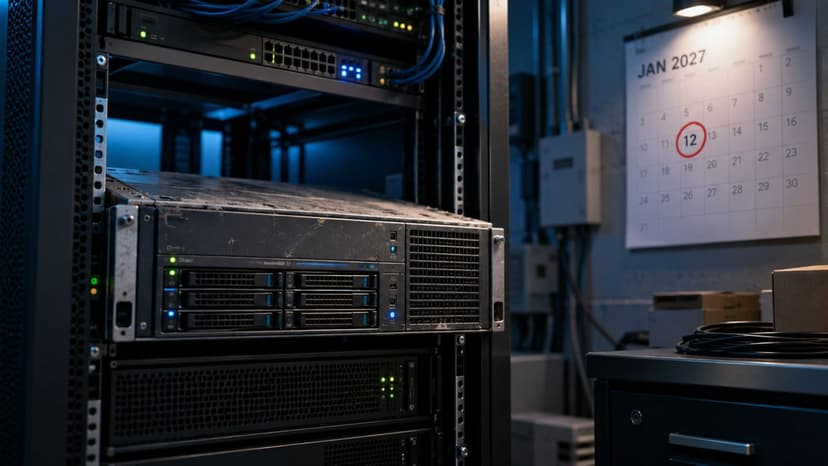

Every business runs on its network, and almost no business thinks about it. The internet connection, the firewall, the switches in the closet, and the Wi-Fi overhead carry everything: email, phones, cloud applications, payments, the file server, the printer everyone fights with. When the network is healthy, it is invisible. When it is not, everything stops at once, and the office discovers how many jobs depend on a box nobody has looked at in three years. Network monitoring and management is the discipline of giving that foundation the attention it quietly deserves: watching it continuously, maintaining it deliberately, and fixing weaknesses before they become the day everyone remembers.
Monitoring Means Finding Problems Before People Do
Most network failures are not lightning strikes; they are slow developments. A switch port starts throwing errors weeks before it dies. An internet connection degrades before it drops. A device starts flooding the network before everything crawls. Remote monitoring and management, RMM for short, means tools watch your equipment continuously and report those signals to us, so problems get fixed while they are still invisible to your team. The difference shows up in two ways: fewer outages, because causes are treated early, and shorter ones, because when something does break we can usually see exactly what and where within minutes instead of starting an investigation from zero while the office waits. This early-warning approach is the same logic behind preventing common business IT problems across the board: the cheapest incident is the one that never becomes visible.
Management Means Someone Actually Owns It
Monitoring tells you what is happening; management is the ongoing work of keeping the network in shape. That means firmware and security updates applied on a schedule rather than never, configurations kept clean and documented instead of living in one person’s memory, changes handled properly when staff join or the office grows, and the firewall and access rules treated as living security rather than set-and-forget. Documentation deserves special mention, because the most fragile networks we meet are the ones only one departed contractor ever understood. Under management, your network is mapped, its passwords are stored properly, and any qualified person can support it, which is a quiet form of business insurance most companies never think to buy.
Fast, Stable Wi-Fi Is a Design Outcome, Not Luck
The complaint we hear most is also the most solvable: the Wi-Fi is slow, the video call froze, the internet feels worse every month. These problems have physical, findable causes, consumer-grade equipment carrying business loads, access points placed by convenience rather than coverage, interference, an internet plan the office outgrew, or a single misbehaving device. We measure instead of guessing, fix the actual cause, and design for how the office really works: enough coverage for every corner people use, guest access separated from business systems, and capacity that anticipates growth instead of trailing it. A network designed on purpose behaves on purpose.
Built for How Your Business Grows
Networks are rarely designed; they accumulate. An office starts with one router, adds a switch when the ports run out, bolts on an access point for the back room, and five years later nobody can say why anything is connected the way it is. Management turns that accumulation back into a design: capacity planned ahead of hiring, remote workers connected securely instead of creatively, a second location brought online as part of one network rather than an island, and equipment lifecycles handled on a schedule instead of at the moment of failure. Growth stops being the thing that breaks the network and becomes something the network was already shaped for.
The Network Is Also a Security Boundary
Your network is not just plumbing; it is the perimeter attackers probe and the pathway problems travel. Managing it well is inseparable from securing it: a firewall that is actually configured and updated, remote access done safely instead of conveniently, guest and internal traffic separated, and old equipment retired before its unpatched weaknesses become the way in. Network management handles that layer as part of the whole, and it connects upward into your broader protection and downward into continuity, because a resilient network design, with dependable equipment and a plan for failures, is part of what keeps a business running through a bad day; that larger discipline is what our business continuity service exists for.
Network Management for Los Angeles Businesses
As a managed IT and cybersecurity provider based in the Los Angeles area, with CCSP certified expertise, GlobeVM monitors and manages networks for businesses across Woodland Hills, Encino, Sherman Oaks, the San Fernando Valley, Santa Clarita, the Conejo Valley, and Ventura County. The service runs as part of our broader managed IT services or on its own, and it comes with honesty built in: no provider can promise a network that never fails, and we will not either. What we provide is a network that is watched, maintained, documented, and designed on purpose, so failures become rare, short, and understood, and your team gets to forget the network exists, which is exactly how it should feel.