

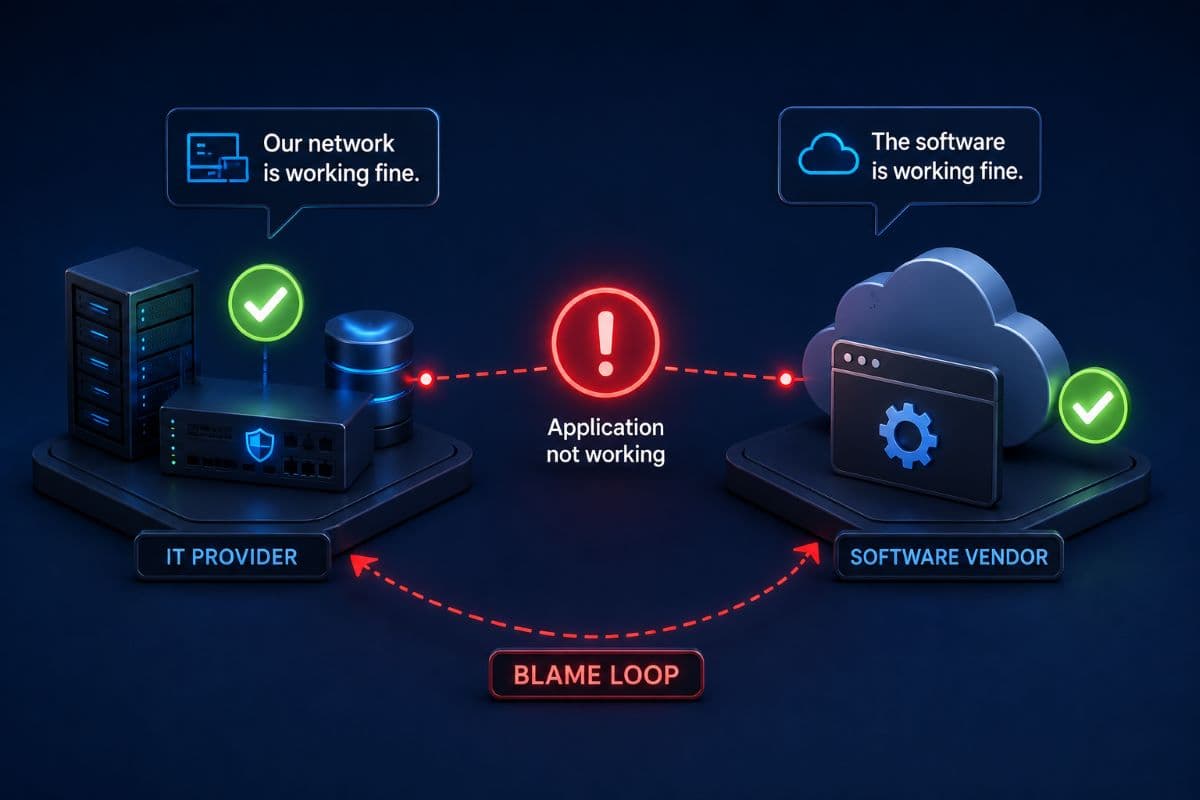
It is 8:40 on a Tuesday morning. The practice management system will not load, six patients are in the waiting room, and the office manager is now on her second phone call, because the IT provider says the network is fine and the software company says it must be something local. Forty minutes later the problem turns out to be a certificate the software vendor let expire, and everyone has been technically correct and completely useless the entire time. This is a failure of IT vendor management, not a failure of technology, and it is one of the most common and most fixable problems in a small business.
The fix is not a better product. It is deciding, in advance and in writing, who owns what and who makes the calls.
Why "Call IT" Stopped Being a Complete Answer
A small office used to run on things one person could hold in their head: a server in the closet, a copy of Office, and a printer. Today the same office runs on a stack of separate vendors, each with its own support line, contract, and idea of what counts as its problem. A ten person medical or legal practice will typically depend on more than a dozen suppliers before anyone counts the ones nobody remembers signing up for.
Your IT provider is one supplier among those, not the manufacturer of the rest. That distinction is fair, but it becomes a problem when nobody has translated it into a plan, because the gap between suppliers is exactly where outages live and nobody's contract says whose job it is to stand in that gap.
The Cost Is Not the Outage, It Is the Delay
When ownership is unclear, the technical repair is rarely the slow part. The slow part is the ninety minutes of diagnosis by telephone tag before the right person even starts working, plus the second call the next day when the fix did not hold and the two vendors describe the same event differently.
Businesses feel this as unreliable IT, and they usually blame whichever vendor answered the phone least politely. The real cause is structural, and structure is something a business can fix in an afternoon.
The Four Layers, and Who Owns Each
Almost every business technology problem lives in one of four layers. Naming them turns an argument into a diagnosis, because each layer has a natural owner and a different first phone call.
Read the last row carefully, because it holds most of the confusion. Your IT provider keeps the application reachable, the machine healthy, and the data backed up, while the vendor owns the software itself: its bugs, its updates, its database, and its own hosting when the product runs in their cloud. Neither party can do the other's job, and a provider that pretends otherwise is setting up the exact fight described at the top of this article.
Where the Handoffs Break
Three failure patterns account for most of the pain, and each has a specific, undramatic fix. None of them requires new software.
The Blame Loop
Each side is confident the problem belongs to the other, and the customer becomes the messenger carrying half remembered technical claims between two people who have never spoken. The way out is to stop relaying and start isolating, because a couple of quick questions usually locates the layer before anyone argues about it.
- Does it fail for one person or everyone? One person points to the device or account, everyone points to the application or network.
- Does it fail on one device or several? Several suggests something shared rather than local.
- Does it fail in the office and from home? Home working and office failing points at the office network.
- Did anything change last night? Vendor updates and patches are the most common recent change no one was told about.
Those four answers turn a shouting match into a starting point, and any competent provider will ask them within the first minute. Practices in the region can get that discipline built into everyday support through a local helpdesk and IT support arrangement rather than assembling it during an outage.
No One Can Prove They Are Allowed to Call
The second pattern is quieter and more expensive. The IT provider calls the software vendor, gets asked for an account number and an authorized contact name, and is refused because the vendor's file lists an office manager who left two years ago. The problem is now administrative and the clock keeps running.
The fix takes ten minutes per vendor, once. Every significant vendor should have your provider listed as an authorized technical contact, with the account number recorded on your side and the authority to open and escalate tickets on your behalf. This is ordinary vendor liaison work, the same territory as the technology planning covered by IT consulting, and it converts your provider from a bystander into someone who can act.
The Vendor Wants Something Your Security Says No To
The third pattern is the most delicate. The software vendor requests a firewall exception, a local administrator account, a disabled protection feature, or remote access on demand, and the choice looks like security versus getting work done.
Neither reflex is right. A blanket no leaves the practice unable to use software it depends on, and a blanket yes quietly hands standing access to an outside party with an unknown security posture of its own. The workable answer is a scoped exception, documented, time limited where possible, and reviewed, which is where the vetting discipline described in our guide to third-party risk management belongs in the conversation.
Make Your Provider the Single Point of Contact
The strongest arrangement a small business can adopt is simple to describe: one number to call for any technology problem, and the provider owns the routing from there. The office manager should not be diagnosing which vendor is responsible, because that judgment requires exactly the expertise the business pays a provider for.
For this to be real rather than aspirational, three things have to exist. Your provider must be an authorized contact with every vendor that matters, must have the account details and portal access, and must have agreed to own coordination even when the eventual answer is that the fault lies elsewhere. That last part is a commitment, not a technical capability, and it is worth asking about directly before signing anything, in the same conversation where you ask what happens outside business hours.
What Single Point of Contact Does Not Mean
It does not mean your provider can fix the vendor's software, and any provider promising that is overselling. It means someone competent stays accountable for the ticket until it closes, keeps you informed while it moves between parties, and makes sure a vendor's slow response becomes a documented, escalating problem rather than a forgotten email.
It also does not mean your provider absorbs the vendor's support costs. Software support contracts stay yours, and the value delivered is coordination and technical translation, not free licensing.
The Vendor Inventory Every Business Should Have
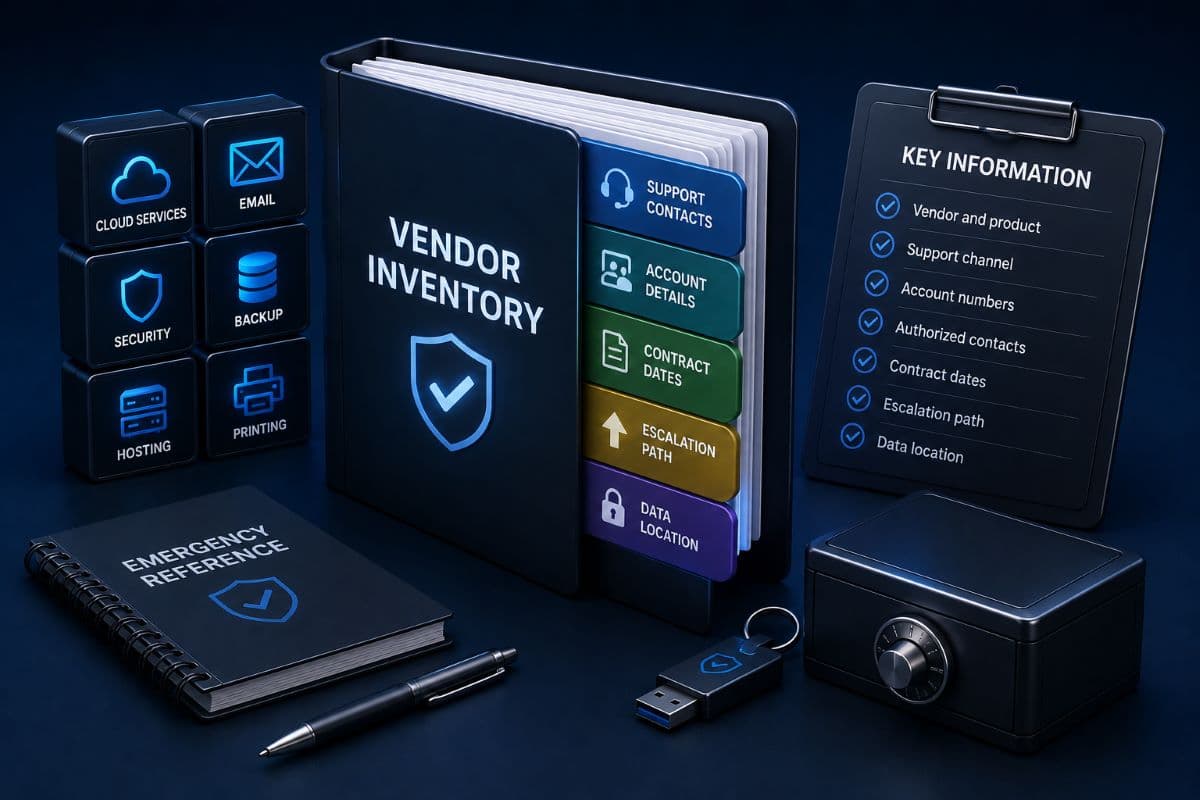
Almost no small business has this document, and almost every one wishes it did during an incident. It is a single page or spreadsheet listing every technology supplier the business depends on, with the details you would need at 8:40 on a Tuesday.
- Vendor and product, plus one line on what stops working without it.
- Support channel: phone number, portal address, and hours, including whether weekends are covered.
- Account or customer number, and the named authorized contacts, including your IT provider.
- Contract dates: renewal date, notice period, and who signs.
- Escalation path: the account manager's name, and the step beyond first line support.
- Data location: where the product stores your data, and who holds a copy if the relationship ends.
Building it takes an afternoon and it repays that immediately, because renewal surprises and forgotten subscriptions surface during the exercise. Keep the list somewhere the outage cannot take with it, which in practice means not only inside the systems it describes, and treat it as part of the same record keeping as your IT asset management inventory.
The Data Location Line Matters More Than It Looks
For medical, dental, legal, and financial offices, that final column is a compliance answer waiting to be needed. If a vendor stores client or patient data, the business needs to know where, under what agreement, and what happens to the data if you leave or they fail. Discovering during an audit that no one knows is a worse day than asking now.
Put the Boundary in Writing With Your Provider
Most disputes with an IT provider trace back to expectations that were never written down. The service agreement should state which layers are covered, what happens when a problem sits with a third party, how quickly someone responds, and what falls outside the monthly fee as project work.
Response commitments deserve particular attention, since a promise to respond quickly is a different promise from resolving quickly, and vendor dependent tickets stretch resolution in ways no provider fully controls. The mechanics of those commitments are covered in our article on what a managed IT contract actually promises, and the honest version of a vendor clause says the provider owns coordination and reporting, not the vendor's own repair times.
Ask Who Answers at Seven in the Morning
Coverage windows are the other frequent surprise. Many software vendors run business hours support in a time zone that is not yours, so a practice opening at seven can be two hours from help even when everyone is doing their job. Knowing that in advance changes the plan, because the workaround becomes a documented procedure rather than an improvisation, and it is worth comparing against your provider's own 24/7 IT support arrangement.
When the Real Problem Is the Vendor
Sometimes coordination is not the issue and the software company simply performs badly: tickets ignored for days, updates that break things, a product that has not improved in years. Good IT vendor management includes noticing this honestly rather than absorbing it as normal.
Start by making the pattern visible. A short log of incidents, dates, and response times turns a vague complaint into evidence you can put in front of an account manager, and vendors treat documented histories differently from frustrated phone calls. If nothing changes, the renewal date is where the business actually has bargaining power, and the time to explore alternatives is months before it, not the week the invoice arrives.
Include Your Provider in the Evaluation
When a business does consider switching software, the technical questions arrive late and cost the most. Ask early how the new product handles data export, what it needs from the network, how it authenticates users, whether it supports the security controls you already run, and what the migration of historical records involves.
Bringing your IT provider into that evaluation before signing is one of the highest return conversations available, since the alternative is discovering after the contract that the product needs an exception no one will approve. Businesses in the region get that review as part of ordinary account work with IT support in Simi Valley, rather than as an emergency after the fact.
Companies across the city can hand the whole arrangement to managed IT services in Los Angeles, from building the first vendor inventory to owning the calls when something stops working. There is one measure of whether it worked: the office manager makes one call instead of three.
Frequently Asked Questions
They should support everything around it and coordinate with the vendor about the software itself. That means keeping the machines, network, access, and backups healthy, installing and configuring the client software, isolating whether a fault is local or in the application, and opening and driving the vendor ticket when it belongs to the vendor. What no provider can do is fix bugs inside software they did not write or access a database they do not administer, which is why the vendor's support contract stays necessary.
Decide in advance that your provider owns coordination, and then make that possible. List them as an authorized technical contact with every important vendor, record account numbers and portal access on your side, and put the coordination duty in the service agreement rather than leaving it to goodwill. In the moment, isolate before you escalate: one user or everyone, one device or several, in the office or also from home, and anything that changed overnight.
One line per supplier with the details you would need during an outage: the product and what stops working without it, the support phone and portal with hours, the account number and authorized contacts, the renewal date and notice period, the escalation path beyond first line support, and where your data lives. Keep a copy somewhere that a failure of those systems cannot take with it, and review the list once a year alongside renewals.
Not as a blanket yes, and not as a reflexive no. Ask what specifically is needed and why, then grant the narrowest version that works, documented, limited in time where the vendor can accept that, and reviewed on a schedule. Standing remote access and permanent administrator accounts for outside parties are the arrangements that cause trouble later, and a vendor unwilling to explain its requirement is telling you something useful about its security practices.
Yes, and involving them before signing is worth far more than involving them after. They can test how the product authenticates users, what it needs from the network, whether it works with the security controls you already run, how data exports if you ever leave, and what migrating historical records genuinely involves. Those answers rarely change which product wins, but they routinely change the timeline, the cost, and the number of unpleasant surprises during rollout.
Nobody at your front desk should be refereeing calls between your IT provider and your software vendors, so talk to GlobeVM about taking over the IT vendor management and keeping one accountable team on the problem from the first call to the fix.
Comments
0 Comments