
Somewhere on your team's computers, right now, live a few dozen small programs nobody approved, nobody inventoried, and nobody thinks about: the coupon finder, the PDF converter, the grammar helper, the tab organizer someone installed in 2023 and forgot. Browser extensions are the most casually adopted software in any business, and they run inside the one application where modern work actually happens, the browser holding your email, your client portals, your banking, and your cloud files, often with permission to read all of it. This guide explains what extensions can really see, how legitimate ones quietly turn hostile, why the risk grew when work went hybrid, and the short policy that keeps the useful ones without hosting the dangerous ones.
What an Extension Can Actually See
The uncomfortable place to start is the permission most popular extensions request and most people grant without reading: the ability to read and change data on the websites you visit, sometimes on specific sites, very often on all of them. Granted broadly, that permission means the extension operates inside every page as it renders: it can read what is displayed, including the client record on screen and the email being written; it can read what is typed, including passwords as they are entered; it can see and modify page content; and in many cases it can access the session that keeps you signed in. There is no exploit in that description, no hacking, nothing broken; it is the permission model working exactly as designed, because an extension genuinely needs deep page access to do useful things to pages. The security question was never whether extensions have power. It is whose judgment you are trusting with that power, today and after every silent update, which is where the story gets interesting.
How Good Extensions Go Bad
The classic extension incident does not begin with a malicious download; it begins with a legitimate tool that changed hands or changed motives after it earned its place on thousands of machines.
The Ownership Transfer
A useful free extension accumulates a large install base, and that install base is an asset with buyers: data brokers and outright bad actors approach small developers with real money for the extension, or just for the developer account that controls it. The tool your team installed from a trustworthy author two years ago can be owned by someone else entirely this morning, with the same name, the same icon, and the same reviews, and the transfer announces itself to nobody. It is worth sitting with how different this is from other software risks: the trust decision was made once, long ago, about a party who may no longer be involved at all.
The Silent Update
Extensions update themselves automatically and invisibly, which is convenient right up until it is the delivery mechanism. Whoever controls the developer account, the original author, the acquirer, or an attacker who phished the author's credentials, can push new code to every installed copy within days, no user action required, and documented campaigns have done exactly this: compromise or purchase an extension, ship an update that harvests sessions and form data, and quietly collect from an audience that installed a legitimate product. In supply-chain terms, every extension on a work machine is a standing update channel into your browser, controlled by an outside party whose own security you cannot see.
The Business Model Was You
Below outright compromise sits a grayer tier: free extensions that pay for themselves by collecting browsing history and page data for resale, injecting affiliate codes and advertising, or redirecting searches, disclosed, if at all, in privacy policies nobody reads. For a business, gray is not comfortable: browsing history from a law office or medical practice is sensitive by context, revealing clients, matters, and patients in the pattern of visited pages, and it is being shipped to a party whose only relationship with you is a free tab organizer.
Why This Belongs on a Business's Risk List
Translate the mechanics into business outcomes and the priority becomes obvious. Session and cookie theft is the sharpest: an extension that copies the tokens keeping you signed in can hand an attacker your live, authenticated session, a path that walks around your password and, in many configurations, around multi-factor prompts, because the session was already approved; strong sign-in habits still matter enormously, as we argue in our guide to password management and MFA, but an extension inside the browser sits behind that front door. Data scraping is the broadest: everything displayed or typed in the browser is candidate material, which in a modern office means essentially everything the business does. And content injection is the sneakiest: an extension that can modify pages can alter what a form does, where a link goes, or what a page appears to say. None of this requires the employee to do anything wrong on the day it happens; the wrong thing was installed months earlier, worked fine, and then changed.
The Hybrid-Work Multiplier
Extension risk grew up alongside remote and hybrid work, and the two are connected by geometry. When work happens in an office on company machines, the browser environment is at least visible; when work happens everywhere, in home offices, on the road, sometimes on personal computers signing into company email and files, the browser becomes the entire workspace, and every extension on every one of those browsers rides along into the company's data with nobody watching. A personal laptop with sixty accumulated extensions, signed into the company's cloud on a Tuesday, briefly makes all sixty of them part of your security posture. This is why extension hygiene belongs inside any serious conversation about securing hybrid work: the perimeter did not just move to the laptop; it moved to the browser profile, and the browser profile is where extensions live. Browser sync deepens the reach: a profile signed in on several devices carries its extensions to all of them automatically, so an install made on a home machine can appear on the office one without anyone touching it, and a removal only counts once it has synced everywhere.

A Sane Extension Policy for a Small Business
The good news is that this risk yields to a short, livable policy rather than a product purchase:
- Official stores only, and even there, prefer established publishers; sideloaded or emailed extensions are an automatic no.
- Read the permission grab: a tool whose job is one site should not demand access to all sites; mismatch is the tell.
- Fewer is safer: uninstall anything unused; every removal deletes a standing update channel.
- Separate work from life: dedicated work browser profiles, with personal extensions living elsewhere, especially on any personal machine touching company data.
- Sanction the important categories: the business chooses one password manager, one meeting tool, one PDF tool, so employees are not shopping the store for whatever ranks first.
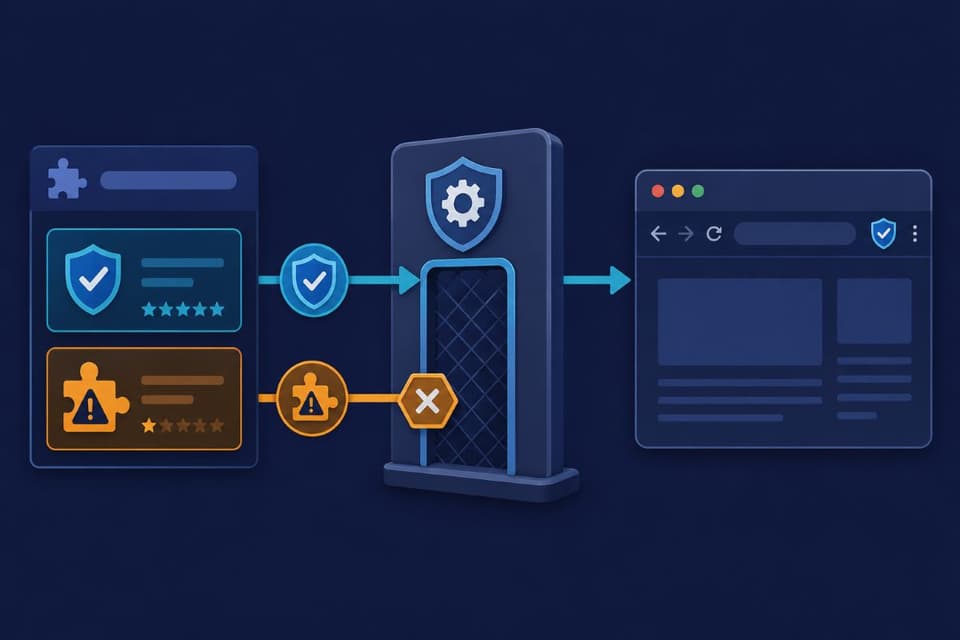
- Manage the fleet where it counts: on company machines, browsers support central policies that block, allow, or force-install extensions, turning all of the above from advice into configuration.
The last line deserves emphasis because it is the difference between a memo and a control: managed browser policy means the coupon extension simply cannot install on a work profile, the sanctioned tools are already there, and the review happens once, centrally, instead of fifty times on fifty machines. It also relocates the human effort to where it works, since employees follow paths of least resistance, and the sanctioned path being the easy path is most of the battle, which is also why the sanctioned list works best published somewhere staff actually look rather than buried in a policy document, a lesson that generalizes across all of cybersecurity solutions for small teams.
A Word About the AI Extension Wave
The newest pressure on this policy is the flood of AI helper extensions, writing assistants, summarizers, chat sidebars, which are simultaneously the most demanded tools by employees and the most demanding of permissions, since reading and rewriting the page is precisely their function. The evaluation is the same as above with the stakes turned up: an AI extension with all-site access is reading whatever your team reads, and where that content goes, to whose servers, retained how long, used for training or not, is a vendor question that must be answered before, not after, adoption, the same diligence we describe in our article on AI security risks for small businesses. The practical move is getting ahead of demand: pick and sanction one vetted AI tool with acceptable data terms, and the shadow installs mostly evaporate on their own.
If an Extension Goes Bad on You
When an extension is exposed as compromised, or behaves suspiciously, new ads, redirected searches, settings that change themselves, the response is short and worth writing down. Remove the extension everywhere it exists, not just on the machine where it was noticed. Sign out of active sessions on important accounts and sign back in, which invalidates any stolen session tokens, and change passwords for anything sensitive used in that browser. Then look at what the extension could reach and decide honestly whether anything regulated or client-confidential was in its field of view, because that answer may carry obligations. Teams that have talked through this sequence once, ideally as part of routine security training, execute it in an hour; teams meeting the problem for the first time lose days to figuring out what an extension even was. One sync-era footnote belongs in the write-up: because profiles propagate extensions between devices, confirm the removal actually took effect on every synced machine, and if the browser offers a remote sign-out of other sessions, use it as part of the same hour.
Small Programs, Adult Supervision
Nothing in this article argues for a browser stripped bare; extensions earn their popularity, and a business that bans useful tools just teaches staff to work around the ban on personal profiles, which is worse. The argument is for supervision proportional to access: browser extensions run inside the application where your business actually happens, they update themselves on someone else's authority, and they change owners without telling you, so they deserve the same three questions as any vendor, what can it reach, who is behind it, and what happens to the data, asked before install and enforced by policy on machines that matter. An hour to set the policy, a quarterly glance to keep it, and the most casually adopted software in your business stops being the least examined.
For businesses in the region, a partner providing IT support in Simi Valley can audit what is installed today and put managed browser policies on the machines that need them.
Companies across the metro can get the same through managed IT services in Los Angeles, from the first extension inventory to the sanctioned-tools list your team will actually use.
If nobody in your business could list the browser extensions running on its machines right now, GlobeVM can inventory them, set the sanctioned list, and put managed policies in place so browser extensions stay tools instead of tenants.