
Every business knows it should back up its data. The harder question is where those backups should live. For years the default was a server or storage device in a closet down the hall. Now most providers will push you toward the cloud. The honest answer is that cloud backup vs local backup is not a simple win for either side. The right choice depends on how much data you hold, how fast you need to recover, what regulations you face, and what would happen if your office itself was the thing that failed. This guide walks through what each approach does well, where each one lets you down, and how to decide what fits your business.
What backup and recovery involve
It helps to separate two ideas that often get blurred. A backup is a copy of your data kept somewhere safe, so that if the original is lost you have another version to fall back on. Recovery is the act of restoring that data and getting your systems working again after something goes wrong. A backup you cannot restore quickly and reliably is not really protection, which is why the conversation should always come back to recovery, not just storage.
Recovery objectives: RPO and RTO
Two terms shape every backup decision, and they are worth knowing in plain language. Your recovery point objective, or RPO, is how much data you can afford to lose, measured in time. If you back up once a day, you could lose up to a day of work. Your recovery time objective, or RTO, is how long you can afford to be down while you restore. A business that loses thousands of dollars for every hour offline has a very different RTO from one that can wait until tomorrow. Deciding these two numbers first makes the choice between cloud and local backup far clearer, because each approach handles them differently.
On-premises backup: control and speed
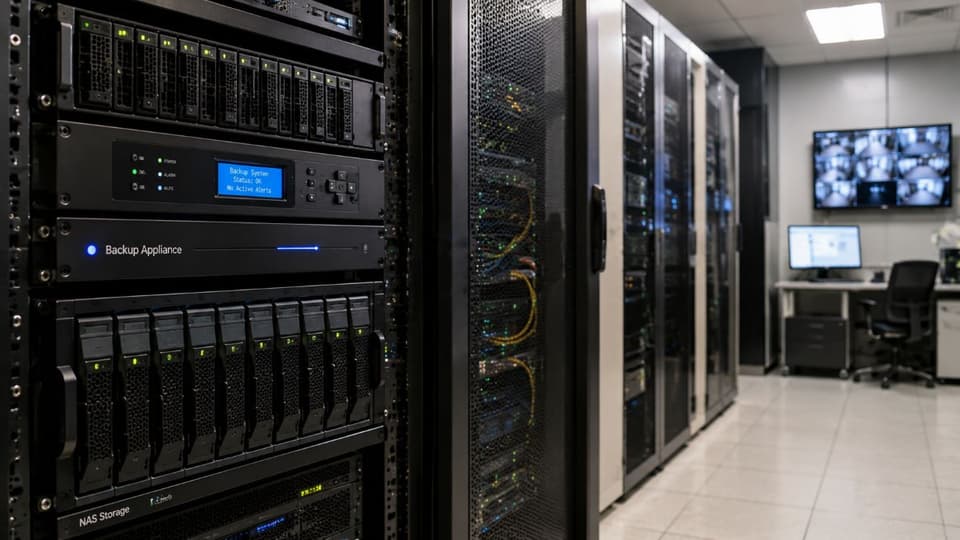
On-premises backup, often just called local backup, means keeping your copies on hardware you own and manage, in your own office or a nearby location. In a small office that is typically a network attached storage device (NAS) or a dedicated backup appliance, sometimes with removable drives rotated off-site. For a long time this was the only option, and it still has real strengths for the right business.
Where on-premises backup is strong
The biggest advantage is speed of recovery for large amounts of data. Restoring from a device on your own network is usually faster than pulling the same data back over an internet connection. It also does not depend on your provider or your internet line, which matters when you are trying to recover a lot of data under pressure. You also keep complete control over where your data physically sits and who can touch it, which some businesses need for data sovereignty or specific contractual reasons. There is no monthly subscription either, since you have already paid for the hardware. Where servers run as virtual machines, whole systems can also be captured and restored as images, which speeds recovery further.
Where on-premises backup falls short
The weakness is the one that matters most in a real disaster. If your backups sit in the same building as your live systems, then a fire, flood, theft, or a ransomware attack that spreads across your network can take the originals and the backups at once. On-premises also means you carry the cost and effort of buying, maintaining, and eventually replacing hardware, and scaling up usually means purchasing more of it. Someone on your side has to monitor and maintain it, and there is no provider promising you a recovery time if something breaks. Without a disciplined habit of copying data to a separate location, an on-premises only setup leaves a single point of failure.
Why location matters more in Southern California
For businesses in Los Angeles, Ventura County, and the San Fernando Valley, losing access to the building is not a theoretical risk. Earthquakes and wildfires are the events that close an office without warning. The January 2025 Palisades and Eaton fires put more than 150,000 people in Los Angeles County under evacuation orders, and many of those orders stayed in place for more than a week.
A NAS in the server closet does nothing for you if nobody can get to the building, or if the building is gone. If your backups live only on-site, ask a plain question: where would we restore from if this office were unreachable for two weeks?
Cloud backup: resilience and scale
Cloud backup means your copies are stored on infrastructure run by a provider and reached over the internet. It has become the default recommendation for good reasons, though it carries its own trade-offs.

Where cloud backup is strong
The defining advantage is that your data is off-site by default. Because the copies live in a provider’s data centers, often replicated across more than one region, a disaster at your office does not touch them, and you can recover from anywhere with an internet connection and the right credentials. Cloud backup also scales easily, expanding or shrinking with your needs without you buying hardware, and it shifts much of the maintenance and security burden onto the provider. For businesses that lack the staff to run their own backup infrastructure well, that alone is a strong argument.
Where cloud backup falls short
The trade-offs are real. Recovering a very large amount of data over the internet can be slow, bounded by your connection speed, so a full restore that would take hours locally might take much longer from the cloud. You are dependent on your internet connection both to back up and to recover. There is an ongoing subscription cost that continues for as long as you keep the data. Providers secure the underlying platform, but many cloud incidents start with configuration mistakes on the customer side, such as weak access controls or missing retention settings. The cloud is only as safe as it is set up to be. Ransomware crews know this, which is why immutable backups, copies that cannot be changed or deleted before their retention period ends, have become the standard answer.
How long a cloud restore really takes
Restore speed is simple arithmetic, and it is worth doing before you choose. One terabyte is about eight trillion bits. Divide that by your connection speed and you get the best case, before overhead, provider limits, and the restore software itself slow things down.
| Connection | Best case to move 1 TB |
|---|---|
| 100 Mbps internet | About 22 hours |
| 500 Mbps internet | About 4.5 hours |
| 1 Gbps internet or a typical office network | About 2.2 hours |
| 10 Gbps local network | About 13 minutes |
Two things follow from those numbers. On a fast fiber line, pulling one server back from the cloud is no longer an all week job. But real restores often run well below line speed, so treat the table as the floor for restore time, not the estimate. Some cloud storage providers also charge per gigabyte for data you download, so check the cost of a full restore, not only the monthly storage price.
The hybrid approach and the 3-2-1 rule
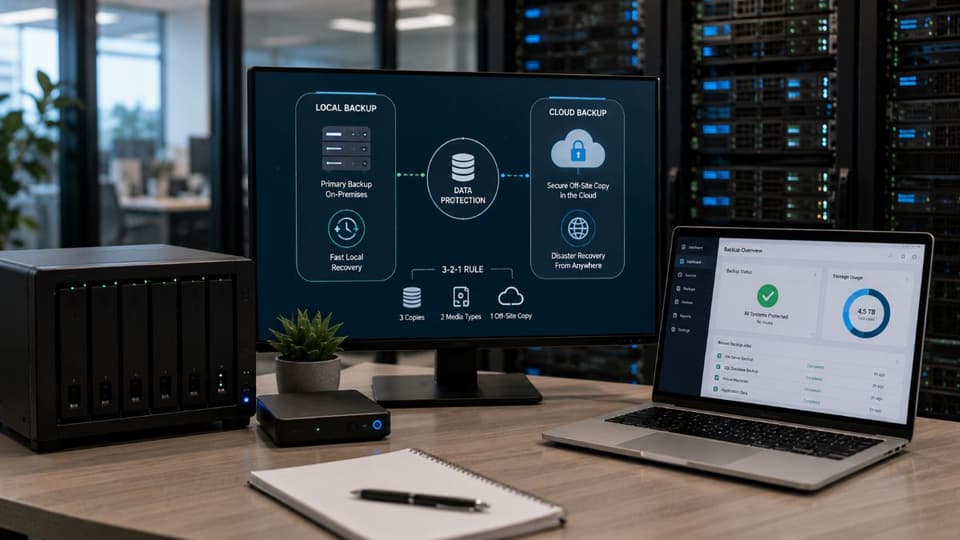
For many businesses the best answer is not one or the other but both. A hybrid approach keeps a local backup for fast everyday restores and copies that data to the cloud so there is always an off-site version safe from a local disaster. This is the thinking behind a long standing guideline known as the 3-2-1 backup rule: keep at least three copies of your data, on two different types of media, with one of them stored off-site. A newer version, often written 3-2-1-1-0, adds one copy that is offline or immutable and zero errors when restores are tested.
Following either version almost always means combining local and cloud storage in some form. That is why the practical recommendation for most small and mid-sized businesses lands on a hybrid setup rather than a pure version of either, and it supports real business continuity rather than just data storage.
Cloud backup vs local backup: how to choose
The right model follows from a few honest questions rather than a blanket rule, and the table below sets the three options side by side.
| Factor | Local backup | Cloud backup | Hybrid |
|---|---|---|---|
| Restore speed for large amounts of data | Fastest, limited by your office network | Limited by your internet connection | Local copy for speed, cloud copy as fallback |
| Protection if the office is lost | None, unless copies leave the building | Strong, the data is off-site | Strong |
| Ransomware exposure | High if the device is reachable from the network | Lower with separate credentials and immutability | Lowest when the cloud copy is immutable |
| Cost pattern | Upfront hardware, replaced every few years | Ongoing monthly fee, possible download charges | Both, with smaller hardware |
| Who maintains it | You or your IT provider | Mostly the provider | Shared |
| Best fit | Large files, slow internet, frequent big restores | Small teams without IT staff | Most small and mid-sized businesses |
Start with the RPO and RTO numbers discussed earlier, because a tight RTO favors having a fast local copy while strong disaster protection favors an off-site cloud copy. Consider your realistic disaster risk, including fire, flood, and especially ransomware, since on-site only backups offer little protection against an attacker who reaches your whole network. Factor in any compliance requirements, because some regulations dictate how and where data must be stored and how long it must be kept.
Weigh your budget honestly, comparing the upfront cost of hardware against a predictable monthly cloud fee. And be realistic about staffing, since running on-premises infrastructure well takes time and skill that many smaller teams do not have to spare. For most businesses these questions point toward a cloud or hybrid model, but the answer depends on the specifics, which is where a provider that manages data backup and disaster recovery can help you weigh the trade-offs.
What HIPAA adds for medical and dental practices
For a practice that stores patient records, backup is not optional. The HIPAA Security Rule already requires a data backup plan and a disaster recovery plan as part of contingency planning. If those backups go to the cloud, HHS guidance treats the backup provider as a business associate, even when it only stores encrypted data it cannot read. That means a signed business associate agreement has to be in place before the first upload.
A proposed update to the Security Rule would go further and require written procedures to restore critical systems within 72 hours. Reviewed October 2026: the proposal is still not final, and the federal regulatory agenda now lists final action for July 2027. It is still a sensible target to plan around, and our HIPAA compliance service covers these requirements alongside the backup setup itself.
The step almost everyone skips: testing recovery
Whichever model you choose, the single most overlooked part of backup is proving that it works. A backup that has never been restored is an assumption, not a safety net, and businesses regularly discover during a real emergency that their backups were incomplete, corrupted, or impossibly slow to recover. The fix is to test recovery on a regular schedule, including a full restore rather than just checking that files exist. Our guide to backup testing best practices sets out what to test and how often.
Include a ransomware scenario too, where you assume the attacker already has your administrator credentials. That test shows quickly whether any copy would survive, and it is usually the one that changes how a business sets up its backups.
If you are weighing cloud backup vs local backup for your own office, GlobeVM can assess your needs and risks through managed IT services in Los Angeles and across Ventura County.