
If you run a small business, you have almost certainly heard someone mention the server, usually in a sentence about something going wrong or needing an upgrade. For many owners the word stays vague, a piece of equipment in a closet that the IT person worries about. It does not have to be a mystery. A computer server is one of the most useful ideas in business technology, and once you understand what it does, decisions about your systems, your budget, and your move to the cloud all become clearer. This guide explains in plain language what a computer server is, what it does for a business, the main kinds you might encounter, and how to think about whether you still need one of your own.
What a Computer Server Is
At its simplest, a computer server is a computer that provides services or resources to other computers, which are called clients. Your laptops, desktops, and phones are the clients; they ask for something, and the server delivers it. That relationship, known as the client-server model, is the foundation of almost everything you do online and at work. When you open a shared file, send an email, or load a website, a client device is making a request and a server somewhere is answering it. The server is not magic, it is just a computer that has been set up to wait for requests and respond to many of them at once.
It also helps to know that the word describes a role more than a specific box. A computer server can be a powerful physical machine built for the job, with extra memory, storage, and reliability features so it can run without interruption. It can also be software running on shared hardware, or a service you rent from a cloud provider. What makes something a server is not its shape but its purpose: it exists to serve resources to other devices reliably, often continuously, which is why servers are built and maintained with more care than an ordinary office PC.
What a Server Does for a Business
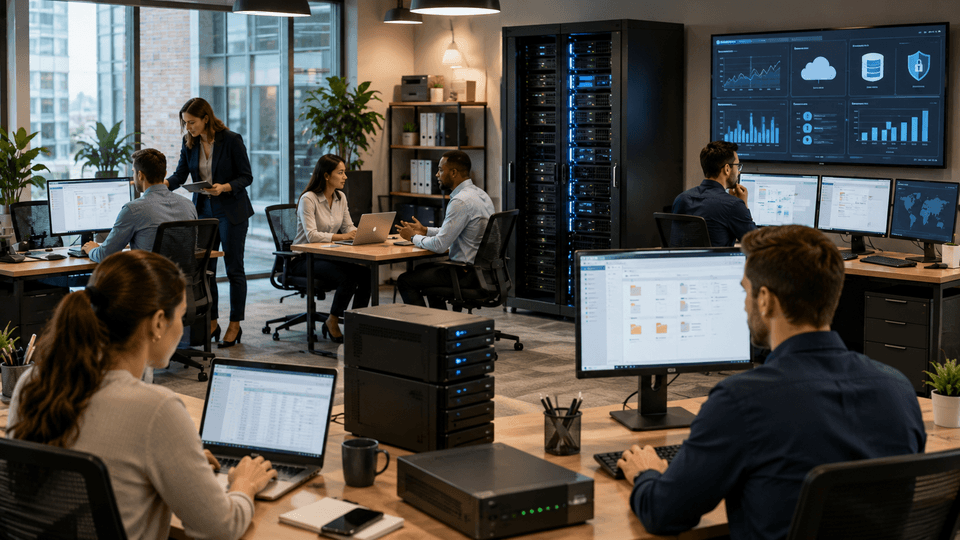
The reason businesses use servers is that they centralize things that would otherwise be scattered and hard to manage. A server can hold your shared files in one place so that staff work from the same current version instead of emailing copies back and forth. It can run the business applications your team depends on, host your email, and store the databases behind your accounting, scheduling, or client records. It can manage user accounts and passwords so that the right people reach the right systems, handle printing across the office, and keep backups of important data. In each case the value is the same: one managed place that many people can rely on, rather than important information trapped on individual machines.
Centralization brings benefits that matter especially to a growing business. Security improves, because access can be controlled and monitored from a single point rather than depending on the habits of every individual device. Reliability improves, because a server built for the job is designed to keep running and to be backed up properly. And sharing becomes simple, because everyone draws from the same source. When a file server or the systems behind it go down, the cost shows up immediately in lost productivity. That is why the real cost of an hour of downtime belongs in the conversation whenever you decide how much to invest in keeping these systems healthy.
The Main Types of Server You Might Encounter
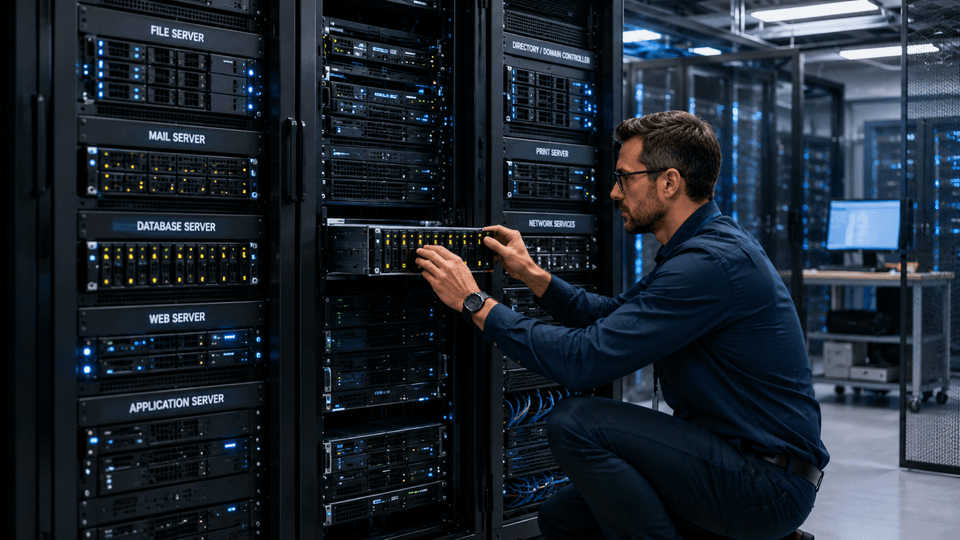
Servers are often named for the job they do, and a single physical machine can play several of these roles at once. A file server stores and shares documents. A mail server handles email, sending and receiving messages for the whole organization. A database server holds the structured information behind your business applications, answering requests for records at speed. A web server delivers websites and web applications to browsers. An application server runs specific business software that staff connect to. And what is often called a domain or directory server manages user accounts, logins, and permissions across the company, which is how a business controls who can access what.
You may also hear about print servers, which coordinate printing, and network servers that handle behind-the-scenes tasks like assigning addresses to devices or translating website names into the numbers computers use. The point is not to memorize the list. It is to recognize that when someone says the server is having trouble, they could mean any of several distinct functions, and knowing which one helps you understand what is affected. Email being down is a different problem from the file share being unavailable, even if both live on the same machine.
Physical, Virtual, and Cloud Servers
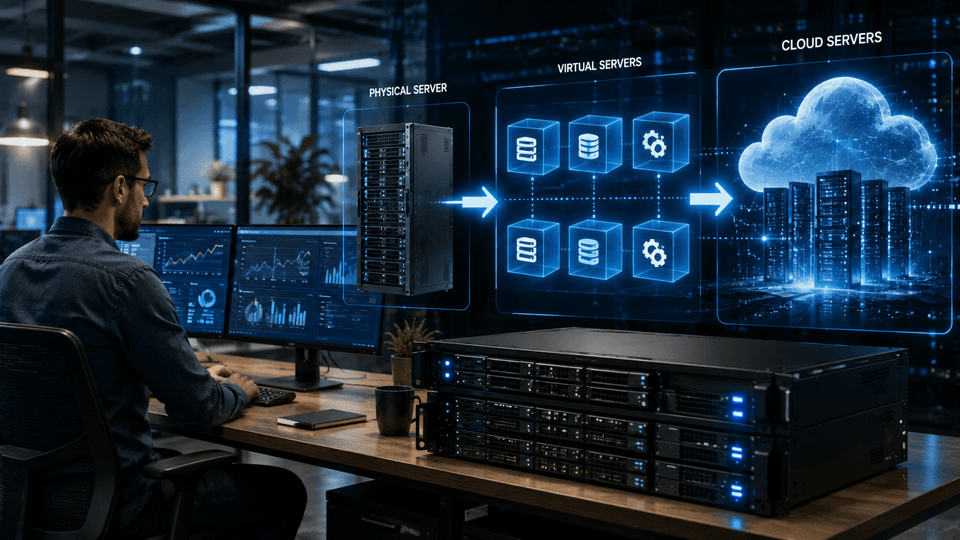
A server can exist in a few different forms, and the differences shape your costs and flexibility. A physical server is a dedicated machine you own and house on your premises. A virtual server is a server that exists as software, where one physical machine is divided into several independent servers that each behave like their own computer. This approach, explained further in our guide to server virtualization, lets a business get far more out of its hardware and is one of the most practical ways to reduce cost and waste.
A cloud server is a server you rent from a provider rather than own, accessed over the internet, where the provider handles the underlying hardware. This is what most people mean when they talk about moving to the cloud, and it has changed how businesses think about servers entirely. Instead of buying a machine, housing it, powering it, and replacing it every few years, you pay for the server capacity you use. The table below puts the three forms side by side. Many small businesses now run much of what once required an on-site server through cloud services, which is why planning a sensible cloud services and migration path has become a common step rather than an unusual one.
| Factor | Physical server | Virtual server | Cloud server |
|---|---|---|---|
| What it is | A dedicated machine you own, usually on-site | Several software servers sharing one physical machine | Server capacity rented from a provider |
| Upfront cost | Highest, the hardware is bought outright | Lower per server, but still needs a host machine | Little or none |
| Ongoing cost | Power, maintenance, and replacement every few years | Same as the host, spread across several servers | A monthly fee for what you use |
| Who maintains the hardware | You or your IT provider | You or your IT provider | The cloud provider |
| Best for | Software that must run locally, very large local files | Getting more from one machine, faster restores | Email, files, and growth without buying hardware |
Do You Still Need a Server of Your Own?
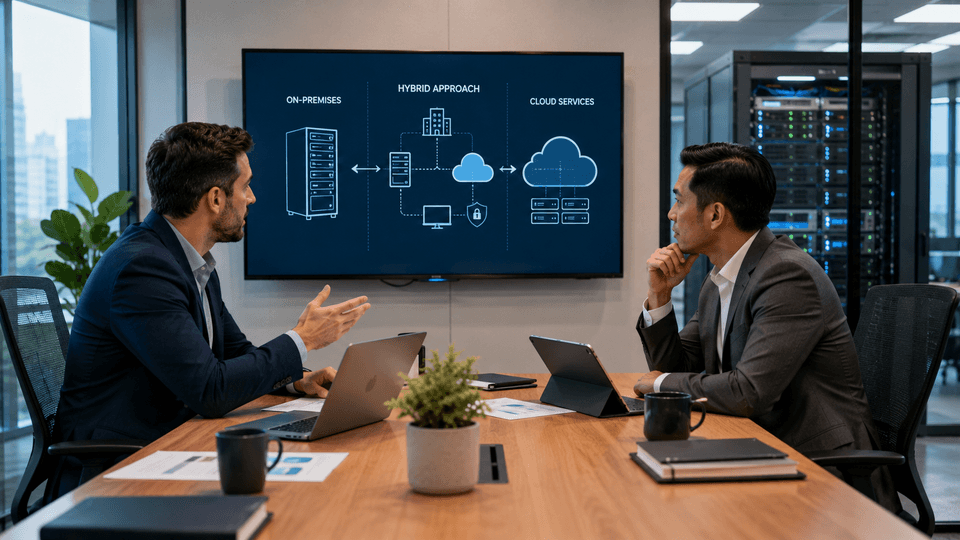
This is the practical question behind the whole topic, and the honest answer is that it depends on your business. For years, nearly every office needed at least one on-site server to share files, run email, and manage accounts. Today, a great deal of that has moved to the cloud. Email and file storage in particular are now commonly handled through cloud services such as managed Microsoft 365, which removes the need to own and maintain a machine for those jobs. A small practice starting fresh may reasonably have no on-premises server at all.
That said, on-site servers have not disappeared, and there are good reasons some businesses keep one. A specific application may require a local server to run well, large files may move faster across a local network than over the internet, and certain compliance or control needs can favor keeping particular data on a machine you own. The realistic approach is to match the tool to the need rather than following a trend in either direction. If an aging machine is forcing the question right now, our guide on whether to replace a server or move to the cloud walks through the decision workload by workload. Some businesses run entirely in the cloud, some keep a local server for a particular purpose, and many use a sensible mix, which is often the most cost-effective answer for a small business.
Keeping a Server Healthy
Whether your server sits in a closet or in the cloud, it needs care to stay reliable, and neglect is where most server problems begin. Servers need their software kept up to date so that security holes are closed. They need to be watched so that a failing disk or a filling drive is caught before it causes an outage. And they need their data backed up so that a failure does not become a disaster. Ongoing remote monitoring handles much of this quietly in the background, catching trouble early rather than waiting for something to break during business hours.
Backup deserves particular attention, because a server holds the information a business cannot easily recreate. A server that fails without a tested backup can take client records, financial data, and years of work with it. That is why proper backup and disaster recovery is treated as part of running any server rather than an optional add-on. The goal is not just to have a server, but to have one you can depend on and recover when something goes wrong.
Signs Your Server Setup Needs Attention
You do not need to be technical to notice when a server is becoming a problem, because the symptoms show up in everyday work. Watch for files that take a long time to open or save, a shared drive that warns it is running out of space, or systems that slow to a crawl when several people use them at once. Each is a sign that a server is straining against its limits. An aging machine that has been in service for many years is another, since hardware wears out and older servers become both slower and more likely to fail. None of these mean disaster is imminent, but they are signals worth acting on before a gradual decline turns into a sudden outage.
Two warnings deserve more urgency than the rest. The first is any sign that backups are not running or have never been tested, because a server without a verified backup is one failure away from permanent data loss. The second is a server still running software that no longer receives security updates, which leaves a known door open for attackers. Both situations are common in small businesses that have not looked closely at their setup in a while, and both are far cheaper to address as a planned improvement than as an emergency. A periodic review of what your servers are doing, how full they are, and whether they are protected and backed up is one of the simplest ways to avoid an unwelcome surprise.
Check which Windows Server version you run
Most small business servers run Microsoft Windows Server, and every version has a fixed date after which Microsoft stops releasing security updates. The server keeps working after that date, but new vulnerabilities are no longer fixed. These dates come from Microsoft's lifecycle policy, checked in October 2026.
| Version | Security updates end |
|---|---|
| Windows Server 2012 and 2012 R2 | Support ended October 10, 2023; paid Extended Security Updates end October 13, 2026 |
| Windows Server 2016 | January 12, 2027 |
| Windows Server 2019 | January 9, 2029 |
| Windows Server 2022 | October 14, 2031 |
| Windows Server 2025 | November 14, 2034 |
If your server still runs Windows Server 2016, plan the replacement or migration now rather than after January 12, 2027. Moving to a newer version usually means checking that your business applications support it, and older hardware may not be worth carrying forward at all.
Putting It Together for Your Business
Understanding what a computer server does turns a vague worry into a manageable decision. A server is a computer that reliably provides resources to the rest of your devices, whether that means files, email, applications, or the systems that control access. It can be a machine you own, a virtual server, or capacity you rent in the cloud, and the right choice depends on what your business needs rather than on what sounds modern. For a business in the Los Angeles area, a provider offering managed IT services in Los Angeles can assess which approach fits and handle the upkeep so the technology stays dependable.
The same is true for the parts of your technology that remain on the ground. Hardware, local networks, and any on-site server still need attention from someone who can be there. That is where a local team providing managed IT across the San Fernando Valley, from Woodland Hills to Sherman Oaks, is useful, even for a business that runs much of its work in the cloud. A computer server is a tool, and like any tool it serves you best when it is matched to the job and properly maintained.
If you are not sure whether your business needs a server or could move more to the cloud, GlobeVM can review your systems and recommend a practical, cost-effective computer server setup that fits how you work.