

Most business owners assume the antivirus icon in the corner of the screen means the computer is protected, and twenty years ago that was roughly true. It is not true anymore, and the security industry's answer has a name you have probably seen on invoices and insurance forms: EDR. EDR security, short for endpoint detection and response, is what modern protection for computers and servers actually looks like, and understanding it matters even if you never touch the software, because insurers now ask whether you have it, clients ask on questionnaires, and attackers behave as if you do not. This guide explains what EDR is, how it works in plain terms, what it catches that antivirus misses, and its honest limits.
What EDR Security Actually Is
EDR security is a protection technology that watches the behavior of your computers and servers, records what happens on them, detects activity that looks like an attack, and gives defenders the tools to respond, from a distance and fast. The word endpoint just means any machine an attacker could land on: laptops, desktops, and the servers behind them. Where traditional antivirus asks one question about each file, "do I recognize this as malware?", EDR asks a continuous stream of harder questions: why is the accounting workstation running a script at 2 a.m., why did a Word document just launch a system tool, why is this laptop suddenly talking to a server in a country you do no business with. Attacks are patterns of behavior more than they are files, and EDR is built to see patterns.

From Signatures to Behavior
The difference is best understood historically. Classic antivirus works from signatures, essentially a most-wanted list of known malicious files, and it remains useful against commodity threats that have been seen before. Attackers adapted in two ways that broke the model: they mutate malware constantly so each copy looks new, and increasingly they skip malware files altogether, instead abusing the legitimate tools already on your computer, a style called living off the land. A signature list has nothing to match against a built-in system utility being misused. Behavioral detection does: the utility itself is innocent, but the sequence, a phishing attachment spawning it, it harvesting credentials, credentials moving to another machine, is unmistakably an attack, and sequences are what EDR watches.
The Flight Recorder You Will Be Glad Exists
The second thing an EDR agent does is remember. It continuously records endpoint activity, processes launched, connections made, files changed, accounts used, into a searchable history, which sounds mundane until the day something happens. Then it is the difference between "something bad occurred, we think, somewhere" and a precise answer: this is the email that started it, this is the machine it landed on, these are the two other machines it touched, and nothing else. That recorded history is what turns incident response from archaeology into lookup, and it is also what lets a business answer the question regulators and clients always ask after an incident: how far did it go?
That recorded history has a quieter second job: proving the negative. After a scare, a phishing click that was caught, a vendor's breach notice, a strange login, the question that matters most is often whether anything actually happened here, and without records the honest answer is a shrug. With EDR telemetry, a defender can search every machine for the specific indicators involved and come back with evidence-based reassurance or an early catch. For businesses that answer to regulators, insurers, or anxious clients, the ability to demonstrate that nothing spread is nearly as valuable as the ability to stop something that did.
What EDR Does When Something Happens
Detection without response is just bad news delivered faster, so the response half of the name matters. When EDR flags an attack, a defender, or in some cases an automated rule, can act on the machine remotely and immediately: isolate it from the network so the attack cannot spread while the machine stays reachable for investigation, kill the malicious process, quarantine files, and close the attacker's session. Isolation is the marquee move, because in incidents like ransomware, the gap between one encrypted laptop and an encrypted company is measured in minutes, and cutting the first machine off in time is frequently the whole ballgame.

What About Rollback Features?
Some EDR platforms advertise the ability to undo damage, restoring files a ransomware process encrypted by rolling the machine back to its pre-attack state. Where it works, it is valuable, and it is worth asking vendors about. Treat it as a bonus rather than a plan, though: rollback capabilities vary widely between products, have practical limits on what and how much they can restore, and are no substitute for real backups. The honest framing is that EDR shortens and shrinks incidents, and backups make them survivable; a business wants both, not a coin flip between them.
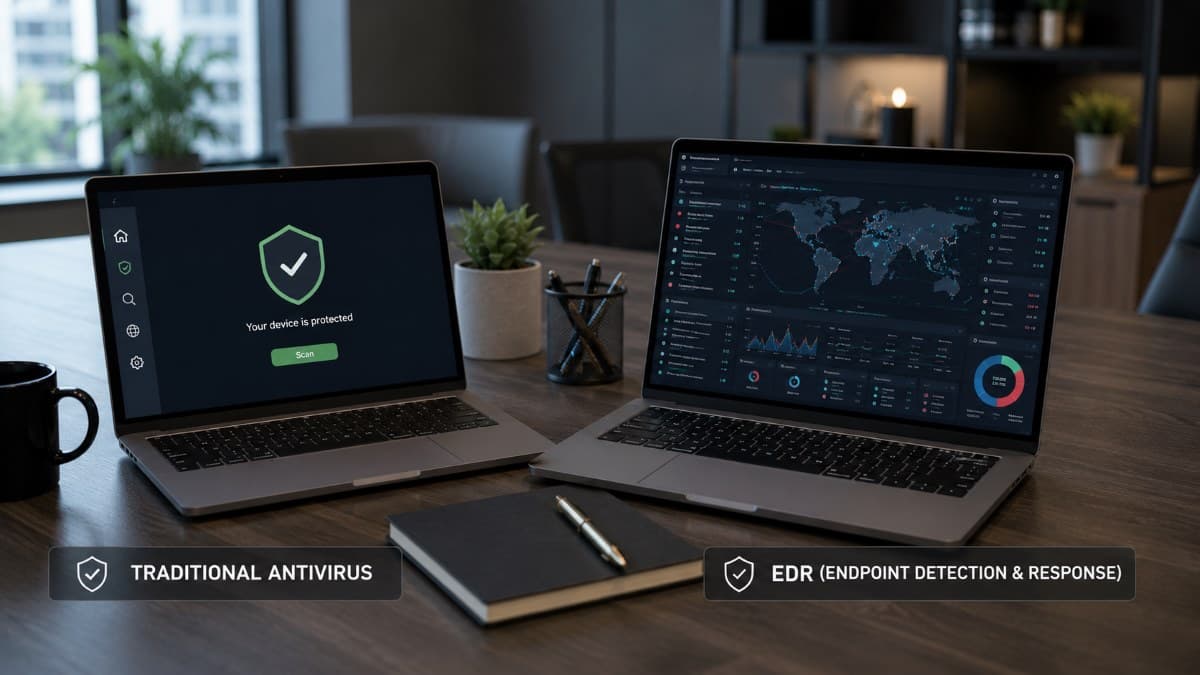
EDR vs. Traditional Antivirus, Side by Side
The contrast is easiest to see in a direct comparison:
Two fair notes keep the table honest. First, modern EDR products include the signature layer too, so adopting EDR is not giving up antivirus; it is antivirus plus everything antivirus cannot do. Second, the built-in protection in current versions of Windows is meaningfully better than the antivirus of a decade ago, and businesses already paying for higher-tier Microsoft licensing sometimes own EDR capability without knowing it, a licensing question worth asking before buying anything new.
Deployment reality is also friendlier than owners expect, which removes one common excuse. Modern EDR agents install remotely in minutes per machine, run quietly without the performance drag that gave old antivirus suites their reputation, and update themselves from the cloud. The rollout for a small office is typically measured in days, with the tuning period that follows being the only phase that needs sustained attention. Servers deserve to be first in line rather than an afterthought, since they are both the most valuable targets and the machines least likely to have a human sitting at them to notice something wrong.
The Honest Limits of EDR
EDR earns its reputation, and it is not magic. Three limits matter for a small business making decisions, and together they explain why most small businesses buy it as managed detection and response rather than as software.
It Only Sees the Endpoint
EDR watches computers and servers, which is a lot, and not everything. Modern attacks often begin and sometimes live entirely in places the endpoint agent cannot see: a compromised email account quietly forwarding messages, a stolen password used to log into cloud services from an attacker's own machine, a fraudulent payment request that never involves malware at all, the pattern behind business email compromise. EDR is the strongest single layer for a small business, and it is one layer; identity protection, email security, and sensible cloud settings cover the ground it cannot.
Alerts Need Someone Awake
The larger limit is operational, and it is the one that quietly determines whether an EDR purchase was worth it. The platform detects and enables response; it does not decide, investigate, or act on judgment calls by itself, and attackers deliberately operate at 2 a.m., on weekends, and on holidays. An alert nobody sees until Monday protected nobody, and isolating the right machine at the right moment requires a human on duty. This is why EDR in practice is usually consumed as a managed capability, the technology plus around-the-clock eyes, which is precisely the model behind continuous remote monitoring and management, and why the industry built an entire service category around operating detection tools for businesses that cannot staff a security desk.

Tuning Is Not Optional
Out of the box, EDR in a real office generates noise: legitimate accounting macros, IT admin scripts, and quirky line-of-business software can all look suspicious to a behavioral engine until it learns your environment. Untuned, the result is either alert fatigue, where real signals drown in false ones, or worse, detection modes switched off by an annoyed user. Tuning is normal, it takes a few weeks of attention early on, and it is a standing argument for having the platform run by people who do it across many environments rather than learning on yours alone.
One more acronym note to save you a detour: EDR is the foundation of a family that includes XDR, which extends the same idea across email, identity, and cloud, and MDR, which is EDR or XDR delivered as a staffed service; we untangle those in our guide to extended detection and response, and for this article it is enough to know EDR is where they all start.
Does Your Business Actually Need EDR?
For almost any business with data worth stealing or operations worth interrupting, which is to say almost any business, yes, and the outside world has largely settled the question for you. Cyber insurance applications now ask specifically about EDR, and answers determine premiums and insurability; client security questionnaires ask the same; and several compliance frameworks expect endpoint protection beyond signature antivirus. The practical questions left are sizing and operation: a five-person office does not need a large-company console, it needs current endpoint security on every machine including the server, tuned once, watched always, and priced per device.
Buying the license is the easy quarter of the problem; the value lives in the watching and responding, which is why the right conversation is less "which EDR product" and more "who operates our defense," the question a provider's broader cybersecurity solutions exist to answer as a whole rather than tool by tool. Priced per device and folded into a managed service agreement, the capability is now well within a small business budget, which quietly removed the last respectable argument for waiting.

The Icon in the Corner, Grown Up
EDR security is what endpoint protection looks like now that attackers stopped politely announcing themselves with recognizable files: behavior watched instead of signatures matched, history recorded instead of forgotten, and response measured in minutes from anywhere instead of a technician's next visit. It is the strongest single upgrade most small businesses can make to their defenses, it is increasingly the price of insurance and larger clients, and it repays exactly the discipline you bring to it, tuned, watched, and paired with the layers it cannot replace. The icon in the corner meant something once; this is what it has to mean today.
For businesses in the Valley, a partner providing IT support in the San Fernando Valley can deploy, tune, and watch EDR across your machines as part of everyday managed security. Companies in the Conejo Valley can get the same locally through IT support in Thousand Oaks, from the first agent installed to the 2 a.m. alert someone actually answers.
Frequently Asked Questions
EDR stands for endpoint detection and response. It is security software that runs on computers and servers, watches their behavior continuously, records activity into a searchable history, detects patterns that indicate an attack, and gives defenders remote response tools such as isolating a machine from the network, killing malicious processes, and closing an attacker's session. It is designed for the attacks traditional antivirus misses, especially those that abuse legitimate tools rather than dropping recognizable malware files.
It includes antivirus and goes well beyond it. Traditional antivirus matches files against a list of known malware, which fails against constantly mutated malware and fileless techniques that misuse built-in system tools. EDR detects by behavior, watching sequences of activity before, during, and after execution, records what happened for investigation, and adds remote response actions antivirus never had. Modern EDR products keep the signature layer too, so adopting EDR means keeping everything antivirus did and adding what it could not.
The software installs easily; the value is harder. EDR requires tuning to your environment so real alerts are not buried in false ones, and its response tools only help if someone sees the alert and acts, including at night and on weekends when attackers deliberately operate. Most small businesses therefore consume EDR as a managed capability, where a provider deploys, tunes, watches, and responds around the clock. An unwatched EDR platform is a flight recorder for a crash nobody prevented.
Increasingly, yes. Cyber insurance applications commonly ask whether endpoint detection and response is deployed, and the answer affects premiums, coverage terms, and insurability, with inaccurate answers endangering claims. Client security questionnaires ask the same, and several compliance frameworks expect endpoint protection beyond signature antivirus. Even businesses that feel too small to target end up adopting EDR because the parties they do business with have made it a baseline expectation.
EDR watches and responds on endpoints: laptops, desktops, and servers. XDR, extended detection and response, applies the same behavioral detection across more than endpoints, correlating signals from email, identity, and cloud services in one place. MDR, managed detection and response, is not a different technology but a service: EDR or XDR operated for you by a staffed team that tunes it, watches it around the clock, and responds. Most small businesses end up with EDR or XDR delivered as MDR, because the software is the easy part and the watching is what stops an attack.
If your machines are still protected by antivirus alone, or by an EDR platform nobody is watching, GlobeVM can deploy, tune, and operate EDR security across your business, so detection turns into response at any hour it is needed.
Comments
0 Comments