Every practice that runs on an electronic health record will lose it at some point. The cause might be an internet outage, a cloud vendor's bad morning, a failed server, a power event, or ransomware, and the cause matters far less than what the front desk and the clinical team do in the next fifteen minutes. EHR downtime procedures are the written answer to that question, and most small practices either do not have them or have a binder nobody has opened since it was printed.
EHR Downtime Procedures: The Plan for the Day the System Is Gone

By George
5 October 2026

This guide covers what those procedures need to contain, what HIPAA requires, who declares downtime and when, what staff reach for, how the practice gets back to normal afterward, and which parts of the problem belong to IT rather than to the clinic. It is written for owners, practice managers, and office managers rather than engineers, and it draws on the same continuity work GlobeVM does as part of IT and cybersecurity for healthcare practices across Los Angeles.
What EHR Downtime Procedures Are, and Why a Small Practice Needs Them in Writing
EHR downtime procedures are the documented steps a practice follows to keep seeing patients safely when its electronic health record, its practice management system, or the network behind them is unavailable. They cover who decides the system is down, how the schedule and patient information are retrieved without it, how care and charges are recorded on paper, how prescriptions and orders go out, and how everything captured during the outage gets back into the record once the system returns.
The word procedures matters. A policy that says the practice will continue operations is not a procedure, because it does not tell a medical assistant which form to grab or tell the front desk how to find out who is booked at two o'clock. Good downtime documentation reads like a checklist a new hire could follow on a bad day with nobody senior in the building.
Planned Downtime Versus Unplanned Downtime
Planned downtime is a scheduled outage for an upgrade, a server migration, or vendor maintenance. It is the easy case, because the practice knows the start time and the expected duration and can print what it needs beforehand. Unplanned downtime arrives without a date, without an end time, and often without a clear cause in the first hour, and the procedures have to work for that case.
Unplanned events also come in sizes. A forty minute internet interruption and a ransomware event that takes systems away for weeks call for the same first steps and very different later ones. That is why the plan needs escalation points rather than a single script.
Why Being Small or Cloud Based Is Not Protection
Practices on a cloud EHR sometimes assume downtime is the vendor's problem. The application may be the vendor's problem, but the patients in the waiting room are not, and a cloud system is also unreachable whenever the office loses internet, which happens far more often than the vendor's platform fails. A small practice is more exposed than a hospital in one respect: there is no in-house IT team, no downtime coordinator, and no float staff, so whatever the plan says has to be executable by the same four people who are checking patients in.
Scale does not buy immunity either. When Ascension, a health system with roughly 140 hospitals, was hit by ransomware in May 2024, its clinicians worked on paper for about five weeks before electronic record access was restored across the network, and the records collected on paper during that period then had to be entered into the system afterward. The mechanics of that event, paper first and re-entry later, are exactly what a twelve person practice has to plan for, just at a smaller scale.
What HIPAA Requires: The Contingency Plan Standard
The HIPAA Security Rule does not use the phrase downtime procedures, but it requires the thing. The contingency plan standard at 45 CFR 164.308(a)(7) obligates covered entities and business associates to establish policies and procedures for responding to an emergency or other occurrence that damages systems containing electronic protected health information. It applies to a two physician practice as fully as it applies to a hospital.
The standard is broken into five implementation specifications, and the table below translates each into what a practice must be able to show. Three are marked required under the current rule and two are marked addressable, which means the practice must implement them or document why an alternative is reasonable. Addressable does not mean optional.
Investigators ask for these documents after an incident, and cyber insurers increasingly ask for them before one. A practice that can produce a tested backup plan, a restoration procedure, and a written emergency mode plan is in a very different position from one that has to reconstruct them after the fact. That is one reason 24/7 IT services for business continuity are scoped around producing that evidence rather than just keeping servers running.
The Emergency Access Procedure Most Practices Forget
A separate technical safeguard, the emergency access procedure at 45 CFR 164.312(a)(2)(ii), requires a way to obtain necessary ePHI during an emergency. In practice this means deciding, in advance, how a clinician gets at allergies and medication lists when the normal login path is gone. For a small practice the answer is usually a protected local copy of key patient data, a read-only export, or a documented break glass account, and the answer has to be written down because it cannot be invented at 8:05 on a Monday.
Where the Proposed Security Rule Update Points
In January 2025 the Department of Health and Human Services published a proposed overhaul of the Security Rule that would tighten contingency planning considerably. It would require written procedures to restore critical systems and data within 72 hours, a documented criticality analysis that sets restoration priority, annual testing, and notice within 24 hours from business associates when they activate their own contingency plans. As of this writing in August 2026 the rule has not been finalized, the target date for final action has slipped, and a broad group of provider organizations has asked for it to be withdrawn or narrowed.
A practice does not need to wait for the outcome. Every element of the proposal is also what a practice would want for its own sake, and building toward a 72 hour recovery target and an annual drill now means the final rule, whatever form it takes, arrives as confirmation rather than a scramble.
Who Declares Downtime, and When
The most common failure in a real outage is not a missing form. It is twenty minutes of staff asking each other whether the system is really down, rebooting workstations, and delaying the switch to paper while the waiting room fills. The fix is procedural: a named role, a threshold, and permission to act.
Name the Decision Owner and Set a Threshold
Procedures should name who can declare downtime, with a backup for when that person is out, and should set a trigger so the decision is not a judgment call under pressure. A workable threshold for a small practice is that the EHR has been unavailable for ten to fifteen minutes with no estimated time to repair from the vendor or the IT provider. At that point the decision owner declares downtime and the practice moves to paper as a unit rather than one workstation at a time.
The same person declares the end of downtime, which matters more than it sounds. Staff who drift back to the live system while others are still on paper create exactly the gaps in the record that recovery is supposed to close.
The First Fifteen Minutes
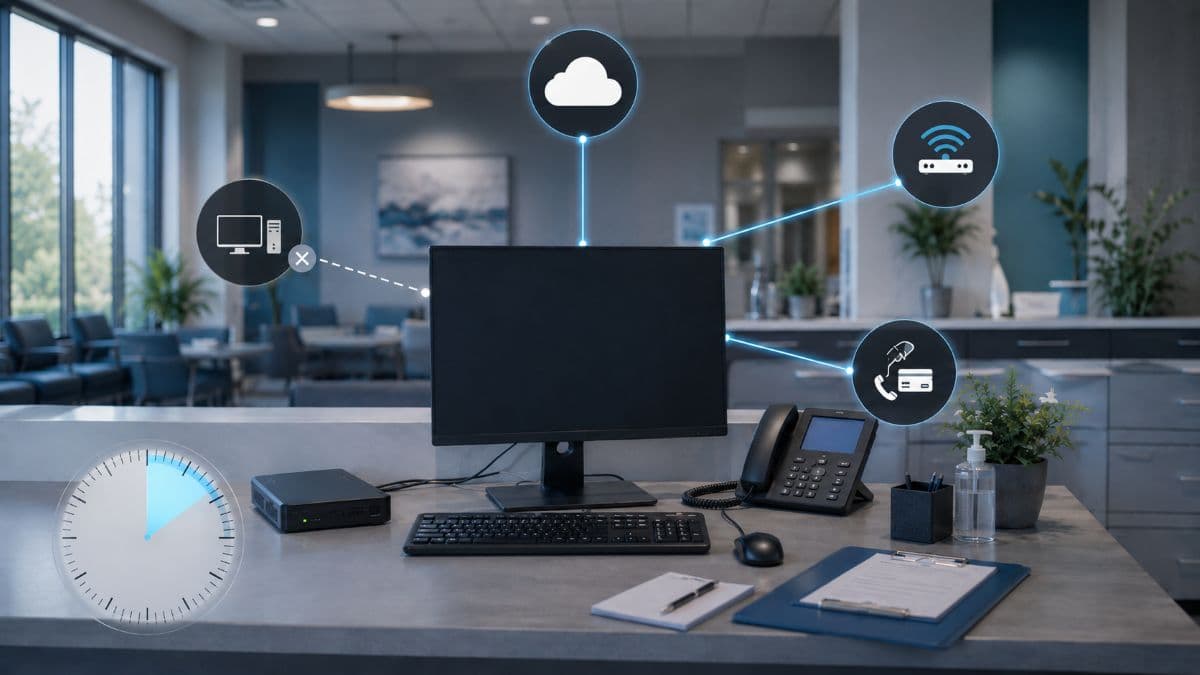
Before the decision to declare, a short diagnostic sequence keeps the practice from treating an internet problem as an EHR problem or the reverse. The sequence below belongs on the first page of the plan.
- Confirm the scope: one workstation, every workstation, the EHR only, or everything including phones and card terminals.
- Check the vendor's status page or support line if the EHR is cloud hosted, and call the IT provider if it is not.
- Announce to the whole team that downtime has been declared, with the time noted.
- Pull the downtime kit and distribute forms by role.
- Assign one person to log what happens, including the start time, the cause when known, and each patient seen on paper.
That log becomes the backbone of recovery later. It is also the first thing an investigator or insurer will ask for if the outage turns out to be a security event.
The Downtime Kit: What Staff Reach For
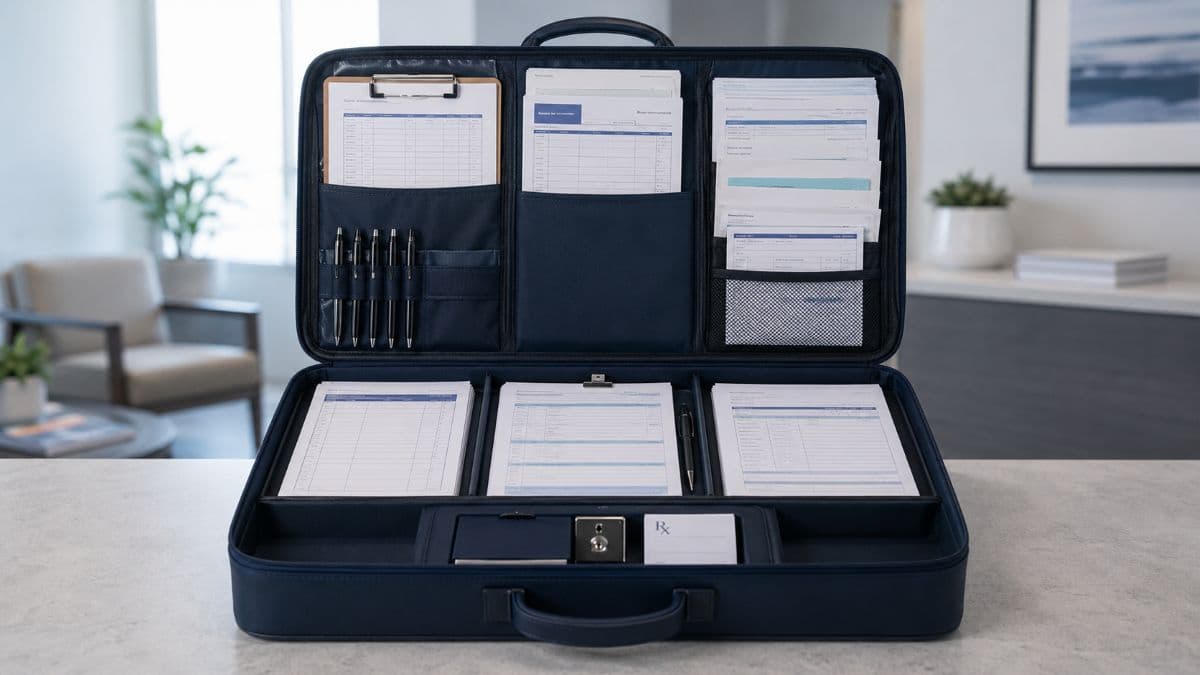
A downtime kit is a physical location, usually a labeled cabinet or bin near the front desk, holding everything the practice needs to operate without the system for a day. The kit is cheap to assemble and useless if it is empty, out of date, or locked in the office of someone who is on vacation.
The Schedule Copy That Must Already Exist
The single most valuable document during an outage is today's schedule, and it can only be printed or exported while the system is working. Many practices print the next day's schedule at close of business or export a read-only copy to a protected location each evening. The front desk then knows who is booked, at what time, with which provider, and at what phone number, without touching the EHR.
That copy contains protected health information and must be handled as such: stored in a locked location, shredded or securely deleted on a schedule, and never left on the printer. A schedule snapshot that protects the practice from chaos but creates a privacy exposure has solved one problem by creating another.
Paper Forms by Role
Forms should be pre-printed, stocked in quantity, and matched to the way the practice already works, because a downtime form that looks nothing like the normal workflow will be filled out wrong. Three roles need their own set.
Front Desk
The front desk needs registration and demographic update forms, consent and financial policy forms, a manual sign-in log, a manual appointment sheet for new bookings and reschedules, and a superbill or encounter form that captures the visit for later billing. Card processing deserves its own line in the plan, because a terminal that depends on the office internet will be down too. The practice needs to decide in advance whether to run cards on a cellular backup terminal, hold payment information securely for later processing, or bill after the fact.
Clinical Team
The clinical set is a paper encounter form with space for vitals, chief complaint, history, examination, assessment, and plan; medication and allergy reconciliation sheets; order forms for labs and imaging; and paper prescription forms that meet state requirements, discussed below. Each sheet should carry the patient's name, date of birth, and the date of service. Downtime paperwork with a missing identifier is the most common cause of misfiled data afterward.
Billing and Back Office
Billing needs a charge capture sheet tied to the superbill, a log of payments taken, and a simple tracking list of which encounters have and have not been entered once the system returns. Billing is where downtime costs linger longest. Charges not captured on paper are frequently never captured at all.
Patient Information You Cannot Pull Up
The hardest part of downtime is not recording the visit, it is knowing what happened at the last one. Hospitals solve this with a continuously updated downtime viewer, a read-only copy of key patient data available on a separate workstation. A small practice can approximate the same thing with a nightly protected export of active patient summaries, including allergies, current medications, problem lists, and recent results, stored encrypted on a device that does not depend on the EHR or the internet being available.
Where that copy does not exist, the plan should say so plainly and give staff the fallback: ask the patient, call the pharmacy for the medication list, and document that the information came from those sources. Clinicians make safer decisions when they know the limits of what they are working from.
Prescriptions, Labs, Referrals, and Imaging During Downtime
Orders are where downtime procedures touch law and patient safety most directly. California has specific rules that a practice here cannot improvise around.
E-Prescribing and the California Exception
California Business and Professions Code section 688 requires prescriptions to be issued electronically, and it includes an exception for a temporary technological or electrical failure. The statute defines that phrase to include failure of the computer system, application, or device, loss of power to it, or any other service interruption affecting the e-prescribing application. Prescribers may write paper prescriptions during a qualifying outage, and pharmacies are not required to verify that the exception applied before dispensing a legally valid written prescription.
Two details belong in the procedures. For a controlled substance issued on paper during an outage, the prescriber must document the reason in the patient's medical record as soon as practicable and within 72 hours after the failure ends, so the plan needs a step for that documentation once the system is back. The state's own bulletin also recommends that prescribers keep compliant paper prescription forms on hand for exactly this situation, which means the downtime kit should contain California compliant security prescription forms that have not expired and are stored under lock.
Orders and Results That Arrive While You Are Down
Lab and imaging orders go out on paper or by phone, and the plan should name which labs and imaging centers the practice uses and how each accepts a manual order. Results keep arriving during the outage, often by fax or through a lab portal that is unaffected. One person should collect them in a single folder, flag anything abnormal for the clinician the same day, and add each one to the tracking list for later scanning or re-entry.
Interfaced results that were sent to the EHR while it was down usually queue and post once the connection returns, but not always, and not always completely. Part of recovery is reconciling what the lab says it sent against what the record shows as received.
Phones, Internet, and the Outage That Is Not the EHR
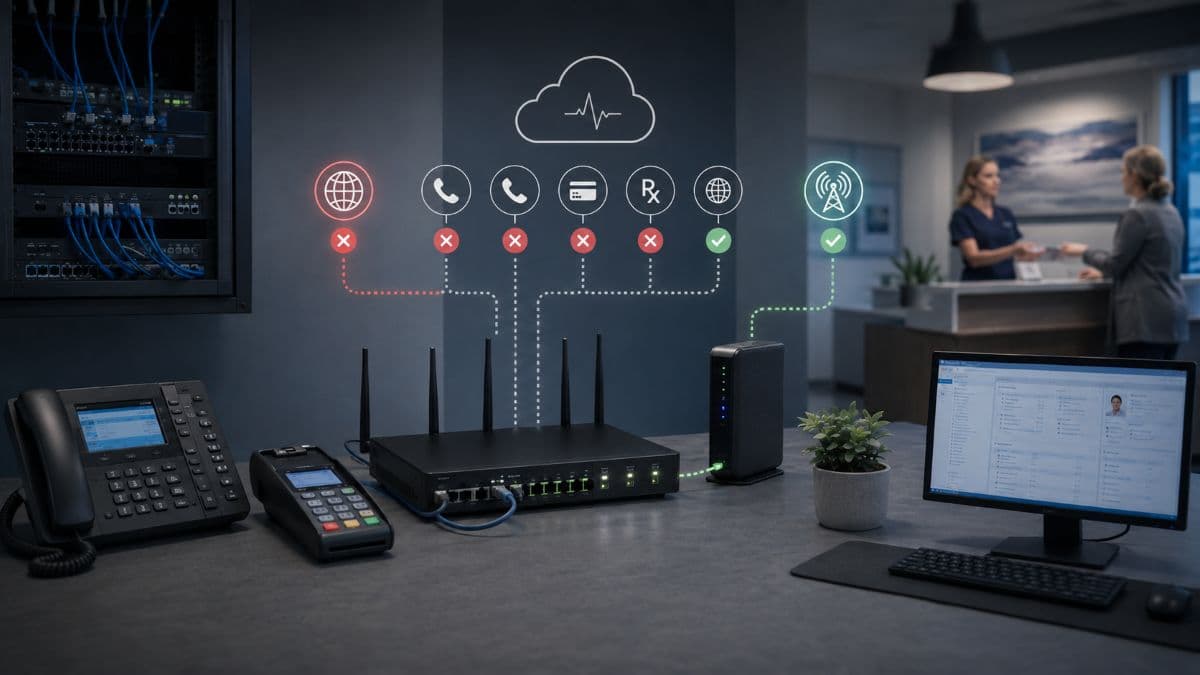
In many small practices the EHR is fine and the building is not. A single internet failure takes out a cloud EHR, a cloud phone system, the payment terminal, e-prescribing, and the fax line that was quietly moved to an internet service years ago, all at once. Patients experience that as the practice disappearing, because nobody answers and nothing processes.
The plan has to treat connectivity as its own scenario: call forwarding rules set in advance so the main number rolls to a cell phone, a cellular failover for the office connection if the practice can justify it, and an understanding of which systems keep working on a phone's hotspot and which do not. Most of this is ordinary network management work. The practice should know whether its IT provider has done it or merely assumed the internet would stay up.
Cloud EHR Versus On-Premises EHR: Different Failure Modes
Neither model removes the need for procedures. A cloud practice mostly plans around connectivity and vendor outages it cannot influence, while a server based practice plans around hardware, backups, and restoration time it controls and therefore owns.
When the System Comes Back: Recovery and Re-Entry
The end of an outage is not the end of downtime. It is the start of the part most plans skip, and it is where the Ascension example is instructive, because delays there stretched well beyond the restoration date as paper records were entered into the system.
Verify Before You Trust It
Before anyone declares the system usable, IT should confirm what state it is in: whether it was restored from a backup, what the restore point was, and whether any records entered shortly before the outage are missing. That gap, the time between the last good backup and the failure, is the practice's recovery point objective made real. The clinical team needs to know its size so they know which recent visits to check.
Back-Entry: Who Enters What, and in What Order
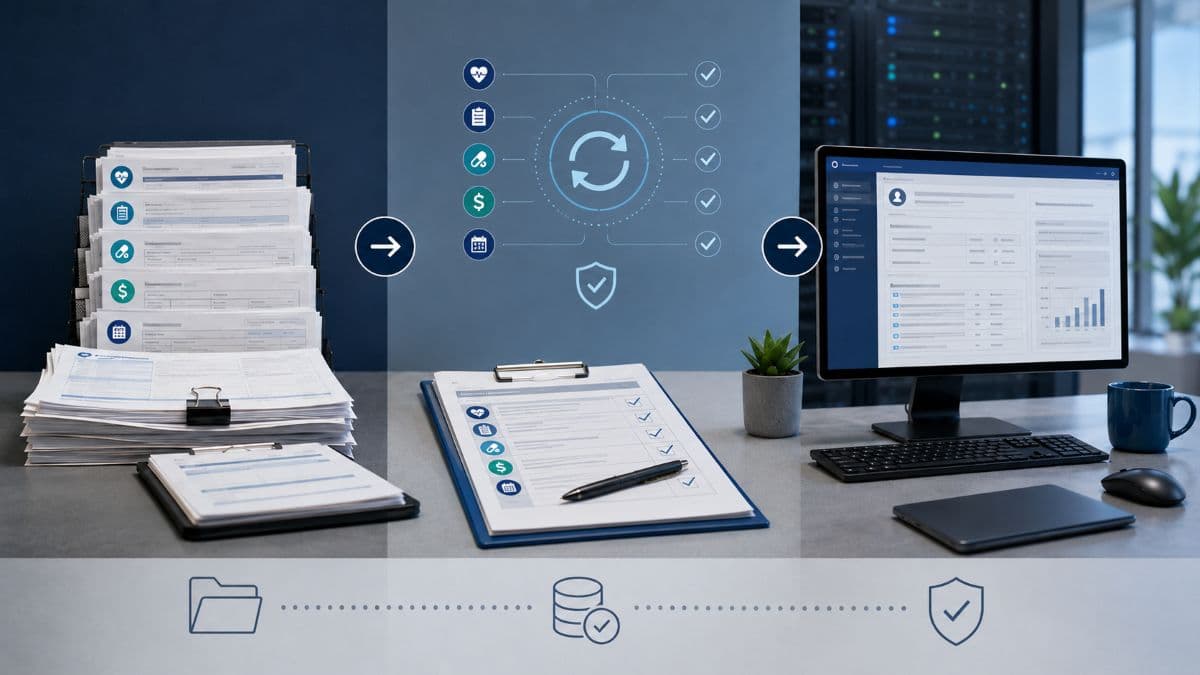
Back-entry is the process of moving downtime documentation into the record, and order matters for safety. Medications, allergies, and orders go in first, because the next clinician to open the chart may act on them, followed by clinical notes, then charges and payments, then scanned copies of the original paper. Each entry should be marked as downtime documentation with the actual date and time of the encounter, not the time of entry.
Assign the work explicitly and estimate it honestly. Two days of paper at a busy practice can take a week to enter alongside normal operations, and a plan that assumes it happens as time allows is a plan for records that never get completed.
Reconciling Charges, Claims, and the Day's Gaps
Billing reconciliation means comparing the sign-in log, the encounter forms, and the charge sheets against what was entered, then checking that every patient seen has a claim and every payment taken is posted. Appointments booked manually during the outage have to be entered into the scheduler before the next day's reminders go out. Any referrals or orders written on paper need confirmation that they reached their destination.
What Happens to the Paper
Once back-entry is verified, the paper is either scanned into the record or retained according to the practice's retention policy, then destroyed securely. Leaving downtime forms in a drawer indefinitely is a HIPAA problem waiting to be found. The procedures should say what is kept, for how long, and who signs off on destruction.
When Downtime Is a Security Incident
If the cause is ransomware or another attack, the downtime procedures run alongside an incident response, and some instincts have to be suppressed. Staff should not reconnect devices, restore from backups, or power systems on and off without direction, because those actions can spread the damage or destroy evidence. The first day of an attack is covered in detail in our guide to ransomware incident response, and the downtime plan should simply say to follow the incident plan rather than trying to duplicate it.
Duration changes too. A hardware failure is measured in hours, while a ransomware recovery at a practice with adequate backups is commonly measured in days, and the downtime log kept from the first hour becomes evidence for the breach risk assessment that HIPAA's breach notification rule requires when ePHI may have been accessed. Practices that planned only for the short outage discover that their paper supply, their staff patience, and their cash flow were sized for a different problem.
The IT Side: What Shortens Downtime or Prevents It
Everything above is what the practice does. This section is what the practice should expect its IT provider or in-house resource to have built, because the length of an outage is decided mostly before it starts.
Backups That Match Your Recovery Targets, and a Restore You Have Watched
For an on-premises EHR, the recovery time is the backup strategy. Backups should run often enough that losing the data since the last one is tolerable, be stored somewhere the outage cannot reach, including a copy that ransomware cannot alter, and be restored in a test at least annually so the practice knows the real number of hours rather than the brochure number. A disaster recovery arrangement that can bring the server back as a running system elsewhere, rather than just handing back files, is what turns a multi-day rebuild into a same-day recovery.
For a cloud EHR, the practice should still ask the vendor what its own recovery commitments are, in writing, and should keep its own exports of critical data. Vendor contracts rarely promise what a practice assumes they do.
Monitoring and Redundancy
Many outages announce themselves: a failing drive, a backup job that stopped running, a switch that has been dropping connections for a week. Round the clock monitoring catches those before they become a Monday morning event. Internet redundancy, whether a second carrier or a cellular failover, removes the most common single point of failure for a cloud practice entirely.
The Responsibility Split
Finger pointing consumes the first hour of many outages, and most of it comes from never having written down who owns what. The table below is a reasonable starting split for a small practice, and the vendor's column should be confirmed against its actual contract.
Testing the Plan Before You Need It
A downtime plan that has never been exercised will fail in ways nobody predicted, which is why testing and revision is part of the HIPAA standard and would become an annual requirement under the proposed update. The test does not need to be dramatic. A one hour tabletop exercise twice a year, walking through a morning with no EHR from the first complaint to the last back-entry, reliably finds the expired prescription pads, the schedule nobody printed, and the staff member who did not know the cabinet existed.
After every real outage, however short, the plan should be updated with what was learned, and new hires should walk through it during onboarding rather than hearing about it when the screen goes dark. Practices working with a provider for IT support in the San Fernando Valley and across the LA area can fold this drill into the same annual cycle as their security risk analysis, which keeps both current with one effort.
A Downtime Readiness Checklist
Use this list as a quick audit of where the practice stands today. Each item that is missing is a gap a real outage will find first.
- A named decision owner and a backup, with a written threshold for declaring downtime
- A stocked downtime kit in a known location, checked quarterly
- A daily schedule copy, printed or exported, stored and destroyed securely
- Paper forms for front desk, clinical, and billing roles, matched to the normal workflow
- Unexpired California compliant security prescription forms under lock
- A protected local copy of key patient data, or a written fallback if none exists
- Phone forwarding and card processing fallbacks decided in advance
- Backups proven by an actual restore within the last twelve months
- A written back-entry procedure with an order of priority and named owners
- A tabletop exercise completed in the last six months, plus notes from the last real outage
Frequently Asked Questions
Not under that name, but yes in substance. The HIPAA Security Rule's contingency plan standard at 45 CFR 164.308(a)(7) requires covered entities to have a data backup plan, a disaster recovery plan, and an emergency mode operation plan, and to test and revise them. Downtime procedures are how a practice meets the emergency mode requirement in day to day terms, and investigators ask for them after an incident.
A few hours to a day is manageable for most practices with a stocked kit. Beyond that, the risks compound: missing history at each visit, a growing back-entry backlog, delayed claims, and staff fatigue. The plan should include an escalation point, often 24 to 48 hours, at which the practice reduces the schedule, reaches out to patients, and confirms the recovery timeline with its IT provider or vendor rather than simply continuing.
Yes. California Business and Professions Code section 688 requires electronic prescribing but exempts prescriptions issued when e-prescribing is unavailable because of a temporary technological or electrical failure. For controlled substances written on paper during an outage, the prescriber must document the reason in the patient's record as soon as practicable and within 72 hours after the failure ends, and the practice should keep compliant security prescription forms on hand.
The same logic applies. A dental practice depends on its practice management and imaging systems for scheduling, charting, and billing, and it carries the same HIPAA contingency plan obligations for electronic patient data. The forms differ, but the schedule copy, the decision threshold, and the back-entry process do not.
One named person, usually the practice manager or office manager, with a designated backup. The procedures should give that person a clear threshold, such as the system being unavailable for ten to fifteen minutes with no estimated time to repair, so the switch to paper happens as a unit and does not depend on a debate at the front desk.
Downtime Is Decided Before It Happens
Downtime is not a question of whether but of how long and how messy, and the practices that come through it well are the ones that settled most of the answers in advance: who declares it, what everyone reaches for, how prescriptions and payments keep moving, and how the paper gets back into the record. Good EHR downtime procedures do not require a large budget. They require a few hours of planning, a cabinet, and an IT partner who has built the backup and recovery layer underneath them.
GlobeVM provides managed IT services across Los Angeles with continuity planning built for medical and dental practices, and the first step is usually a short review of what would happen at your practice tomorrow morning if the system did not come up. If you would like that review, contact GlobeVM for a free assessment of your practice's downtime readiness.
Comments
0 Comments