
Somewhere between the front desk Gmail tab and the shared Drive folder of patient forms, every practice on Google's platform eventually asks the question out loud: is Google Workspace HIPAA compliant? The short answer is that Workspace can be used in compliance with HIPAA, but only on a paid organizational account, only after an administrator has accepted Google's Business Associate Agreement, and only when the services are configured and used to protect patient information. A personal Gmail address never qualifies, no matter how carefully it is used, and an unconfigured Workspace tenant with a signed agreement is paperwork guarding an open door.
GlobeVM provides healthcare IT support for medical practices across Los Angeles, including Glendale and Burbank: HIPAA security, EHR uptime and tested backups.
This guide walks through how the agreement actually works, which services it covers and which it never will, the settings that carry the compliance weight day to day, how Workspace compares with the Microsoft route. And the mistakes that quietly undo a covered setup.
Is Google Workspace HIPAA Compliant? The Short Answer
Google offers a HIPAA Business Associate Agreement, often called the BA Addendum, to organizations on paid Workspace editions. An administrator reviews and accepts it inside the Admin console, and from that point the covered services can lawfully handle protected health information for the organization. Three qualifications matter before anyone relies on that sentence. The agreement is not automatic with purchase; someone must actually accept it, and many practices discover years in that nobody ever did.
It applies to the organization's managed accounts, never to personal Gmail. And it covers a defined list of core services, not everything with a Google logo on it, so the boundary between covered and uncovered is where real compliance work happens. Since covered-service lists and terms are updated by Google over time, the current version should be confirmed in the Admin console before your practice leans on it.
Covered, Not Covered, and the Line Between
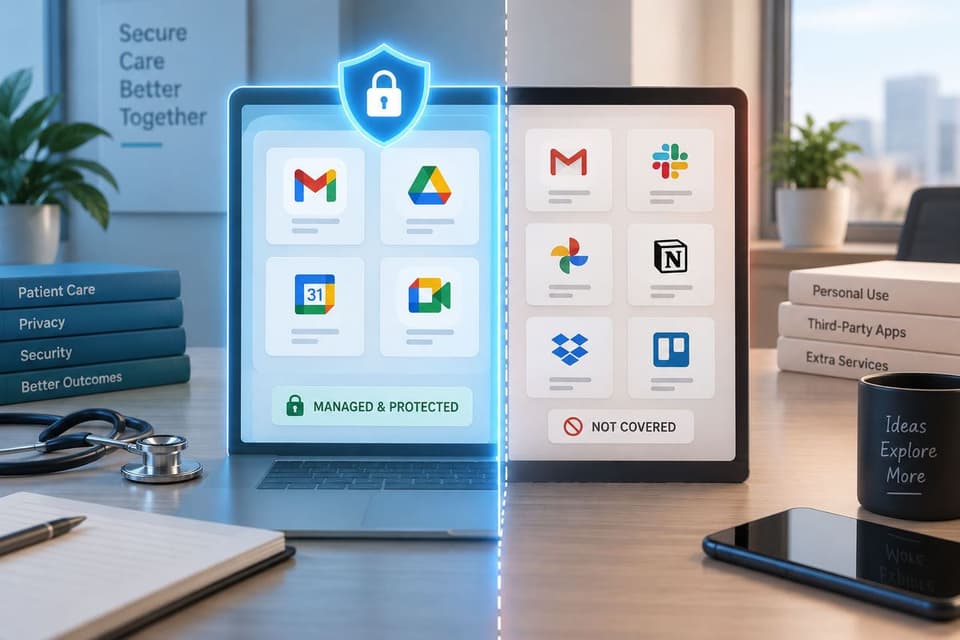
The BAA covers Workspace core services, the working set most practices live in: Gmail, Drive, Calendar, Meet, Docs and the editor suite, and Chat among them. That coverage is what makes it possible to run practice email, store scanned documents, and hold telehealth conversations inside one agreement. The uncovered territory is just as important to name. Personal and consumer Google accounts sit entirely outside the agreement.
Third-party add-ons and marketplace apps are separate vendors with separate obligations, even when they bolt neatly into Gmail or Drive, so each one that touches PHI needs its own agreement or needs to stay away from patient data. And Google's additional services beyond the core list, along with newer AI features, have their own coverage status that changes over time, which is why the safe operating rule is simple: nothing touches PHI until someone has confirmed it sits inside the agreement. Administrators can and should turn off the services that are not part of the covered set for accounts that handle patient information.
The Settings That Carry the Weight
The settings below are where a signed agreement becomes an actual safeguard. And they are the first things any reviewer checks, because they separate tenants that are covered on paper from tenants that are covered in practice.
Identity first
The agreement assumes the practice controls who gets in. That means two-step verification enforced for every account rather than suggested, phishing-resistant methods for administrators, no shared logins anywhere patient information lives, and a clean offboarding step that suspends departed users the day they leave. Most Workspace incidents in small practices are not exotic; they are one weak or reused password on an account that skipped enforcement. Session length deserves a decision too, since a front-desk machine that never asks anyone to sign back in is a shared computer wearing one person's name.
Sharing defaults that assume confidentiality
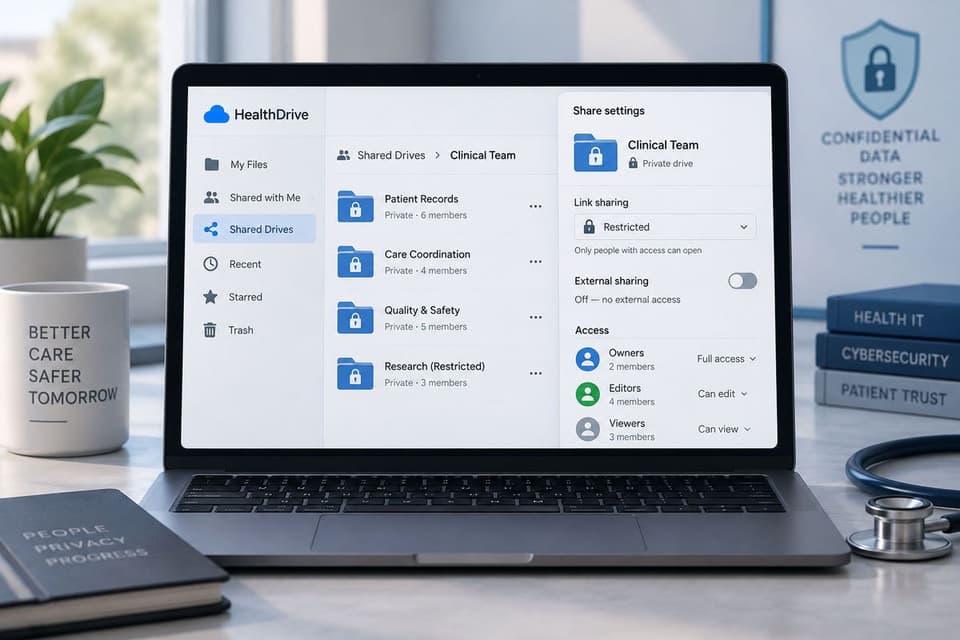
Drive arrives tuned for collaboration, and a practice needs it tuned for confidentiality. Restrict link sharing so files are not shareable to anyone on the internet by default, keep external sharing off or tightly scoped for the units that hold clinical files, and use shared drives with role-based membership for practice documents instead of a web of personal-folder invitations. The goal is structural: a distracted employee on a busy day should have to work hard to overshare a patient document, not merely click once. A quarterly sweep of externally shared files takes minutes with the platform's reports and regularly turns up the link somebody created for a one-time purpose and forgot forever.
Mail, retention, and the audit trail
Email needs its protections switched on: the platform's phishing and malware controls, sensible attachment handling, and rules that flag external senders impersonating internal names. Automatic forwarding to external addresses should be disabled or restricted at the tenant level, since a single quiet forwarding rule is the classic path for mail to leave the covered boundary unnoticed. Retention deserves a deliberate decision through the platform's retention tooling rather than the default of keeping everything forever or letting users delete freely.
And the audit logs that record sign-ins, sharing changes, and admin actions should be reviewed on a schedule, because an audit trail nobody reads is a formality, not a safeguard. None of this requires enterprise licensing tiers, though some advanced controls scale with edition, and a practice choosing its edition should weigh those security features rather than shopping storage size alone.
How the Google Route Compares
The honest comparison for most practices is Microsoft 365, where BAA terms are built into Microsoft's standard commercial agreements and cover the equivalent working set. The compliance ceiling is similar on both platforms; the difference is operational fit. Practices already living in Outlook and Office files usually take the Microsoft path and manage it through managed Microsoft 365 services, while practices that grew up on Gmail and Docs stay with Workspace, and the correctly configured version of either beats a poorly configured version of the other every time.
The same three-legged logic applies to both, and to every communication tool a practice adopts: an eligible plan, an executed agreement, and configuration that holds. Purpose-built clinical platforms remain the right answer for narrow jobs like patient texting, where consumer messaging cannot be made covered at any price. For a fuller vendor-by-vendor treatment of the email layer specifically, watch for the practice email guide in this series, because inbox choice deserves its own article.
The Mistakes That Undo a Covered Workspace
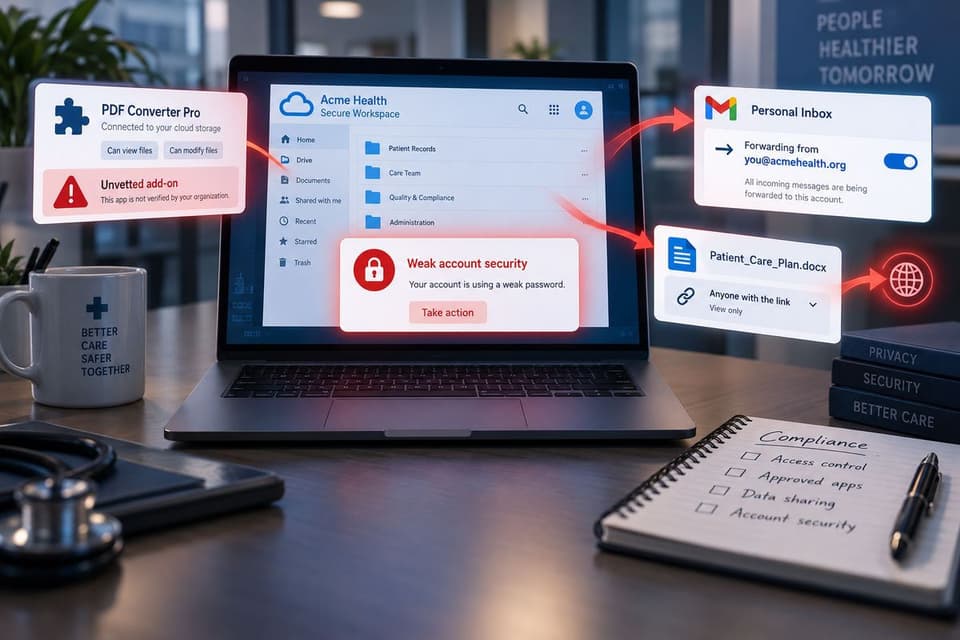
The failure patterns repeat across practices with signed agreements and good intentions. Staff forward work mail to personal Gmail for convenience, moving PHI outside the covered boundary one message at a time. A scheduling or e-signature add-on gets installed from the marketplace and granted Drive access without anyone checking whether that vendor signed anything. The BAA was accepted, but two-step verification stayed optional, and one credential phish later the practice is reading its breach notification obligations instead of its schedule.
Link sharing stays on the collaborative defaults, and a patient list becomes reachable by anyone holding a URL. And in the quietest version, the practice simply never accepted the agreement at all, running for years on the paid tier while assuming payment equaled coverage. A close cousin: the practice accepted it under an old domain or a previous owner's account, and nobody can produce the evidence today, which in an audit is the same as never. Every one of these is findable in an afternoon review, which is exactly why the review is worth an afternoon.
A Practice Pre-Flight Checklist for Workspace
Before treating your Workspace tenant as covered, a practice should be able to answer yes down this list, in order. Seven items cover the whole surface:
- We run a paid Workspace edition on managed organizational accounts, with no personal Gmail in clinical workflows
- An administrator has actually accepted Google's HIPAA BA Addendum in the Admin console, and we can show it
- Services outside the covered core set are disabled for accounts that handle patient information
- Two-step verification is enforced tenant-wide, and shared logins are gone
- Drive sharing defaults are restricted, with shared drives and role-based access for clinical files
- Every marketplace add-on that can touch PHI has its own agreement or has been removed
- Retention is deliberately configured, audit logs are reviewed on a schedule, and the whole arrangement appears in our risk analysis and HIPAA compliance checklist
Any no on that list is the to-do list, and most practices can clear the whole thing inside a week once someone owns it. Print it, date it, and keep the completed copy with your compliance records, because the checklist you can produce is worth ten you remember doing. Tenant hardening of this kind is ordinary work for a provider that lives in the email layer, which is why our email security practice treats the Workspace review as a fixed checklist rather than an open question, for organizations from Westlake Village to downtown.
What Happens When It Goes Wrong
Running patient communication through personal Gmail, or through a tenant whose agreement nobody accepted, is not a technicality; every message is a disclosure into an uncovered system, and an incident on top of that adds notification duties to the original problem. The repair is almost embarrassingly cheap compared with the exposure: confirm the edition, accept the agreement, spend the afternoon on configuration, and document it.
Among all the compliance gaps a practice can carry, an uncovered Workspace is one of the fastest to close, and closing it also happens to make the practice measurably harder to phish, which is the rare compliance task that pays for itself twice. This is the same distance between "we think we're fine" and "we can prove it" that shows up across the whole HIPAA checklist, and it is usually a short, specific list, which is what our HIPAA compliance services exist to produce.
So, is Google Workspace HIPAA compliant? It is for your practice on the day the paid edition, the accepted agreement, and the enforced configuration all exist together, and if you want that day to be this week, book a Workspace compliance review with GlobeVM and we will hand you the short list.