
An IT assessment is a structured review of a business's technology that documents what exists, what condition it is in, what puts the business at risk and what to fix first. It covers hardware, software, the network, security controls, backups and how people actually work. A good IT assessment rests on evidence, such as scans, configuration reviews and restore tests, and ends with a prioritized, costed plan.
Owners hear "let's start with an assessment" from providers, insurers and accountants, and most agree without a clear picture of what they will get. This guide explains what a real assessment checks, the types you will be offered, how it ties to free government frameworks from NIST, CISA and HHS, how long it takes, what the report must contain, and how a free assessment differs from a paid one. Framework details were checked on October 25, 2026.
What is an IT assessment?
An IT assessment answers four questions with evidence instead of impressions. What do we actually have? That means an inventory of devices, servers, software, cloud accounts and network equipment, including the pieces nobody remembers buying. What condition is it in? That means age, support status, patch levels and the single points of failure hiding in plain sight.
What are we exposed to? Security gaps, weak backups, compliance shortfalls and the operational risks a bad week would reveal. And what should we do about it? A ranked, costed path from where the business is to where it needs to be. The evidence part matters most. A real assessment runs scans, reads configurations and checks backups rather than relying on what the office manager remembers, because the gap between what a company believes about its IT and what a scan finds is usually the most valuable page of the report.
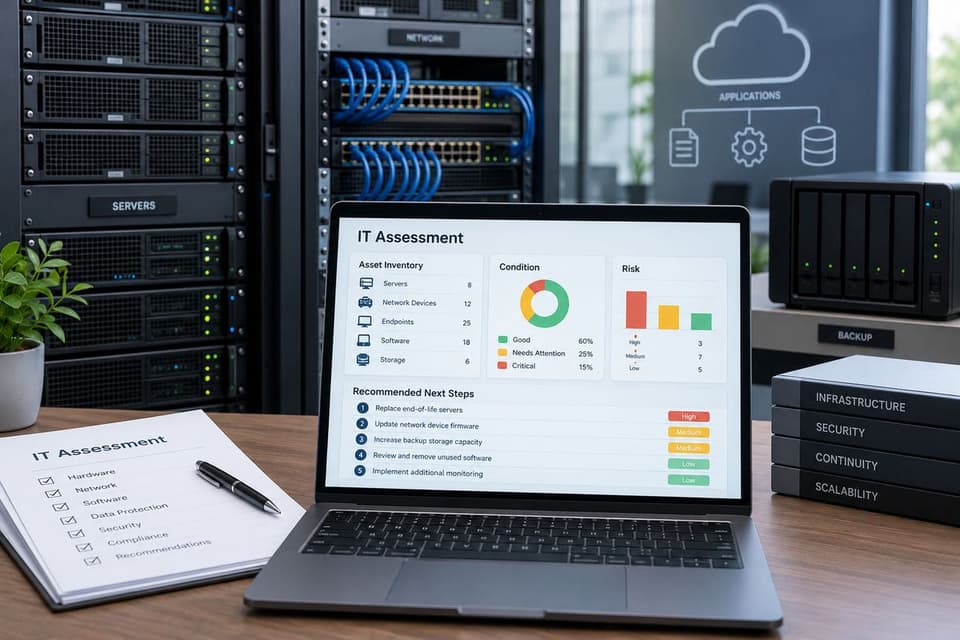
What does an IT assessment include?
An IT assessment includes an inventory, a check of each technology area against a clear standard, and a written list of findings ranked by business risk. The table below shows the areas a full assessment for a small or mid-sized business should cover, and the evidence that separates a real check from a questionnaire.
| Area | What gets checked | Evidence a good assessor collects |
|---|---|---|
| Hardware age and support | Computers, servers, firewalls and switches near or past end of support or warranty | Inventory export with model, age and vendor support dates |
| Patching | Operating system and application updates, unsupported software | Patch status report per device, list of missing updates |
| Backups and restore tests | What is backed up, where copies live, whether one is offline or immutable | Backup job history and the date of the last successful test restore |
| MFA and admin accounts | MFA coverage, who holds admin rights, former staff accounts still enabled | Sign in and admin role reports from Microsoft 365 or Google |
| Email security | Filtering, SPF, DKIM and DMARC records, phishing protection settings | DNS record lookups and mail filter configuration |
| Firewall and network | Firmware level, open ports, remote access, Wi-Fi separation, internet failover | Firewall configuration review and an external scan |
| Endpoint protection | Coverage on every device, and someone reviews the alerts | Console export showing protected and missing devices |
| Licenses | Unused, duplicate or wrong tier subscriptions | License report matched against the staff list |
| Documentation | Network diagram, password vault, vendor contacts, recovery steps | The documents themselves, or a note that they do not exist |
Two rows deserve extra attention. Backups are only proven by a restore, which is why backup testing belongs in every assessment.
Email settings are easy to check yourself. You can see your own domain's SPF, DKIM and DMARC status with our email security check.
What types of IT assessment are there?
There are five common types of IT assessment: a general IT assessment, a network assessment, a security or cyber risk assessment, a compliance assessment and a cloud readiness assessment. Vendors package them differently. Knowing which one a proposal describes prevents the most common buying mistake in this category: paying for a narrow review while believing you bought the full picture.
| Type | Scope | Typical deliverable | When to use it |
|---|---|---|---|
| General IT assessment | Hardware lifecycle, network, servers and cloud, backups, security basics, support workflow | Inventory, ranked findings, costed roadmap | Before a new IT contract, a budget cycle or a move |
| Network assessment | Internet, firewall, switches, Wi-Fi coverage, performance, failover | Network diagram, performance and configuration findings | Slow or unreliable network, office expansion, new site |
| Security or cyber risk assessment | Access controls, MFA, patching, email protection, endpoints, backups against ransomware | Risk register ranked by likelihood and impact | Cyber insurance renewal, after an incident, client security questionnaires |
| Compliance assessment | Controls mapped to a rule, such as the HIPAA security risk analysis or PCI DSS | Gap list and documentation the regulator or auditor expects | Regulated data: patient records, card payments, financial data |
| Cloud readiness assessment | Which workloads can move, licensing, internet capacity, migration order | Migration plan with costs and risks | Server end of life, moving to Microsoft 365 or Azure |
Narrow types such as cloud readiness work best after a general assessment has set the baseline, since a migration plan built on a wrong inventory inherits every one of its errors. For medical and dental practices, our guide to the healthcare security risk assessment covers the HIPAA version in depth.
Assessment, audit or penetration test: which one are you buying?
Three terms get used as if they were the same in sales conversations, and they are not. An assessment tells you what to fix first. An audit tells you whether you meet a defined standard; the security version is covered in our guide to the cybersecurity audit.
A penetration test attacks your defenses on purpose to prove which weaknesses can really be exploited, which is the work of penetration testing and a different engagement entirely.
| IT assessment | Audit | Penetration test | |
|---|---|---|---|
| Question it answers | What should we fix first? | Do we meet the standard? | What could an attacker actually do? |
| Measured against | Business needs and good practice | A named standard or rule | Real attack techniques |
| Output | Ranked findings and a roadmap | Pass or gap findings | Proven exploits and fixes |
| Best moment | Before big decisions | Compliance deadlines | After basics are in place |

Which frameworks should an IT assessment use?
An IT assessment should measure your setup against a recognized framework so findings are not just one provider's opinion. Three free government sources fit small businesses well.
NIST Cybersecurity Framework 2.0. NIST published CSF 2.0 on February 26, 2024, for organizations of any size, sector or maturity. It sorts security outcomes into six Functions: Govern (strategy and policy are set and monitored), Identify (current risks are understood), Protect (safeguards are used), Detect (possible attacks are found and analyzed), Respond (action is taken on a detected incident) and Recover (affected assets and operations are restored). CSF 2.0 describes a Current Profile, what you achieve today, and a Target Profile, what you want to achieve, and tells you to analyze the gaps between them and build an action plan. That is an assessment in one sentence. NIST also offers a Small Business Quick Start Guide (SP 1300). Our NIST Cybersecurity Framework guide explains the framework in plain terms.
CISA Cyber Essentials and Cyber Hygiene. CISA's Cyber Essentials is written for leaders of small businesses and small local agencies, and it aligns with the NIST framework. Its action items read like an assessment checklist: keep inventories of hardware and software, use MFA for all users starting with privileged, administrative and remote access users, set up regular automated backups, and enable automatic updates. CISA also runs Cyber Hygiene vulnerability scanning at no cost, with weekly reports, for U.S. federal, state, local, tribal and territorial governments and for public and private critical infrastructure organizations. Many small businesses will not qualify, but it is worth checking if yours is in a critical infrastructure sector.
HIPAA security risk analysis for healthcare. The HIPAA Security Rule makes risk analysis mandatory. 45 CFR 164.308(a)(1)(ii)(A) is labeled Required and tells covered entities and business associates to conduct an accurate and thorough assessment of the risks and vulnerabilities to the confidentiality, integrity and availability of electronic protected health information. The next paragraph, (B), requires security measures that reduce those risks to a reasonable and appropriate level. For small and medium providers, ONC and the HHS Office for Civil Rights publish a downloadable Security Risk Assessment Tool, version 3.7 as of October 2026. Its own disclaimer says using it neither is required by nor guarantees compliance with the law.
How long does an IT assessment take?
How long an IT assessment takes depends on its scope: the number of users, devices and locations, how many cloud services are involved, and whether findings must be mapped to a compliance rule. A light review can be a short call plus a remote look at your systems. A full or compliance assessment takes longer, and most of the elapsed time is scheduling and analysis, not disruption. Discovery tools run quietly in the background, and staff time is usually a few short interviews.
A competent assessment runs in four movements. Discovery comes first: running scanning tools, collecting configurations and pulling the inventory, paired with short interviews, because the tools see the systems and the staff see the workarounds. Analysis follows: findings weighed against the business, since an aging server matters differently in a company with tested backups than in one without. Then the report and a live walkthrough, where questions get answered and priorities get argued honestly. Finally the roadmap: findings turned into a sequence with rough costs, split between what must happen now and what belongs in next year's plan.
| Phase | What happens | What makes it take longer |
|---|---|---|
| Discovery | Scans, configuration exports, inventory, interviews | More sites, devices without management tools, no admin access |
| Analysis | Findings ranked by business impact | Compliance mapping, many cloud services, missing documentation |
| Report and walkthrough | Written findings explained live | Several decision makers to schedule |
| Roadmap | Fixes sequenced and costed | Large projects such as server replacement or migration |
One logistics note belongs in the engagement letter. The assessor will see everything, so a confidentiality agreement is the baseline, access should be granted for the engagement and removed at its end, and in healthcare the assessor signs the same business associate agreement any vendor touching patient data would.
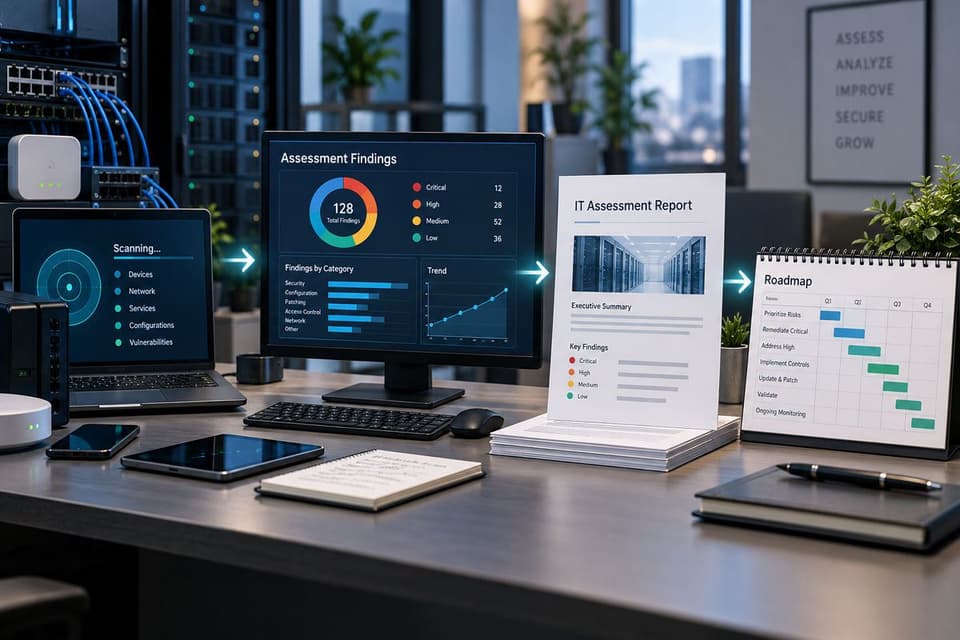
What should the IT assessment report contain?
The IT assessment report should contain five parts: a complete inventory, risk ranked findings tied to evidence, a short list of quick wins, a costed roadmap, and an executive summary a nontechnical owner can read in five minutes. The inventory should replace tribal knowledge, not summarize it. The findings should not be scanner output pasted into a template.
Here is a concrete quality test. Pick any finding and check that it reads as a chain: the evidence observed, the business impact if nothing changes, the recommended fix, and a cost range. A finding missing any link is an assertion, not a finding. What the report should not contain is a single vendor shopping list dressed as findings. Recommendations should name outcomes first and products second.
| Report section | What it must show | Warning sign |
|---|---|---|
| Executive summary | Top risks and decisions in plain language | Jargon, no clear next step |
| Inventory | Every device, account and service, with age and support status | Counts only, no detail |
| Findings | Evidence, impact, fix and cost for each item | Everything marked critical |
| Quick wins | Low cost fixes that close real exposure | Missing entirely |
| Roadmap | Sequence with cost ranges, now versus next year | One product bundle from the assessor |
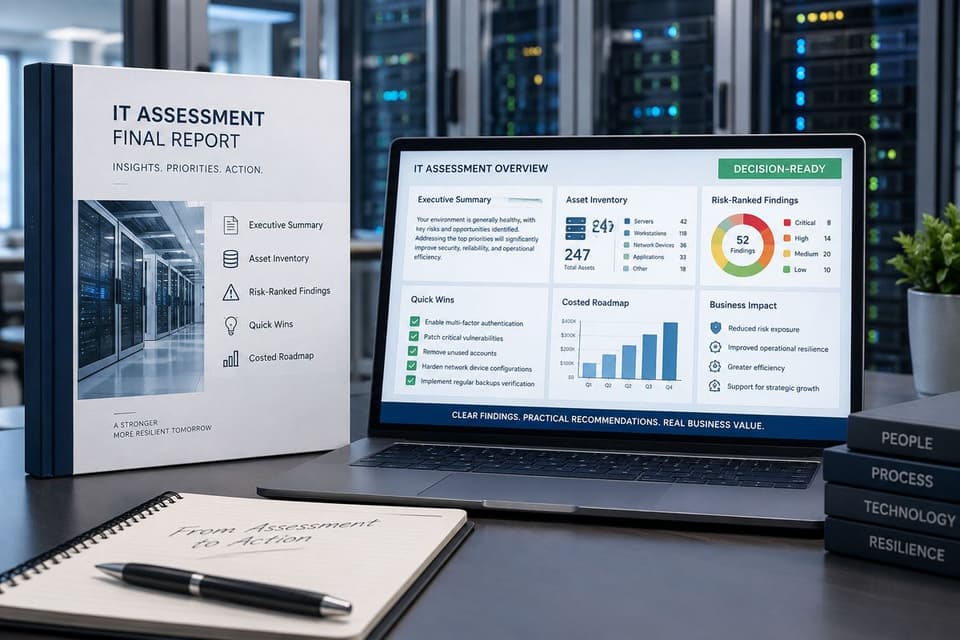
Free vs paid IT assessment: what is the difference?
A free IT assessment is a lighter review, usually run by a provider who hopes to support you, while a paid assessment buys more depth and a report designed to stand on its own even if you never hire the assessor. Neither is wrong. They answer different questions.
Providers offer free assessments as scoping, and that is fine as long as everyone knows it. It is useful when you are choosing between providers, and our guide on how to choose the right MSP treats it as a fair step for both sides. Paid assessments add deeper scanning, more interviews and compliance mapping where it applies. Neutrality has degrees: an independent assessor with nothing to sell afterward is the most neutral, a paid assessment from a provider sits in the middle, and a free one is scoping by definition.
GlobeVM offers a free IT assessment with no cost and no obligation. The page describes three steps: tell us about your office by form or phone, a short call and a review of your systems with your permission, and a plain English report on what is fine, what is at risk and what to fix first, which is yours to keep. It looks at security (firewall, endpoint protection, email filtering, MFA and who has admin access), backups (including whether a restore has been tested), systems near end of support, the network, and which rules such as HIPAA or PCI DSS apply to you.
The practical rule: take a free assessment when you are shopping for support. Pay for one when the decision is bigger than a support contract, such as a migration, an acquisition, a budget fight or a board that wants evidence.
What are the red flags in an IT assessment?
The biggest red flag is a finding with no evidence attached, because "your network is at risk" without the scan data behind it is an opinion. A report that recommends only the assessor's own products is a proposal in costume. No interviews with the people who use the systems every day means computers were assessed, not a business.
Watch for a severity rating of critical on everything, since a report where every item is urgent has prioritized nothing. Generic wording with no detail from your environment marks a template with your logo on it. And no walkthrough, just a PDF in an inbox with an invoice attached, is the clearest sign the goal was the invoice. The opposite of each red flag is what to insist on before you sign.
What should happen in the first 30 days after an assessment?
In the first 30 days, close the quick wins, recheck the critical findings and put every budget decision on a dated list. Each quick win gets a named owner and a date. Decisions that need money go onto a decision list rather than into the fog, and the roadmap gets a review date before the meeting ends. An assessment that ends in motion changes the company. One that ends in a shared drive changes nothing.
Then put the result to work. Use it to negotiate, because a documented current state turns vague quotes into scoped ones. Use it to budget, since the roadmap's cost ranges are what a vCIO turns into a multiyear plan. Use it for insurance and compliance files, which ask for the same items a good assessment documents.
Finally, repeat it. Run the same assessment a year later, or after a move, an acquisition, new leadership or a security incident. The difference between the two reports is the clearest measure of whether your internal team or provider moved the needle. Our IT consulting practice.
Key sources, checked October 25, 2026: NIST CSF 2.0 (CSWP 29) and its quick start guides, CISA Cyber Essentials and Cyber Hygiene services, 45 CFR 164.308 on govinfo, and the HHS Security Risk Assessment Tool page on HealthIT.gov. GlobeVM is a Los Angeles, CA managed IT and cybersecurity provider. If your next big decision deserves the evidence version, call (818) 405-9930 to talk it through.