

Comparing managed IT quotes should be straightforward, and then two proposals arrive with completely different pricing structures and no obvious way to tell which one is cheaper for your business. This is not an accident. Providers price their services differently on purpose, and the model that looks cheapest on paper is not always the model that fits your business.
This guide explains managed IT services pricing in plain language: the three common models, what each one charges for, where hidden costs tend to sit in each, and what the monthly cost typically looks like for a small business. The goal is to match a pricing model to the shape of your business rather than picking whichever number looks smallest on a proposal.
What Managed IT Services Cost in 2026
Before comparing models, it helps to know the range the numbers usually fall in. Pricing guides published by US providers in 2026 put fully managed support for small and midsize businesses at roughly $100 to $250 per user per month, with security- and compliance-heavy packages commonly running $200 to $400. One-time onboarding is typically quoted at one to two months of the recurring fee.
Treat those figures as a sanity check rather than a price list. Where a quote lands depends on what it includes: after-hours coverage, security tooling, backup ownership, compliance reporting, and how many servers and network devices sit behind the users. A quote far below the range usually means thinner coverage or costs that appear later, and one well above it should come with a clear explanation of what the extra buys.
Per-User Pricing: You Pay for People
Per-user pricing charges a flat monthly rate for each employee covered, regardless of how many devices that person uses. An employee with a laptop, a phone, and a tablet all costs the same as an employee with just a laptop, because the pricing counts people, not hardware.
This model tends to favor businesses where employees use multiple devices each, since the per-device cost effectively shrinks as device count per person rises. It also simplifies budgeting, since the monthly cost scales predictably with headcount, a number most businesses already track closely for other reasons.
Where Per-User Pricing Gets Complicated
The model gets less favorable for businesses with many low-cost, single-purpose devices that are not tied to a specific person: shared workstations, kiosks, or specialized equipment. These devices still need support and security, but per-user pricing was not built with them in mind. Providers handle the gap differently, sometimes folding shared devices in at no extra cost and sometimes charging a separate device fee that erodes the model's simplicity, which is worth clarifying in an IT consulting conversation before any proposal gets signed.
Per-Device Pricing: You Pay for Hardware
Per-device pricing flips the logic, charging for each device supported regardless of how many people use it or share it. A business with employees using a single laptop each will find this model behaves similarly to per-user pricing, while a business with shared devices, multiple monitors treated as separate line items, or specialized equipment will see costs shift accordingly.
This model tends to favor businesses with more devices than people: manufacturing floors with shared terminals, retail locations with point-of-sale hardware, or clinics with shared workstations. Where each person uses only one laptop, it behaves much like per-user pricing.
The Definition of "Device" Deserves a Direct Question
Not every provider counts devices the same way. Does a monitor count separately from the computer it is attached to? Does a network switch or a printer count as a billable device? These definitional questions can meaningfully change the real monthly cost, and a business comparing quotes should ask for the exact device count each proposal assumes rather than comparing headline per-device rates alone.
Tiered Pricing: You Pay for a Service Level
Tiered pricing groups services into packages, commonly labeled something like basic, standard, and premium, with each tier bundling a defined set of services at a fixed monthly rate. Rather than pricing by user or device count directly, this model prices by how much support and how many services the business wants included.
Tiered pricing tends to appeal to businesses that want budget predictability and a clear, simple choice among a small number of options, rather than negotiating the specifics of what is and is not included. The trade-off is that a business's real needs rarely map perfectly onto a pre-built tier. That means paying for services that go unused, or upgrading a full tier to get one service you need, a common frustration for businesses comparing managed IT services packages side by side.
Watch for Tier Creep
A pattern worth watching for: a business signs onto a mid-tier package, and over time individual needs push it toward the next tier up, one added service at a time. Eventually it is paying premium-tier pricing without ever having made that decision deliberately. Reviewing what tier fits current needs on a regular schedule, rather than letting the relationship drift upward by default, keeps this from happening quietly.
Contract Length Interacts With Pricing More Than Businesses Realize
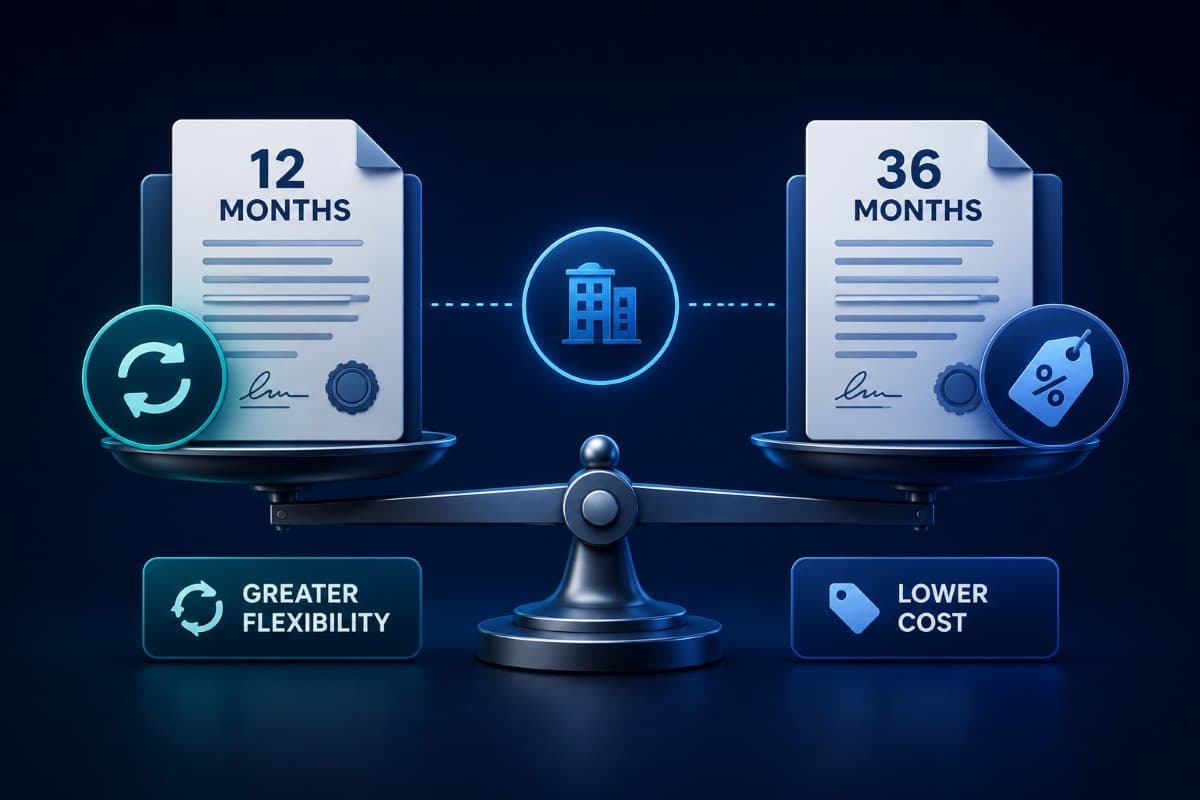
Pricing model and contract length are often negotiated together, and a lower per-unit rate frequently comes attached to a longer commitment period. A business focused only on the monthly number can miss that it just traded flexibility for a discount it may not need.
Asking directly whether a quoted rate assumes a specific contract length, and what the rate looks like at shorter terms, surfaces this trade-off before signing rather than after.
Onboarding Fees Sometimes Hide Outside the Headline Rate
A monthly rate that looks identical across two proposals can still represent very different total costs once one-time onboarding, setup, or migration fees are added. These fees are legitimate in many cases, but they belong in the same comparison as the monthly rate, not discovered separately after a decision is already made.
Managed IT Services Pricing Models Compared
Side by side, the three models measure different things, which is why their headline rates cannot be compared directly.
Multi-Year Discounts Deserve Extra Scrutiny
Providers frequently offer a lower rate in exchange for a multi-year commitment, and this can be a good deal for a stable business that knows its needs will not change much. It can also lock a growing or changing business into pricing built for a headcount or device mix that no longer matches reality two years into the agreement.
Before accepting a multi-year discount, a business should honestly assess how likely its own size and shape are to stay roughly the same over that period.
Matching the Model to Your Actual Business
The right starting question is not which model is cheapest in the abstract, but which one matches the actual shape of your business. Count your employees and your devices honestly, and look at the ratio between them. A ratio close to one device per person points toward either per-user or per-device pricing behaving similarly; a ratio meaningfully skewed in either direction points more clearly toward one model over the other.
Businesses that value budget simplicity above precise cost matching often do best with tiered pricing, provided they periodically confirm the tier they are on still fits their actual usage rather than assuming it still does.
Bundled Versus À La Carte Services Change the Comparison
Some providers bundle services like backup, security monitoring, and helpdesk support into one rate regardless of pricing model, while others price each separately on top of the base rate. Two proposals with similar headline numbers can represent very different coverage once this distinction is accounted for.
Questions to Ask Before Signing Any Proposal
Regardless of which model a provider proposes, a few direct questions cut through most pricing confusion. Ask exactly what counts as a billable unit, a user, a device, a service, and get that definition in writing rather than assuming it matches your intuition. Ask what happens when headcount or device count changes mid-contract, since this is where unexpected costs commonly surface, and it is the pattern behind most surprise IT bills. And ask for a real total monthly estimate based on your actual current environment, not just the headline per-unit rate, since the rate alone rarely tells the full story.
A Short Example Makes the Comparison Concrete
Consider a ten-person business with fifteen devices between laptops, phones, and a couple of shared workstations. Under per-user pricing, the cost scales with the ten employees regardless of device count. Under per-device pricing, it scales with all fifteen devices, likely producing a higher total. Under a tiered package, the cost is fixed regardless of either number, provided the business fits comfortably within that tier's included scope.
Running this kind of quick math against your own actual numbers, before comparing headline rates, is the single fastest way to see past a proposal's surface-level pricing and understand what it would cost your specific business each month.
Renewal Time Is When Pricing Models Deserve a Second Look
The pricing model that fit a business at the start of a contract will not necessarily still fit at renewal, especially after a year of hiring, device changes, or shifting work patterns. Renewal is a natural, low-friction moment to revisit the original decision rather than accepting whatever renewal terms arrive.
Comparing Quotes Requires Comparing Apples to Apples
Two proposals using different pricing models cannot be compared on their headline rates alone; they need to be translated into a single actual monthly total based on your real environment before any meaningful comparison is possible. A per-user rate and a per-device rate do not measure the same thing, no matter how similar they look side by side on a page.
How Providers Actually Calculate Their Rates
Understanding roughly how a provider builds its pricing helps a business ask sharper questions during negotiation. Most providers work backward from a target cost per unit, factoring in labor, tooling, and a margin, then adjust that baseline based on the complexity of a specific business's environment.
A business with unusually complex or outdated infrastructure should expect this to show up in the quote. Asking what about the environment is driving a higher-than-typical rate often surfaces issues worth fixing anyway, such as aging hardware or inconsistent configurations, that would have caused problems with any provider.
Get Everything in a Single Written Document
Verbal assurances during a sales conversation rarely survive contact with an actual dispute months later. Every definition, every included service, every exception discussed verbally should appear in the final written agreement, and the service levels belong in the same document; our guide to what to check in an MSP contract covers that side. Nothing should be left as an assumed understanding with a salesperson who may not even manage the account by the time a real question arises.
Pricing Clarity Protects the Relationship, Not Just the Budget
Managed IT pricing models are not better or worse than one another; they are different ways of measuring the same underlying service, and the right choice depends on your business's mix of people and devices. A business that understands what it is being charged for avoids the slow frustration of a model that never quite fit, which erodes trust in the relationship long before anyone identifies pricing as the source of the friction.
For businesses in Thousand Oaks and across the Conejo Valley, the same walkthrough is available locally through managed IT services in Los Angeles. It starts from your real device and headcount mix and ends with a written definition of what you are paying for.
Frequently Asked Questions
Per-user pricing charges a flat rate for each employee covered, regardless of how many devices that person uses, which favors businesses where employees use multiple devices each. Per-device pricing charges for each individual device supported, regardless of how many people share it, which favors businesses with more devices than people, such as shared workstations or specialized equipment.
Not inherently better, just different. Tiered pricing offers budget predictability through pre-built service packages, which appeals to businesses that want a simple choice among a small number of options. The trade-off is that actual needs rarely map perfectly onto a pre-built tier, which can mean paying for unused services or needing a full tier upgrade to access one specific needed service.
How a provider defines a billable unit matters enormously: whether a monitor counts separately from its computer, whether shared devices are included or charged separately, and how mid-contract changes in headcount or device count are handled. Getting these definitions in writing before signing prevents most of the pricing surprises that surface later.
Compare your actual employee count to your actual device count honestly. A ratio close to one device per person means per-user and per-device pricing will behave similarly; a ratio skewed in either direction points more clearly toward one model. Businesses that prioritize budget simplicity over precise cost matching often do best with tiered pricing, provided they periodically confirm the tier still fits actual usage.
Pricing guides published by US providers in 2026 put fully managed support for small businesses at roughly $100 to $250 per user per month, with security- and compliance-heavy packages commonly running up to $400. Onboarding is usually a one-time fee of about one to two months of the recurring rate. Where a quote lands depends on what it includes, so compare coverage and exclusions before comparing the number.
If you have never had managed IT services pricing explained in terms of your actual device and headcount mix, talk to GlobeVM. We can walk through the real numbers and recommend the model that fits your business.
Comments
0 Comments