You can buy the best security tools available and still be undone by a single employee clicking a link in a convincing email. Phishing remains one of the most common ways attackers get into a business, not because the technology fails but because it targets people. This is the gap that phishing simulations are designed to close. Rather than waiting for a real attack to find out who is vulnerable, a business sends its own harmless but realistic fake phishing emails to staff, sees how they respond, and turns the results into training.
Teach Yourself to Phish: the Strategy Behind Phishing Simulations: What Your Business Needs to Know

By George
23 June 2026

Done well, this builds a workforce that recognizes and reports threats. Done badly, it breeds resentment and teaches nothing. This guide explains what phishing simulation training is, how it works, and what separates a strong program from a wasted one. It also covers the numbers that matter, what recent research says about the limits, and why the strategy behind the program counts as much as the tool.
What a phishing simulation is
A phishing simulation is a controlled exercise in which a business sends fake phishing emails to its own employees to test how they react. The emails are designed to look like the real thing, the kind of message an attacker might send, but they are harmless. When someone clicks a link, opens an attachment, or enters credentials, the simulation records it and usually shows the person, gently, that they just fell for a test. The goal is not to catch people out but to find the weaknesses while the stakes are zero. That makes it a form of security testing in the same family as a penetration test, aimed at the human layer rather than the technical one.

How a phishing simulation works
In practice, a simulation campaign sends a batch of test emails to staff, often with different messages and varying levels of difficulty. The system tracks who opens the email, who clicks, who hands over information, and who reports it as suspicious. Those results become a picture of where the business stands, and the people who fall for a given test are usually given a short, immediate lesson explaining the warning signs they missed. Over a series of campaigns, the business can see whether awareness is improving and which kinds of attacks still get through, which turns a one time guess into a measurable trend.
The kinds of phishing a simulation can mimic
Real phishing comes in several forms, and a good simulation reflects that range rather than testing only one. Some messages try to steal credentials by sending the recipient to a fake login page. Others carry a malicious attachment disguised as an invoice or document. More targeted attempts, sometimes called spear phishing, are tailored to a specific person and may appear to come from a manager, a colleague, or a known vendor, which makes them far more convincing. Awareness also extends beyond email to text messages and phone calls, and a thorough program acknowledges these too. Covering this variety matters because employees who learn to spot one type can still be caught out by another they have never seen.
Why phishing simulations matter for your business
Security training that consists of a slideshow once a year does very little, because reading about phishing is not the same as facing it. A simulation puts the lesson in the exact context where it counts, the inbox, and turns an abstract warning into a memorable moment. People who have fallen for a realistic test, and been shown how, tend to remember the experience better than a slide they clicked through.
This matters because phishing is the entry point for some of the most damaging attacks a business faces, including the targeted email scams covered in our guide to business email compromise. Building a workforce that instinctively pauses before clicking is one of the most cost effective security improvements a business can make, because it addresses the weakness attackers rely on most. No amount of technology fully removes the need for people who can recognize a threat, since attackers design their messages specifically to get past the filters and reach a human.
What good phishing simulation training looks like
The difference between a program that strengthens a business and one that wastes everyone’s time comes down to how it is run. A few qualities separate the two, and missing any of them tends to undermine the whole effort.
Realistic and varied scenarios
Effective simulations look like the threats employees receive, from fake delivery notices and password reset requests to messages that appear to come from a manager or a familiar vendor. Sending the same obvious email every time teaches little, so good programs vary the scenarios and keep them current with the tactics attackers really use. This matters more now that attackers use generative AI tools to write cleaner, more convincing messages without the spelling mistakes staff were once taught to look for. A simulation that has not kept pace with how real phishing has evolved gives a business false confidence.
Regular and ongoing, not one and done
A single simulation is a snapshot, not a program. Awareness fades, staff change, and attacker tactics evolve, so simulations work best as a steady habit running throughout the year rather than a one time event. Regular, spaced exercises keep the lesson fresh and let a business measure whether things are improving over time instead of guessing. They also reach new hires, who are often the most vulnerable precisely because they have not yet been trained.
Training that follows the test
The test itself is only half the value. What turns a click into learning is the short, focused training that follows immediately afterward, while the moment is fresh, explaining what the warning signs were and how to handle the next one. A simulation without follow up training tells you who is vulnerable but does nothing to fix it, which misses the entire point of the exercise. The most effective programs make this training brief, specific, and interactive rather than a long course that people sit through and forget. That follow-up is the core of a managed security training program.
Sensible difficulty and progression
Good programs match difficulty to the audience and raise it gradually. Starting with obvious examples and moving toward more subtle ones as staff improve keeps the exercise fair and useful, rather than either insulting people with messages no one would fall for or ambushing them with traps almost anyone would miss. The aim is steady improvement, not a high failure rate for its own sake, and a program that ramps up sensibly builds confidence rather than anxiety.
The metrics that tell you something
Numbers make a phishing program measurable, but only if you watch the right ones. It is easy to fixate on a single figure and draw the wrong conclusion from it.

Click rate and report rate
The click rate, the percentage of staff who fell for a test, is the most obvious number to track, and it is useful over time. But on its own it can mislead. A more telling measure is the report rate, the share of employees who recognized the email and reported it. A business where people actively flag suspicious messages is far stronger than one where they avoid clicking and say nothing. A rising report rate is often a better sign of progress than a falling click rate alone, because it means people are not just avoiding the bait but actively helping to catch it.
Repeat clickers and response over time
Watching repeat behavior matters too, since a small group that falls for test after test needs focused, individual help rather than more of the same general training. How quickly people report a suspicious message is also worth tracking, because faster reporting gives a business more time to respond to a real attack. The most meaningful signal of all is the trend across many campaigns: a click rate that falls and a report rate that climbs is the real evidence that the program is working, far more than any single result.
What the research says about the limits
It is worth being honest about how much any training program can achieve. One of the largest controlled studies to date, published at the 2025 IEEE Symposium on Security and Privacy by researchers at UC San Diego, sent ten simulated phishing campaigns to more than 19,500 UC San Diego Health employees over eight months. Staff who had recently completed annual awareness training failed at about the same rate as staff who had not. The short lesson shown after a click reduced the chance of clicking again by only about two percentage points.
The study also showed how much the lure matters. A fake Outlook password notice fooled fewer than 2 percent of recipients, while a fake vacation policy update fooled nearly 31 percent, and more than half of all employees clicked at least one test link during the study. The one bright spot was interactive training: employees who completed it were noticeably less likely to fail later tests.
The practical lesson is not to stop running simulations but to change what you expect from them. Use them to build a reporting habit and to find the people and the lures that need attention, choose interactive follow-up over passive slides, and assume some clicks will always happen. That last point is why technical controls such as email filtering and phishing-resistant MFA have to be in place, so a single click does not become a breach.
The mistake that ruins phishing simulations: blame
The fastest way to undermine a phishing program is to use it to punish or embarrass people who fail. When employees feel that a simulation is a trap meant to catch them out, they stop trusting the exercise, hide their mistakes, and may even hesitate to report a real attack for fear of looking foolish. That is the opposite of what the program is meant to achieve. The goal is a culture where reporting a suspicious email is encouraged and where falling for a test is treated as a learning opportunity, not a failing. A workforce that feels safe raising the alarm is the single most valuable outcome a simulation can produce, and a blaming approach destroys exactly that, leaving a business less safe than before it started.

Phishing simulations are one part of a layered defense
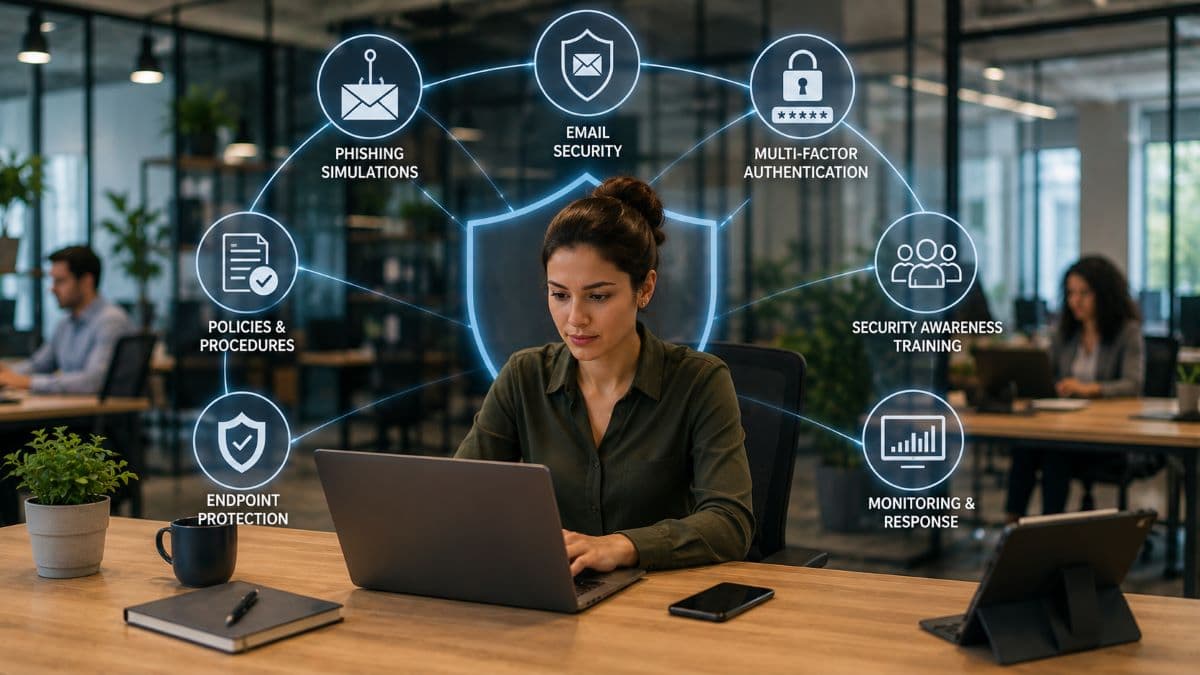
As valuable as they are, simulations do not stand alone. They strengthen the human layer, but they work alongside the technical defenses that catch what people miss. Email filtering removes many malicious messages before anyone sees them, and strong authentication limits the damage when a credential is stolen anyway, an approach explained in our guide to phishing-resistant MFA. Together, these layers are far stronger than any one of them alone, because each covers the gaps the others leave.
This is why phishing simulations belong inside a broader set of cybersecurity solutions rather than being treated as a standalone fix. The strongest security comes from people and technology reinforcing each other, not from either on its own.
Where phishing simulations fit in security awareness training
Phishing simulations are the most practical part of a wider effort known as security awareness training, which aims to help everyone in a business handle technology and information safely. Simulations test and reinforce one specific skill, spotting a malicious email, while broader awareness training covers related habits such as using strong and unique passwords, handling sensitive data carefully, and knowing how to report a concern. The two work together, with simulations giving the realistic practice that makes the rest of the training stick. Our guide to security awareness training covers the wider program.
There is also a compliance dimension. The HIPAA Security Rule requires a security awareness and training program for every member of a medical or dental practice's workforce, and the FTC Safeguards Rule expects financial businesses such as accounting and tax firms to train staff on security. A documented phishing simulation program is a clear way to show that staff are being trained and tested regularly. For a regulated business, this means a well run program serves two purposes at once, reducing real risk while also providing evidence that a training requirement is being met.
How to get started with phishing simulations
The sensible way to begin is with a baseline. An initial simulation, run without warning, shows where the business stands and gives a number to improve on. From there, a regular program of varied campaigns paired with brief training builds awareness over time. It is worth setting expectations with staff first, framing the program as a shared effort to protect the business rather than a test designed to trip them up, which sets the right tone from the start.
If your business runs on Microsoft 365, check your licensing first. Microsoft's built-in Attack simulation training comes with Defender for Office 365 Plan 2, which is part of the E5 plans; Microsoft 365 Business Premium includes Plan 1, which does not have it.
A business can run this itself with the right tools, but doing it well, choosing realistic scenarios, interpreting the results, and keeping the program consistent without creating resentment, takes effort and judgment that is easy to underestimate. Many businesses in Woodland Hills and across the San Fernando Valley prefer to run simulations as part of a managed program. That keeps the campaigns consistent, so the results turn into a more resilient workforce rather than fading after the first round.
Frequently Asked Questions
Phishing simulations are worth it for most small businesses, as long as expectations are realistic. Phishing reaches every inbox regardless of company size, and simulations are one of the most affordable ways to strengthen that human layer, and they often reveal risks a business did not know it had. For a small team, a single avoided incident can easily justify the effort.
Phishing simulations work best run regularly rather than once. Many businesses run them on an ongoing basis, with campaigns spaced through the year so awareness stays fresh and improvement can be measured. The exact frequency depends on the business, but the key is consistency over time rather than a single annual test that is quickly forgotten.
An employee who fails a phishing test should receive immediate, supportive training that explains what they missed, not punishment or public embarrassment. The point is to help people learn while the moment is fresh, and to build a culture where reporting suspicious emails feels safe. Treating failures as teaching moments leads to far better results than blame, which only encourages people to hide mistakes.
Phishing simulations do not replace other security measures. They strengthen the human layer, but they work alongside technical defenses like email filtering, strong authentication, and endpoint protection, not in place of them. A complete approach combines aware employees with these technical layers, so that if one fails, others still stand between an attacker and your data.
If you want to build a workforce that recognizes and reports threats, GlobeVM can run phishing simulation training and ongoing security education through managed IT services in Los Angeles.
Comments
0 Comments