For years the security advice was simple. Turn on multi-factor authentication, and a stolen password stops being enough to break into an account. That advice was right, and it still is. MFA remains one of the most effective security controls a business can put in place, and any account without it is exposed. But the conversation has moved on, because attackers have moved on too.
Not All MFA Is Equal: A Business Guide to Phishing-Resistant Authentication

By nazy rafaeil
21 May 2026

The uncomfortable reality is that the most common forms of MFA, the text message code and the approval prompt on your phone, can now be defeated. Attackers have built reliable techniques to get past them, and they use those techniques every day against businesses that believe MFA alone has them covered. Having MFA is no longer the finish line. The question that matters now is which kind of MFA you have.
This guide explains how attackers bypass weaker MFA, why not all MFA offers the same protection, what phishing-resistant MFA is, and how to move your business toward stronger authentication without disrupting your team. The goal is not to frighten you away from MFA. It is to make sure the MFA you rely on is the kind that actually holds.
Why Having MFA Is No Longer Enough on Its Own
MFA is essential and still blocks a large share of attacks, but the common forms of it, text codes and push approvals, can now be bypassed by attackers using MFA fatigue and real-time phishing. Stronger, phishing-resistant MFA closes that gap. Knowing the difference is what separates an account that is protected from one that only appears to be.
None of this means MFA was a mistake or that you should turn it off. An account with weak MFA is still far better protected than an account with none, and MFA belongs in every cybersecurity program. The point is narrower and more important. The protection you think you have depends entirely on the type of MFA in use, and most businesses have never been told that the type matters. They turned MFA on, saw the prompt appear, and reasonably assumed the job was done. Attackers are counting on exactly that assumption.
How Attackers Get Past Weak MFA
To understand why some MFA holds and some does not, it helps to see how the bypasses work. None of these are rare or theoretical. They are routine parts of how business accounts get compromised.

MFA Fatigue and Push Bombing
When MFA sends a simple approve or deny prompt to a phone, an attacker who already has the password can abuse that prompt. They trigger login attempt after login attempt, sending the victim a stream of approval requests. The hope is that the person, worn down, confused, or assuming it is a glitch, eventually taps approve just to make the prompts stop. It is a low-effort attack that works often enough to be popular, and an account taken over this way becomes a foothold for worse, including ransomware.
Real-Time Phishing and Session Hijacking
The more advanced bypass is harder to spot. An attacker sets up a phishing site that quietly sits between the victim and the real login page, relaying everything in both directions. The victim enters their password and then their MFA code on the fake page, the attacker passes both straight to the real site in real time, and the login succeeds. Worse, the attacker captures the authenticated session that results, which lets them stay logged in even though they never knew the code themselves. This adversary-in-the-middle technique defeats text codes, app codes, and push prompts alike, and it uses the same real-time phishing approach behind many business email compromise attacks.
SIM Swapping and SMS Interception
MFA codes sent by text message carry their own weakness. Through SIM swapping, an attacker convinces or tricks a mobile carrier into moving a victim's phone number onto a SIM the attacker controls, after which every text code goes to them. Weaknesses in the underlying phone networks can also allow text messages to be intercepted. The result is the same. The second factor a business is depending on quietly ends up in the wrong hands.
Not All MFA Is Equal
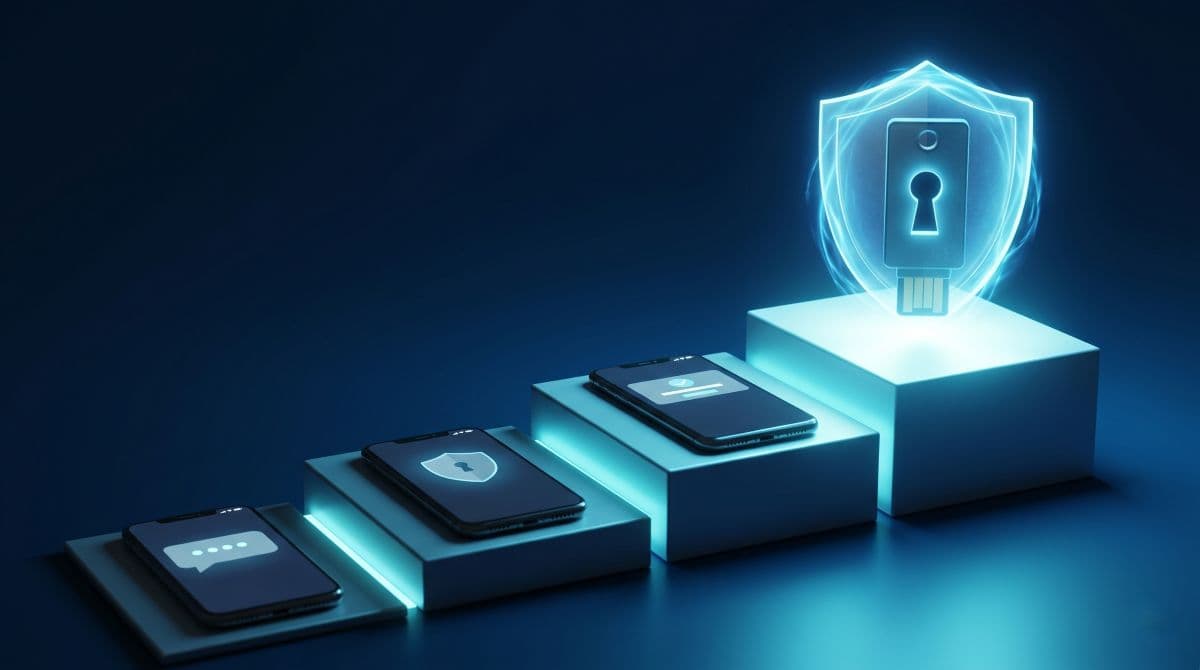
Put those attacks together and a clear hierarchy emerges. The different forms of MFA do not offer the same protection, and it is worth knowing where each one sits.
Text Message and Email Codes
Codes sent by text or email are the weakest common form. They can be intercepted through SIM swapping and network weaknesses, and they can be phished on a fake site like any other typed code. They are still better than no MFA, but they should be treated as the floor, not the goal.
Authenticator App Codes
Time-based codes from an authenticator app are an improvement, since they are not exposed to SIM swapping. They remain phishable, though. A code that a person can read off their phone and type into a page is a code they can be tricked into typing into the wrong page.
Push Notifications and Number Matching
Push approvals are more convenient and remove the typing, and number matching, where the user enters a number shown on the login screen, helps against blind approval. But push prompts are still vulnerable to fatigue attacks and can still be relayed by a real-time phishing proxy. They are better than codes, yet they are not the strongest tier.
Phishing-Resistant MFA
At the top sits phishing-resistant MFA. This is the only category that holds up against the bypasses described above, and it is the form security authorities now point businesses toward. It is worth understanding why it works, because the reason is what makes it different.
What Actually Makes MFA Phishing-Resistant
Phishing-resistant MFA is built on a different principle. Instead of a shared code or an approval that a person can be tricked into handing over, it uses cryptographic authentication that is bound to the real website. In practice this means FIDO2 and WebAuthn based methods, which include hardware security keys and passkeys, along with PKI based smart cards. Security agencies such as CISA, and the standards from NIST, recognize essentially only these methods as phishing-resistant. This binding is what turns MFA from a speed bump into real access control.
The protection comes from two things. First, there is nothing for the user to type and nothing to approve, so there is no secret for a phishing site to capture or a fatigue attack to wear down. Second, and most important, the authenticator checks the actual web address it is communicating with. A passkey or security key created for your real login page simply will not respond to a lookalike phishing domain, because the domain does not match. The private key never leaves the device, and the fake site never receives anything it can use. The attack that defeats codes and push prompts has nothing to grab.
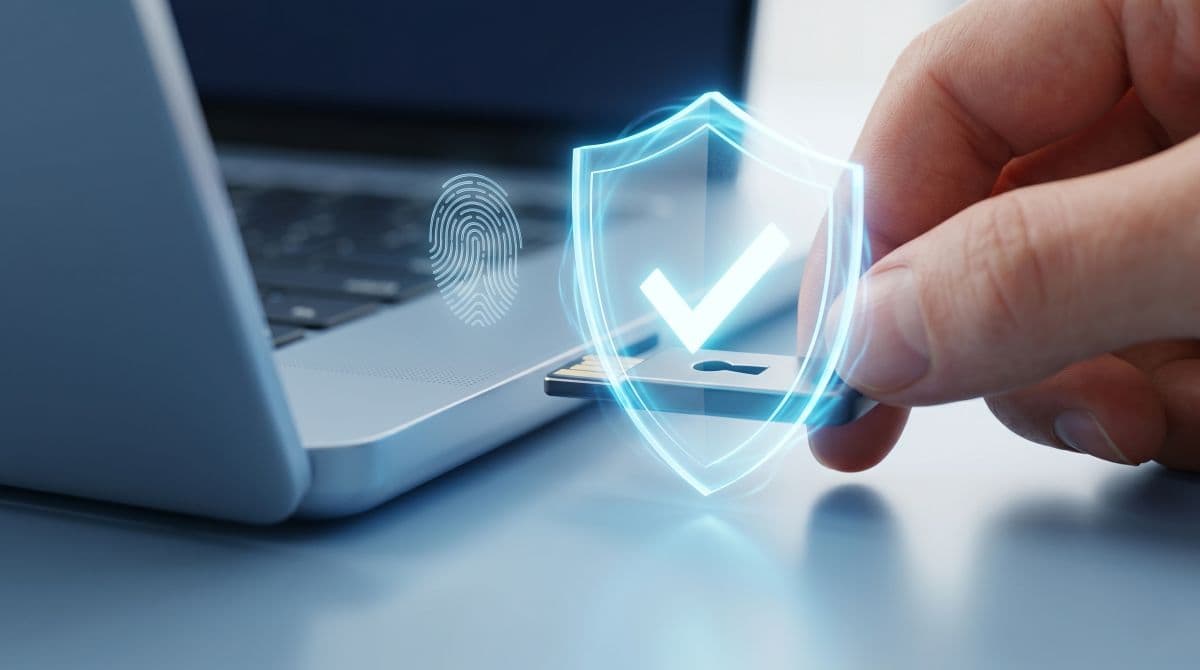
Passkeys deserve a specific mention, because they have made this practical for ordinary businesses. A passkey is a phishing-resistant credential that is now supported across the major operating systems and browsers, and on the phones and laptops your team already uses. Hardware security keys, small physical devices that plug in or tap, serve the same purpose and suit administrators, shared computers, and the highest-risk roles. The barriers that once made strong authentication feel like an enterprise-only project are largely gone.
How to Move Your Business to Stronger MFA
Strengthening MFA does not mean replacing everything overnight. A measured, phased approach gets you the protection without disrupting the people who have to use it every day.
Start by Auditing What You Use Now
Begin with a clear picture of reality. Identify which accounts and systems have MFA, which form of MFA each one uses, and which important systems still have none. Pay attention to email, remote access, cloud admin consoles, and financial systems. A managed IT services partner can run this audit and turn it into a concrete plan if you would rather not do it alone.
Protect Your Highest-Risk Accounts First
Not every account carries the same risk. Administrator accounts, email accounts, finance and payroll access, and any remote entry point into your network are the ones an attacker wants most, and the ones where a compromise does the most damage. Move these to phishing-resistant MFA first. Securing the accounts that matter most delivers the largest share of the protection early.
Choose the Right Authenticators
Most businesses use a mix. Hardware security keys are well suited to administrators, shared or kiosk computers, and high-risk roles, because they are sturdy and not tied to a personal device. Passkeys built into laptops and phones, using the device's own biometrics, work well for the broader team and feel familiar to use. Decide which roles get which, and standardize on a small number of supported options rather than letting it sprawl.
Plan Recovery and Roll Out in Phases
Two things make or break a rollout. The first is a plan for lost or broken devices, including spare keys, a clear recovery process, and a carefully protected emergency access account so no one is ever locked out for good. The second is patience. Pilot with a small group, prepare your help desk for the questions that will come, and expand in stages. Standard MFA can stay in place during the transition, with phishing-resistant MFA set as the goal for your most important access. Stronger authentication is increasingly expected anyway, both by cyber insurance policies and by the compliance frameworks behind serious compliance and risk management, so this is a move toward where requirements are already heading.
Common MFA Mistakes Businesses Make
A few mistakes show up repeatedly, and each one quietly weakens the protection a business thinks it has. The most common is treating MFA as a finished project. It gets switched on once, and no one revisits whether the form in use is still strong enough as attacks evolve. Closely related is assuming all MFA is equal, which leads businesses to rely on text codes for critical accounts without realizing those codes sit at the bottom of the strength ladder.
Other mistakes are about coverage and process. Businesses protect employee logins but forget administrator accounts, remote access, or service accounts, leaving the highest-value targets exposed. They roll strong MFA out with no recovery plan, then retreat to weaker methods the first time someone loses a device. And they skip the human side entirely, deploying new authentication with no communication or help desk preparation, which turns a security win into a wave of frustration. Avoiding these comes down to treating MFA as something you review and strengthen over time, not a switch you flip once and forget.
How GlobeVM Helps You Strengthen MFA
At GlobeVM, we treat authentication as something to get right and then keep right, not a box to tick during setup. For the businesses we support across the Los Angeles area, that starts with an honest audit of how each important account is currently protected, and an honest answer about where the weak points are.
From there we help prioritize. Highest-risk accounts move to phishing-resistant MFA first, then we choose the right mix of hardware keys and passkeys for your team, and plan the recovery process and phased rollout so the change improves security without disrupting work. We pay particular attention to the realities our clients face, including the authentication expectations that come with compliance obligations and cyber insurance. If you are not sure whether the MFA protecting your business would actually hold against a determined attacker, that is worth knowing for certain. Schedule a free IT assessment and we will give you a clear picture of where your authentication stands.
Frequently Asked Questions
Any MFA is far better than none and still blocks many attacks. But attackers now routinely bypass the weaker forms, such as text codes and push prompts, using fatigue attacks and real-time phishing. Phishing-resistant MFA is what closes that remaining gap.
Phishing-resistant MFA is cryptographic authentication that is bound to the real website and cannot be phished or relayed. In practice it means FIDO2 and WebAuthn security keys and passkeys, along with PKI smart cards. Security authorities recognize essentially only these methods as phishing-resistant.
Codes sent by text can be intercepted through SIM swapping, where an attacker takes over your phone number, and through weaknesses in phone networks. They can also be phished on a fake site like any typed code. Text MFA is better than nothing, but it is the weakest common form.
In an MFA fatigue attack, an attacker who already has your password triggers a flood of approval prompts to your phone, hoping you tap approve out of annoyance or confusion. Phishing-resistant methods stop this completely, because there is no prompt to approve.
You do not need to change everything at once. Audit what you have, protect your most important accounts first, and move toward phishing-resistant methods in a steady, planned way. If you want a clear answer on whether your current MFA would survive a real attack, talk to GlobeVM about an authentication review, backed by managed IT services in Los Angeles.
Comments
0 Comments