
A small business will spend real money on firewalls, filters, and monitoring, and then prop the back door open for the delivery guy, leave the server in a never-locked closet with the mop bucket, and let a visitor wander to the restroom past six open, signed-in screens showing client files. Physical security is the half of IT security that involves no software at all, and it fails more quietly than the digital half: no alert fires when someone reads a screen over a shoulder, photographs the whiteboard, or walks out with the old file-server tower during the office move. This guide is the walk-through most offices have never done, room by room, from the closet where the network lives to the drawer where the old drives went, and the short audit that turns what you find into fixes.
Why Physical Security Is IT Security
The connection is more direct than most owners realize: nearly every digital protection assumes the hardware stays in trusted hands, and physical access quietly cancels those assumptions. A person at an open, signed-in computer is that employee, to every system, for as long as the screen stays awake; a stolen laptop is a data breach unless its disk was encrypted, and even then the business owes itself an uncomfortable inventory of what was on it; and someone alone with your server or network equipment has options no firewall was built to consider. Security practitioners compress this into an old rule: sustained physical access to a machine is, sooner or later, control of it, which is why banks put their computers behind the same doors as their cash. The point is not paranoia; it is symmetry. A business that would never skip antivirus should not be indifferent to who can touch the machines the antivirus runs on, and the fixes on the physical side are mostly cheaper, faster, and older than anything in the software catalog: locks, habits, and knowing where things are.
The Walk-Through: Six Stops Around Your Office
The rest of this guide is best read standing up. Take it around the office once; the findings write themselves.
Stop One: The Closet Where Everything Lives
Somewhere in your office is the room or closet holding the server, the network switch, the firewall, and the internet handoff, the physical brain of the business, and the first question is embarrassingly simple: is it locked, and who has the key? The common findings: the door locks but never is; the key lives in the reception desk drawer; the closet doubles as storage, so cleaners, delivery staff, and anyone hunting for paper towels passes through; and the equipment shares its air with a water heater or the mop sink. The fixes are proportional: a lock that is actually used, keys or codes limited to the people who administer the equipment, no shared storage, and a thought spared for heat and water, since more small-business servers have been killed by a failed AC unit or a leak than by any intruder. If the closet also holds the only copy of anything, that is a different article's finding, but note it anyway.
Stop Two: Screens, Desks, and the Walk-By Problem
Now walk the open office the way a visitor would, and read what the room shows you: signed-in screens glowing with email and client records at empty desks, passwords on notes under keyboards and on monitor edges, and paperwork with account numbers sitting in plain view. The countermeasures cost almost nothing. Screens lock automatically after a short idle and, better, employees learn the two-key shortcut and the habit of locking on stand-up, a reflex that takes a month of gentle enforcement to install and then lasts forever. Reception and any desk facing public space get privacy filters or a screen angle that does not broadcast to the lobby. And a light clean-desk expectation, sensitive paper goes in a drawer at day's end, protects against both the wandering visitor and the overnight cleaning crew nobody ever mentions in the security plan despite their unsupervised access to everything, every night.
Stop Three: Visitors, Vendors, and the Propped Door
Small offices run on trust and courtesy, which is exactly what intruders rent: the clipboard, the delivery box, the confident stride, and the kindness of whoever holds the door. The professional version of this con, walking in behind an authorized person, is a staple of social engineering, and the office-level defenses are cultural rather than technical: visitors are greeted and accompanied rather than waved through, vendors are expected rather than assumed, a stranger in the work area gets a friendly "can I help you find someone?" from anyone who sees them, and the back door does not live propped open because the smokers find the handle annoying. None of this requires badges and turnstiles at a ten-person firm; it requires the shared understanding that noticing people is everyone's job, which costs one staff-meeting conversation and pays indefinitely.
Stop Four: The Parking Lot USB Drive
One physical attack deserves its own stop because it converts curiosity into compromise: the dropped USB drive, left in the lot, the lobby, or the mail, sometimes labeled with something irresistible, waiting for a helpful employee to plug it in "to find the owner." A drive is not a passive object; plugging one in can execute code, and the defense is a one-sentence policy stated plainly to everyone: found drives go to whoever handles IT, unplugged, no exceptions, and the business does not move files on loose drives anyway because the sanctioned sharing methods exist. Offices that want a technical backstop can have removable media restricted on company machines, but the sentence, repeated until it is folklore, does most of the work.
Stop Five: Keys, Badges, and the People Who Left
Physical access has a lifecycle exactly like digital access, and it decays the same way: over years, keys multiply, alarm codes become communal, the door code stays what it was when the office opened, and nobody can list who currently holds what. The audit question is one line, who can get into this office tonight, and if the answer is a shrug, the fixes follow: an actual list of keys and codes with names attached, codes changed on a schedule and after any departure, and, critically, physical items folded into the leaver process, keys back, codes rotated, badge disabled, the same day access ends, right beside the account shutdowns in the checklist we lay out in our guide to employee offboarding. For growing offices, electronic locks earn their cost precisely here: named credentials that revoke in seconds and leave a log, instead of brass that has to be chased.
Stop Six: The Drawer of Old Drives
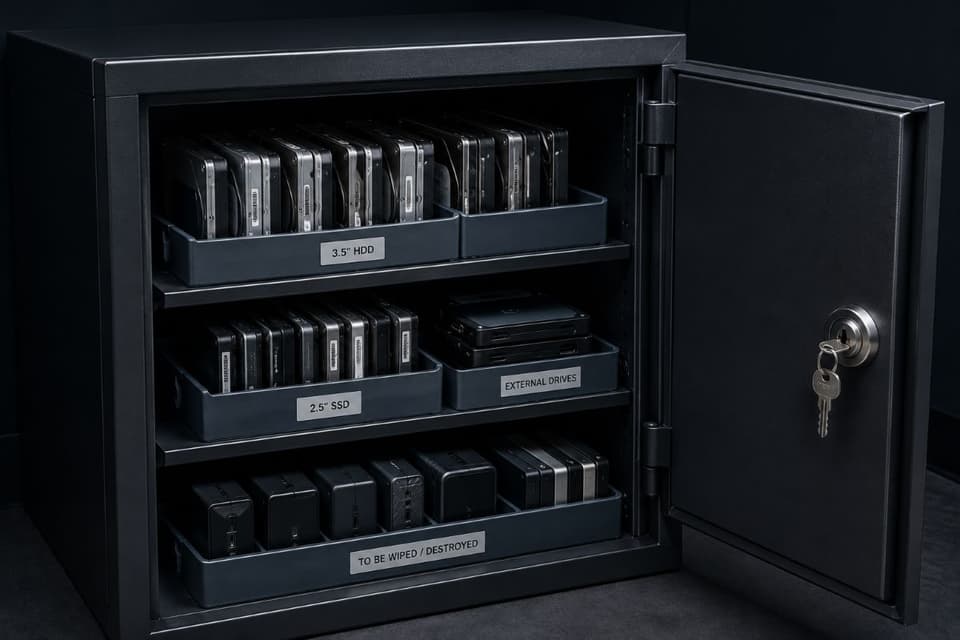
The final stop is wherever old equipment goes to wait: the drawer of retired laptops, the shelf of dead external drives, the tower under the stairs from two servers ago. Every one of those objects is a container of business data protected by nothing but inertia, and they leave, eventually, through donations, e-waste days, office moves, and quiet disappearances, carrying whatever they carry. The rule is the one this blog keeps arriving at from different directions: storage gets wiped or destroyed, with a record, before hardware exits, and the waiting area itself gets locked in the meantime, because "we were going to wipe those" is not a sentence anyone enjoys saying afterward. The full procedure, including leased equipment and certificates of destruction, is in our guide to secure IT asset disposal, and the drawer is where it starts.
The One-Page Physical Security Audit
The walk-through, condensed into the checklist to run twice a year:
- Network closet: locked in practice, keys named and limited, no shared storage, heat and water considered.
- Screens: automatic lock set short everywhere, lock-on-standup habit alive, privacy filters where the public can see.
- Paper: sensitive documents in drawers at day's end; a shredder that actually gets used.
- People: visitors accompanied, strangers greeted, doors never propped, cleaning-crew access acknowledged in the plan.
- Media: found-drive rule known by everyone; loose drives not part of normal workflow.
- Access lifecycle: current list of keys, codes, and badges; rotation after departures; physical items in the offboarding checklist.
- Retired equipment: locked while waiting, wiped with a record before leaving.
An honest first pass takes an hour and typically produces a fix list where nothing costs more than a locksmith visit, which is the recurring surprise of physical security: it is the highest-yield, lowest-cost work in the whole security program, waiting behind the assumption that someone must already have handled it.
Cameras, Alarms, and Door Systems: The Fixtures Are Devices Too
A closing loop worth making explicit: the equipment businesses install to improve physical security, cameras, alarm panels, electronic door controllers, is itself networked hardware with default passwords, software updates, and remote access, and an unmanaged camera system is simultaneously a security asset and an unwatched device on your network that can literally see everything. Buy these systems the way you would buy anything that plugs into the network: change the default credentials, keep the software current, decide deliberately who can view feeds and open doors remotely, and put the devices in the inventory with an owner. Modern door-access platforms in particular sit exactly at the junction of physical and digital, named credentials, instant revocation, logs, and choosing and running them well is part of the broader discipline of access control rather than a facilities afterthought.
A Note for Medical, Legal, and Financial Offices
Regulated practices should know that the physical layer is not merely good practice for them; it is an explicit expectation. Healthcare privacy rules, for instance, contain physical safeguard requirements alongside the technical ones, and auditors and breach investigators in every regulated field ask the walk-through questions above, who could reach the server, where did the old drives go, with findings attached. For these offices the audit list doubles as compliance evidence: dated, owned, and filed with the rest of the program.
Lock the Doors the Software Assumes Are Locked
Every digital protection your business runs stands on a physical assumption: that the machines stay where they belong, in the hands they belong in, visible only to the eyes they should be. Physical security is just the practice of making those assumptions true, and unlike almost everything else in security, it is finished with locks, habits, and a twice-yearly hour with a checklist rather than with subscriptions. Take the walk this week, write down what the office shows you, and fix the list; the doors were always the cheapest part of the perimeter.
For businesses in the region, a partner providing IT support in Santa Clarita can run the physical audit alongside the digital one and fold the fixes into everyday management.
Companies to the west can get the same locally through IT services in Simi Valley, from the closet lock to the documented wipe on every retired drive.
If nobody has ever walked your office with a checklist and asked who can reach the server tonight, GlobeVM can run the physical security audit with you and fix what it finds, usually for less than the cost of ignoring it.