
Most of the technology problems that interrupt a workday can be solved without anyone walking through your door. A password that stopped working, an email that will not send, a printer that vanished from the network, a program throwing an error nobody understands. Remote IT support is the practice of a technician connecting to your computers, servers, and network over a secure internet connection to diagnose and fix problems from a distance. For a small or mid-sized business, it usually means faster help, lower costs, and coverage that does not depend on whether someone can physically drive to your office. This guide explains how remote IT support actually works, what it can and cannot fix, how a responsible provider keeps that remote access safe, and when you still need a person on site.
What remote IT support actually means
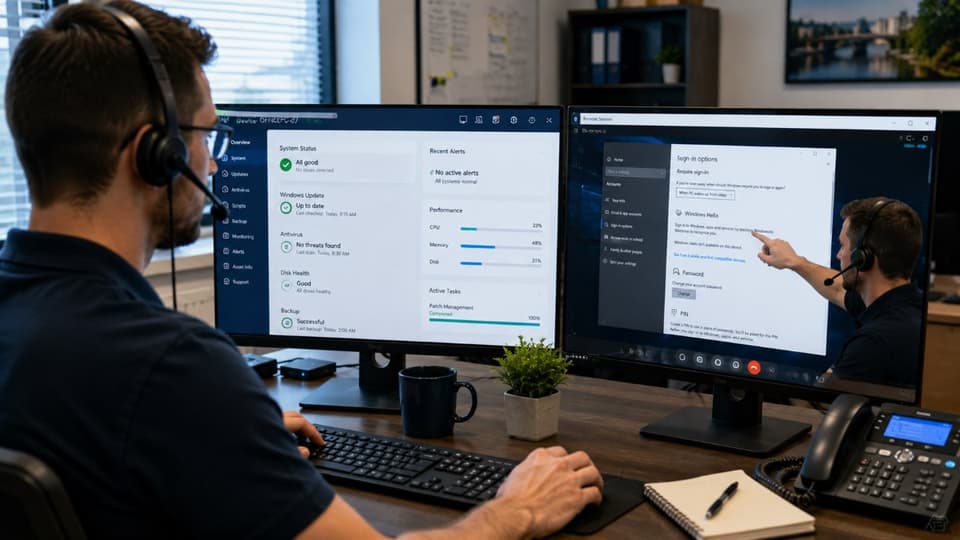
Remote IT support is more than a phone call where someone reads troubleshooting steps to you. A technician uses secure remote-access software to see your screen and, with your permission, control the device as if they were sitting in front of it. That same approach covers two different kinds of work. The first is reactive: something breaks, you open a ticket, and a technician connects to fix it. The second is proactive, where proactive remote monitoring and management runs quietly in the background, applying updates and catching problems before they reach you. A good provider does both, so the count of tickets you open each month tends to shrink over time rather than grow.
How a remote support session works, step by step
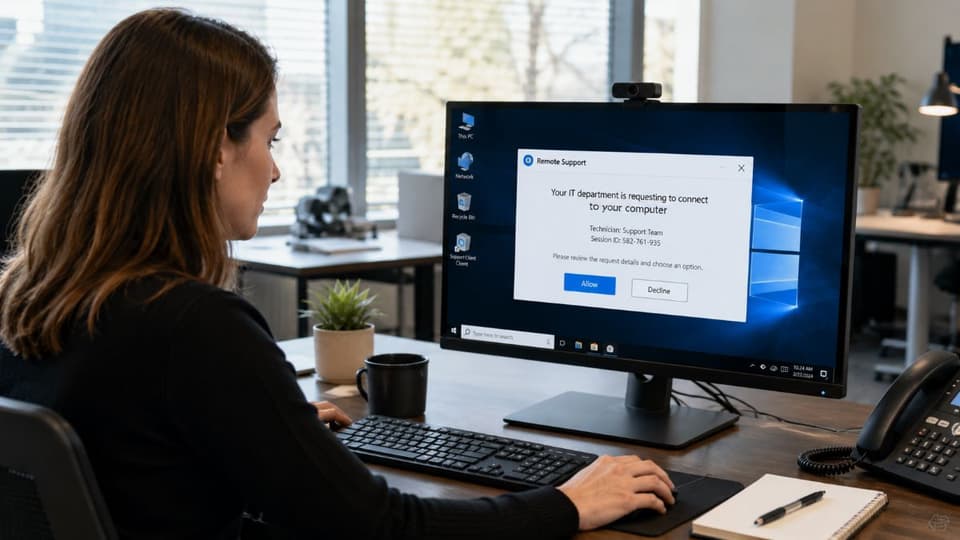
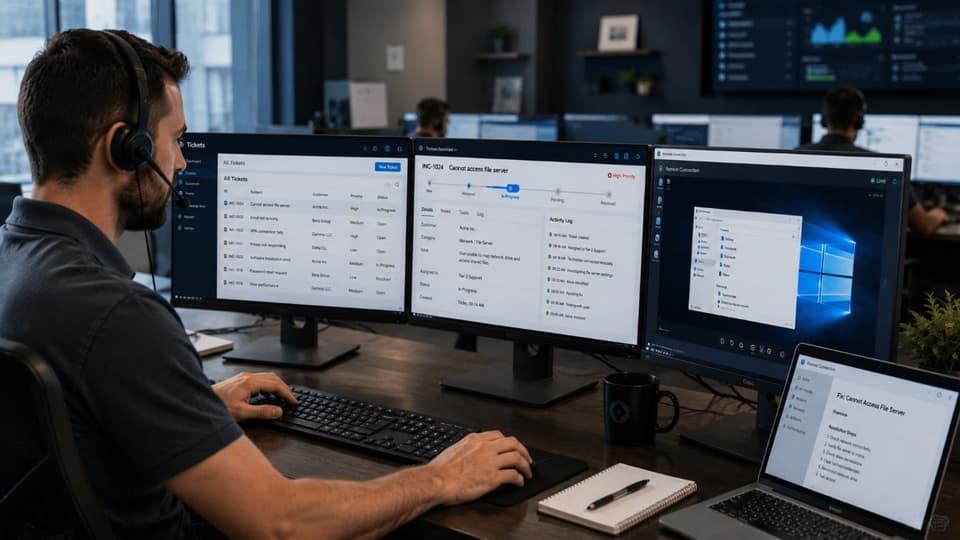
The process is more structured than most people expect. You report a problem by phone, email, or a ticketing portal, and the issue is logged and assigned a priority. A technician contacts you, confirms who you are, and sends a connection request through the remote-access tool. Nothing happens until you approve that request, and you can watch everything the technician does on the screen. They diagnose the issue, make the fix, and explain what went wrong in plain language before disconnecting. The session is recorded in the support history, which matters later if the same problem returns or if you ever need to review who touched a system and when. For always-on equipment like servers, a small monitoring agent allows secure background access so the technician does not need someone physically present to approve each connection. Tickets move through different skill levels, and understanding how help desk support tiers work helps explain why some fixes are instant while others get escalated to a specialist. This is the everyday work of a helpdesk and IT support team, and the steps below are what a well-run one follows on every ticket.
What remote IT support can fix, which is most things
The honest answer is that the large majority of day-to-day business technology issues are software, account, or configuration problems, and all of those can be handled remotely. That includes installing and updating applications, repairing operating system errors, resetting passwords and setting up multi-factor authentication, fixing email and Microsoft 365 accounts, configuring VPNs and Wi-Fi settings, mapping printers, cleaning up most malware infections, tuning a sluggish machine, onboarding a new employee's accounts, and applying the security patches that close known weaknesses. Because a technician can connect in minutes rather than scheduling a visit for next week, problems that used to cost a full afternoon of lost productivity often disappear in a single short session.
What it cannot fix without someone on site
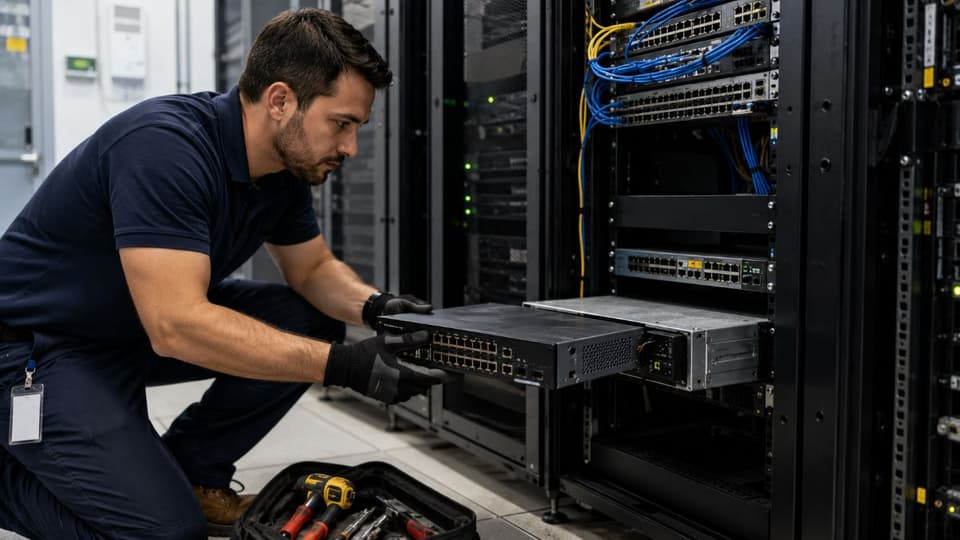
This is where a lot of marketing gets vague, so it is worth being direct. Remote support cannot replace a failed hard drive, a dead power supply, or a bad stick of memory. It cannot run a new network cable, swap a broken switch, or physically install a new firewall. It cannot help a device that is completely offline, because if there is no working connection there is no way to remote in. Some firmware and BIOS-level work, setting up brand-new hardware out of the box, and anything involving the physical environment such as power or cooling still need hands on the equipment. For those situations, a provider who can dispatch a technician matters, which is one reason businesses value on-site IT support in Woodland Hills and the surrounding area alongside their remote service.
The security question: remote access done right versus a scam
Remote-access tools are powerful, which is exactly why they get abused. Tech-support scammers talk people into granting access, and real attackers have hijacked the same remote management software that providers use. None of that means remote support is unsafe. It means the controls around it have to be real. A legitimate provider uses named technician accounts protected by multi-factor authentication, asks for your consent on each session, limits technicians to the access they actually need, encrypts the connection, and keeps a full audit log of every session. Just as important is what a real provider will never do: nobody from a trustworthy IT company will cold-call you out of nowhere, claim your computer is infected, and demand immediate remote access or payment. Knowing the difference is part of vetting any partner, and the same care goes into how to choose the right MSP in the first place.
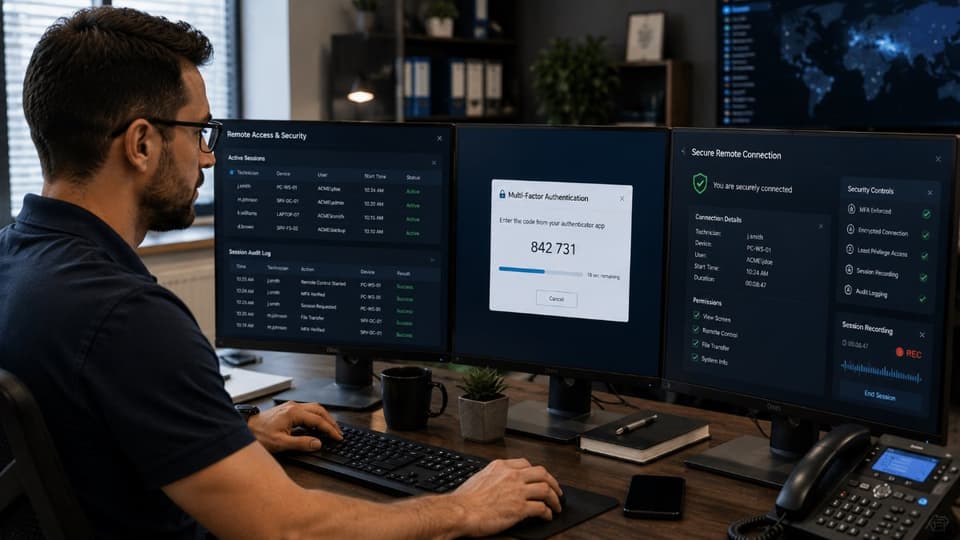
Five signs a remote session is legitimate
A legitimate session starts inside a ticket you or a colleague opened, not from an unexpected call or pop-up. The technician connects through the tool your provider told you about in advance, never through a link sent in the moment. A consent prompt appears on your screen and nothing happens until you approve it. You can see everything the technician does, and you can end the session yourself at any point. And nobody ever asks for your password, a gift card, or a bank login, because none of those are needed to fix a computer. If any one of those five is missing, close the session and call your provider on the number you already have.
Remote versus on-site, and why hybrid usually wins
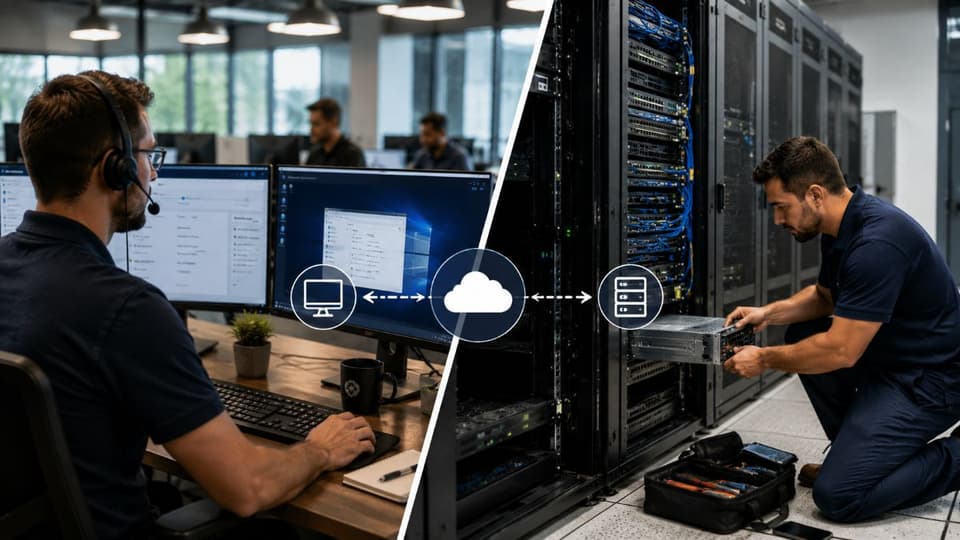
Remote support gives you speed, lower cost, around-the-clock availability, and access to a wider bench of specialists than any single in-house person could provide. On-site support gives you hands-on repair, physical installation, and the in-person presence that some regulated or hardware-heavy environments require. The mistake is treating these as an either-or choice. For most small and mid-sized businesses, the right model is remote-first with on-site help dispatched when the job needs it. That blend keeps everyday issues cheap and fast while still covering the hardware and physical work that no one can do over a wire. It also avoids the trap of assuming remote is always cheaper or always better, because a business with significant on-premise equipment or strict compliance obligations will still lean on physical visits more than a fully cloud-based office would.
| Remote support | On-site support | Hybrid | |
|---|---|---|---|
| Speed to first action | Minutes; no travel | Hours; depends on distance | Minutes remotely, with a scheduled visit when needed |
| What it fixes | Software, accounts, settings, most network issues | Hardware, cabling, physical installs, dead machines | Everything, in the order that costs least |
| Cost per incident | Lowest | Highest | Low, because visits are reserved for real needs |
| Security | Strong with consent prompts, MFA and session logs | Strong; physical presence | Both, if remote access is governed |
| Best for | Day-to-day issues in any location | Moves, new equipment, outages with a physical cause | Nearly every small business |
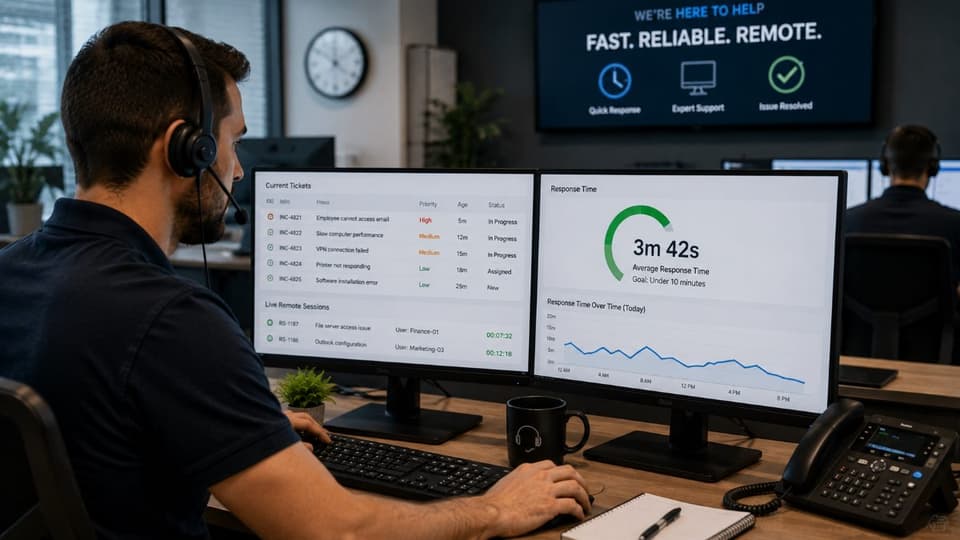
How fast should remote IT support respond?
Speed is one of the strongest arguments for remote support, but the number that actually matters is the one written into your contract. There is a difference between response time, which is how quickly someone acknowledges and starts working on your issue, and resolution time, which is how long the full fix takes. A serious provider defines both, along with priority levels and whether coverage is business hours only or after hours. This is why the response times in your service level agreement deserve close reading before you sign anything.
The reason it is worth the attention is simple economics, and the cost of unplanned downtime for even a small team adds up faster than most owners expect once you count idle staff, missed orders, and the scramble to recover.
Getting the most out of remote IT support
A few practical habits make remote support work better. Keep a reliable internet connection, since the quality of the session depends on it. Allow the monitoring agent to run so problems can be caught early instead of reported late. Maintain a simple inventory of your devices and software so a technician is not guessing about what you have. And choose a provider whose coverage matches where you operate. A team that pairs strong remote service with local presence can support a business in Woodland Hills, Encino, or anywhere IT services across the San Fernando Valley and Ventura County, handling the routine work remotely and showing up in person when the situation calls for it. Most businesses get remote support as one part of a broader managed IT services agreement, which is where the habits below are usually set.
What a good remote IT support setup includes
Remote support is only as good as the tooling and the rules around it. A monitoring agent on every managed device lets the technician see the machine before the user has finished describing the problem, and it is also what makes proactive work possible: patches applied overnight, disks replaced before they fail, and alerts raised before anyone calls. A remote-control tool with consent prompts and session recording protects both sides. A ticketing system keeps every request, every action, and every resolution in one record, which is what turns support into something you can measure. Multi-factor authentication on the technician side, documented offboarding of technician access, and a written scope of what can be done remotely without asking first round out the setup.
Documentation is the quiet part that separates a good provider from an average one. Network diagrams, credentials in a vault, a record of which printer lives where and which line-of-business application depends on which server: without these, every remote session begins with the technician rediscovering your environment, which is slow and error-prone.
What to measure after the first month
Four numbers tell you whether remote IT support is working. First response time, the gap between a ticket being opened and a person engaging with it. Resolution time, the gap to a confirmed fix, reported by priority rather than as one average. The share of tickets resolved remotely, which for a well-run desk is the large majority and tells you whether on-site visits are being used sparingly. And repeat tickets, the same problem coming back, which points at symptoms being cleared while root causes are not. Ask for these in the first monthly report, and if the provider cannot produce them, the tooling described above is probably not in place.
If you want technology problems handled quickly and securely, with on-site help when the job truly needs it, GlobeVM can assess your current setup and show you what responsive remote IT support across the Los Angeles area would look like for your business.