Every practice eventually has the email conversation. A patient replies to an appointment reminder with a question about their medication, a front-desk employee answers helpfully, and somewhere in that exchange protected health information just traveled through a system nobody ever evaluated for the job. Choosing among HIPAA compliant email providers is how practices get ahead of that moment, and the market is less confusing than it first appears. There is no such thing as email that is compliant by itself — only providers that will sign a Business Associate Agreement, and setups configured so patient information stays protected in transit, at rest, and in daily habit.
HIPAA Compliant Email Providers: Choosing the Right Setup for Your Practice

By George
30 September 2026

This guide sorts the options into the three categories they actually fall into, explains what Google and Microsoft do and do not cover, and walks through the configuration and habits that separate a covered mailbox from a liability with a login screen.
What "HIPAA Compliant Email" Actually Requires
Compliance attaches to the arrangement, not the product, and for email the arrangement has four parts that must all exist at once.
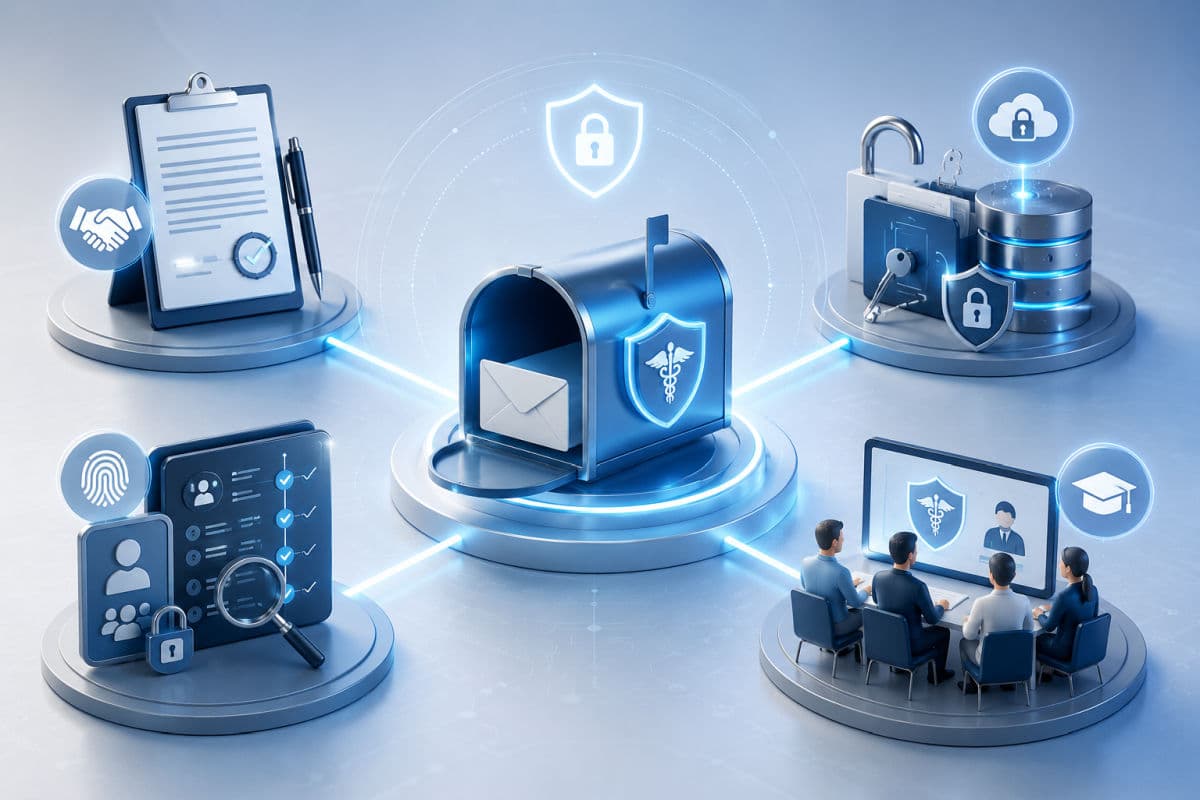
A signed BAA with the provider
The moment patient information moves through a vendor's mail servers, that vendor is a business associate, and HIPAA requires a written agreement before the first message, not after. This is the bright line that disqualifies free and personal accounts of every brand: they offer no agreement path, so no setting can save them. The safeguard obligations the agreement points to live in the HIPAA Security Rule, and they apply to a two-chair dental office the same as a hospital.
Encryption, both directions and both states
Covered email encrypts messages in transit between servers and at rest in the mailbox. The practical wrinkle is the last hop: transport encryption protects a message between cooperating servers, but the recipient's setup is outside your control, which is why providers differ mainly in how they handle delivery, some through secure pickup portals, some through technology that keeps the message encrypted end to end without extra steps. The mechanics deserve their own discussion; for choosing a provider, the question is simply which delivery approach your patients and referral partners will actually tolerate.
Access controls, audit trails, and retention
Compliance-grade email knows who signed in, from where, and what they touched, supports multi-factor authentication, and retains messages according to a policy rather than a whim, since patient correspondence is part of the record. If your practice has never written down how long email lives, that decision belongs in your data retention policy before it gets made accidentally by a deletion.
People who know the rules
No provider prevents an employee from forwarding a chart summary to a personal address to "finish at home." Configuration narrows the paths; training closes them.
The Three Categories of HIPAA Compliant Email Providers
Every option worth considering fits one of three shapes, and the right shape depends on what your practice already runs.
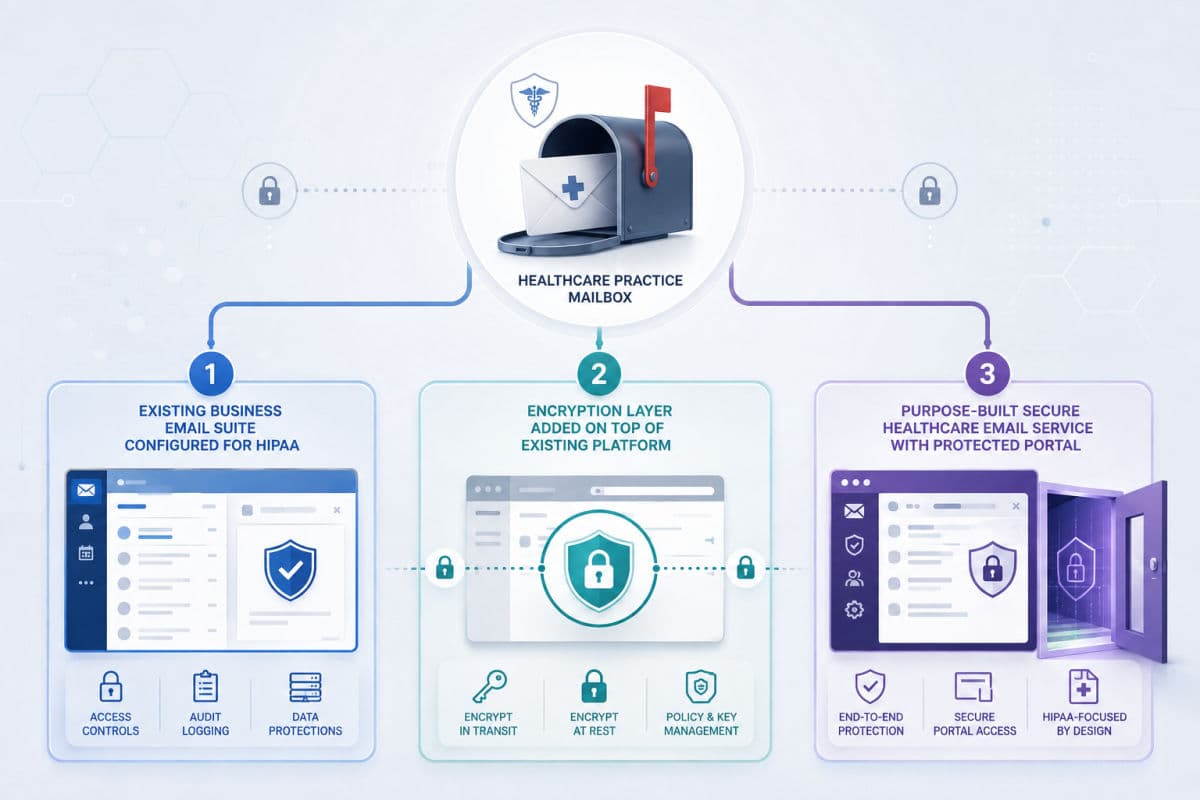
Category one: the suite you already pay for
Both major business platforms can carry patient email lawfully when set up for it. Google offers a HIPAA Business Associate Addendum that a Workspace administrator reviews and accepts in the admin console, and Gmail sits on Google's list of covered functionality, on paid Workspace accounts only, never personal Gmail. Microsoft includes BAA terms in its standard data protection agreement for commercial Microsoft 365, covering Exchange Online along with the rest of the suite, again with consumer accounts excluded. In both worlds the agreement is the beginning, not the end: encryption features must be turned on and enforced, and defaults are not enough. For practices on Microsoft, the hardening pass we describe in our guide to Microsoft 365 security settings is the same pass that makes the mailbox defensible.
Category two: an encryption layer on top of what you have
A second family keeps your existing addresses and platform and adds enforced encryption over them. Some, such as Virtru, work as an add-in inside Gmail and Outlook with message-level controls like expiration and revoking access after sending. Others, such as Paubox, sit at the mail-flow level and encrypt every outbound message automatically, with a delivery model designed so recipients read securely without portals or extra logins. The appeal of this category is continuity, nobody changes addresses and habits barely change; the diligence point is that the layer vendor becomes a business associate too, so its BAA gets executed alongside the suite's, and current terms should be confirmed with the vendor directly since offerings change.
Category three: purpose-built secure email for healthcare
The third family is standalone services designed around HIPAA from the first line of code, Hushmail is a long-running example, typically bundling the BAA with their healthcare plans and adding practice-friendly extras like secure intake forms. Recipients usually read messages through a protected portal or passphrase step. This category shines for solo practitioners and small behavioral-health practices that want compliance working out of the box more than they want to administer a platform. It is the natural landing spot for the therapist who searched for HIPAA compliant email for therapists and wants one decision, not a project. One diligence question belongs on the call before signing: how does mail export if you ever leave, because portal-based archives are not always simple to take with you, and years of patient correspondence should never be hostage to a vendor change.
Matching the Category to Your Practice
The decision usually resolves in one honest conversation about three facts. First, what you run today: a practice already on paid Workspace or commercial Microsoft 365 is one signed addendum and one configuration pass away from covered email, which makes category one the default and category two the upgrade when enforced, effortless encryption matters. Second, who you email: a practice that mostly messages other providers over secure channels has an easier life than one that emails hundreds of patients weekly, where recipient friction, portals, passphrases, extra clicks, becomes a real adoption problem and the no-extra-steps delivery models earn their cost. Third, who administers it: category three trades flexibility for simplicity, which is exactly the right trade for a two-person office and exactly the wrong one for a twelve-provider group with an IT relationship. Practices we set up across Simi Valley and the wider LA area land in all three categories, and the common thread among the happy ones is that the choice followed the workflow rather than a review site's ranking.
Referrals, Labs, and the Other Side of the Wire
Patient email gets the attention, but most of a practice's sensitive mail actually flows to other providers: referrals, records requests, lab follow-ups. Two realities shape that traffic. First, healthcare has its own rail for provider-to-provider exchange, Direct secure messaging, which many EHRs include and which handles clinical document exchange without touching the everyday inbox at all; if your EHR offers it, route records that way and spare your mailbox the burden. Second, ordinary email encryption is a handshake, and the other practice's setup is half of it. A referral partner on a consumer account is a weak link you inherit, which is why the polite-but-firm habit of established practices is to send outbound referrals through your enforced-encryption path regardless of what arrives inbound, and to nudge chronic offenders toward their own covered setup.
The Configuration That Makes or Breaks It
Whichever provider signs the agreement, the same short list decides whether the mailbox holds up in practice.
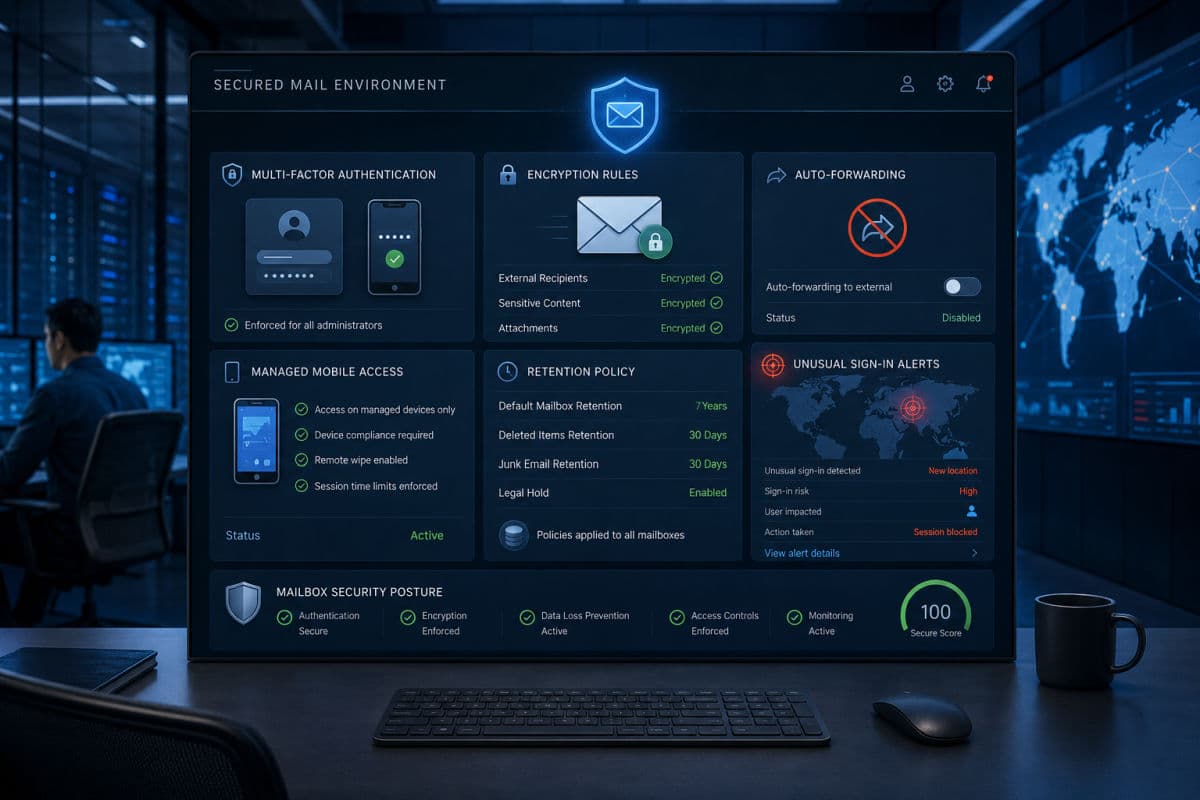
- Multi-factor authentication for every account, no exceptions for owners or "just the front desk"
- Enforced encryption rules, so messages containing patient information encrypt automatically rather than when someone remembers a toggle, transport rules that detect patterns like record numbers and diagnosis codes and encrypt on match are the standard version of this
- Auto-forwarding to external addresses disabled, the single setting that has quietly leaked more mailboxes than any hacker
- Mobile access under management, so the mail app on a lost phone can be wiped and a personal mail app never holds the practice mailbox
- Retention configured to policy, with legal-hold capability if your counsel ever needs it
- Alerting on unusual sign-ins, because a covered mailbox that nobody watches is covered on paper only
One more rule belongs in writing rather than software: patients are allowed to choose convenience. Federal guidance permits emailing a patient unencrypted when the patient has been warned of the risk and still prefers it, and the defensible version of that flexibility is a documented, signed acknowledgment, not a verbal shrug. Your staff should know both halves, the accommodation and the paperwork.
The Mistakes That Undo Covered Email
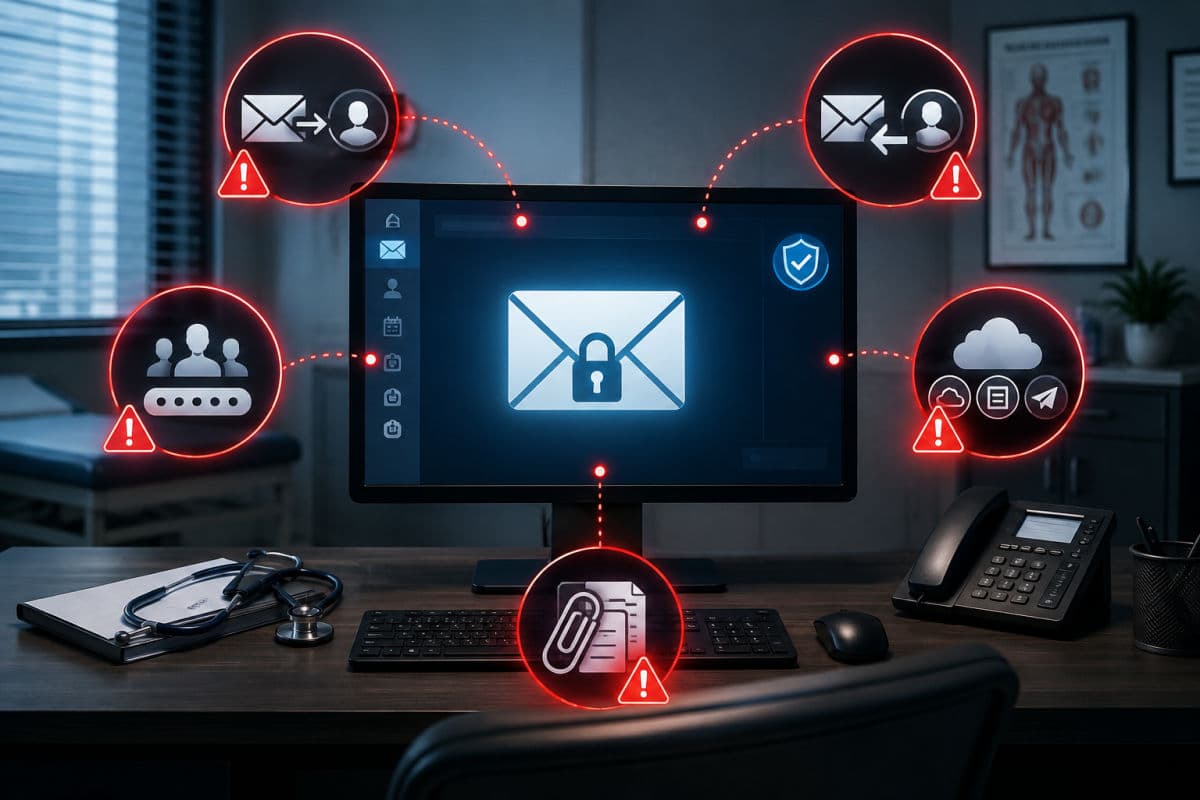
The failures we find in assessments are rarely exotic. The suite everyone assumed was covered turns out to have no accepted addendum, because signing it was nobody's job. A clinician replies to patients from a personal account on weekends, outside every safeguard the practice paid for. The mailbox forwards silently to a home address set up years ago. A newsletter tool holds the patient list, patient identity plus your specialty is health information, without any agreement, which is why HIPAA compliant email marketing is its own vendor decision, not an afterthought bolted to the clinical mailbox. The shared front-desk mailbox deserves its own line: a single frontdesk@ login used by four employees defeats the audit trail, tempts everyone to share the password, and usually ends with multi-factor authentication quietly disabled "because it kept texting the wrong person." Shared mailboxes are fine; shared logins are not, and every covered platform supports delegated access that preserves both convenience and accountability. And attachments flow out to storage links nobody evaluated, a reminder that the mailbox is one door into the wider question of cloud systems that hold patient data. Every one of these is cheap to fix and expensive to discover during an incident, which is the whole argument for finding them on purpose. Closing that loop — agreement, configuration, habits, audit — is the everyday work of our HIPAA compliance engagements, and email is where the fastest wins almost always sit, alongside the broader email security layer that keeps phishing and spoofing away from the same mailbox. For clinics that want the whole stack owned together, that is the shape of our work in healthcare practices generally.
Frequently Asked Questions
Personal Gmail is never compliant, because no Business Associate Agreement is available for consumer accounts. Gmail on a paid Google Workspace account can be used compliantly once an administrator accepts Google's HIPAA Business Associate Addendum in the admin console and the account is configured with enforced encryption, multi-factor authentication, and controlled forwarding.
It can be. Microsoft includes BAA terms in its standard data protection agreement for commercial Microsoft 365, which covers Exchange Online. Consumer Outlook.com accounts are excluded, and the commercial tenant still requires deliberate configuration, encryption enforcement, authentication, forwarding controls, before patient email belongs in it.
If you already run paid Google Workspace or commercial Microsoft 365, you likely need paperwork and configuration more than new software: accept the agreement, enforce the settings, and train the team. Add-on encryption layers or purpose-built services earn their place when you email patients heavily and need encryption that never depends on a human remembering a button.
Yes. A patient emailing you does not violate anything, and replying as part of treatment communication is permitted. Your obligations sit on your side: reply from the covered mailbox, keep the exchange inside your safeguards, and avoid expanding the thread with more information than the conversation needs.
The comparison of HIPAA compliant email providers ends the same way for most practices: the right category reveals itself in ten minutes once you name what you run, who you email, and who will administer it, and everything after that is execution. If you would like the execution handled, book an email compliance review with GlobeVM and we will deliver the signed-sealed-configured version of whichever category fits.
Comments
0 Comments