Phishing remains the single most common way attackers break into business email, and for the millions of organizations running Microsoft 365, still widely called Office 365, the inbox is the front door. The good news is that Microsoft 365 includes capable defenses against phishing. The catch is that some of the most important protections are not switched on by default, the settings reward careful configuration, and no built-in feature replaces the need for alert staff and a plan for when something slips through. This guide lays out the right way to approach phishing protection in Microsoft 365: the layers already available to you, the ones you have to turn on and tune, and the human and response elements that complete the picture.
The Right Way to Protect Against Phishing Emails in Microsoft 365

By George
7 July 2026

Why Microsoft 365 Is a Top Phishing Target
Microsoft 365 is the most widely used business productivity platform in the world, which makes it the most attractive target for attackers running phishing campaigns. They know that a successful phish against a Microsoft 365 account often opens the door to email, files, and the trust of everyone the victim communicates with. The scale of the platform means attackers can reuse the same lures, the same fake login pages, and the same techniques across countless organizations, refining them as they go. If your business runs on Microsoft 365, you are operating in the environment phishing campaigns are most heavily optimized to attack.
What attackers are usually after is not malware on a machine but the credentials to log in as your staff. Microsoft's 2025 Digital Defense Report found that more than 97 percent of identity attacks are password attacks: attackers phish, guess, or buy a username and password and sign in. This is why identity is the real battleground, and why phishing protection has to be understood as defending access to accounts, not just filtering attachments. An attacker who tricks an employee into handing over their login can walk straight into your environment, which is what good phishing defense, paired with broader Microsoft 365 security settings, is meant to prevent.

The Built-In Layers You Already Have
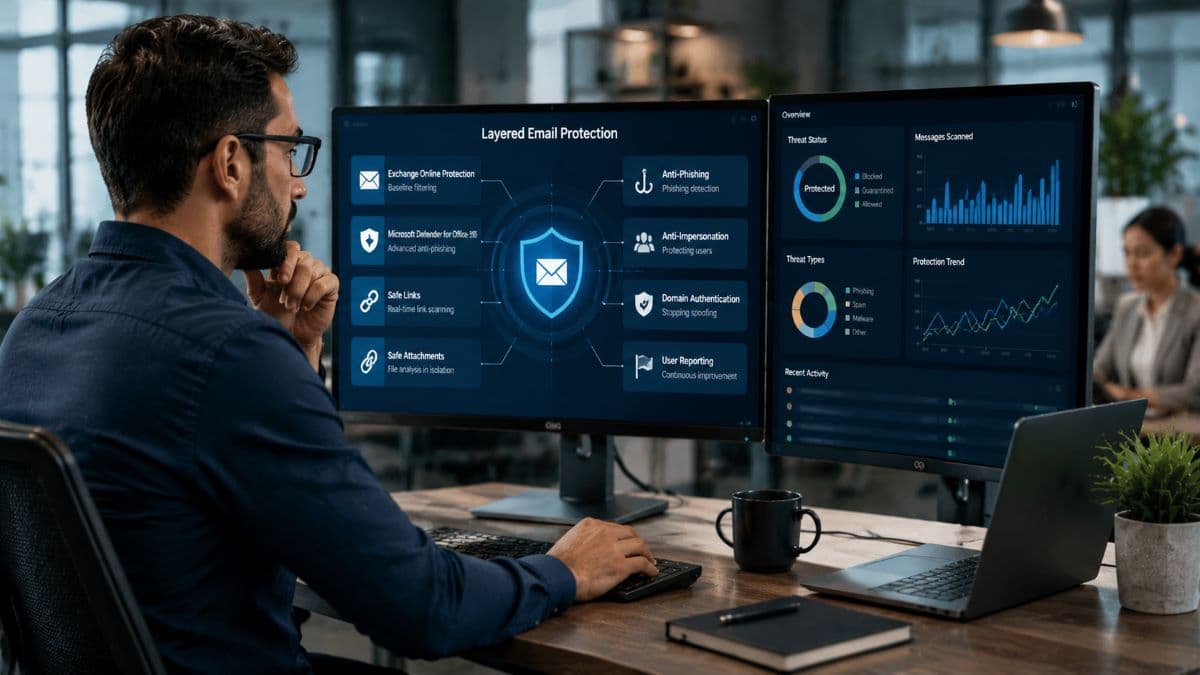
Microsoft 365 provides phishing protection in layers, and understanding what each one does helps you use them well. The foundation, included with cloud mailboxes, is Exchange Online Protection, which handles baseline filtering of spam and known malware before mail reaches inboxes. This catches a great deal of obvious junk and known threats automatically, but it is the starting point rather than the whole defense. The more sophisticated phishing that businesses most need to worry about calls for the additional protection layered on top of it.
That additional protection comes from Microsoft Defender for Office 365, which adds the advanced anti-phishing capabilities. It is available in two tiers, with Plan 1 included in the Microsoft 365 Business Premium plan that many smaller businesses use and Plan 2 included in Microsoft 365 E5. For most small and mid-sized businesses, the first tier covers the primary email threats, providing the core advanced protections. Knowing which plan you have matters, because it determines which features are available to you. Getting the most from them is part of well-run managed Microsoft 365, where the protections are configured deliberately rather than left at their defaults.
Safe Links: Protection at the Moment of the Click
One of Defender's key features is Safe Links, which protects against malicious web addresses in email. Rather than only checking a link when the message arrives, Safe Links checks it again at the moment the user clicks, scanning the destination for known threats in real time. This matters because attackers commonly send a link that is harmless when delivered and then turn it malicious afterward, slipping past filters that only inspect mail on arrival. By checking at the time of the click, Safe Links closes that gap, catching links that have become dangerous after the message landed in the inbox.
Safe Attachments: Testing Files Before They Arrive
The companion feature, Safe Attachments, addresses malicious files. Before delivering a message with an attachment, it opens the file in an isolated, controlled environment to observe what it does, a process of detonating the attachment safely away from your systems. If the file behaves maliciously, it is caught before it ever reaches the user. This is particularly valuable against new threats that known-malware filters have not yet learned to recognize. It judges a file by its behavior rather than only by whether it matches a known signature, adding a meaningful layer beyond baseline filtering.
Email Authentication: Stopping Spoofing at the Source
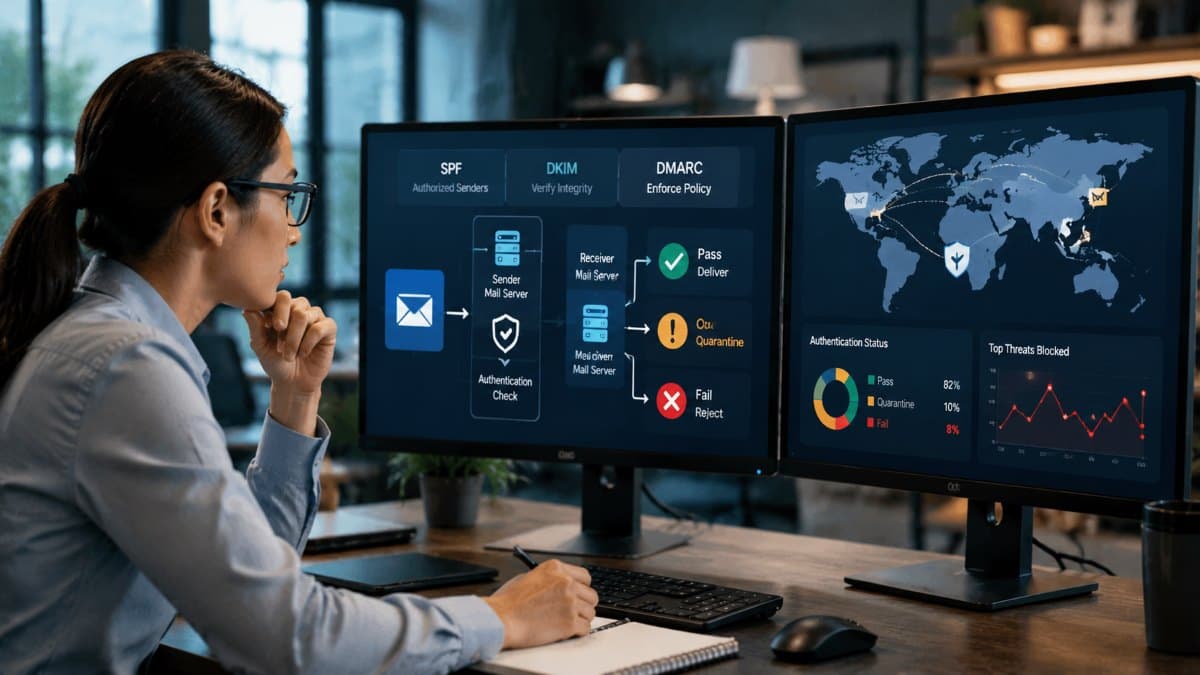
A large share of phishing relies on making an email appear to come from someone it does not, so a core part of phishing protection is proving which messages are from your domain. Three connected standards, SPF, DKIM, and DMARC, do this work together. The first authorizes which services are allowed to send mail for your domain. The second adds a signature to your outgoing messages so recipients can verify they are authentic and unaltered. The third ties the first two together and tells receiving systems what to do with a message that fails the checks, which is the part that stops spoofed mail from being delivered. Our guide to email authentication walks through each record in detail.
Setting these up correctly is one of the highest-value things a business can do for email security, because it prevents attackers from convincingly impersonating your own domain against your staff, your clients, and your partners. The strongest setting instructs receivers to reject messages that fail authentication outright, and it is widely regarded as one of the most impactful email security controls available. The sensible way to reach it is gradually, starting in a monitoring mode to see what legitimate mail exists, then tightening to quarantine questionable messages, and finally to full rejection once you are confident mail will not be caught. Rushing straight to rejection can block legitimate messages, so the staged approach matters, and it is the kind of careful configuration a capable IT partner handles as part of managed cybersecurity.
The Protections You Have to Turn On
The table below shows each layer, where it comes from, and what is already on versus what someone has to configure.
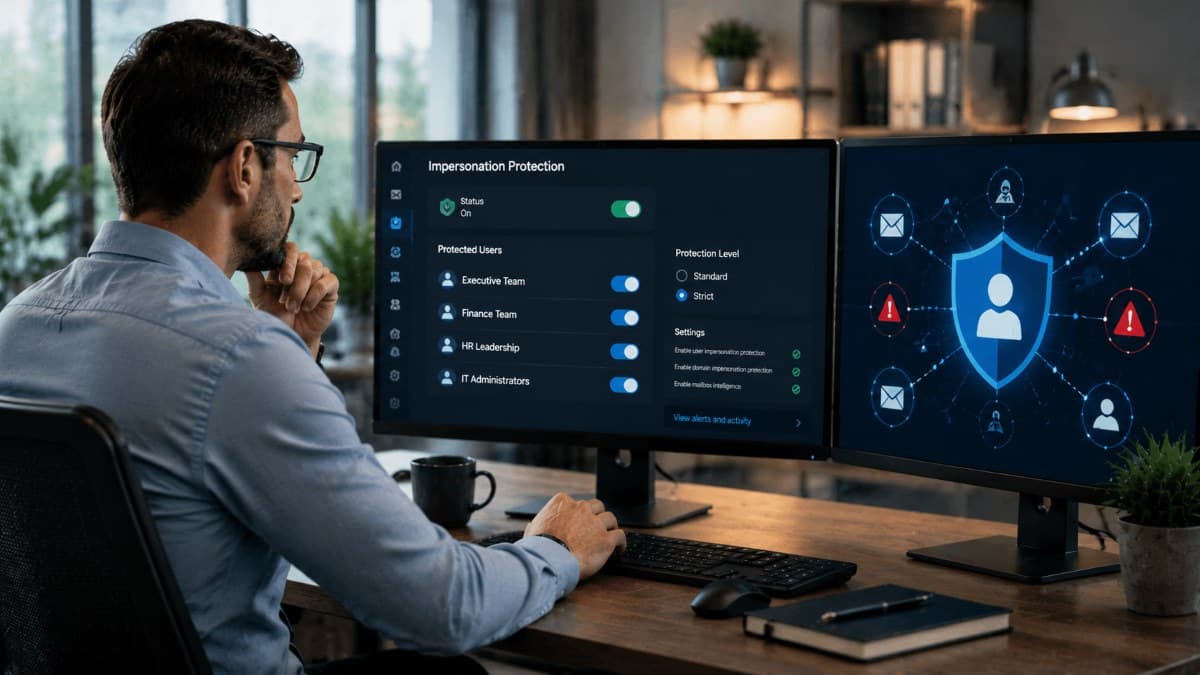
This is where many businesses leave themselves exposed without realizing it. Basic anti-spoofing is on for every plan, and on plans that include Defender for Office 365, such as Business Premium, the link and attachment protections are on by default as well. Plans without Defender, such as Business Standard, do not include those two at all. On every plan, protection against impersonation is not switched on automatically and must be configured. Impersonation attacks are among the most dangerous phishing techniques, where an attacker mimics a specific trusted person, such as an executive, using a lookalike name or address to trick staff into transferring money or sharing information. Defender can guard against this, but only once you have set it up and told it whom to protect, which is a step that is easy to overlook and costly to miss.
Getting this right means identifying the people most likely to be impersonated, your leaders and the staff in finance and other sensitive roles, and adding them to the protected list so the system watches for attempts to imitate them. Microsoft also provides preset protection bundles that apply sensible configurations, with a standard level appropriate for everyone as a baseline and a stricter level worth applying to high-risk individuals like executives. Taking the time to turn on and tune these protections, rather than assuming the defaults cover everything, is one of the clearest dividing lines between businesses that are protected against impersonation phishing and those that only think they are.

The Human Layer Still Matters
Technology catches a great deal, but no filter stops everything, so the people using Microsoft 365 remain an essential part of phishing protection. Training staff to recognize phishing, to be skeptical of unexpected requests, and to verify anything that asks for money or credentials closes the gap that technical controls cannot fully cover. Microsoft 365 supports this by letting users report suspicious messages directly, which both removes the threat and helps improve the filters over time. Encouraging staff to report rather than delete suspicious mail turns your whole team into an additional layer of detection.
For businesses on the higher Defender tier, Microsoft also offers built-in phishing simulation training, which sends realistic but harmless simulated phishing to staff and provides guidance to those who fall for it, building awareness through safe practice. Whether through this tool or other training, the goal is the same: a workforce that treats unexpected emails with appropriate caution. Since phishing is so often the first step toward more serious fraud, helping staff understand related schemes such as business email compromise strengthens the human layer. Those are the attacks technical filters struggle to catch, because they rely on manipulating people rather than delivering malware.
The Phishing That Bypasses Basic Defenses
Honesty requires acknowledging that attackers have developed techniques specifically to get around standard protections, and understanding them shapes how you defend. One of the most significant intercepts the login process in real time, sitting between the user and the real Microsoft 365 sign-in to capture not just the password but the session itself, which can defeat basic forms of additional authentication. This is why the strength of your authentication matters so much, and why moving toward phishing-resistant MFA is one of the most important defenses against modern phishing, since it is far harder for these techniques to bypass.
Other techniques sidestep email filtering in clever ways. Some embed the malicious link in a scannable code image so a user moves to a personal phone, outside the protections on their work device, to follow it. Others trick users into granting a malicious application access to their account through a legitimate-looking permission request, gaining entry without ever needing the password. Still others arrive through chat and collaboration tools rather than email, exploiting the trust people place in those channels. The lesson is that phishing protection cannot rely on email filtering alone; it has to extend to strong authentication, careful permission management, and vigilance across every channel, which is why a layered approach beats any single control.

When Something Gets Through
Because no defense catches everything, a complete approach to phishing protection includes knowing what to do when an account is compromised, and acting fast limits the damage. The immediate steps are to block the affected account from signing in, reset its credentials, and end any active sessions, including any access granted to applications. An attacker who established a session or app access can retain entry even after the password changes. Moving quickly through these steps can contain an incident before it spreads, while a slow or uncertain response gives an attacker time to do real harm.
For most small businesses, responding this quickly around the clock is difficult without help, since attacks do not keep business hours and a compromise discovered hours late is far worse than one caught immediately. This is where ongoing around-the-clock monitoring earns its place, watching for the signs of a compromised account and enabling a fast response at any hour. Combined with the preventive layers, this completes a realistic defense: strong filtering and authentication to stop most phishing, alert staff to catch what gets through, and monitoring and a response plan for the incidents that still occur.
A local partner offering managed IT services in Los Angeles can put all of these pieces in place and keep them working together.

Putting Microsoft 365 Phishing Protection Together
For a small business, the setup order that matters most looks like this:
- Confirm which plan you have, and whether it includes Defender for Office 365.
- Apply the Standard preset policy to everyone and the Strict preset to executives and finance staff.
- Add the people most likely to be impersonated to impersonation protection.
- Publish SPF, enable DKIM for your own domain, and move DMARC to reject in stages.
- Require multi-factor authentication for everyone, with phishing-resistant methods for administrators and anyone who approves payments.
- Turn on the report button, train staff to use it, and write down who does what when an account is compromised.
The right way to protect against phishing in Microsoft 365 is not a single setting but a layered approach that uses what the platform offers and adds what it cannot provide on its own. That means relying on the built-in filtering, turning on and tuning the protections that are not active by default, and setting up email authentication properly. It also means strengthening authentication against modern bypass techniques, training staff to stay alert, and having a plan for when an account is compromised. Microsoft 365 gives you strong tools, but they protect you only when they are configured deliberately and supported by people and process. A periodic review, such as the reviews included in managed IT and cybersecurity for San Fernando Valley businesses, helps confirm that your phishing protection is configured the way it should be. Defaults leave gaps an attacker would happily use.
Frequently Asked Questions
Microsoft 365 protects against phishing only partly out of the box. Every plan includes baseline filtering of spam and known malware plus basic anti-spoofing, and plans with Defender for Office 365, such as Business Premium, also switch on link and attachment protection by default. However, some of the most important protections, particularly impersonation protection against attackers mimicking your executives or staff, are not switched on automatically and must be configured. So Microsoft 365 gives you strong tools, but relying on the defaults alone leaves meaningful gaps that proper setup and tuning are needed to close.
Configuring email authentication so that receiving systems reject messages that fail the checks is widely regarded as one of the most impactful controls, because it stops attackers from convincingly impersonating your own domain against your staff, clients, and partners. The sensible way to reach the strongest setting is gradually, starting in a monitoring mode, then tightening to quarantine, and finally to full rejection once you are confident legitimate mail will not be blocked. Rushing straight to rejection can disrupt email.
Some advanced techniques can defeat basic forms of additional authentication by intercepting the login in real time and capturing the session itself, not just the password. This is why the strength of your authentication matters, and why moving toward phishing-resistant methods is important, since they are far harder for these techniques to bypass. Additional authentication is still strongly worth having and stops a great deal, but the more resistant the method, the better it holds up against modern phishing.
Act quickly. If a Microsoft 365 account is phished, block it from signing in, reset its credentials, and end any active sessions, including any access granted to applications. An attacker can retain entry through an existing session or app permission even after the password changes. Then investigate what the attacker may have accessed. Because attacks do not keep business hours, many small businesses rely on around-the-clock monitoring so a compromise is caught and contained promptly rather than discovered hours later.
If you are not confident your Microsoft 365 phishing protection is configured the right way, talk to GlobeVM. We can set up and tune the built-in defenses, strengthen your authentication, and add the monitoring and response that catch what gets through, so your inbox is defended rather than relying on the defaults.
Comments
0 Comments