

Ask three providers what managed IT services pricing looks like for your company and you will probably get three numbers that seem to describe three different companies. One quote is double another. A third is a single line with no detail at all. Most business owners walk away from that experience assuming someone is trying to take advantage of them, and occasionally they are right. More often, though, the quotes differ because each provider quietly priced a different scope of work, and nobody put the differences side by side.
This guide explains how the pricing actually works: the models providers use, what a monthly fee does and does not include, the factors that move the number up or down, and how to compare quotes so you are judging the same thing. We will not pretend there is one universal market rate, because there is not. What you will have by the end is a way to get a real number for your own business and the confidence to know whether it is fair.
What Managed IT Services Pricing Actually Covers
A managed services agreement replaces hourly, reactive billing with a fixed monthly fee that covers an agreed scope of ongoing work. The fee is not paying for a person; it is paying for an outcome, which is usually some version of "the systems stay up, the users get help, and problems get caught early." Understanding what sits inside that fee is the foundation for comparing any two quotes.
The core of most agreements
Nearly every serious managed IT services agreement includes the same working parts, even when the packaging differs:
- Help desk support for day-to-day user problems, delivered remotely during defined hours
- Remote monitoring and management, meaning a software agent on every covered device that reports health, applies updates, and flags trouble before users notice
- Patch management for operating systems and common applications
- A security baseline, typically endpoint protection, email filtering, and multi-factor authentication enforcement
- Backup oversight, meaning someone checks that backups ran and can be restored, whether or not the backup platform itself is billed separately
- Vendor coordination, so your internet provider, phone vendor, and line-of-business software support argue with your MSP instead of with you

What usually costs extra
The monthly fee covers keeping the environment you have healthy. It usually does not cover changing that environment. Projects such as an office move, a server migration, or rolling out a new phone system are quoted separately. Hardware is almost always separate. After-hours emergency work is included in some agreements and billed in others, which is exactly the kind of difference that makes one quote look cheaper than it really is. Advanced compliance work, such as preparing a medical practice for a HIPAA audit, is often a defined add-on rather than part of the base fee.
The Six Pricing Models Behind Every Quote
Almost every quote you receive is built on one of six models. Knowing which one you are looking at tells you most of what the fine print will say.
Per-user pricing
You pay a flat amount for each employee, and that amount covers all of the devices that person uses. This has become the most common model because it scales cleanly with headcount and makes budgeting simple: hire three people, the IT line grows by three units. It fits businesses where most employees work on a computer. It fits less well when you have many shared workstations or machines with no dedicated user, because you end up paying for people rather than the devices that actually generate the work.
Per-device pricing
Here the unit is the machine: a price per workstation, another per server, another per network device. A dental office with six operatory computers shared across staff often does better on this model than per-user. The trade-off is that device counts drift. Someone adds a laptop, a lab machine appears, and six months later the invoice no longer matches reality until a true-up corrects it.
Tiered packages
Providers bundle services into levels, commonly labeled something like Essential, Professional, and Complete. The lower tier typically covers monitoring and help desk; higher tiers add security depth, backup, and strategy work. Tiers make comparison easier at a glance and harder in detail, because two providers' "Professional" tiers rarely contain the same items. When you see MSP pricing presented as tiers, ask for the item-by-item list behind each label, not the label.
All-inclusive flat fee
One number covers everything the business needs, including projects, sometimes even hardware refreshes on a schedule. The appeal is total predictability: this is the model that finally kills surprise IT bills. The caution is that the provider carries the risk of unpredictable work, so the fee is priced to absorb it. You are paying a premium for certainty, which is a rational trade for many owners and a poor one for a company with very stable, very simple needs.
Co-managed pricing
If you already employ an IT person, you do not need a provider to replace them; you need one to cover what a single human cannot, such as around-the-clock monitoring, deep security tooling, and vacation coverage. Co-managed IT services are priced accordingly, usually lower per unit than full management because the provider is supplying tools and a second layer rather than the whole function.
À la carte and block hours
Some providers sell prepaid blocks of hours or a menu of individually priced services. Block hours are really just prepaid reactive work, which means the provider earns more when you have more problems. That is the same misaligned incentive that makes break-fix versus managed IT such a lopsided comparison over time. À la carte pricing suits a business buying one narrow service on top of an otherwise solid setup, not a business looking for someone to own the outcome.

The Factors That Move Managed IT Services Pricing Up or Down
Two companies with the same headcount can receive honestly different prices. These are the variables doing the moving.
Headcount and device mix
User count sets the baseline, but the mix matters as much as the number. Twenty office workers on standard laptops price differently than twenty users spread across two locations with a server room, a warehouse of shared terminals, and a dozen phones in the field. Servers in particular carry real weight in any quote because they demand monitoring, patching, and backup attention out of proportion to their count.
Compliance requirements
A medical practice under HIPAA, an accounting firm under the FTC Safeguards Rule, or a contractor handling defense-related data does not just need more security; it needs documentation, defined processes, and evidence that both exist. That work is real and it appears in the price. If a quote for a covered medical practice looks identical to a quote for a marketing agency of the same size, one of those quotes is wrong.
Depth of the security stack
The gap between a basic antivirus-and-firewall setup and a stack with managed detection and response, security awareness training, and dark web monitoring is one of the largest cost differences between providers, and one of the least visible on a summary quote. This is also where the cheapest quote is usually cheap. When you compare the cost of IT support across providers, the security column is the first place to look for the explanation.
Support hours and response expectations
Business-hours help desk with next-day response is one price. True around-the-clock coverage with a one-hour response commitment for critical issues is another. Neither is wrong; a two-shift manufacturing operation and a nine-to-five law office simply need different things. Make sure the hours in the quote match the hours your business actually runs.
Location and onsite needs
Fully remote support prices lower than an agreement with scheduled onsite days. Geography plays a part too: labor costs differ by region, and proximity matters when hands-on work is frequent. For companies comparing managed IT services in Los Angeles, a provider based across town can put an engineer in your server room the same morning, which is a service level a distant national help desk simply cannot quote.
The state of your current environment
Providers price the environment they are inheriting. Aging machines past their replacement cycle, an unmanaged network, no documentation, and years of deferred updates all mean the first ninety days will be heavy, and honest providers surface that as a one-time onboarding or remediation cost rather than burying it in a fee that later balloons. If your environment is clean and documented, say so and expect it to show in the number.
Contract length
A three-year commitment usually prices below month-to-month, because the provider can spread onboarding costs across a longer horizon. The discount is legitimate; just weigh it against how confident you are in the relationship before you have experienced it.
Why Quotes for the Same Company Vary So Much
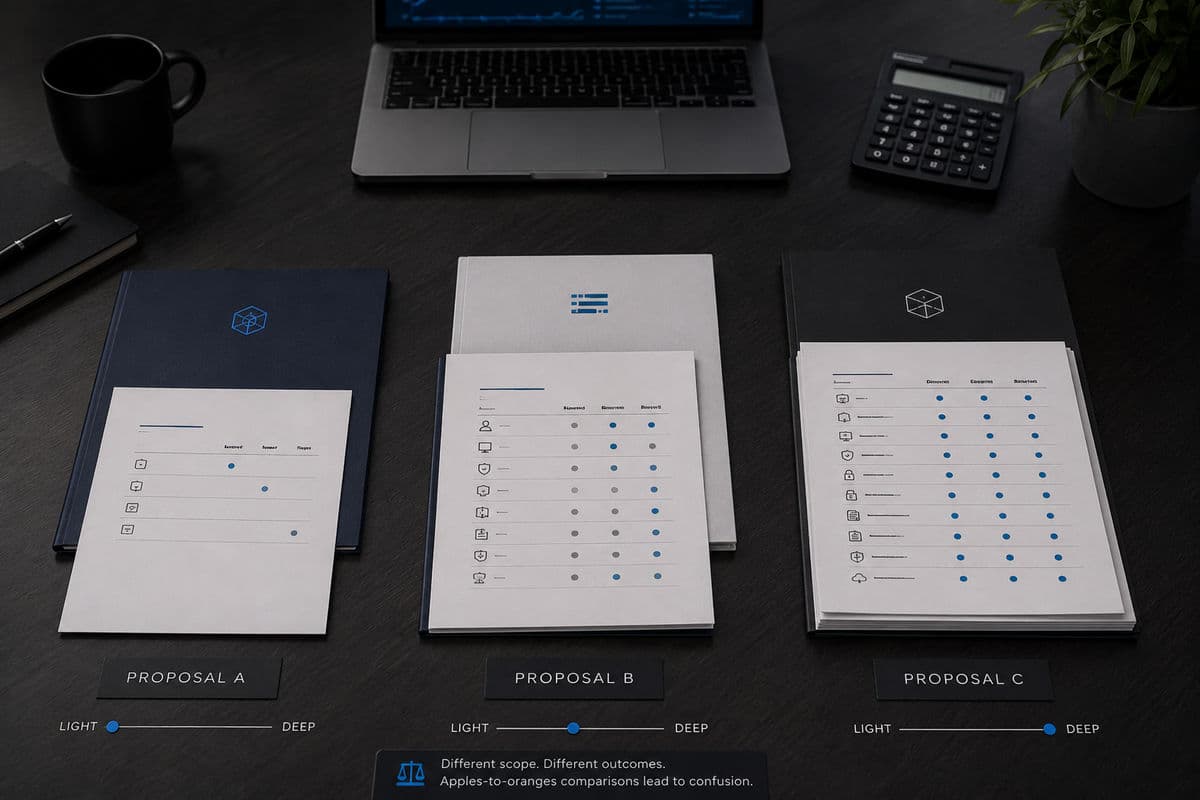
Put three quotes on a desk and the spread is rarely about greed. It is about scope, and about three specific traps.
The apples-to-oranges problem
One provider quoted 24/7 support with a full security stack. Another quoted business hours with basic antivirus. Both wrote "managed IT services" on the first page. Until you list what each fee contains line by line, you are comparing envelopes, not contents. Ask every provider for a scope sheet and lay the columns side by side; the price gap usually explains itself in the first five rows.
The thin quote trap
The lowest number often wins the meeting and loses the year. A fee that excludes after-hours work, caps help desk tickets, or leaves backup verification out of scope converts into hourly invoices the first time reality exceeds the scope. The cheapest monthly IT support contract pricing on paper is frequently the most expensive arrangement in practice. What the contract commits to, and what happens when a commitment is missed, lives in the service level agreements in managed IT contracts, and that document deserves more attention than the price page.
Why online pricing calculators mislead
A managed IT services pricing calculator on a provider's website multiplies your user count by a placeholder rate and returns a number that ignores every factor in the previous section: no compliance weighting, no environment assessment, no security depth, no support-hours difference. Calculators exist to start conversations, not to price agreements. Treat any number produced without a discovery call as marketing, because that is what it is.
The One-Time and Less Obvious Costs
Beyond the monthly fee, a few line items deserve a direct question before you sign.
- Onboarding fee — covering discovery, documentation, agent deployment, and cleanup of inherited problems; commonly equal to one or two months of service
- Minimum commitments — a seat floor or monthly minimum that matters if your headcount fluctuates seasonally
- True-ups — the mechanism and timing for adjusting the bill when users or devices are added mid-term
- Licensing pass-throughs — software such as productivity suites and security tools billed at cost, at cost-plus, or bundled, and worth itemizing either way
- After-hours and emergency rates — if not included, the hourly rate and the definition of "emergency"
- Offboarding terms — what it costs and how long it takes to get your documentation, passwords, and data back if you leave

How the Cost Compares to the Alternatives
The monthly fee only makes sense against what you would spend instead. The first alternative is hiring: a full internal team brings salary, benefits, tooling, training, and the single-point-of-failure problem of one person holding every password and every piece of knowledge. The honest comparison of in-house IT versus outsourced managed services is rarely about which is cheaper on a spreadsheet; it is about which risks you would rather own at your size. The second alternative is staying reactive and paying hourly when things break, which feels cheaper in a quiet month and costs the most in exactly the month you can least afford it.
There is also a structural difference in how the money behaves. Buying servers and paying for emergencies is capital-heavy and unpredictable, while a managed agreement converts the same need into a flat operating expense. For many owners, that shift of IT spending from CapEx to OpEx is worth nearly as much as the services themselves, because it makes the IT line plannable for the first time.
How to Get an Accurate Price for Your Business
You can shortcut weeks of vague conversations by arriving prepared. A provider can only price accurately what they can see, so bring the facts that define your scope.
- Count users and devices honestly, including that laptop in the conference room and the server nobody restarts
- List your critical applications and who supports each one today
- Name your compliance obligations, even the ones you are not yet meeting
- Define the hours your business genuinely operates and what downtime costs you per hour
- Write down the last three IT problems that hurt, because they reveal what the agreement must fix first
Then insist on a discovery process before a final number. A provider willing to quote a firm monthly fee without examining your environment is guessing, and you will pay for the guess in one direction or the other. The final quote should name its model, itemize its scope, state its one-time costs, and put its response commitments in writing. When two quotes built that way sit side by side, the right choice tends to become obvious.
Frequently Asked Questions
There is no single market rate, because the fee is a function of scope: your user and device count, compliance obligations, security depth, support hours, and the condition of your current environment. Two same-sized companies can be priced honestly and differently. The reliable way to learn your number is a discovery-based quote that itemizes exactly what the fee covers, which also makes competing quotes comparable.
A typical agreement includes help desk support, remote monitoring and management of covered devices, patching, a security baseline such as endpoint protection and email filtering, backup oversight, and vendor coordination. Projects, hardware, and advanced compliance work are usually scoped separately. The exact list varies by provider and tier, which is why the item-by-item scope sheet matters more than the package name.
Per-user suits businesses where most employees work on their own computer, because the bill scales with headcount and stays simple. Per-device suits environments with shared workstations, lab machines, or equipment without a dedicated user. Neither is universally cheaper; the right model is the one whose unit matches how your business actually generates IT work.
Almost always because it contains less: fewer support hours, a thinner security stack, excluded after-hours work, or capped tickets. Occasionally a lean quote reflects genuine efficiency, but you can only tell by comparing line-item scope, not totals. A quote that cannot produce a scope sheet is not a lower price; it is an unpriced risk.
Usually yes. The monthly fee maintains the environment you have; migrations, office moves, new systems, and equipment purchases are quoted as projects unless you are on a true all-inclusive agreement that explicitly folds them in. Ask how project rates are set for existing clients, since that rate will apply to work you have not imagined yet.
For most small and mid-sized businesses, a managed agreement costs meaningfully less than a qualified full-time hire once salary, benefits, tooling, and coverage gaps are counted, and it removes the risk of one person holding all institutional knowledge. Past a certain size and complexity, the answer flips or becomes a hybrid, which is exactly what co-managed arrangements exist to serve.
Managed IT services pricing stops being mysterious the moment you see it as scope with a number attached: know your environment, name the model, itemize the fee, and the comparison takes care of itself. If you want a real figure for your own business instead of a model, book a short consultation with GlobeVM and we will scope it properly.
Comments
0 Comments